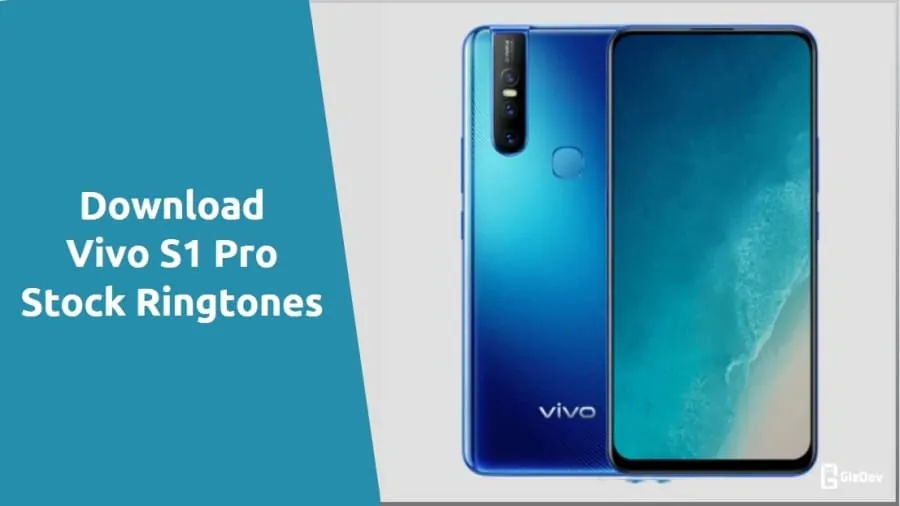
Today we share a complete collection of Vivo S1 Pro Ringtones, Notification Tones, Alarm tones and UI Sounds. All those ringtones come in a ‘.mp3’ format and can be used on any Android device. So let’s go below to download Vivo S1 Pro stock ringtones and other tones as a single zip file from below.
Vivo S1 Pro Specifications:
It comes with a 6.39 inches Super AMOLED capacitive touchscreen of pixel 1080 x 2340 resolution. Powering the phone is 2.0 GHz octa-core Qualcomm SDM675 Snapdragon 675 (11 nm) Processor and you have 6/8 GB RAM and 128/256 GB storage combinations to choose from. Also, This device includes multiple sensors like Fingerprint (under display), accelerometer, gyro, proximity, compass.
Camera:
As far as the cameras are concerned, the Vivo S1 on the rear packs a 16-megapixel primary camera with an f/1.78 aperture; a second 8-megapixel camera with an f/2.2 aperture and a third 5-megapixel camera with an f/2.4 aperture. It sports a 32-megapixel camera on the front for selfies, with an f/2.0 aperture.
Vivo S1 Pro Ringtones collection
Today we will share the stock ringtones of Vivo S1 Pro. There are a total of 71 stock ringtones that you can download for your smartphone. All the ringtones are in HQ (high quality) and bit rate of all the ringtones are more than 320kbps. Here you get the collection of all Stock Ringtones, Notification Tones, Alarm Tones and UI tones in ‘.mp3‘ file format, which is fully compatible with all Android phones.
Vivo S1 Pro Stock Ringtones Download Link:
After download “Vivo_S1_Pro_Stock_Ringtones.zip” file from above. Extract the file and make ringtone on your smartphone.
If you like the post share it with your friends, Follow our social pages to get all update as soon as possible. Follow here.