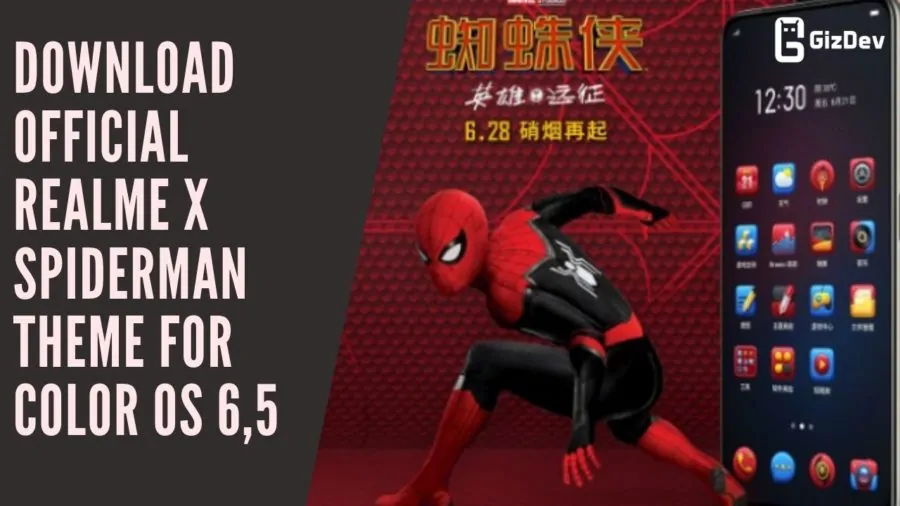
Here we share Realme X Realme X Spiderman Theme For Color OS 6,5. Realme released there latest smartphone Realme X in China and India. The smartphone looks premium with the good camera lens and under display fingerprint sensor. Realme X comes with the Snapdragon 710 (10 nm) Processor. The special edition Realme launched ahead of the launch of Spiderman Far From Home movie. So the Official Realme X Spiderman Theme for Color OS 6, 5 is available now.
Realme X Specification:
The highlight of the device is it brings full view display without a notch and less bezel. The Realme 3 Pro is having 6.53 inches AMOLED capacitive touchscreen. It has a display of 1080 x 2340-pixel Resolution. This device comes with the 2.2 GHz octa-core Qualcomm SDM710 Snapdragon 710 processor and it comes with 4/6/8 GB of RAM. Also, it has 64/128 GB of Internal storage.
The device runs on the Android 9.0 Pie (ColorOS 6) out of the box. It has a Non-removable Li-Po 3765 mAh battery. The sensor has Fingerprint (under display), accelerometer, gyro, proximity, compass. However, Let’s take a look at the “ Realme X Wallpapers ”.
Camera setup:
Realme X is the best mid-range device that brings good camera quality with performance. This device comes with Pop-up 16 MP front camera. Also, this device sports 48MP wide (f/1.7, 26mm lens) + 5MP (f/2.4) depth sensor rare camera. You can also record Super Slo-mo videos at 1080p@30fps.
Realme X Spiderman Theme:
The theme is official and extracted from the Realme X device. All credits goes to the developer who extracted this theme from the Realme X. I don’t like the color os at all but if you have any OPPO or Realme device running on color os 6 or color os 5 you can download this theme it will surely look good. Download link for Color os 6 and color os 5 are given separately in the downloads section.
Download Realme X_Spiderman Theme For Color OS:
Above links are direct .theme file links, if above doesn’t work download the below ZIP file links!!
How To Apply The Theme:
- Download the theme from above download section according to your color os version.
- Now Copy Paste the theme in File Manager–>Internal Storage–>Themes
- Now open themes store app.
- Go to themes there you can see downloaded themes, apply it.
If you have any queries comment below in the comment box. Also, like our official Facebook page for more instant updates!!