Do you want to send some files over WhatsApp but return the error that the files are unsupported? so here is the solution for this-this is the simple app named as Steg developed by an Xda forum member. It is a simple app that encodes the files as WhatsApp detects it as a supported file and the user will need to decode it by using Steg app and done file is sent. But this app is required to install on both the phone that is the sender and the receiver. To send unsupported files this is a simple app so Download Steg App to Send Unsupported Files Through WhatsApp.
Steg APP:-
Steg is a simple handy app that allows you to send files through WhatsApp, a popular messaging platform. Allows you to seamlessly send files relevant to your chat that are unsupported by WhatsApp without the hassle of you going out of your way and using e-mail or Drive, etc. example another app you wish to show a friend or a zip file. It can also be used as a way to get around WhatsApp’s image compression when it distorts your photos. Or send an Avi video. Whatever the file type, be it binary or text. Just make sure both parties have Steg installed. And whatever you want to share via WhatsApp, share with Steg instead.
How to Send Unsupported Files Through WhatsApp
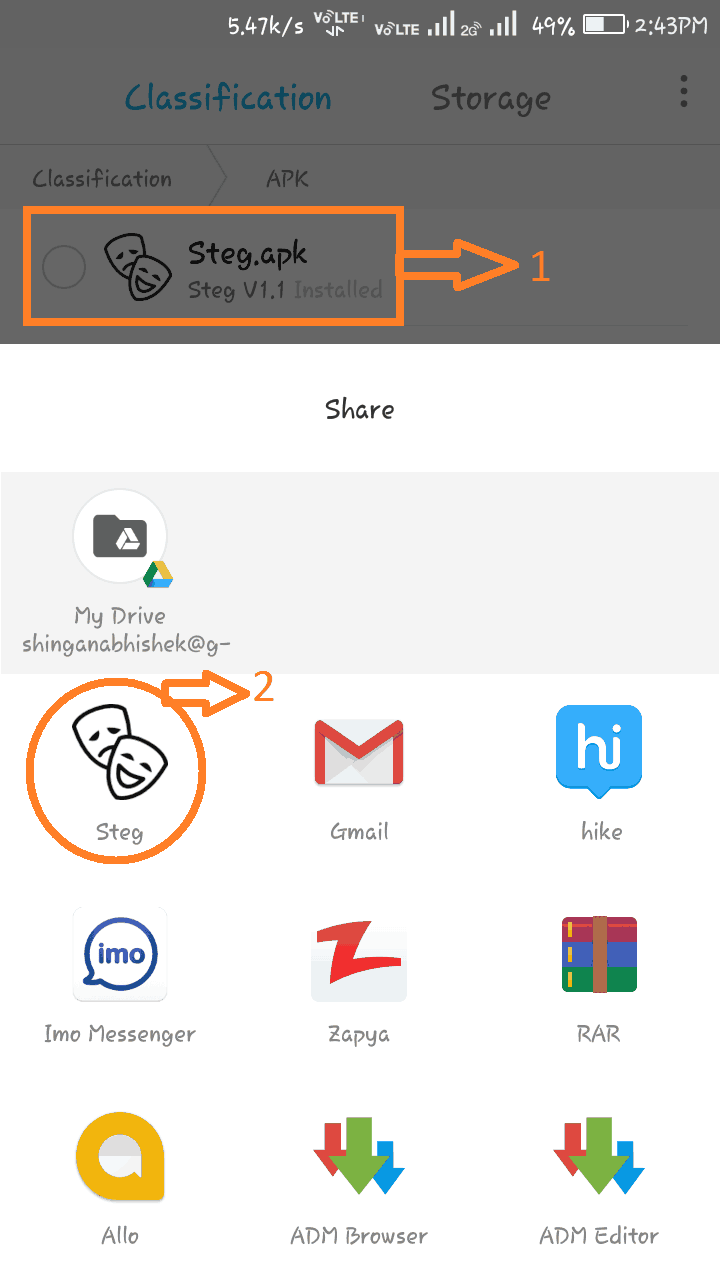
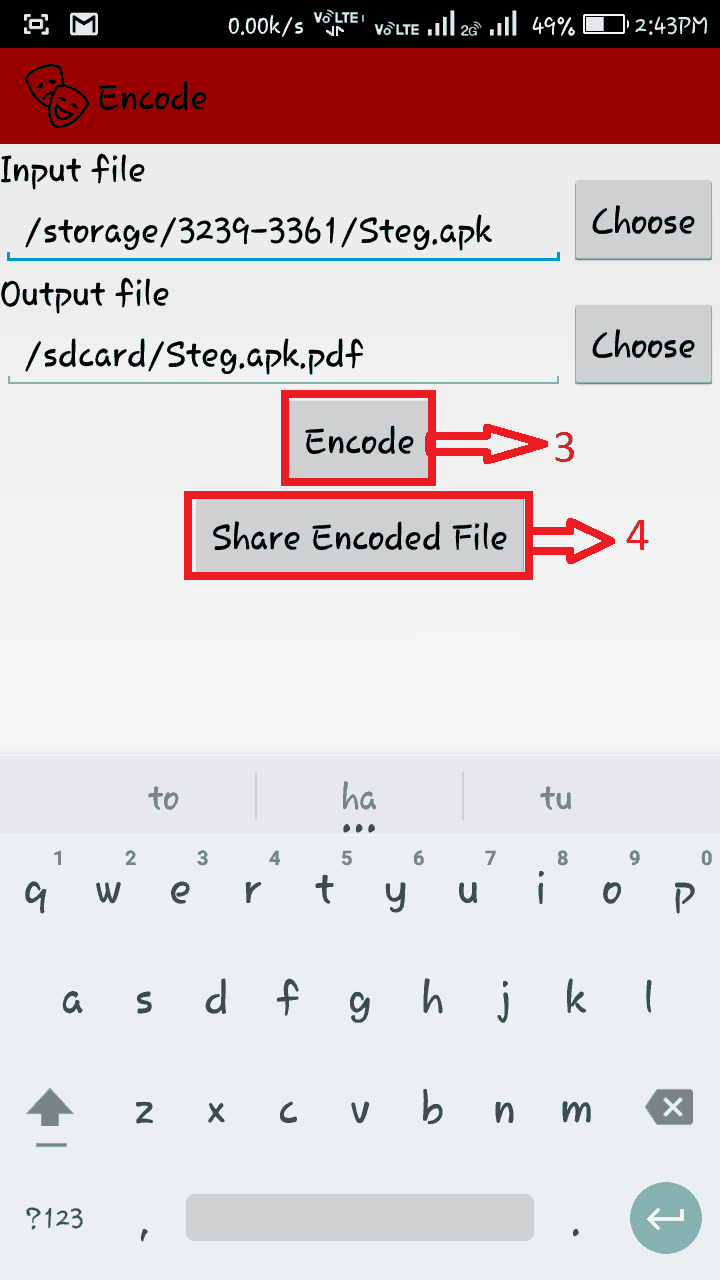
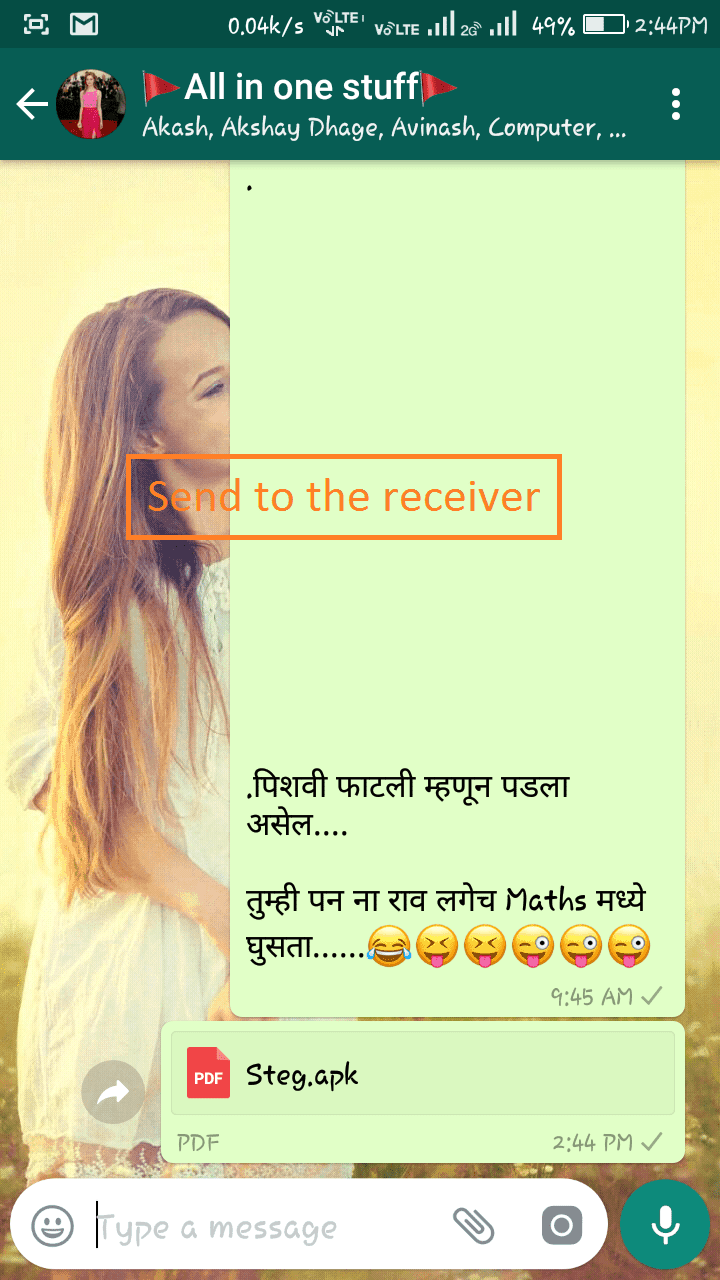
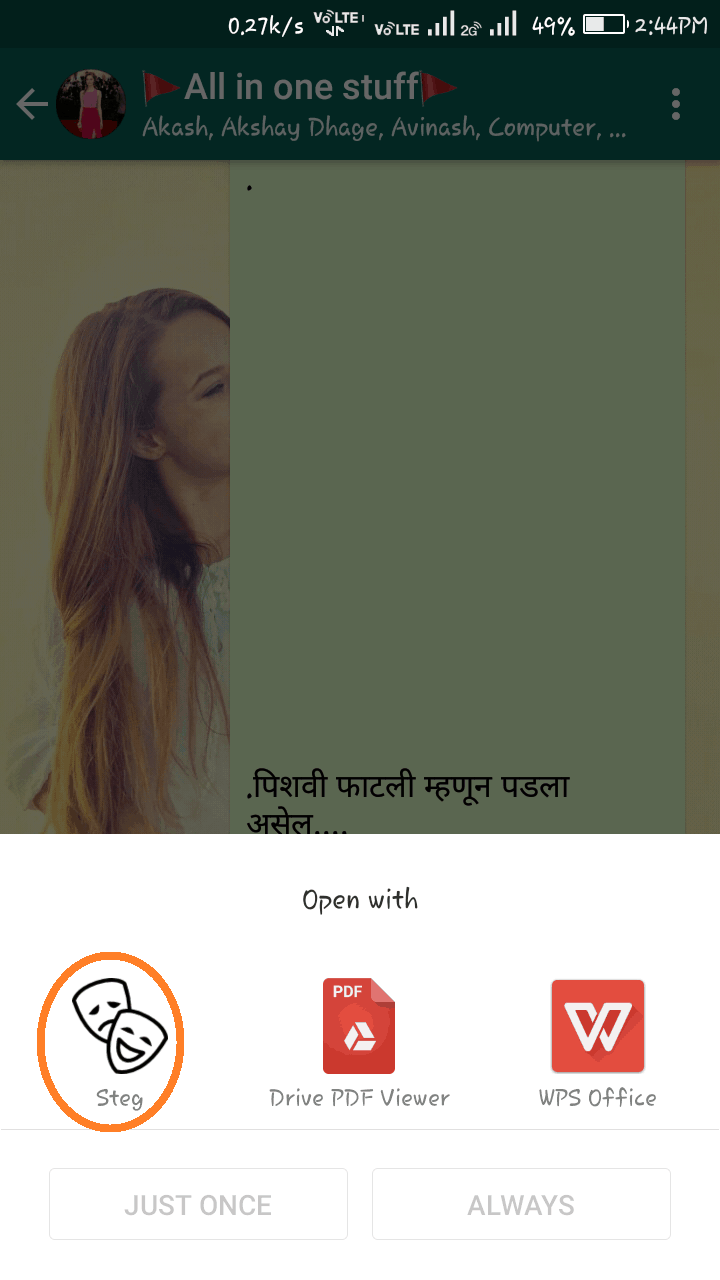
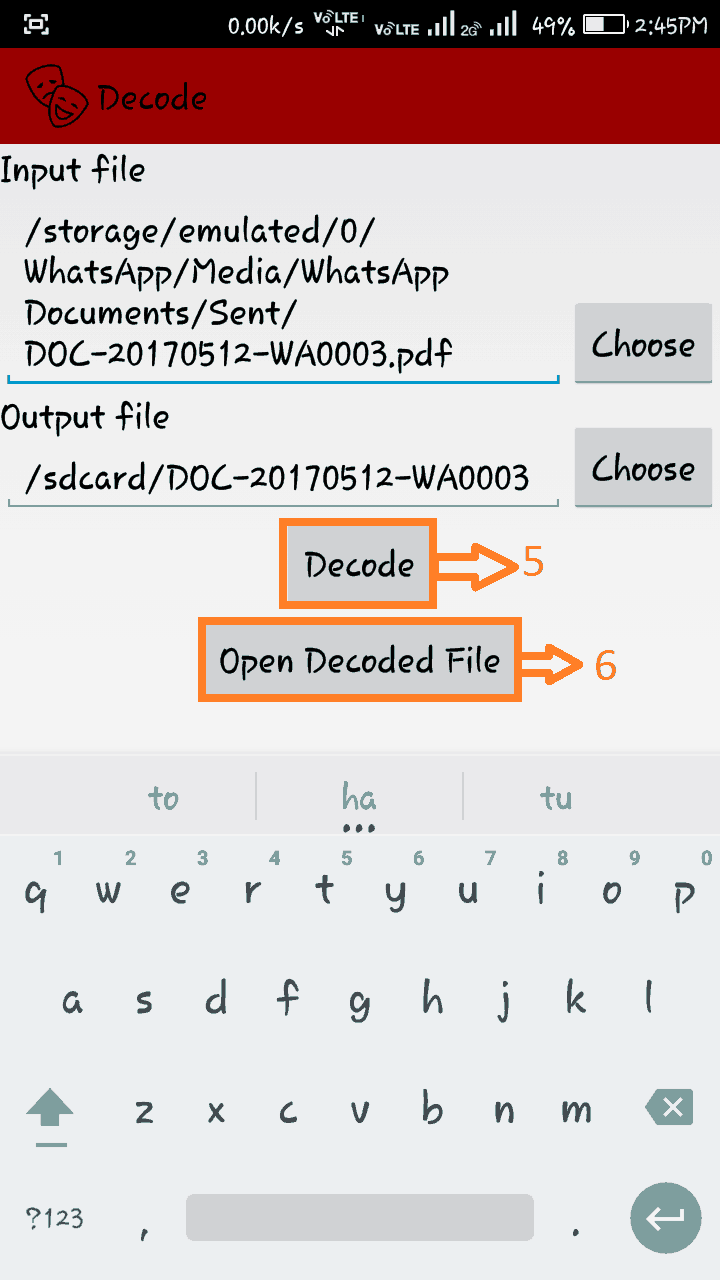
This gives you an Encode Activity that’s already auto-filled the input. Just click Encode and Share Encoded File and then use WhatsApp to share. Really simple. On the other device, the person receives what you sent and all he has to do is click on it from WhatsApp, select Steg to open it, click on Decode file, and then Open Decoded File. That’s it!! For more detail, we will provide screenshots below and follow them for better understanding.
Related Articles:
- Download Game Of Thrones TV Series Wallpapers In Mixed Resolution
- Latest ResurrectionRemix Bootanimation For Android
- Download HTC Bolt Stock Wallpapers in Ultra HD Resolution
- [Guide] How To Install GApps In EMUI 5.0 Via Apk Install
- Samsung Galaxy S7 Stock Ringtones & Notification tone Download
Thus you can send unsupported files through WhatsApp. Below the download link download the app from the below link and send unsupported files without getting any errors simple and easy.
More Whatsapp Guides – Download WhatsApp Status Videos And Photos
Any problem comment below we are happy to help 🙂