gizdevlogo
  • NEWS
  • DEALS
  • TECH
    • HOW TO
  • DOWNLOADS
    • Stock Wallpapers
    • Stock Ringtones
    • THEMES
    • Firmwares
  • ANDROID
    • Rooting
    • TWRP Recovery
    • Unlock Bootloader
    • Custom Roms
    • Google Camera
No Result
View All Result
gizdevlogo
No Result
View All Result

Enable Dark Mode and iPhone Style Gesture In Android Q

by akash
April 15, 2019
in Android, Apps, How To
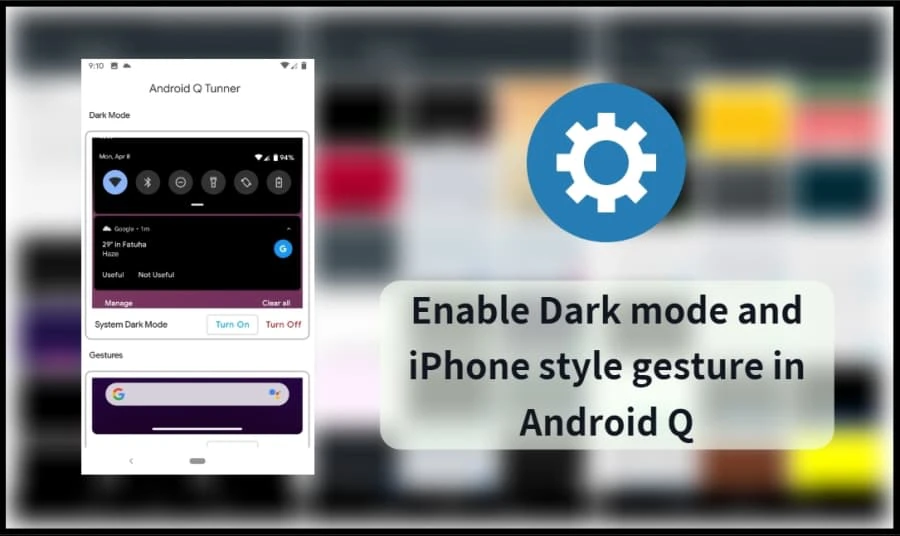
Dark Mode and iPhone Style Gesture In Android Q

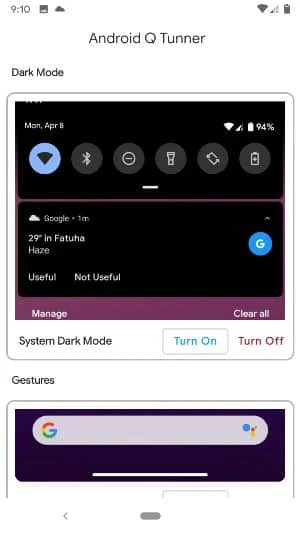
Today we share a guide to enable system-wide Dark Mode for Android Q with the help of Android Q Tunner. Also, you can enable iPhone Style Gesture in Android Q by using this app. This app work with any Android Q GSI running device.

Content List
  • Enable Dark Theme, iPhone Gesture and customize clocks, notification bubbles In Android Q
      • Pre-Requirement:
    • Download Android Q Tunner app
    • Steps To Enable Dark Mode and iPhone Style Gesture In Android Q

Many productivity Android application already offers dark mode to reduce the adverse effects of late-night screen time. However, Android user always wants Dark mode or night mode for the device. Here we guide you to enable night mode on Android. Google already offers Dark mode on Android but in Pie needs to some system Tweak to enable Dark Mode features.

Enable Dark Theme, iPhone Gesture and customize clocks, notification bubbles In Android Q

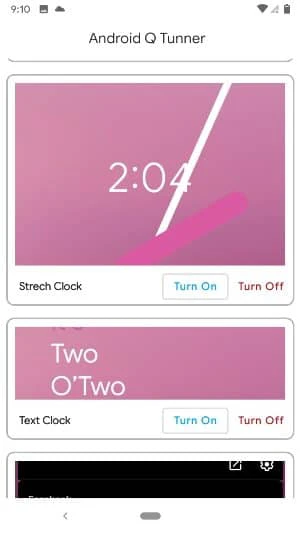
If you earlier used iPhone but now using Android smartphone that running with Android Q then you can also enable iPhone Style Gesture in your Android Q device. It gives you the same experience as the iPhone. Thanks to XDA developer to create an Android Q Tunner app. Also, this app lets you custom Android Q clocks faces, notification bubbles and System-Wide Dark Mode.
 

1 of 2
- +

The process will very easy for you, but these are the general steps you’ll need to follow:

Pre-Requirement:

  • Must be running on Android Q
  • Rooted device.
  • Download the app and Follow the guide.

Download Android Q Tunner app

android q tunner v1.apk

Steps To Enable Dark Mode and iPhone Style Gesture In Android Q

  1. Download The Android-Q-Tunner.apk file.
  2. Then Copy the downloaded file to your mobile or tablets in internal or external storage.
  3. Now enable Unknown Sources options from Settings > Security or Settings > Additional settings > Privacy.
  4. Install Android-Q-Tunner.apk.
  5. Once installation complete, open the app.
  6. Now choose an option and “Turn it on“.
  7. Reboot your device.
Don’t Miss: How To Enable Dark Mode In Facebook Messenger Without Root

If you have any problems do comment below. Also, for more updates on stuff like Mods, wallpapers, themes etc like our Facebook page.


Summarize With AI:
chatgptChatGPTgoogleaiGoogle AIgrokGrokperplexityPerplexity
akash

akash

Akash is an Android enthusiast. He is a tech-blogger by passion. He loves to help other people with his experience. He also likes installing ROM's, root's experiment on many Android devices and he learned a lot of things from this. Current Devices: Honor 8, Honor 6, ZTE Axon 7, Huawei P9

Related Posts

PUBG Mobile 1.8.0 Beta APK

Download PUBG Mobile 1.8.0 Beta APK | PUBG Mobile x Spiderman No Way Home collaboration

Download OnePlus Game Space For OnePlus Devices On OxygenOS 9.5+

OnePlus Game Space For OnePlus Devices On OxygenOS 9.5+

Leave a Reply Cancel reply

Your email address will not be published. Required fields are marked *

This site uses Akismet to reduce spam. Learn how your comment data is processed.

LATEST ON GIZDEV

How to Efficiently Recover Deleted Photos on an Android Mobile Phone?

Official Lenovo Legion Y70 Stock Wallpapers in FHD

Download Latest ReSukiSU v4.1.0 Kernel-based Root Solution

Leaked Samsung Galaxy Z Fold 8 Stock Wallpapers in FHD

Official Vivo X300 FE Stock Wallpapers Download in FHD

Download Latest SukiSU-Ultra v4.1.3 Kernel-based Root Solution

How to Convert Huawei Smartphones to CN Region For Free

Official VIVO S60 Stock Wallpapers & Live Wallpapers Collection

  • About Us
  • Contact Us
  • Privacy Policy
  • Editorial Policy
© 2026 GizDev. Made with ❤️ in India
chatgptChatGPTgoogleaiGoogle AIgrokGrokperplexityPerplexity
No Result
View All Result
  • NEWS
  • DEALS
  • APPS
  • THEMES
  • WALLPAPERS
  • STOCK RINGTONES
  • GOOGLE CAMERA

© 2026 GizDev. Made with ❤️ in India