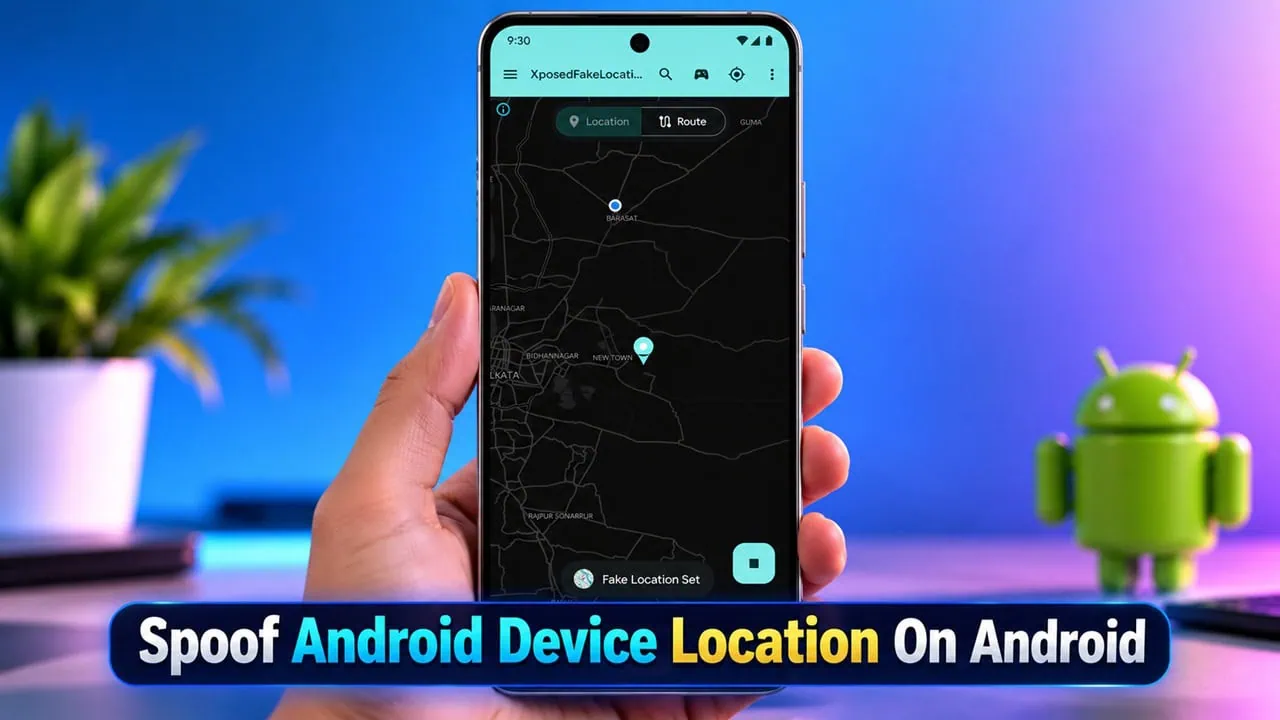
Fake GPS apps on the Play Store have always required the mock location switch in developer options, and that switch is a red flag for any app that checks your location data. Games detect it, banking and fitness apps refuse to work with it, and the whole setup breaks the moment Android updates. There is a cleaner way if your device is rooted. An Xposed module called XposedFakeLocation hooks the location APIs directly, feeds chosen apps a fake position, and never touches the mock location setting at all. This guide covers how to spoof an Android device location on Android [Root Only] with XposedFakeLocation and LSPosed.
The module just received an update to v0.4.0 with new features such as address search, routes that follow real roads, and a map engine using sharper vector maps with download of offline maps. It is actively maintained, free and open source. It combines all features into a single app rather than chaining together a fake GPS app with different hide modules.
What Is XposedFakeLocation?
XposedFakeLocation is an Android app and Xposed module that spoofs your device location globally or for specific apps without using mock location from the developer options. You pick a spot on the map, walk around with a floating joystick or play back a route along real roads, and only the apps you select receive the fake data. Everything else keeps its real location. In short, the module is the cleanest way to spoof android device location without touching developer options.
Features
- Per-app spoofing with automatic scope management, plus optional system-level hooks for system_server and the phone process.
- Floating joystick that walks, runs, bikes or drives the fake location around while a target app stays open.
- Custom routes with per-section speed, wait times and speed variation, loop or reverse playback and favorites.
- Road following that bends route sections along real streets instead of straight lines, with paths saved for offline playback.
- Two map engines, a sharp MapLibre vector map with light and dark styles and the classic OpenStreetMap view, plus offline map downloads.
- Address search that finds places by name and drops the marker or a route point there.
- Fine-tuned location data with accuracy, altitude, speed, GPS noise and randomization inside a radius.
- Wi-Fi identity hooks that report a custom SSID, BSSID and signal strength while hiding real scan results.
Requirements to Spoof Android Device Location
Requirements are very strict because this module hooks deep into the system. Your device must be rooted and ARM processor based and Android 10 or newer and you need a new build of LSPosed that fully supports the newer libxposed API. Older managers of Xposed and EdXposed will not load at all and will not work so please update first. If you have not set up the framework yet, read our guide on how to install LSPosed and come back once the manager is running.
- A rooted Android device with an ARM processor (64-bit or 32-bit).
- Android 10 (API 29) or newer.
- A modern LSPosed build that supports the new libxposed API (Xposed API 101+).
- The XposedFakeLocation APK installed on the device.
Download XposedFakeLocation
The latest release comes as a single APK file and can be installed directly from LSPosed manager through its module repository. Download the file, install it like any other APK, and you are ready to spoof an Android device location in a few minutes.
| Version | v0.4.0 |
| Size | 12 MB |
| Requires | Android 10 or newer, Root |
| Framework | LSPosed (new libxposed API) |
| Price | Free |
| Download APK | XposedFakeLocation.apk |
How to Spoof Android Device Location on Android [Root Only]
With the LSPosed framework ready, the whole setup takes a few minutes. Follow the steps below to spoof an Android device’s location on your rooted phone.
- Install XposedFakeLocation from the module repository inside the LSPosed manager or sideload the APK you downloaded above.
- Open LSPosed, go to the Modules tab and enable XposedFakeLocation, then reboot your phone once.
- Launch the app, open Target Apps from the navigation menu and tick every app that should receive the fake location. The module updates its own scope automatically, so never edit the scope manually in LSPosed.
- Go back to the map, tap a spot or use the search button to find a place by name.
- Press Play to start spoofing and Stop to end it. Only the apps in Target Apps are affected.
- When an app is newly added, force-stop and reopen it once with the relaunch button or from recents. After that, every change applies to the running app immediately.
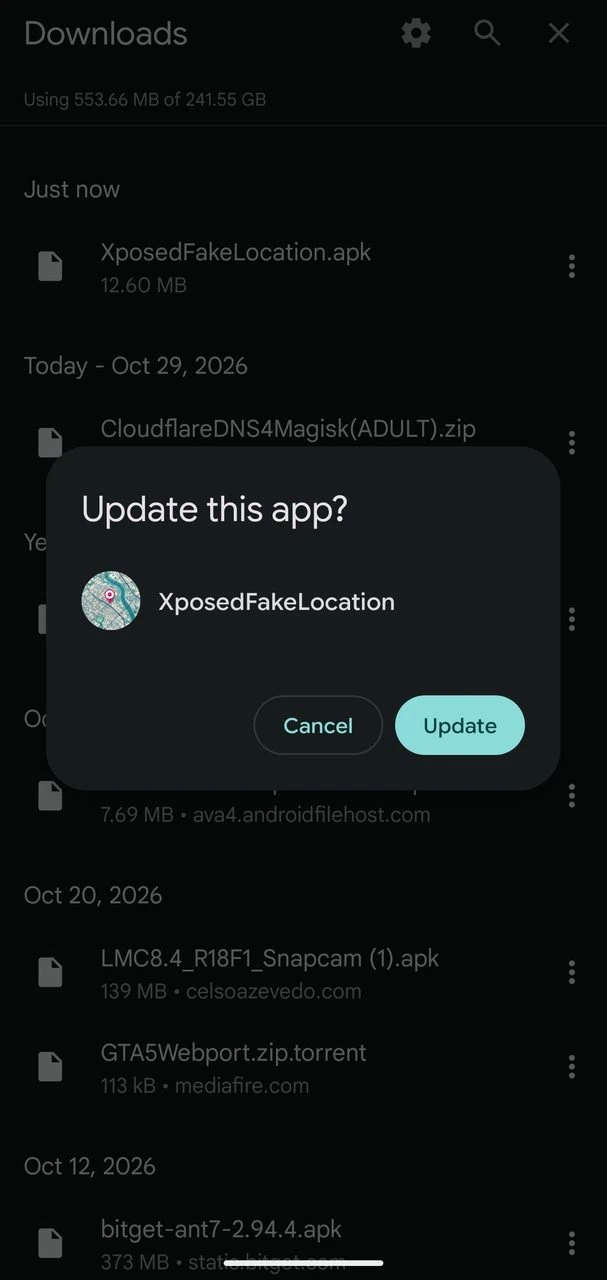
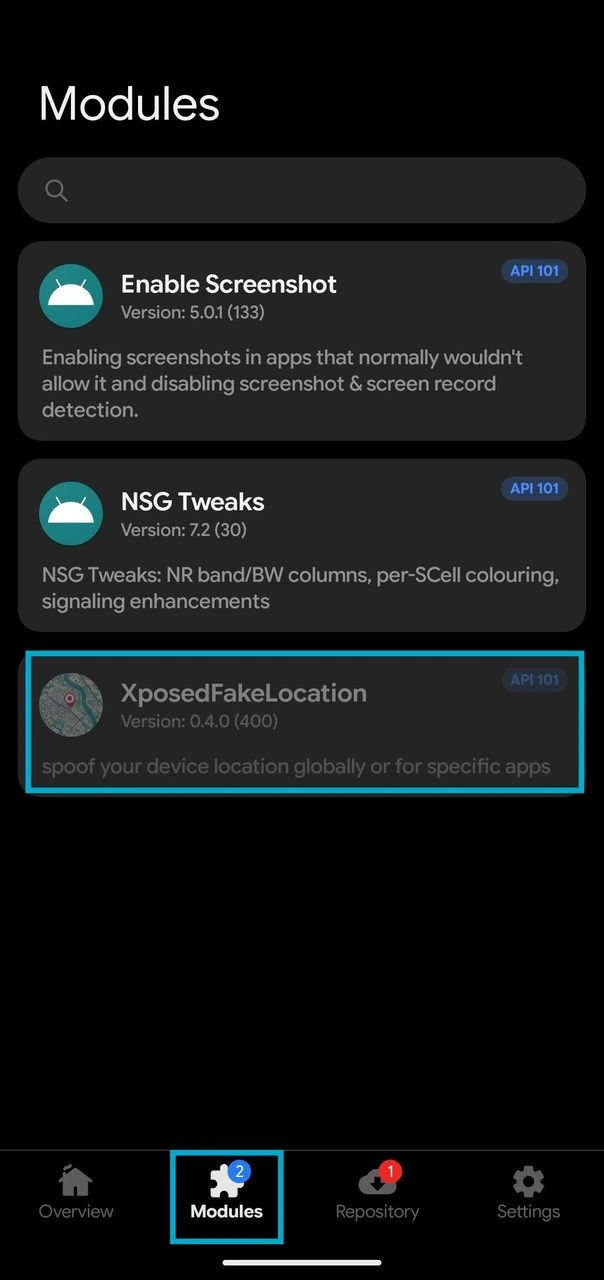
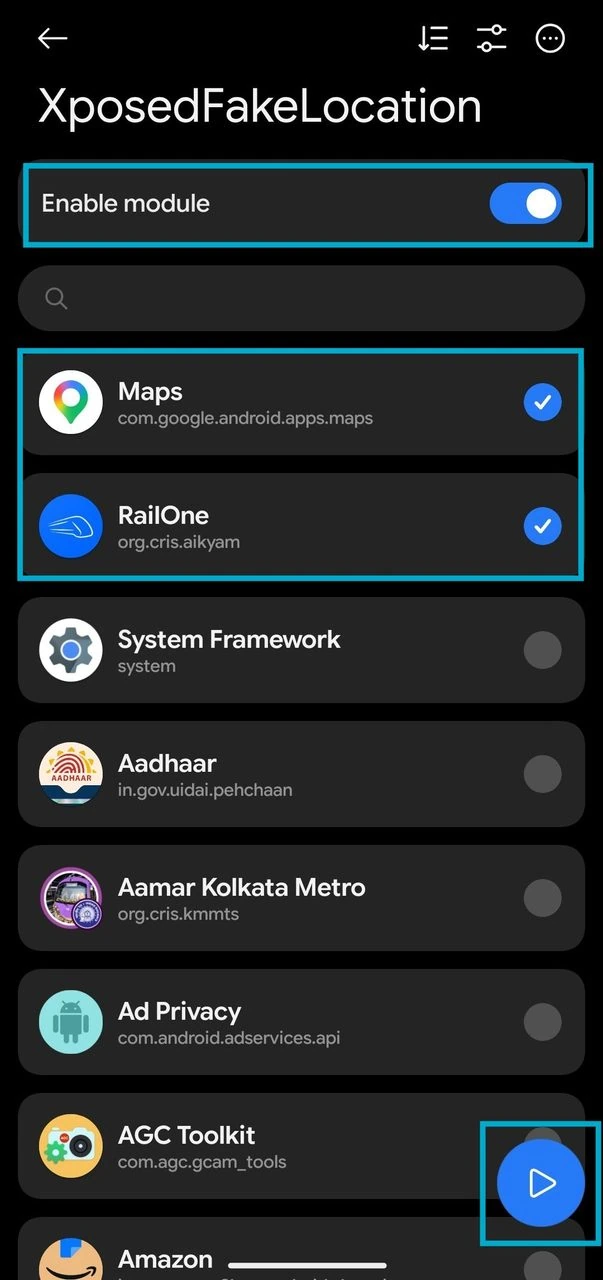
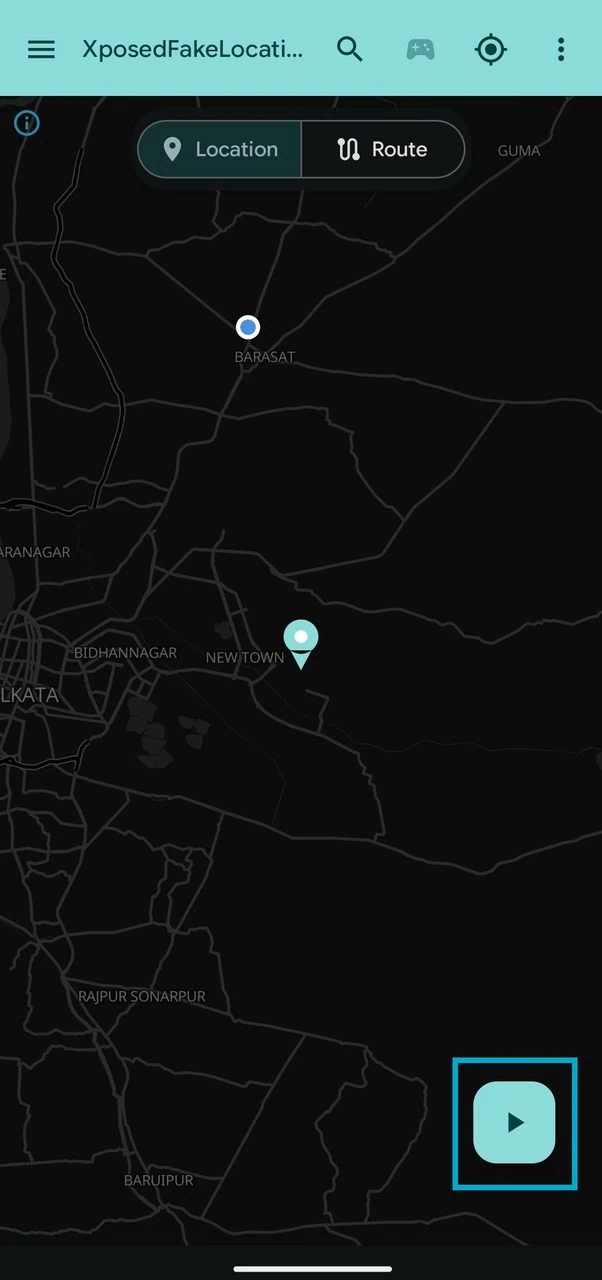
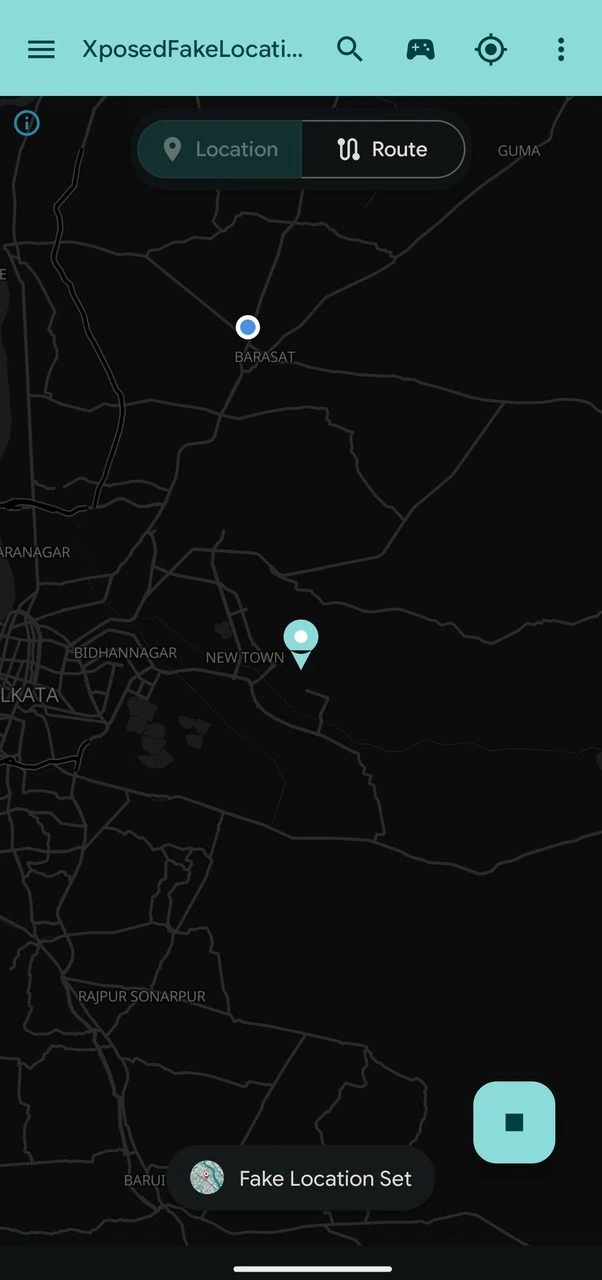
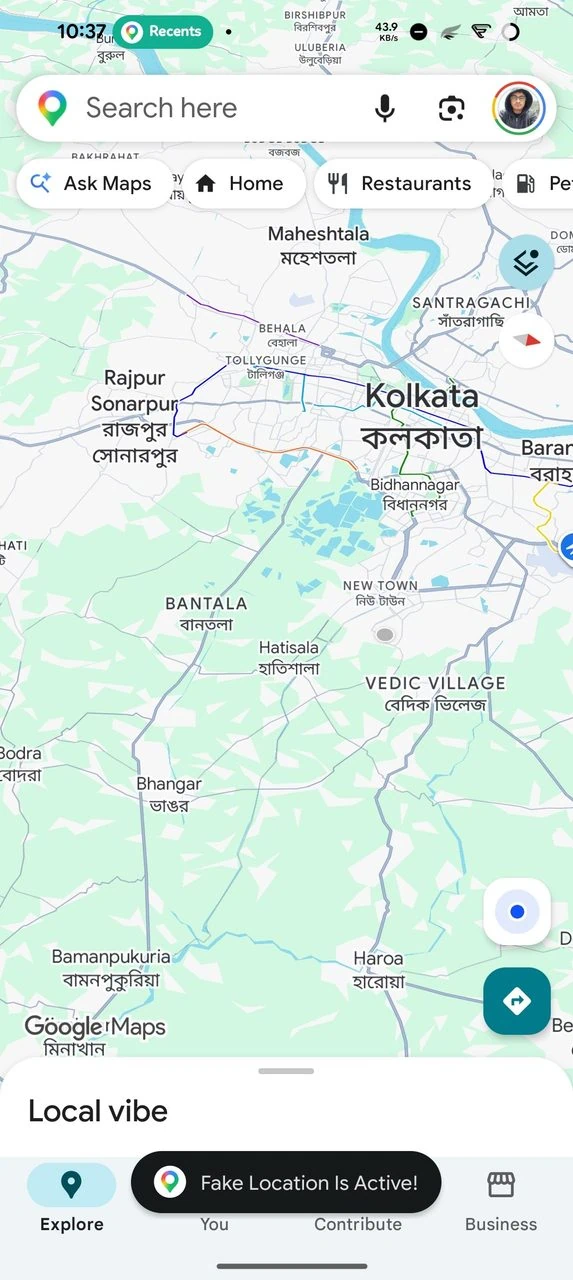
- Optional: open the joystick from the map to move around over other apps, switch to Route mode to build a route with speed per section and turn on Follow roads, or download the current map area for offline use in Settings.
- You can spoof Google Maps, WhatsApp, Telegram App Location, visit any location you want. Also you can spoof the Indian railways RailOne app to book a railway Ticket with spoofed location.
Tips and Fixes to Spoof Android Device Location
A few habits make spoofing cleaner and save you from weird behaviour. Turn off Google Location Accuracy in the location settings and do not let Wi-Fi and cell triangulation correct your fake GPS position. If an app consistently fails to see the actual location, force-stop it once and reopen it, because the first injection only occurs after a fresh start. System-level hooks need another reboot every time you toggle them, and joysticks can’t run alongside routes. Apps that check Wi-Fi names can be managed using the Wi-Fi identity options in Settings. Keep these habits in mind every time you spoof android device location on your phone.
The module is built for development and testing. Spoofing location can break the terms of service for games and other apps. Use at your own risk and only on your own device.
XposedFakeLocation makes it easy to spoof an Android device’s location without leaving any mock location traces. Share this guide with friends who need clean location spoofing, and drop a comment if any step doesn’t work on your device.