The best Audio Mode for Android 16 is finally here. Github Developer redesigned the old Viper4Android and enabled support for Android 15 to Android 16 Devices. Do you want to install Viper4Android on your Android 14 + device? V4A is the best audio customization app for Android. In this guide, we will show you how to install ViPER4Android on Android with the AIDL Module. This full method works on devices running Android 14 to Android 16.
Viper4Android is the ultimate audio mod for optimizing your Android device’s audio for the best possible sound experience. It helps you optimize your device’s audio to deliver the best sound experience. There are many audio mods available for Android, like Dolby Atmos, JamesDSP, Wavelet, and many others, but Viper4Android allows you to combine all the sound mods using its convolver and VIPER-DDC functions.
ViPER4Android FX Redesign Features
- Material Design 3 UI – Completely redesigned interface with dynamic colors, smooth animations, and modern Android design language.
- AIDL HAL Support – Native compatibility with the AIDL audio HAL pipeline ensures ViPER4Android works on Android 14 through Android 16.
- Legacy Mode – Fallback audio processing for older apps and streaming services that do not use the new AIDL pipeline.
- Per-App Audio Profiles – Assign different equalizer presets, bass levels, and effects to individual apps.
- Convolver with IRS Files – Load custom impulse response files to simulate high-end studio gear, headphones, or room acoustics.
- VIPER-DDC – Dynamic Driver Correction that adjusts frequency response to match your headphones.
- 10-Band Equalizer – Fully customizable equalizer with built-in presets plus manual control across every frequency band.
- Master Limiter + Bass Boost – Prevents audio clipping while delivering deep controlled bass enhancement.
Viper4Android on Android 16
The ViPER4Android FX has been redesigned with Material Design 3 UI for modern Android versions. The latest builds bring AIDL HAL support alongside legacy mode, making it compatible with Android 14 to Android 16 devices.
The app only works on rooted devices, so if your phone is not rooted, then this mod will not work. You need to root your device with Magisk or Other root solutions, since V4A runs as a module. The installation process is not the simplest one, so follow each step carefully to avoid any issues.
Prerequisite
- Your device must be running Android 14 + and rooted with Magisk or KernelSU.
- Root your device using KernelSU, SukiSU-Ultra, ReSukiSU or Magisk.
- Make sure you have enough free space in system and internal storage.
- Uninstall any previous V4A version you have installed.
- Install Audio Modification Library module (Optional) – Audio-M@dification-Library-RyukiM@d-v1.3_RM.zip
- Read our full guide before starting the process.
Download Viper4Android Redesign APK and Module
We have shared the new Redesign version from WSTxda, and likelikeslike you can try any of the Versions. The ViPER4Android Material Design 3 Support AIDL HAL with Convolver.
ViPER4Android Material Design 3
- APK – V4Android-1.5.5.apk
- Module – V4A-RE-v1.3.1.zip
- AIDL Version Module – V4A-RE-AIDL-v1.3.1.zip
- Preset – v4dev-profile.zip
If the Normal Module does not work, try the AIDL Version.
ViPER4Android FX Redesign
- Download APK – viperfx-release.apk
- Module – v4a_m@dule.zip
How to Install Viper4Android on Android 16 with Module
- Download the FX Material Design 3 or FX Redesign Version Both APK and Module.
- Install the ViPER4Android APK on your Android device.
- Open Magisk Manager or KernelSU and go to the Modules section.
- Tap on Install from Storage and select the V4A module zip file.
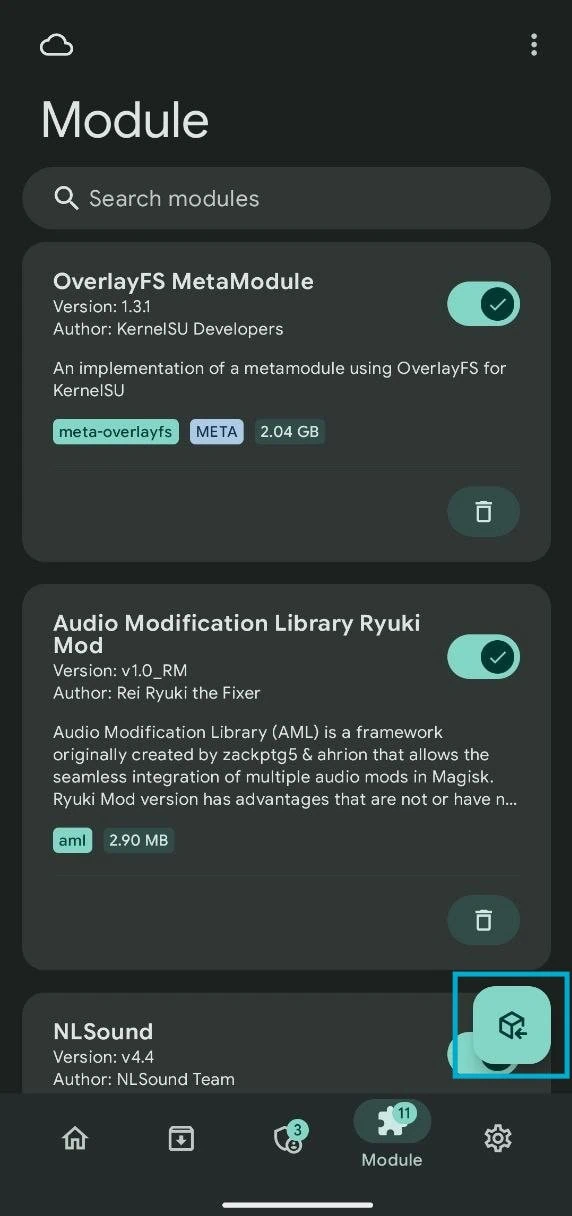
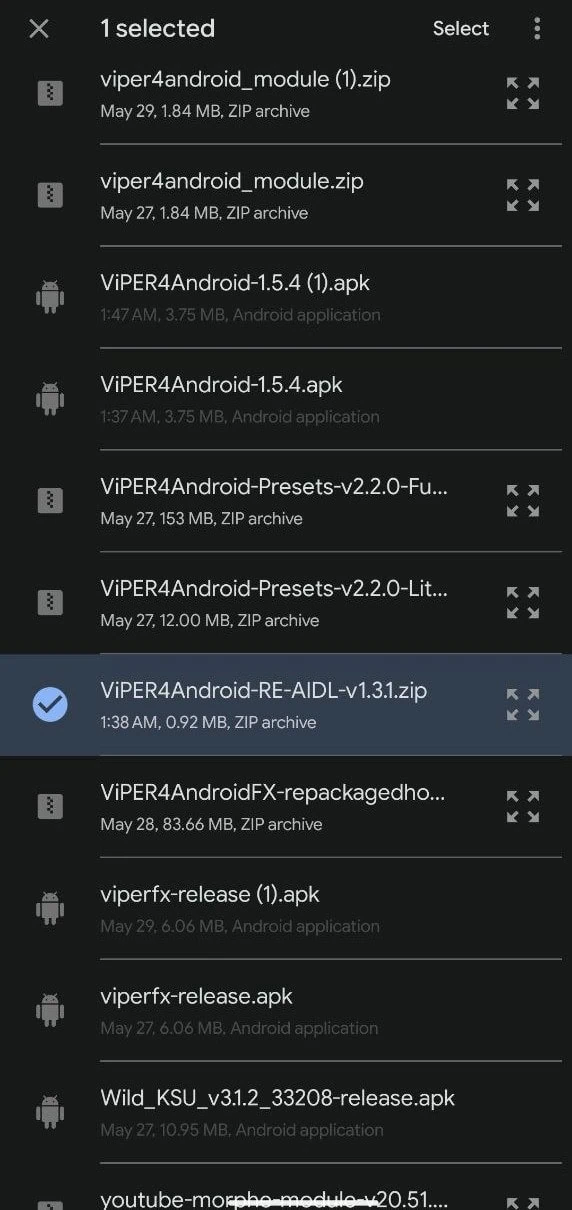
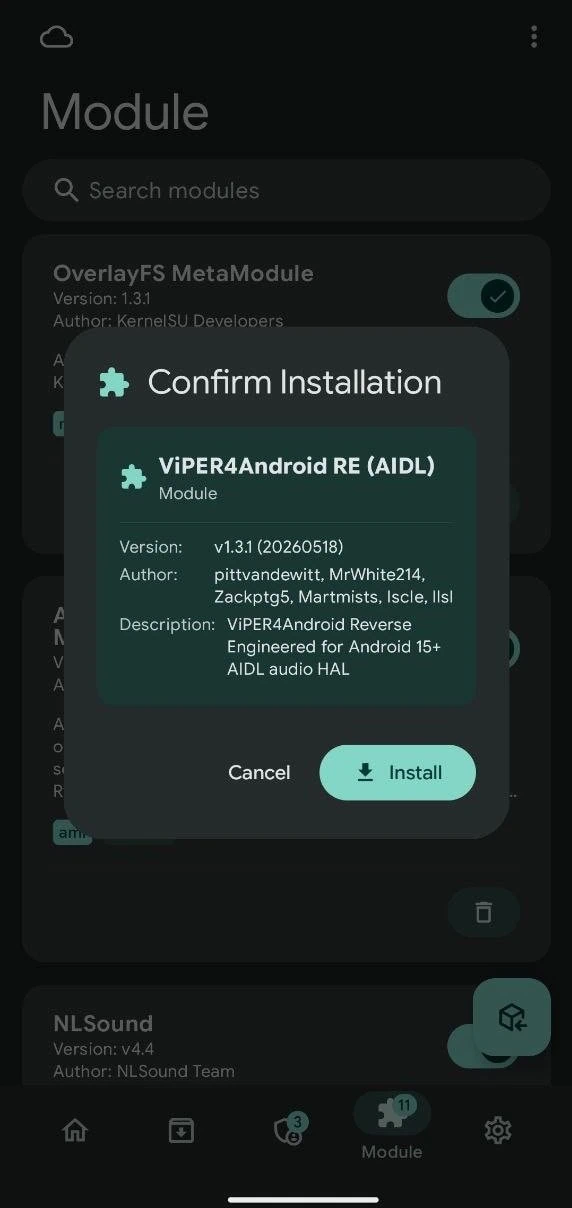
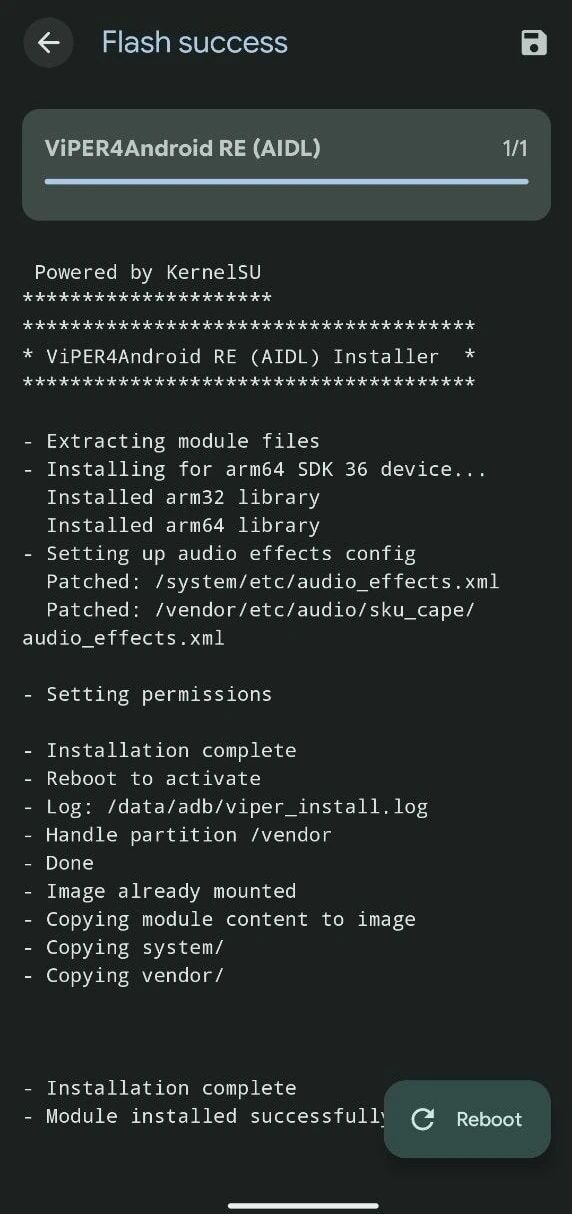
- Wait for the module to flash. Once done, tap Reboot to restart your device.
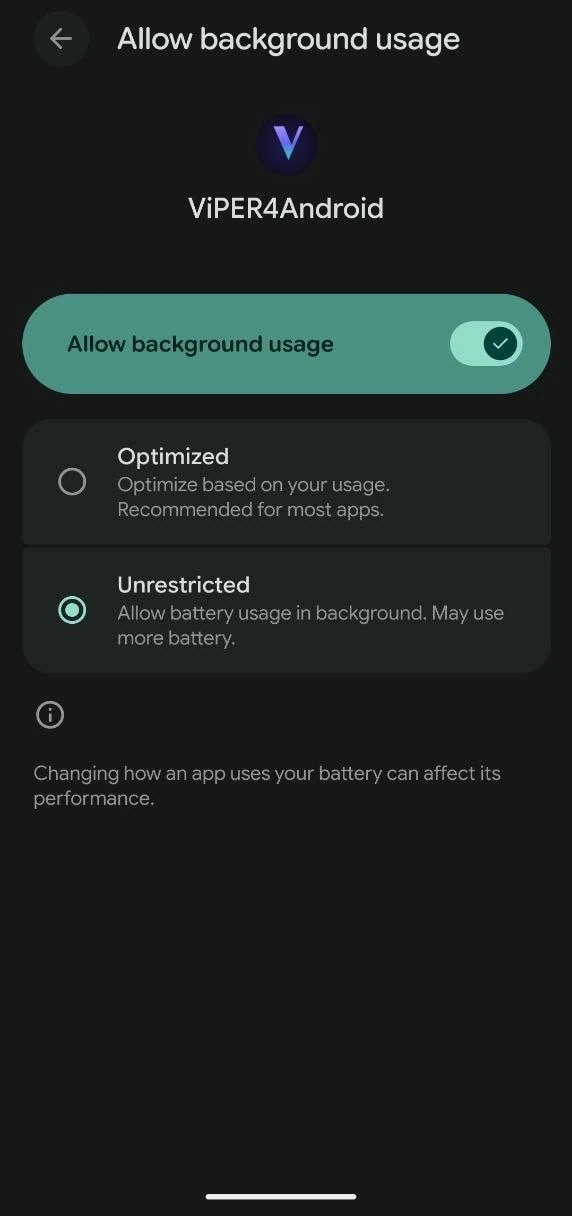
- After reboot, Allow Background Usage ➡ Go to Phone Settings – Apps – ViPER4Android – Allow Background Usage to Unrestricted.
- Launch the app. Grant Superuser permissions when Magisk prompts.
- Tap on the ViPER4Android Settings icon and enable Legacy Mode or Global Mode if you are on Android 14 or newer.
- Turn on the Master Limiter option to activate the effects. You can now start customizing your audio using the equalizer, bass, clarity, and other settings.
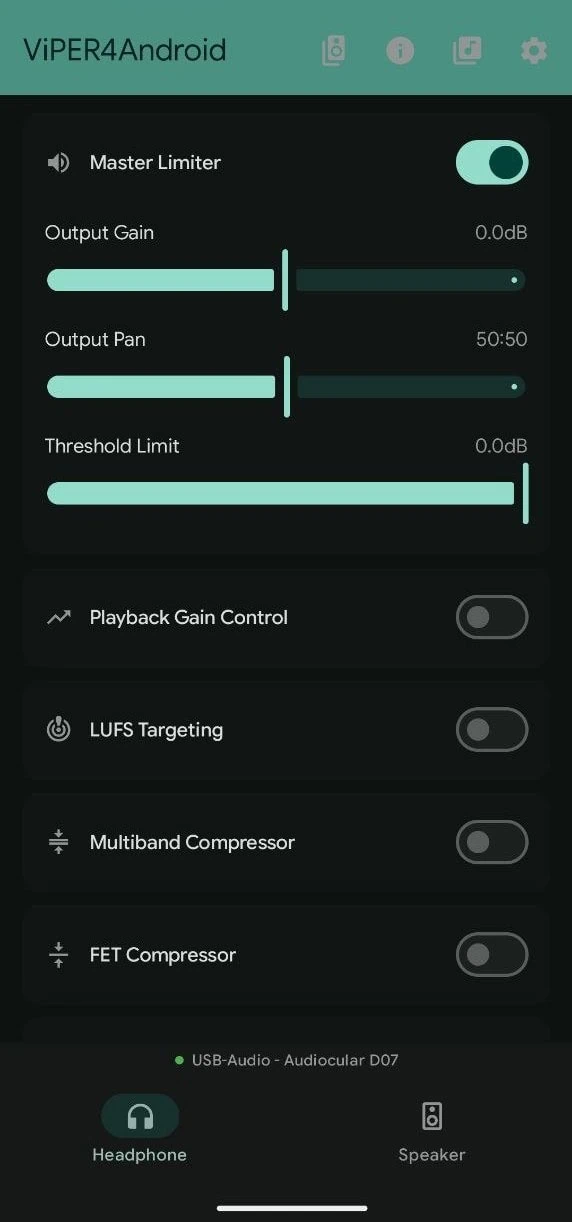
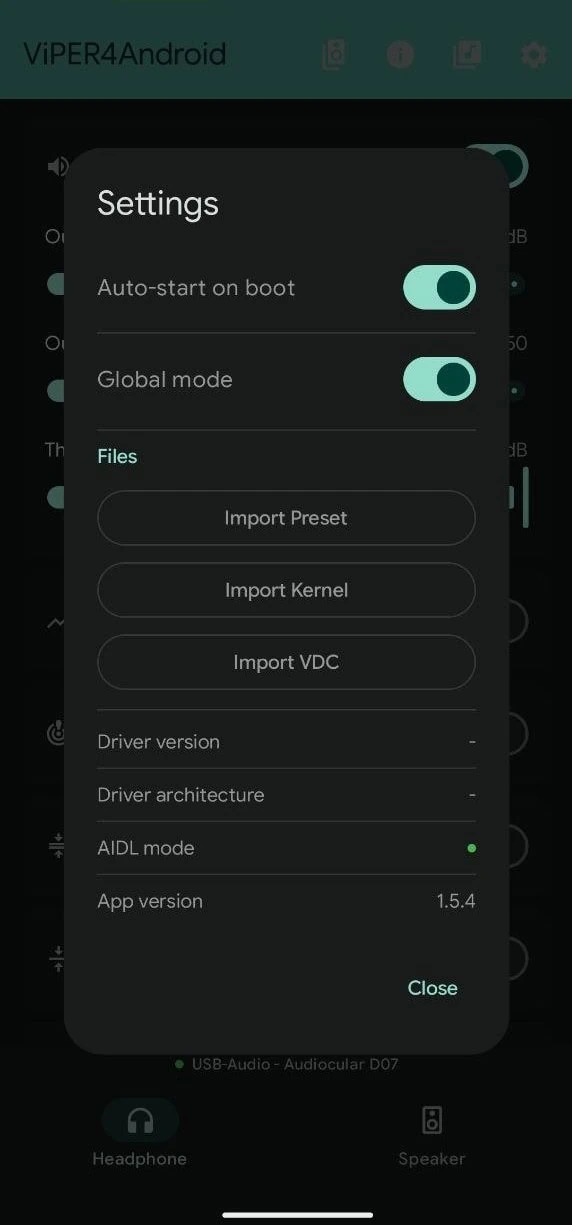
- If you are unable to configure it to get the best sound experience, try our Preset Include with many VIPER-DDC and Convolver. Download the zip file from the Download section.
- Extract the preset Zip file to – Android/Data/ com.llsl.viper4android OR com.wstxda.viper4android Folder.
- Open ViPER4Android, tap the Music Icon, then import the Dev Preset, or go to the Settings > Import Preset> select the Dev Profile.
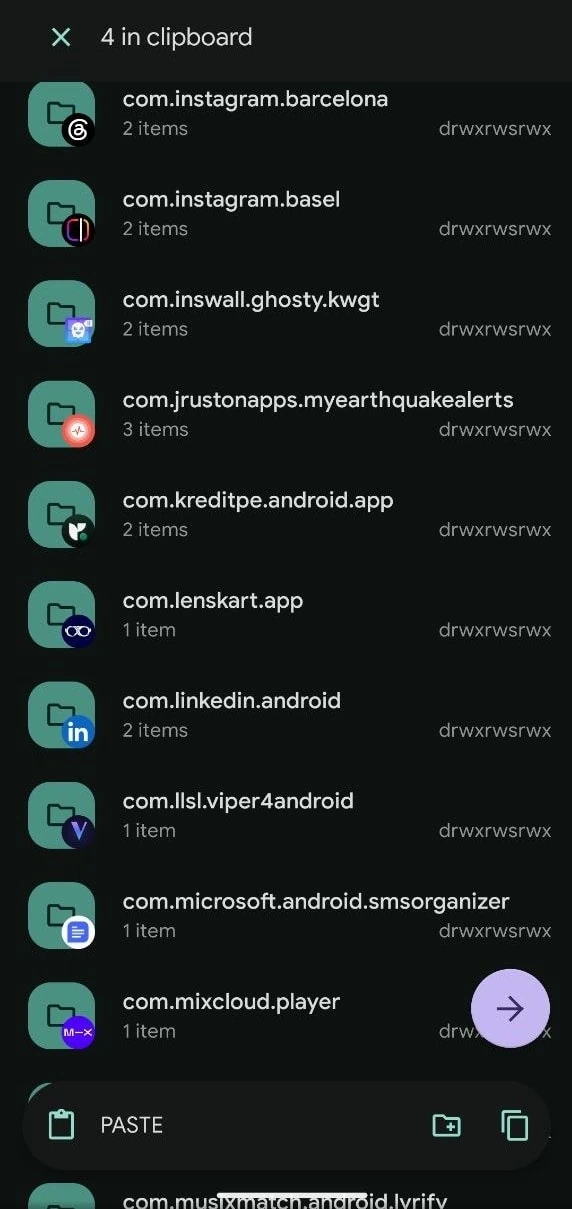
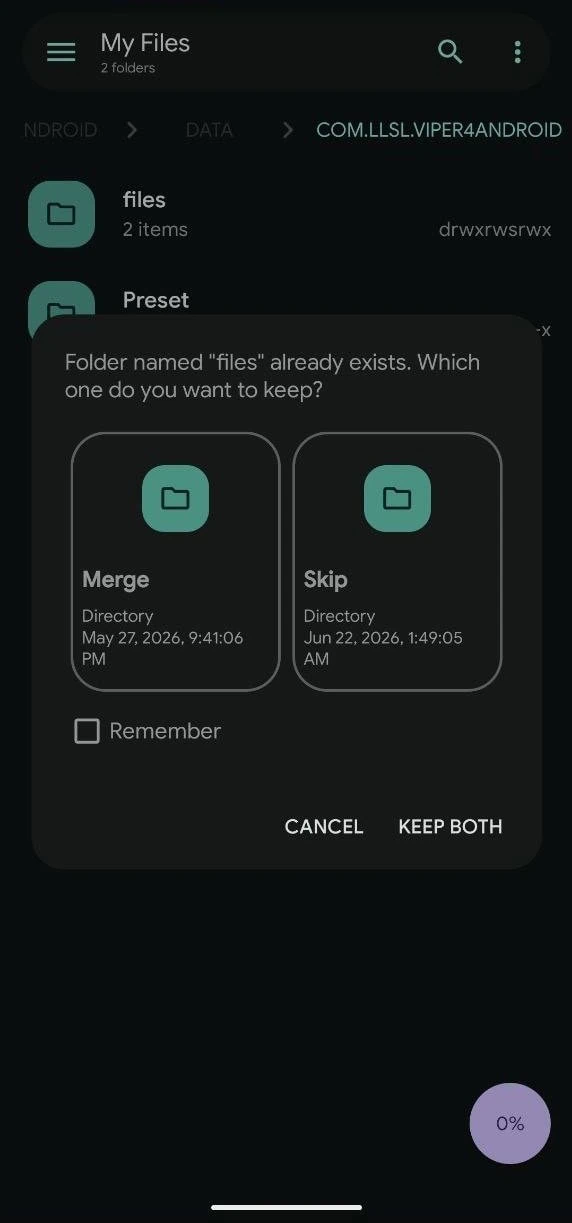
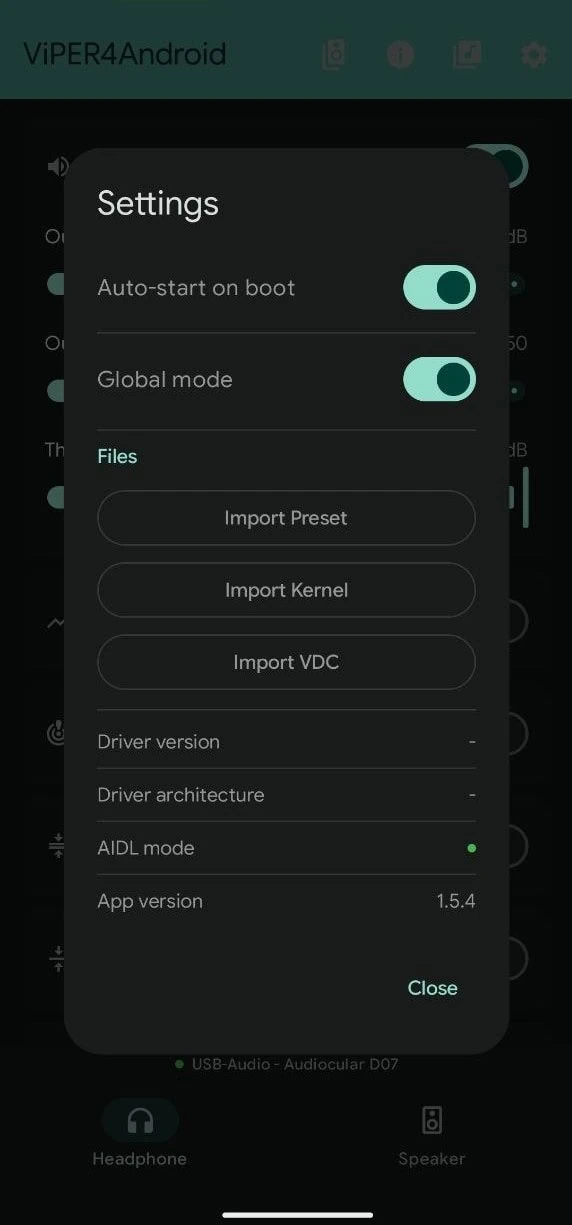
If you still are not getting the best sound experience, try another Convolver or VIPER-DDC from the List, and enable ViPER Bass and ViPER Clarity to get the best sound in headphones.
If Viper4Android is still not processing audio from streaming apps like Spotify or YouTube, you may need to flash the Audio Modification Library module. Install AML via Magisk and keep it enabled, then reboot. This solves most compatibility issues on Android 16.
Troubleshooting
- No Driver Found: Open V4A settings and tap on Install Driver. If that does not work, reflash the module from Magisk.
- Processing shows No: Make sure Legacy Mode or Global Mode is enabled in V4A settings. Also, check that the Master Limiter is turned on.
- App crashes on launch: Clear the app data from Settings and grant storage permissions again.
- Audio not processing in specific apps: Enable Per-App Mode in V4A settings and select the apps you want to process.
ViPER4Android brings a fully customizable audio experience to Android 16. With the right setup, you can enjoy studio-grade sound on your device. Try different equalizer presets, enable the convolver with IRS files, and tweak the bass settings to match your headphones or speaker setup.