

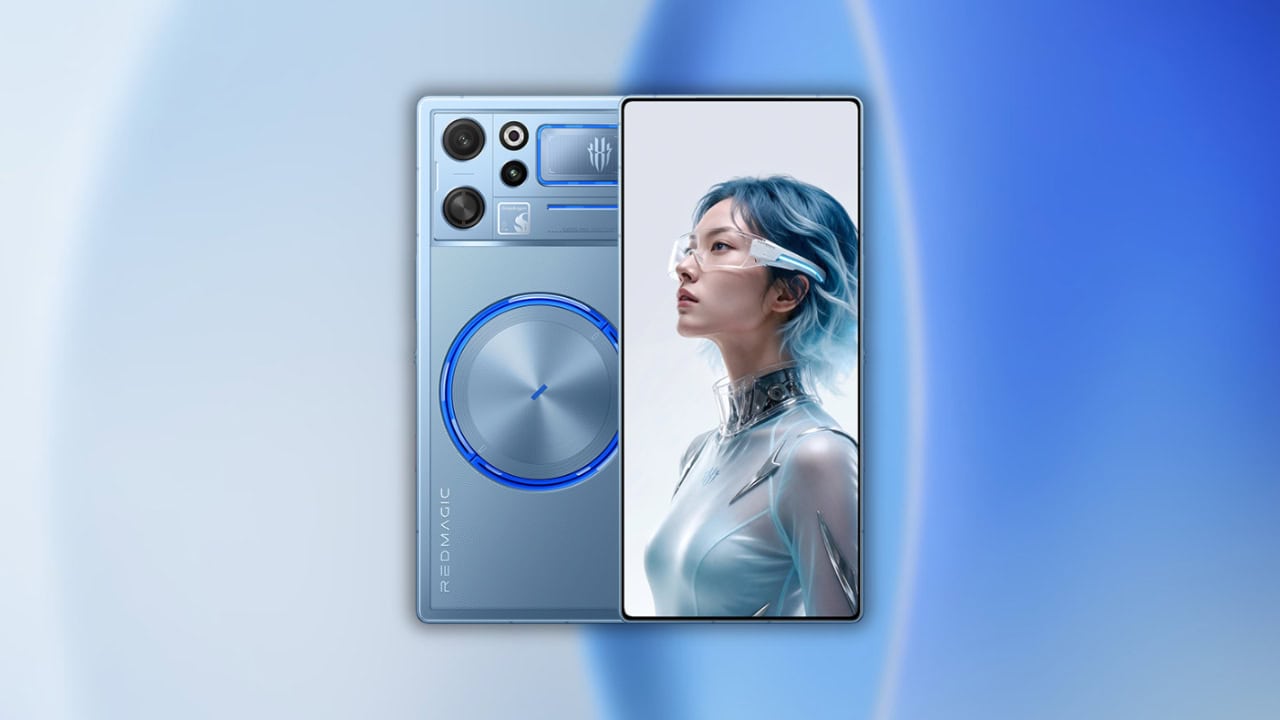
Nubia RedMagic has launched the RedMagic 12 Pro+, its new top of the line gaming phone with a transparent back and display with a slim bezel. The device has a large battery of 8400mAh. Currently available only in China, the phone has a fresh set of minimalist wallpapers that focus on a new Ice Blue color. Here we have shared the Nubia RedMagic 12 Pro+ Stock Wallpapers and Live Wallpapers.
Every time a new phone is leaked online or released, we share new wallpapers on the blog. As soon as the RedMagic 12 Pro+ was launched in China, wallpapers for this new Plus model went online. Sets lean more minimalist compared to past designs from RedMagic and some of them feature the new icy shade. So we will share the latest RedMagic 12 Pro+ Stock Wallpapers and the RedMagic 12 Pro+ Live Wallpapers in a ZIP file.
RedMagic 12 Pro+ Specifications:
| Processor | Snapdragon 8 Elite Extreme Gen 6 (2nm), RedCore R5 gaming chip |
| Display | 6.85-inch AMOLED, 2688 x 1216, 185Hz, 0.96mm bezels |
| RAM | 12GB / 16GB (LPDDR5T) |
| Storage | 256GB / 512GB / 1TB (UFS 4.1 Pro) |
| OS | Redmagic OS 12, Android |
| Battery | 8400mAh, 120W wired + 80W wireless |
| Rear Camera | 50MP (OIS) + 50MP ultrawide |
| Front Camera | 16MP under-display |
| Cooling | AquaCore 3.0 with circular RGB liquid cooling + TurboFan 5.0 |
| Protection | IPX8 |
| Colors | Nightfreeze, Subzero, Skyfrost |
The RedMagic 12 Pro Plus also features a 50-megapixel main camera with an f/1.88 aperture and OIS, along with a 50-megapixel ultra-wide lens. For selfies, there is a 16-megapixel camera under the display. The complete system runs on Red Magic OS 12 atop Snapdragon 8 Extreme Elite Gen 6 and is rated for IPX8 protection overall.
RedMagic 12 Pro+ Stock Wallpapers
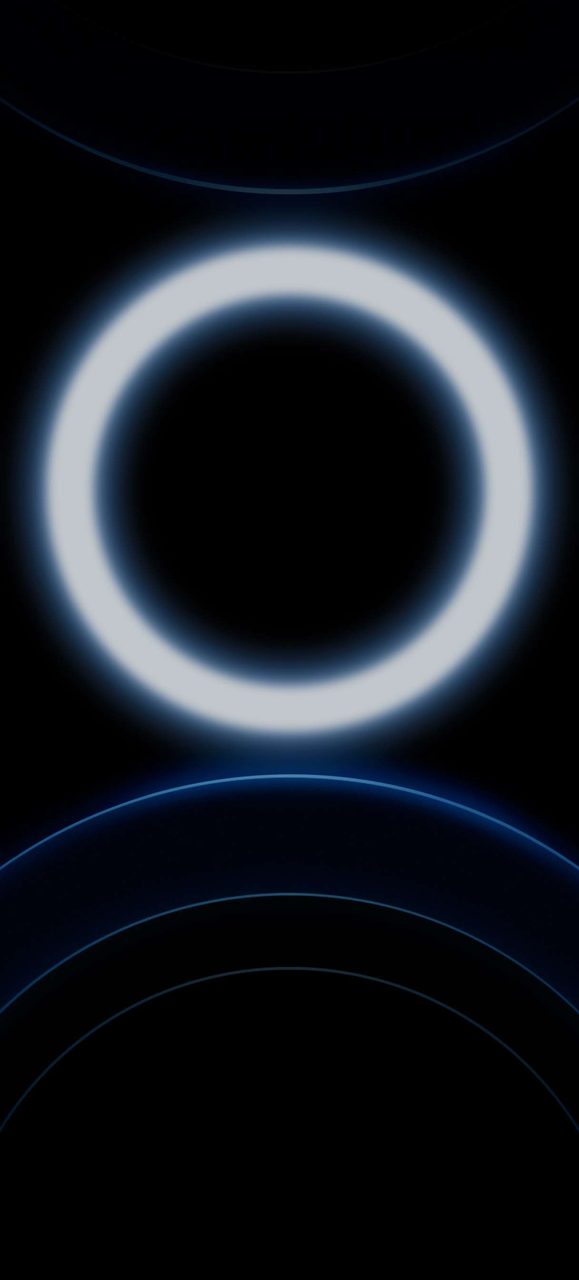
Stock wallpapers of RedMagic 12 Pro Plus come with a simple and modern design and we admire the clean look. With seven new preloaded wallpapers grouped into series like Astral Realm, Mirage Trails and Infinite Recall, plus a separate Edgeform design, and one of them shows a frosted lightning bolt sitting on an icy blue gradient that echoes the new colorway. There is also a new live wallpaper in the mix, and we have packed everything for you below.
Wallpapers Preview







Live Wallpapers Preview
The new live wallpaper included with RedMagic 12 Pro Plus called Infinite Recall comes as an MP4 video file along with its Begin, Finish and keyframe assets. We have also ported live wallpapers for RedMagic 12 Pro Plus to all Android devices so you can download the file below and enjoy them on your phone.
Download RedMagic 12 Pro+ Stock Wallpapers
We have extracted all RedMagic 12 Pro+ stock wallpapers in their highest quality and placed them all into one zip file for you. So you can download and get them all at once. To set as wallpaper or lock screen just browse through the wallpapers folder and open the image you want as wallpaper; Press the 3-dot menu and tap on the set as wallpaper or lock screen.
Stock Wallpapers –
RedMagic 12 Pro+ Live Wallpapers Apk + MP4 – Live Wallpapers APK | Live Wallpapers MP4 File
Theme – Astral_Lightmist.zmtp
How to Set Wallpapers on Home Screen, Lock Screen, and Always-on Display
- First, download the RedMagic 12 Pro+ wallpapers.zip file and unzip it from File Manager or Explorer.
- Open File Manager and browse the unzipped wallpapers folder.
- Select the Wallpaper you like, tap on the 3-dot menu, and then tap Use, Open Gallery App, and Set As Home Screen, Lock Screen, or Always-on Display.
Please share those wallpapers with other communities and forums if you like them. Don’t forget to join our community.
How to Set Live Wallpapers on Android
- Download and install the Google Wallpaper app and the RedMagic 12 Pro+ Live Wallpapers Apk.
- Long-press an empty area of the home screen and choose Wallpapers and style.
- Tap Live wallpapers from the top tabs.
- Pick the Radiant Crimson live set.
- Tap Apply to set it on the lock screen, home screen, or both.