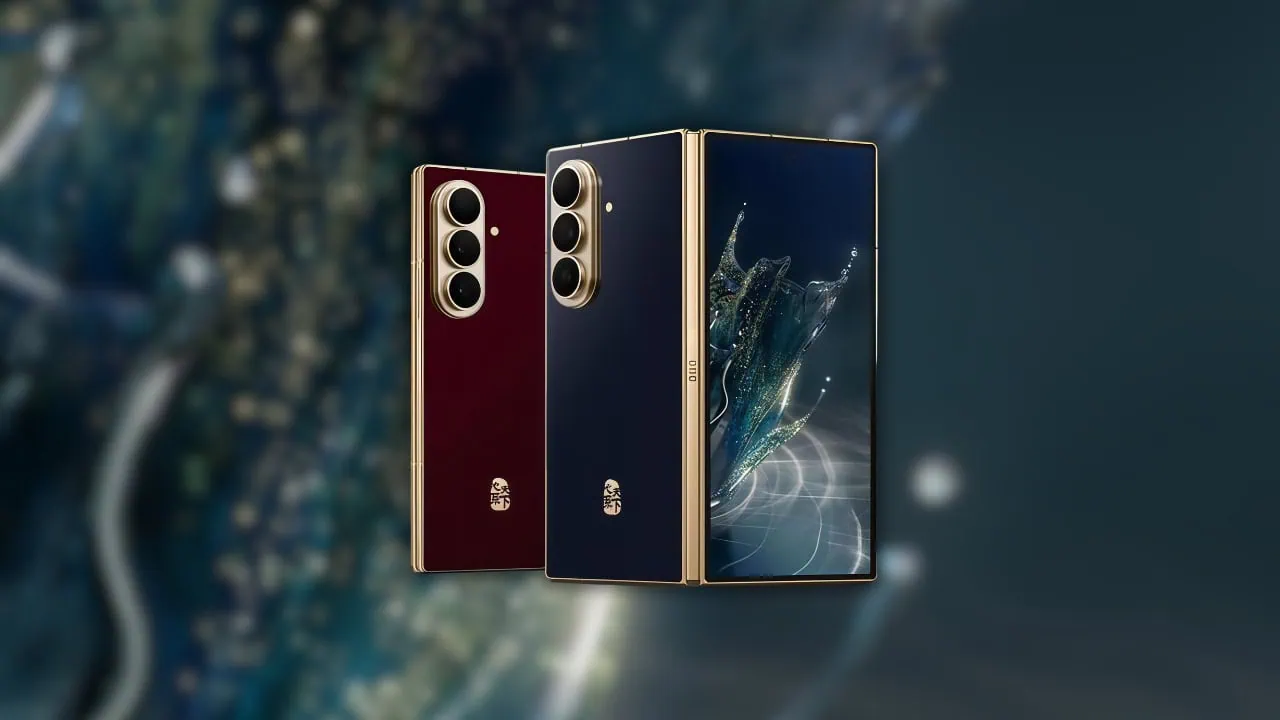
Samsung has just launched the Galaxy W27, the latest high-end foldable device from its exclusive China W series and an upgrade of the Galaxy Z Fold 8 Ultra. The device boasts stylish gold trim and an 8 inch big fold screen along with beautiful wallpapers both inside and out. Here we have shared the Samsung Galaxy W27 Stock Wallpapers and Live Wallpapers.
Every time a new phone is leaked online we post new wallpapers on our blog. Today, Samsung Galaxy W27 wallpapers surfaced soon after the October 29 launch event in China. We will share latest Samsung Galaxy W27 stock wallpapers and also live wallpapers and put them in a single ZIP file.
Samsung Galaxy W27 Specification:
| Processor | Snapdragon 8 Elite Gen 5 for Galaxy |
| Display | 8.0-inch foldable AMOLED inner, 6.5-inch cover display |
| RAM | 16GB |
| Storage | 512GB / 1TB |
| OS | One UI 9, Android 17 |
| Battery | 5000mAh, 45W wired + 20W wireless |
| Rear Camera | 200MP + 50MP + 10MP (main, ultrawide, 3x telephoto) |
| Front Camera | 10MP (inner and cover) |
| Colors | Gold, Blue |
The Samsung Galaxy W27 rear packs a 200-megapixel primary camera alongside a 50-megapixel ultrawide and a 10-megapixel telephoto with 3x optical zoom. A 10-megapixel camera handles selfies on both the inner and cover displays, and One UI 9 runs on Android 17. The phone folds down to about 8.9mm and gets 45W wired charging for its 5000mAh battery. The gold-plated frame, hinge and camera rings plus Gorilla Glass Ceramic 3 complete the premium build.
Samsung Galaxy W27 Stock Wallpapers
Samsung Galaxy W27 stock wallpapers come with a stunning liquid splash design, and we are impressed with their jewel-like look. The device comes with four new preloaded stock wallpapers built around one glittering splash motif in Teal-Blue and Champagne-Gold colorways, and all of them are flat image files. All the wallpapers are now available to download, which are listed below. If your device has the same screen resolution or lower, then these will look good on your device.
Wallpapers Preview




Live Wallpapers Preview
Samsung Galaxy W27 also comes with live wallpapers for both inner and outer displays and follows One UI style for wallpapers. We have bundled both static and live sets together for you to enjoy after you download the file below.
Download Samsung Galaxy W27 Stock Wallpapers
We have extracted all Samsung Galaxy W27 Stock Wallpapers in their original quality, and you can download the wallpapers for your phone in a zip file. To set as wallpaper or lock screen, browse the folder of the wallpapers and open the picture you wish to use as wallpaper. Press the 3-dot menu and tap on the set as wallpaper or lock screen.
Galaxy W27 Stock Wallpapers –
Samsung Galaxy W27 Live Wallpapers APK – Devdrive.cloud
Samsung Galaxy W27 Live Wallpapers MP4 – Galaxy_W27_Live_Wallpapers.zip
How to Set Wallpapers on Home Screen, Lock Screen, and Always-on Display
- First, download the Samsung Galaxy W27 wallpapers.zip file and unzip it from File Manager or Explorer.
- Open File Manager and browse the unzipped wallpapers folder.
- Select the Wallpaper you like, tap on the 3-dot menu, and then tap Use, Open Gallery App, and Set As Home Screen, Lock Screen, or Always-on Display.
Please share those wallpapers with other communities and forums if you like them. Don’t forget to join our community.
How to Set Live Wallpapers on Android
- Download and install the Google Wallpaper app and the Samsung Galaxy W27 Live Wallpapers file.
- Long-press an empty area of the home screen and choose Wallpapers and style.
- Tap Live wallpapers from the top tabs.
- Pick the Samsung Galaxy W27 live wallpaper set.
- Tap Apply to set it on the lock screen, home screen, or both.