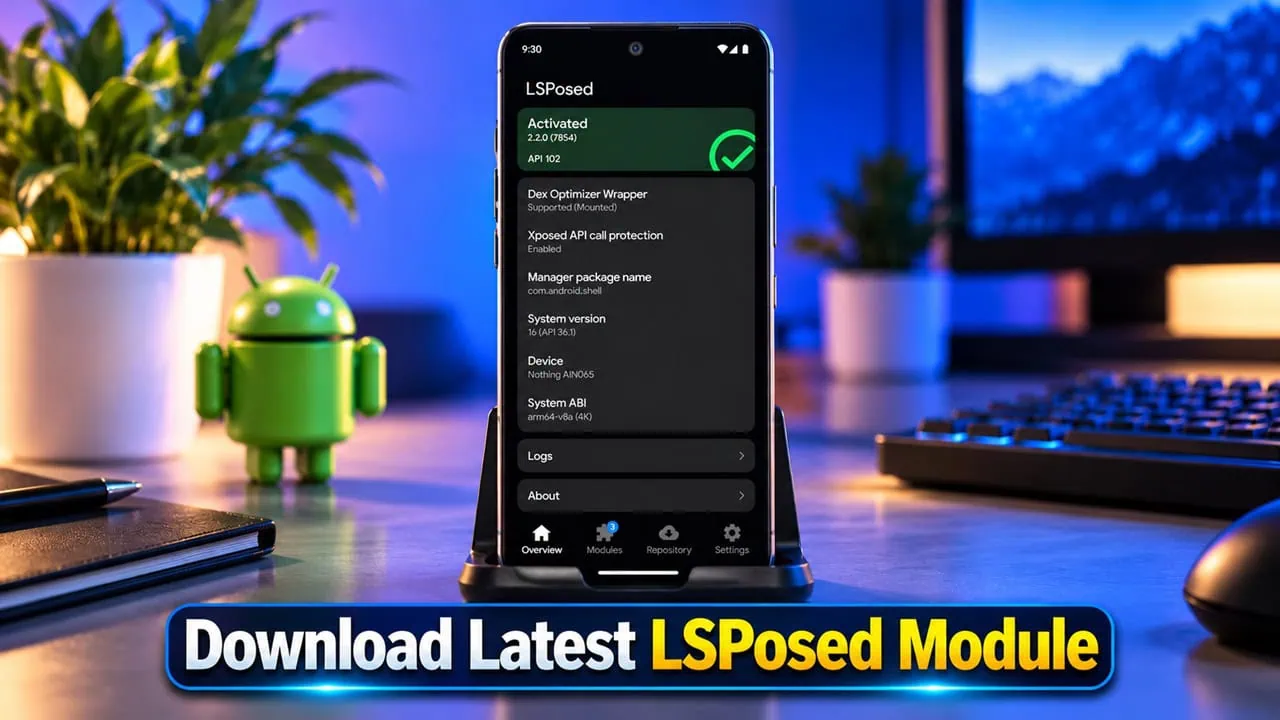
LSPosed is the new Xposed framework that lets you install system and app mods without editing APK files and its library of modules is growing monthly. We have already shared a guide to take screenshots for restricted apps where LSPosed modules have done most of the work. Frameworks using LSPosed Module work for hundreds of other Android tweaks as well. This post contains new modules you can download right now and a proper guide for installing LSPosed Module on a phone with root along with another way to run modules without root.
Although the Xposed framework died years ago, the underlying idea remains alive. Apps keep adding restrictions and users are always looking for clean ways to bypass them. LSPosed continues this legacy by hooking apps at runtime so a module can change the behavior of an app without touching it directly. The installer flow has changed significantly; in this post, we will show you how to install LSPosed and its modules, both with and without root.
- What Is LSPosed?
- Download LSPosed Framework and LSPatch Manager
- How to Install LSPosed Modules on Rooted Android [Magisk, KernelSU, APatch]
- Best LSPosed Modules You Can Download Right Now
- How to Install LSPosed Modules Without Root Using LSPatch
- LSPosed Modules Not Working? Common Problems
- Things to Know Before You Start
What Is LSPosed?
LSPosed is a module based on Zygisk providing a framework for ART hooking which works with the original Xposed API. Modules hook into app and system components so no permanent modifications occur and modules can be turned off with a reboot. Support for Android 9 to Android 17 is provided by the project and works with Magisk, KernelSU and APatch as long as Zygisk is installed; the manager keeps itself hidden from the launcher for privacy reasons. A notification pops up after every boot, and you open LSPosed from the notification panel.
The latest build is version 2.2.1 and it is a big release. Installers now ship XZ-compressed packages and there has been a significant speed increase for hooking execution. A new mode for developers now adds lspctl for modules and scope management through terminal. Safe mode detection now works better and does not fire up when the system interface goes bad. Support for Android 17 QPR 3 is included, and the riscv64 ABI is back. The team also fixed startup of the framework on several Honor devices and resolved module conflicts that used to occur when different modules tried to hook the same method.
Features
- Works for Android 9 to Android 17 with Magisk, KernelSU and APatch.
- Runs modules from old Xposed ecosystem and does not modify any APK.
- The LSPosed Manager is hidden from the launcher and can be launched through the notification panel.
- Scope control lets each module target only those apps you specify.
- Full backup and restore for list of modules and all scopes.
- Use lspctl command line tool from terminal to manage modules, scopes and framework state.
- Safe mode protects system when a risky module interferes with boot.
Download LSPosed Framework and LSPatch Manager
This section contains download links for the latest LSPosed framework and LSPatch manager for devices without root access. Both files are from official project pages so grab the one that matches your setup. Users with root need the LSPosed framework zip file for their root manager while users without root only need the LSPatch manager APK.
| Item | Details | Download Link |
| LSPosed Framework ZIP | v2.2.1, Zygisk based, Android 9 to 17 | LSPosed-v2.2.1-7912-release.zip |
| LSPatch Manager APK | v1.2, works without root, needs Shizuku | manager-v1.2-491-release.apk |
Keep one thing in mind before you flash anything. The LSPosed ZIP requires Zygisk, which is built into recent Magisk releases. Users of KernelSU and APatch must install a Zygisk implementation such as Zygisk Next or ReZygisk first, since neither manager ships with one. Older Magisk builds and outdated managers are the most common reasons the framework refuses to boot after flashing.
How to Install LSPosed Modules on Rooted Android [Magisk, KernelSU, APatch]
Here is the rooted installation method to get the full LSPosed experience. Follow the steps below in order from LSPosed Framework installations to the module installations guide.
Step 1 – Flash the LSPosed Framework ZIP
- First, root your phone with Magisk, KernelSU, Resuki or APatch and make a full backup before you touch anything.
- Enable Zygisk inside Magisk settings, or install Zygisk Next or ReZygisk if you are on KernelSU or APatch, then reboot.
- Download the LSPosed framework ZIP from the download section and copy it to your phone storage.
- Open your root manager, go to the Modules section, and choose Install from storage. Pick the LSPosed ZIP and let it flash.
- Reboot the device once the installation finishes.
- A notification from LSPosed appears after the reboot. Tap it to open the manager.
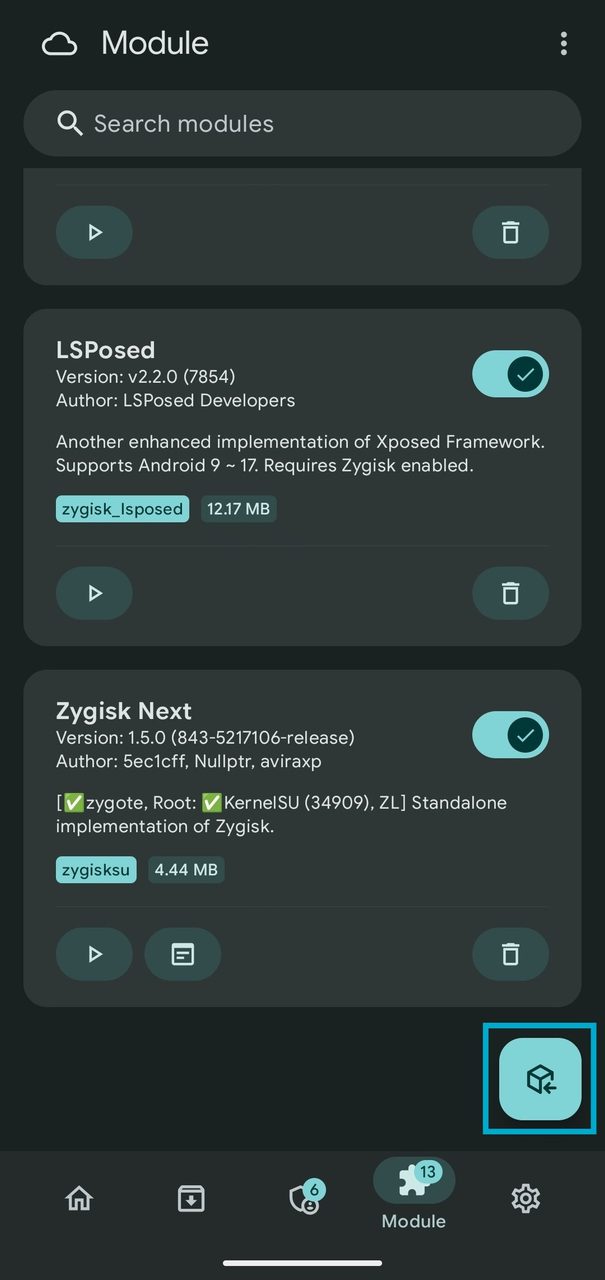
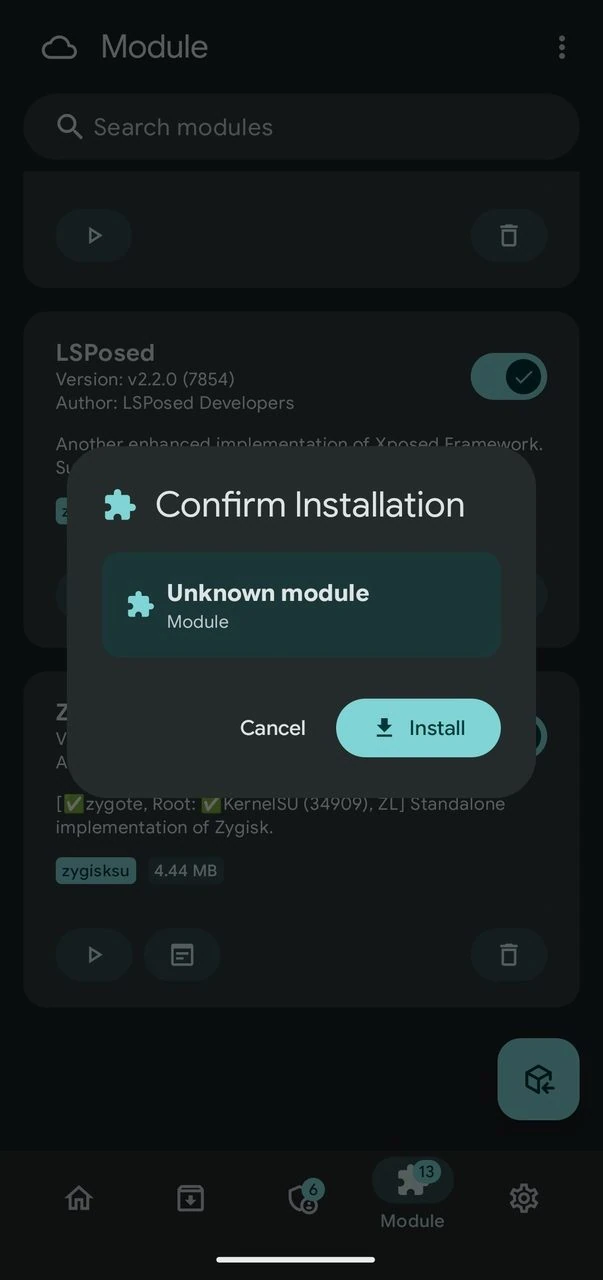
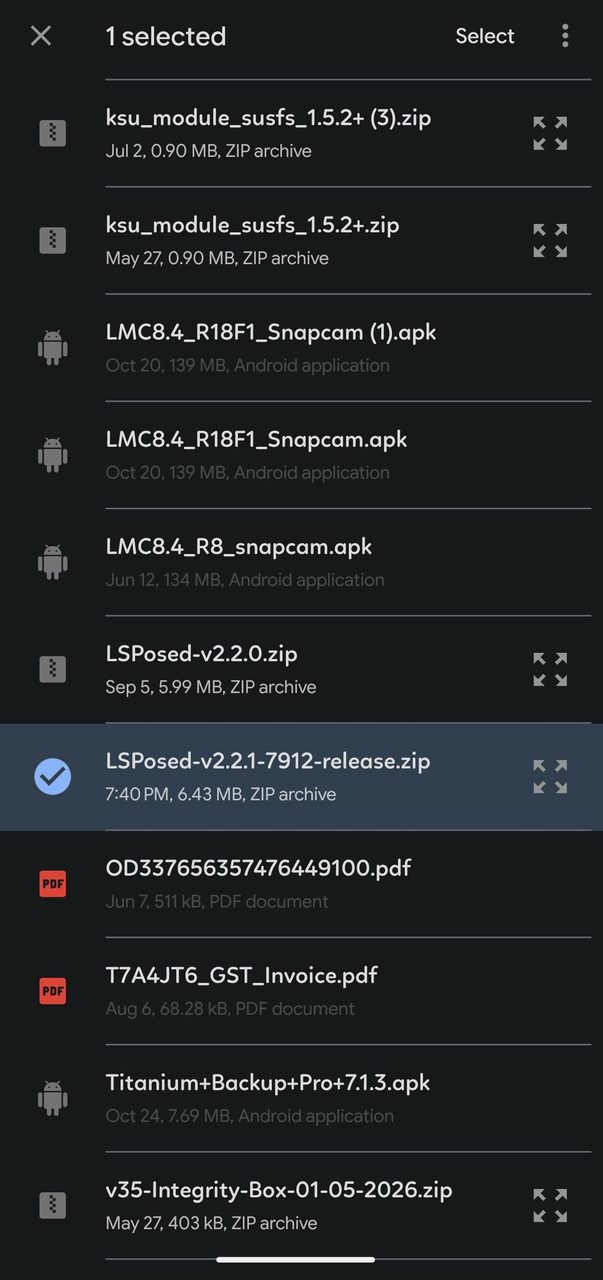
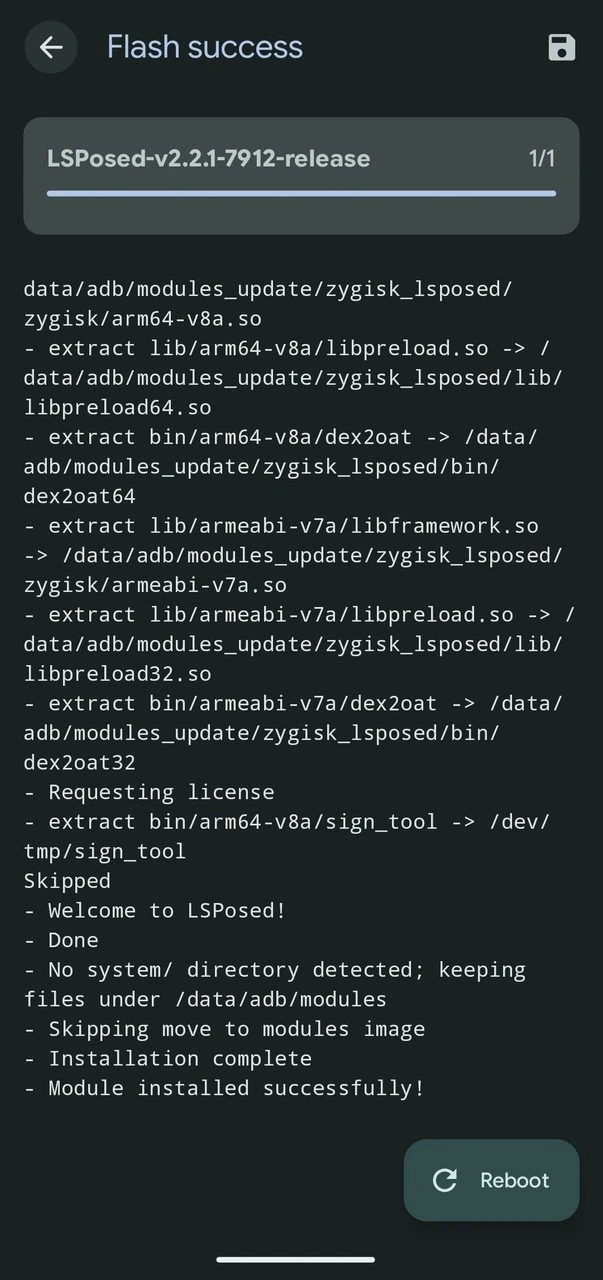
Open the Modules tab of your root manager and confirm that the Zygisk LSPosed entry sits there with its toggle on.
Step 2 – Download and Enable Modules
- Open the LSPosed manager from the Notification panel and switch to the repository tab.
- In the repository option, browse or search for the module you want, and download it.
- Install the module APK when the download finishes.
- Enable the toggle next to the module in the Modules list.
- Open the module scope and tick every app the module should affect.
- Force stop the target app or reboot once, and the module hooks go live.
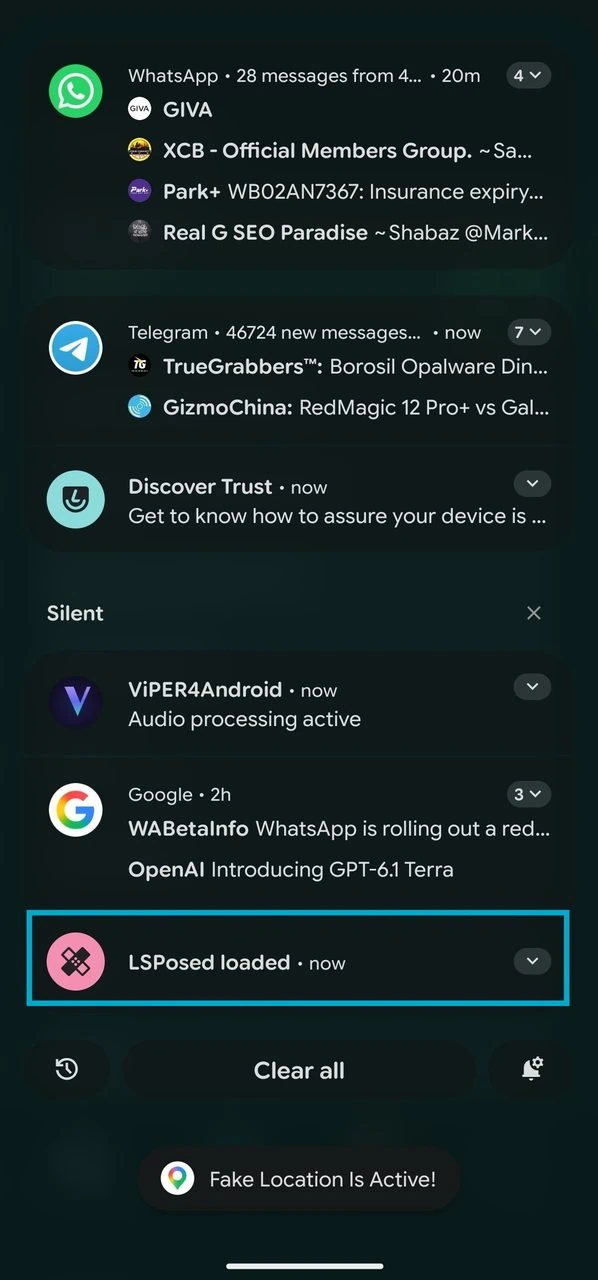
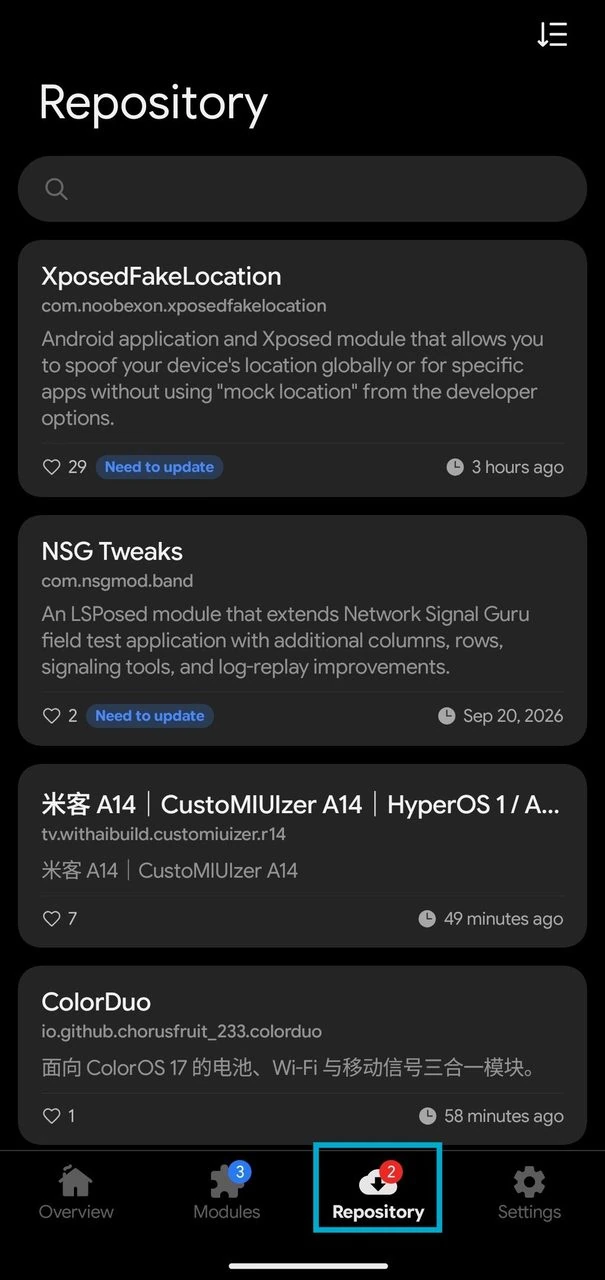
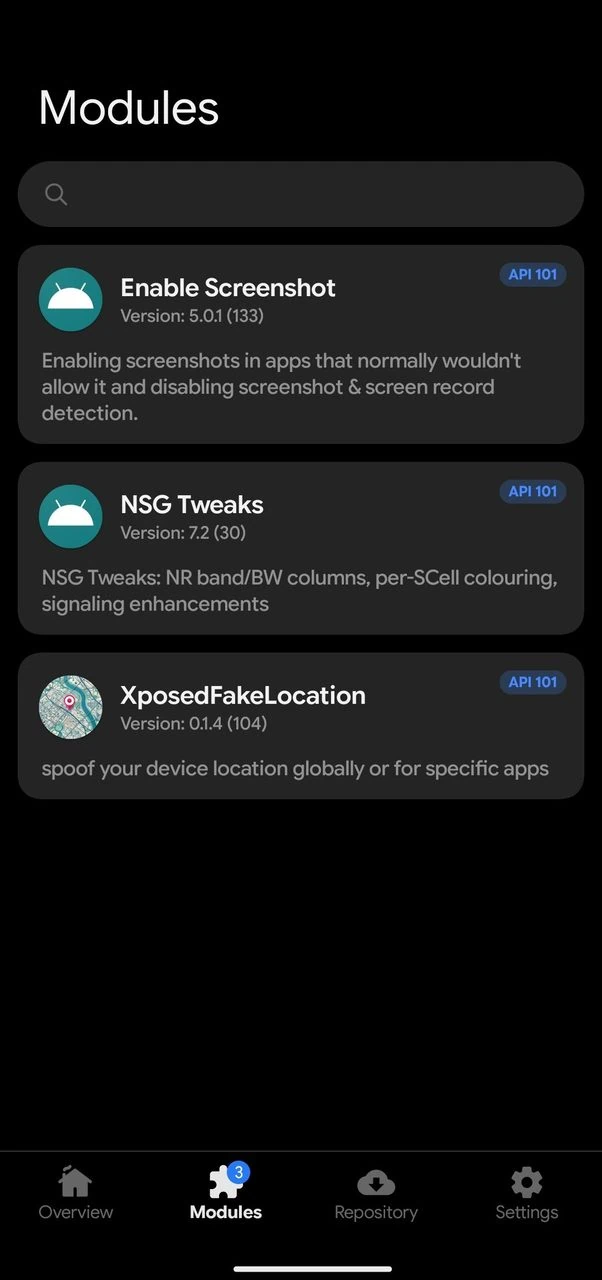
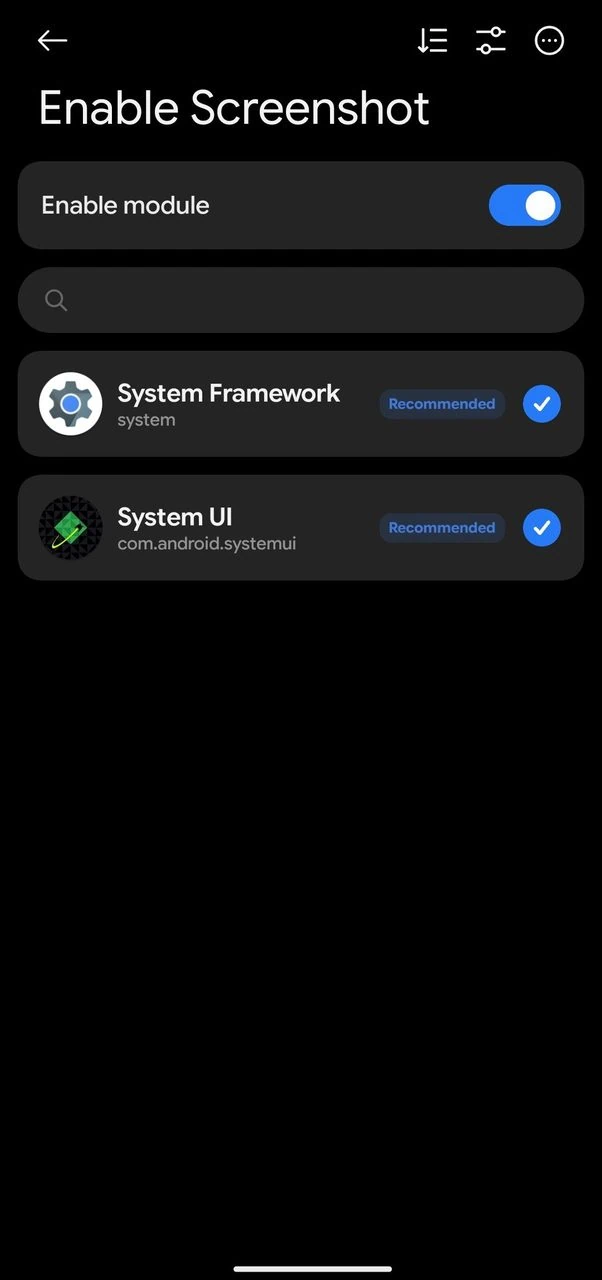
Enable Screenshot deserves a special mention because it removes the screenshot and screen recording detection that Android 14 and Android 15 introduced, and it handles L3 protected playback. We covered its setup in the restricted apps guide, so check that post if you only want this one module.
Best LSPosed Modules You Can Download Right Now
The module repository contains thousands of modules. In the table below, we have shared some modules that continue to receive support until 2026 and deliver benefits you can feel every day. Some modules are region-specific, though, so check the description in the manager before installing.
| Module | What It Does |
| Enable Screenshot | Takes screenshots in apps that block them and disables screenshot detection on Android 14 and later. |
| CorePatch | Lets you install apps with broken or mismatched signatures, including downgraded builds. |
| Hide My Applist | Hides your installed app list from other apps that snoop on it. |
| NoStorageRestrict | Removes scoped storage limits so older apps can read and write shared storage freely. |
| AdClose | Blocks ads and tracking popups inside a long list of apps. |
| XPrivacyLua | Restricts app permissions and feeds fake data to apps you do not trust. |
| HyperCeiler | Unlocks deep customization for Xiaomi HyperOS devices. |
| LuckyTool | System tweaks for Oppo and OnePlus phones running ColorOS. |
| Re:X | Adds quality of life tweaks to the X application. |
| Layout Inspect | Inspects the layout of any app on screen, a handy tool for theme makers. |
| XposedFakeLocation | Xposed module that allows you to spoof your device’s location globally or for specific apps |
How to Install LSPosed Modules Without Root Using LSPatch
No root or locked bootloader, do not worry, we have another method. The LSPatch manager lets you install LSPosed modules by patching a target APK so the module hooks ride inside the app itself, and Shizuku provides the permissions it needs. The catch is that only app-scoped modules behave this way, so system-wide modules such as Hide My Applist simply do not work without root.
- Install Shizuku and start it through wireless debugging or a PC with ADB. Our complete Shizuku setup guide walks through every screen.
- Download and install the LSPatch manager APK, then launch it and grant the Shizuku permission.
- Download the module APK you want to use. The manager itself does not bundle modules; you can download modules from GitHub or from the GitHub Store App.
- Switch to the Apps tab, tap the plus icon, and select the installed app you want to patch.
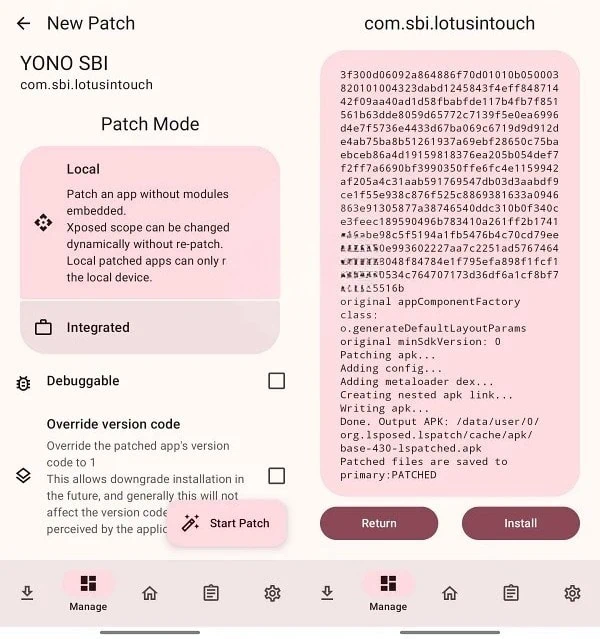
- Pick a patch mode, then hit Start and wait for the patching to finish.
- Uninstall the original app, then install the patched APK produced by LSPatch.
- Long-press the patched app in the Apps tab and open Module Scope to attach the module.
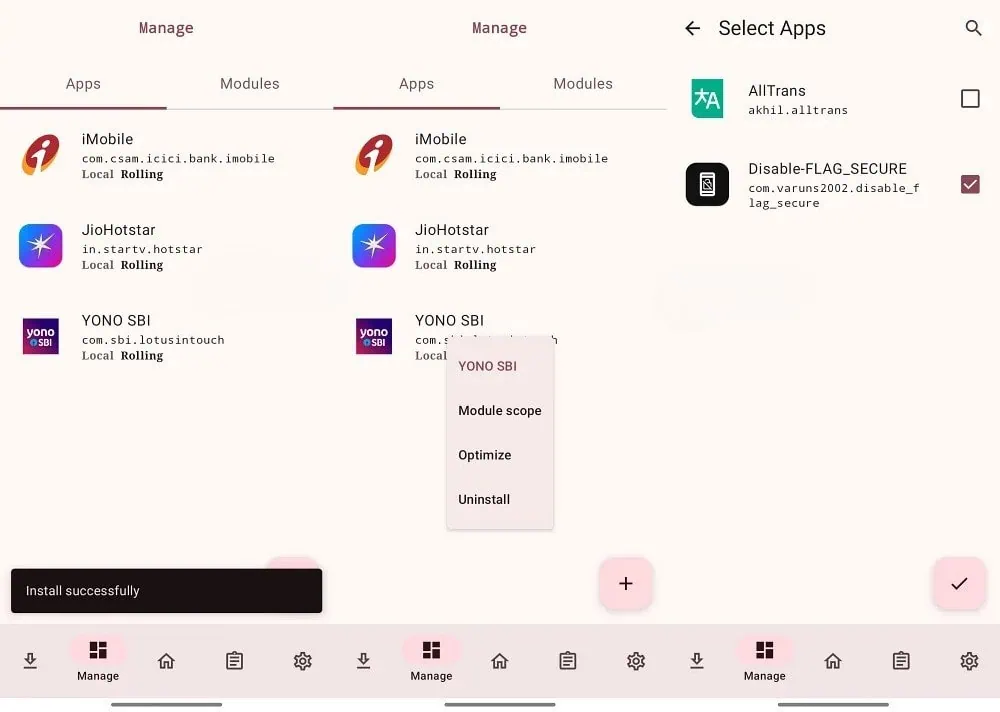
Launch the app and the module is live. Uninstalling the patched app restores the stock app anytime.
LSPosed Modules Not Working? Common Problems
- Phone stuck in a bootloop after flashing a module. Hold the volume down key while the device boots to enter safe mode, then disable every module, or remove the bad one.
- The manager says LSPosed is not installed. Zygisk is not running. Check that Zygisk is enabled in Magisk or that Zygisk Next is properly installed on KernelSU and APatch.
- A module does nothing after enabling. The scope is missing the target app, or the app was not restarted since the scope change.
- Modules crash on Android 16 or 17 custom ROMs. Some ROMs ship ART builds the framework has not caught up with yet, so wait for the next framework release or roll the module back.
- Everything worked before an update. Outdated modules are the usual culprit, and the same goes for very old Zygisk implementations on newer Android builds.
One more tip from the community. On setups that run Zygisk Next alongside a KernelSU variant, a denylist conflict can stop modules from loading. Setting the denylist policy to unmount only has fixed the issue, and it gets LSPosed modules running again on those setups.
Things to Know Before You Start
LSPosed is almost like the golden age of Xposed for Android and version 2.2.1 keeps it fresh for newer releases of Android by supporting Android 17 properly. Root users get full benefit while LSPatch route allows owners of locked bootloader to taste what modules can do.
Whether you want to capture screenshots of restricted apps, remove ads from regular apps or change the HyperOS interface, there is a module for the job and the install process is shorter than it looks. Flash the framework, select your scope and reboot into a phone that finally Modify the way you want.