
ReSukiSU is a kernel-based Android Root Solution for forks of SukiSU-Ultra. ReSukiSU works as it patches boot.img (or init_boot.img) to allow direct injection of root access into the kernel. This article will cover the latest ReSukiSU version 4.1.0, its new features and changes since previous versions, and how to install it in step-by-step detail.
Previous articles covering Magisk, KernelSU, and SukiSU-Ultra can be found here on our site. The rooting community is always growing/evolving and the focus of ReSukiSU has been on building a stable application with clean builds. ReSukiSU currently supports arm64-v8a, armeabi-v7a, and x86_64 architectures as well as some android gki 2.0 devices using kernels 5.10+ and older kernels down to 3.4.
What is ReSukiSU?
ReSukiSU is a fork of SukiSU-Ultra built on top of KernelSU and provides Root Management at a Kernel Level. A Traditional Root Method changes your System Partition, whereas ReSukiSU simply embeds the su binary, as well as the Permission Management Code in the Linux Kernel. With this, Users receive their Root Access without changing their System Partition. The Project’s goal is to make the Build Process easier than the Upstream’s and the Runtime more Stable.
ReSukiSU Works on All Devices, whether they are GKI or Non-GKI based. If you previously ran Magisk or Kernel SU, you will be able to transition to ReSukiSU easily. The Boot Image Patching process has been completed using a very similar workflow.
Features:-
- Kernel-level su binary and root access management integrated directly into the kernel.
- App Profile feature to restrict root permissions on a per-application basis.
- Metamodule-based module system for systemless modifications without touching system partitions.
- Support for both non-GKI and GKI 1.0 devices alongside GKI 2.0.
- Built-in susfs management tool for hiding root access from apps and banking services.
- Multi-manager support. Works with Official KernelSU, RKSU, MKSU, and SukiSU manager apps.
- Customizable manager interface with theme options.
- Multiple hook modes including Tracepoint Syscall Redirect, Manual Hook, and SuSFS Inline Hook.
Latest ReSukiSU Changelogs:-
ReSukiSU v4.1.0
- Kernel API version bumped to 4.1.0 with 81 commits and 193 files changed from 21 contributors since v4.0.0.
- KSU_NO_NEW_PRIVS support added for security restrictions on privilege escalation.
- KPM (KernelPatch Module) support removed to streamline the kernel codebase.
- Manager WebUI refactored to Jetpack Compose for a smoother user interface.
- Edge-to-edge rendering renamed from enableInsets to enableEdgeToEdge for clarity.
- Kernel symbol resolver refined for better module compatibility across kernel versions.
- Memory leak fixes applied to kernel branches 5.0 and below.
- Fixed unnecessary memory copy operations in SELinux hiding initialization.
- Translation updates from Crowdin including Russian, Traditional Chinese, and other languages.
- CI dependency bumps across workflows.
Download ReSukiSU v4.1.0
Here are the download links for the latest ReSukiSU v4.1.0. The APK works on Android versions 10 to 16. Pick the right kernel module for your device KMI version and grab the manager APK from the table below.
| Universal | Arm64 | ARMeabi-v7a | x86_64 |
|---|---|---|---|
| ReSukiSU_v4.1.0-universal.apk | ReSukiSU_v4.1.0-arm64-v8a.apk | ReSukiSU_v4.1.0_armeabi-v7a.apk | ReSukiSU_v4.1.0_x86_64.apk |
Install ReSukiSU by patching the Boot image file
1. First backup Phone Apps and Internal Storage. Make sure your device is Bootloader unlocked. Install TWRP Recovery (Optional). Maintain 30-40% battery.
2. Download the latest ReSukiSU Copy files to internal storage or SD Card and install on your device.
3. Extract the boot file from your device’s latest firmware or download boot or init_boot.img file from the download section.
New Android 14 - Android 17 Firmwere may only have boot.img or vendor_boot.img. So extract boot.img or vendor_boot.img from the firmware.
4. Copy the boot or init_boot.img to your device download folder and open the ReSukiSU App, or any of the rooting apps.
5. Tap on the Install button at the top, select init_boot.img, or boot.img, and the app will patch and enable SU on the boot file.
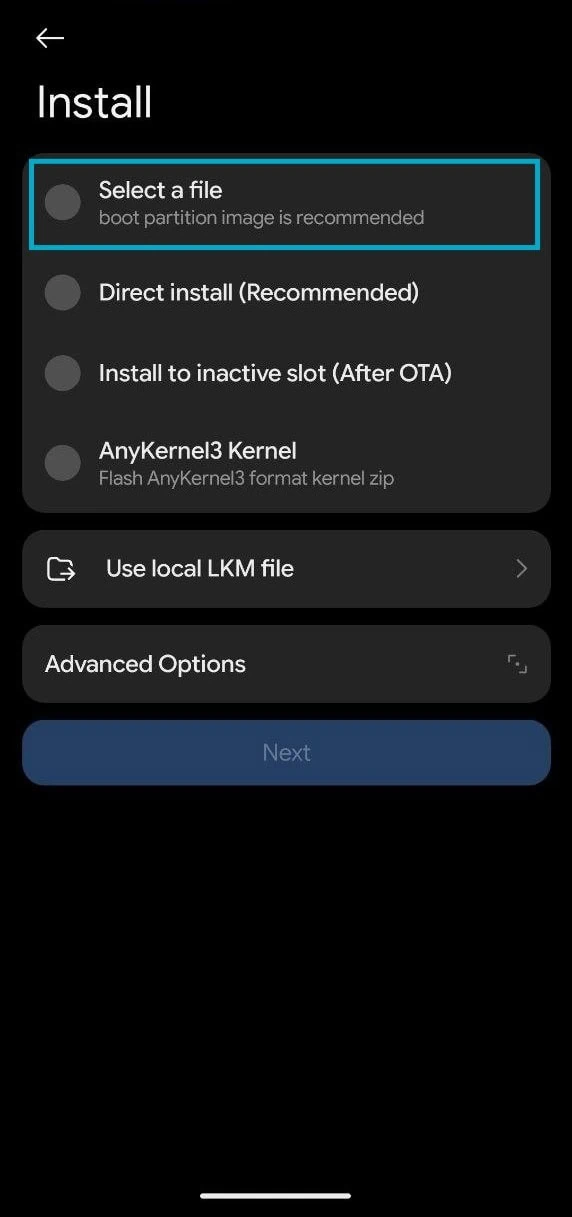
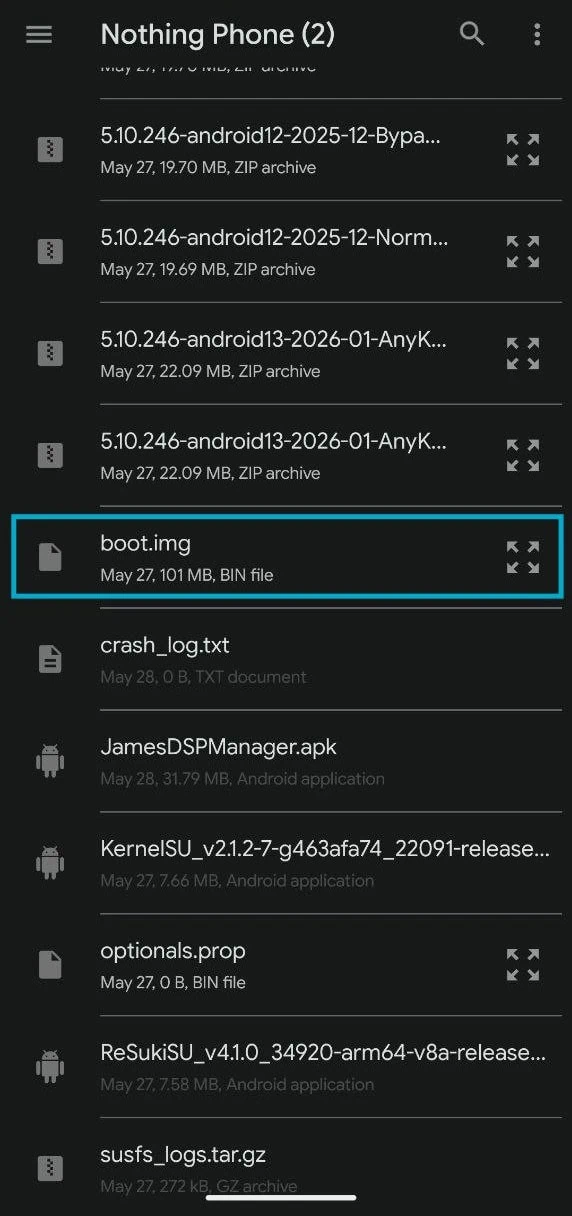
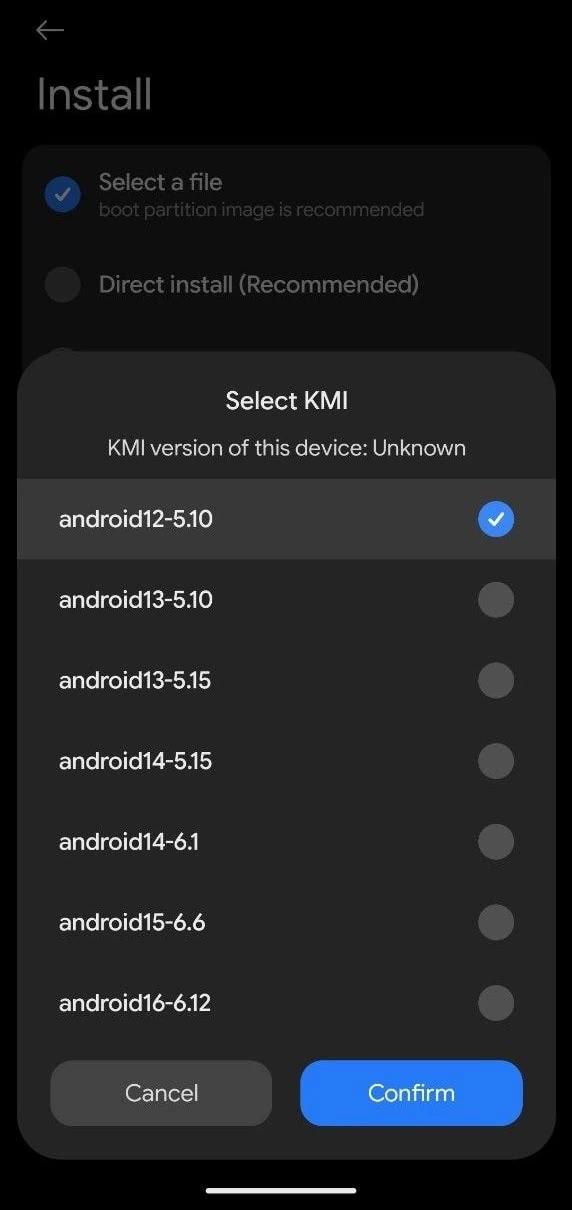
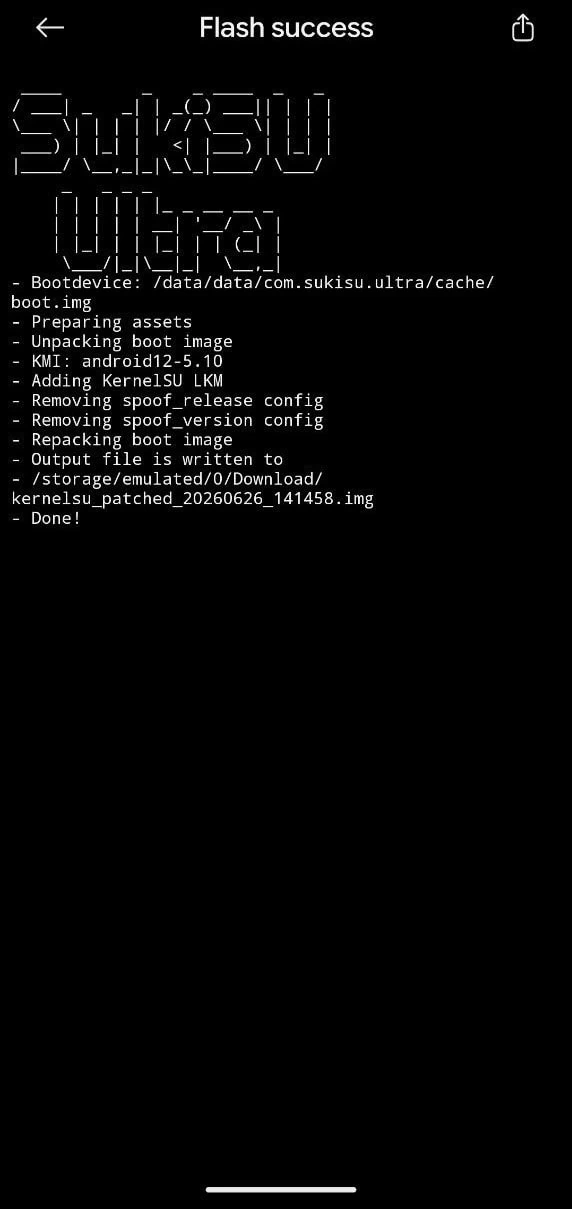
6. Select the KMI (Kernel Version). Kernel Version must match the current firmware Kernel. First, check the Kernel Version in Settings ➡ About Phone ➡ Android Version. The Android Version may be lower, but the kernel version must match the KMI.
For example, I am using a custom kernel - My phone Android Version is 16, but Kernel Version is "5.10.246-gki", which is Android 12, so I will select Android 12-5.10 from the KMI List.
7. After patching, rename the patched image to kernelsu_patched.img.
The patched boot will be located at /storage/emulated/0/Download/kernelsu_patched_***.imgHow to Flash patched ReSukiSU boot image
1. Download the latest ADB & fastboot tool and unzip it on your PC C:\ Drive.
2. Copy the kernelsu_patched.img to your pc platform-tools folder
3. Open CMD on your PC and type cd C:\platform-tools and hit enter.
4. Flash the patched boot image by using the commands.
fastboot flash init_boot kernelsu_patched.imgNew Android Version
fastboot flash boot kernelsu_patched.imgOr
fastboot flash vendor_boot kernelsu_patched.img5. Reboot the device manually or type “fastboot reboot” to reboot the device.
6. Open the ReSukiSU app and verify root access and safety net check.
7. Enable Superuser to root Apps From Superuser TAB ➡ Select The App ➡ Turn On Superuser Toggle.
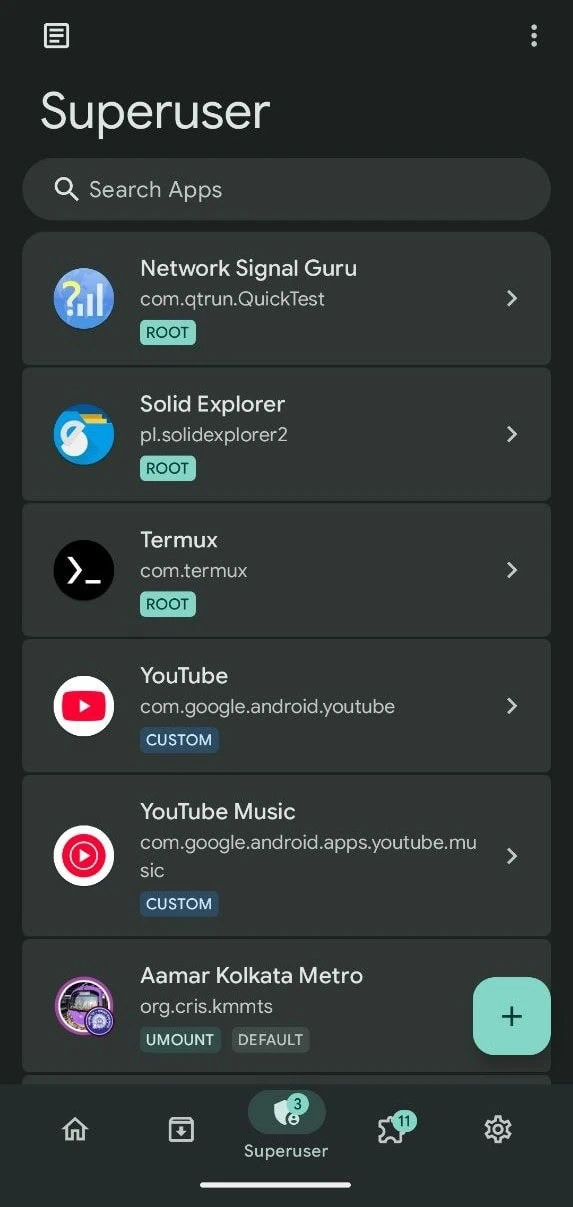
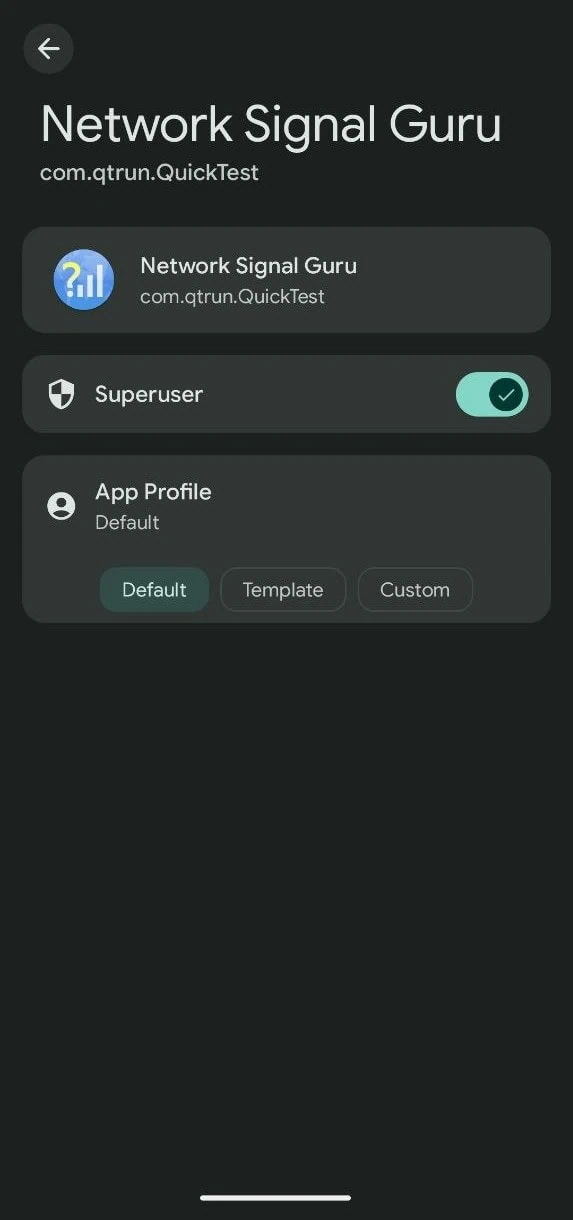
8. Flash SUSFS module from here. And copy the verified boot hash under “root of trust.”
9. Go to /data/adb/VerifiedBootHash and put the string you copied in the text file
10. Finally, restart and hide banking apps using the SUSFS module.
After rooting, some banking apps may not work. The device mu
Conclusion
ReSuKiSu 4.10 offers a kernel-based root solution for Android users who have been using alternatives such as Magisk and Kernel SU. The application has several features, including a clean user interface to manage modules, multi-manager capability (for multiple managers), and the susfs mechanism, which will hide all system file system changes.
ReSuKiSu uses the same “boot image patching” type of installation that KernelSU users are accustomed to. ReSuKiSu can be used on all Android operating systems and kernel configurations; most modern devices should work perfectly with no issues. Whether you are switching from Magisk or attempting kernel-level root access for the first time, the ReSuKiSu installation procedure is easy.