


SukiSU-Ultra is an Android root solution based on kernel SU that extends it with additional features and enhancements. The application modifies your boot.img or init_boot.img to enable root at the kernel Level. This article will cover the latest version of SukiSU-Ultra v4.1.3 (which includes Android versions from 10 to 16).
We have already shared other root solutions like Magisk and SuperSU, but you know, Magisk may stop developing in the future because of a lack of developers and slow development. SukiSU-Ultra is a new root solution based on the kernel SU. The app currently supports arm64-v8a and x86_64 architectures and Android GKI 2.0 devices (kernel 5.10+). Older kernels like (4.14+). In this post, we not only share the latest version, but also we will guide you to install SukiSU-Ultra on your device by patching the boot image.
What is SukiSU-Ultra?
SUKI SU- Ultra is an advanced version of Kernel SU which gives the user complete access to super-user rights inside the Android kernel. Unlike other methods used to gain root access on android such as “root” or “Superuser”, Suki SU-Ultra does this by placing the su binary and the permission managing code directly in the kernel. This provides a clean interface for the su manager, allows for the creation of susfs files (which can be used to mask root access from applications) and also supports KPM (kernel module patches).
SUKI SU-Ultra will work on all types of devices including both GKI and non-GKI enabled devices. If you are transitioning from either SuperSU or Magisk, your experience will likely be very similar. The boot image patching process for SUKI-SU-Ultra is a nearly similar process to Magisk and KernelSU. Your use of the su binary is simply extended with additional features available through the SUKI SU-Ultra sufs tool.
Features:-
- Kernel-based su and root access management.
- App Profile feature to lock root permissions per application.
- Support for both non-GKI and GKI 1.0 devices.
- KPM (KernelPatch Module) support for extended kernel modifications.
- Built-in susfs management tool for hiding root access.
- Polished manager app with customizable theme.
Latest SukiSU-Ultra Changelogs:-
SukiSU-Ultra v4.1.3
- Fixed spelling mistakes on the GKI brands information page.
- Added full Russian translation for the project README.
- Updated Traditional Chinese translation strings inside the manager app.
- Cleaned up and reorganized source strings across the manager interface.
- Updated versionCode field type to Long so it supports values beyond the Int limit.
- Refined the kernel symbol resolver for better module compatibility.
- Fixed SELinux hiding functionality that was not working properly in some cases.
Download SukiSU-Ultra v4.1.3
In this section, you will find the download links for the latest SukiSU-Ultra v4.1.3. The APK works on Android versions 10 to 16. Choose the correct kernel module for your device KMI version and grab the manager APK from the table below.
| SukiSU-Ultra | Download Link |
|---|---|
| SukiSU_v4.1.3 | SukiSU_v4.1.3_40796-release.apk |
SukiSU-Ultra 4.1.3 with kernelsu.ko – Github
Install SukiSU-Ultra by patching the Boot image file
1. First backup Phone Apps and Internal Storage. Make sure your device is Bootloader unlocked. Install TWRP Recovery (Optional). Maintain 30-40% battery.
2. Download the latest SukiSU-Ultra Copy files to internal storage or SD Card and install on your device.
3. Extract the boot file from your device’s latest firmware or download boot or init_boot.img file from the download section.
New Android 14 - Android 17 Firmwere may only have boot.img or vendor_boot.img. So extract boot.img or vendor_boot.img from the firmware.
4. Copy the boot or init_boot.img to your device download folder and open the SukiSU-Ultra App, or any of the rooting apps.
5. Tap on the Install button at the top, select init_boot.img, or boot.img, and the app will patch and enable SU on the boot file.
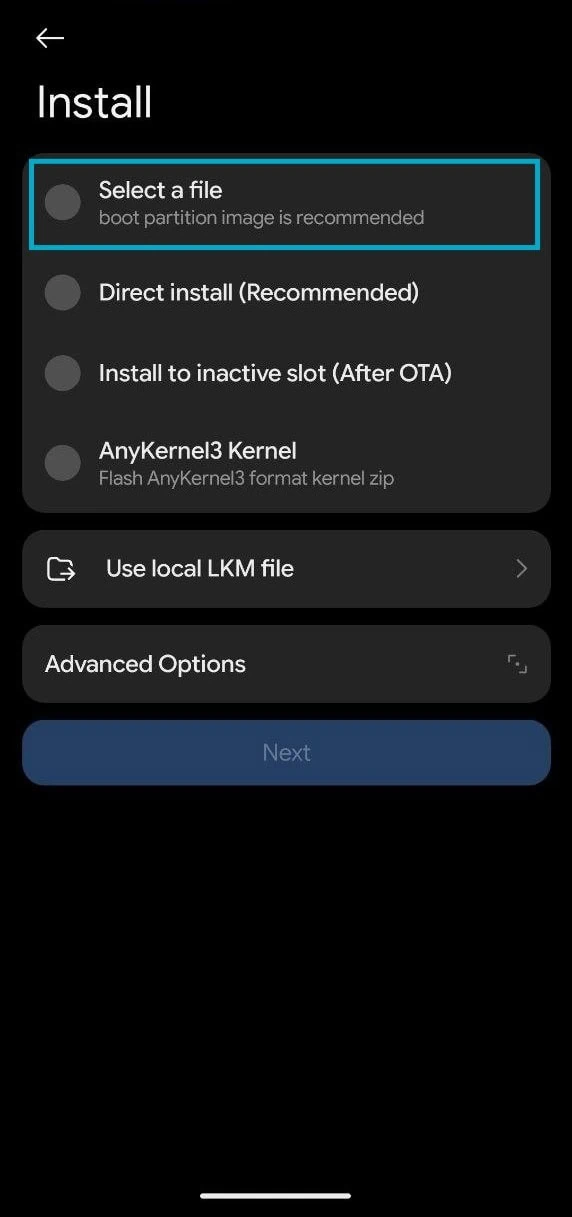
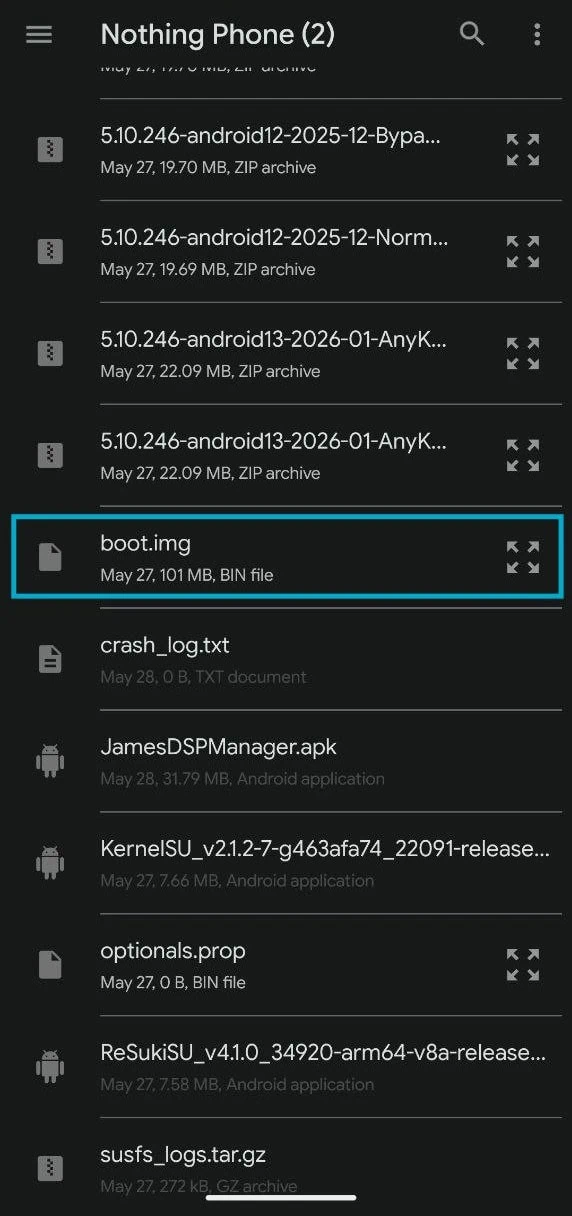
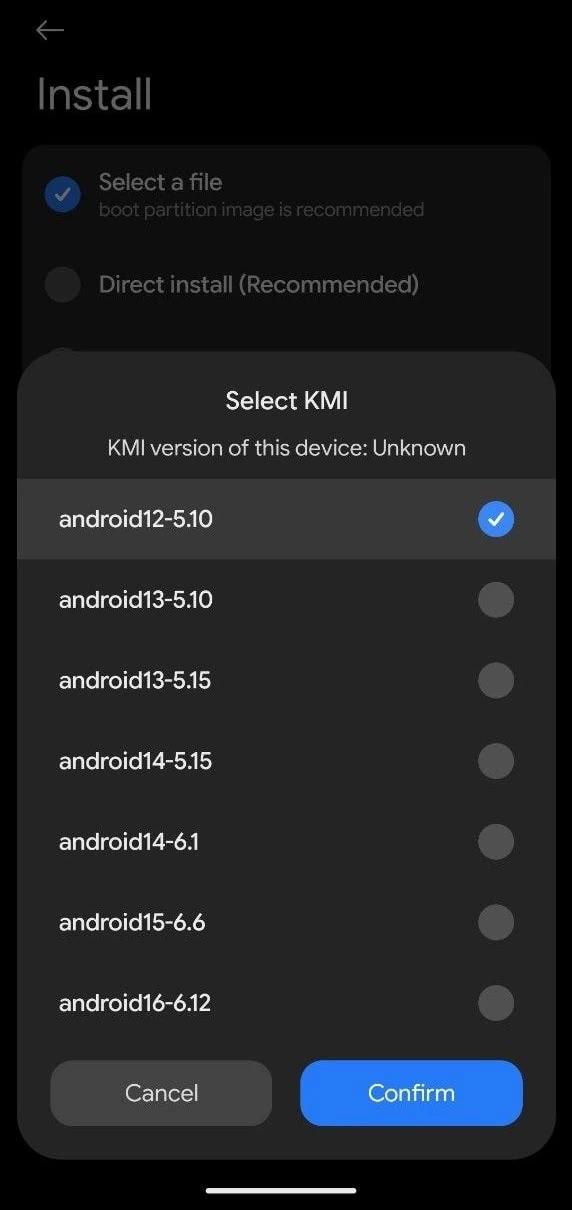
6. Select the KMI (Kernel Version). Kernel Version must match the current firmware Kernel. First, check the Kernel Version in Settings ➡ About Phone ➡ Android Version. The Android Version may be lower, but the kernel version must match the KMI.
For example, I am using a custom kernel - My phone Android Version is 16, but Kernel Version is "5.10.246-gki", which is Android 12, so I will select Android 12-5.10 from the KMI List.
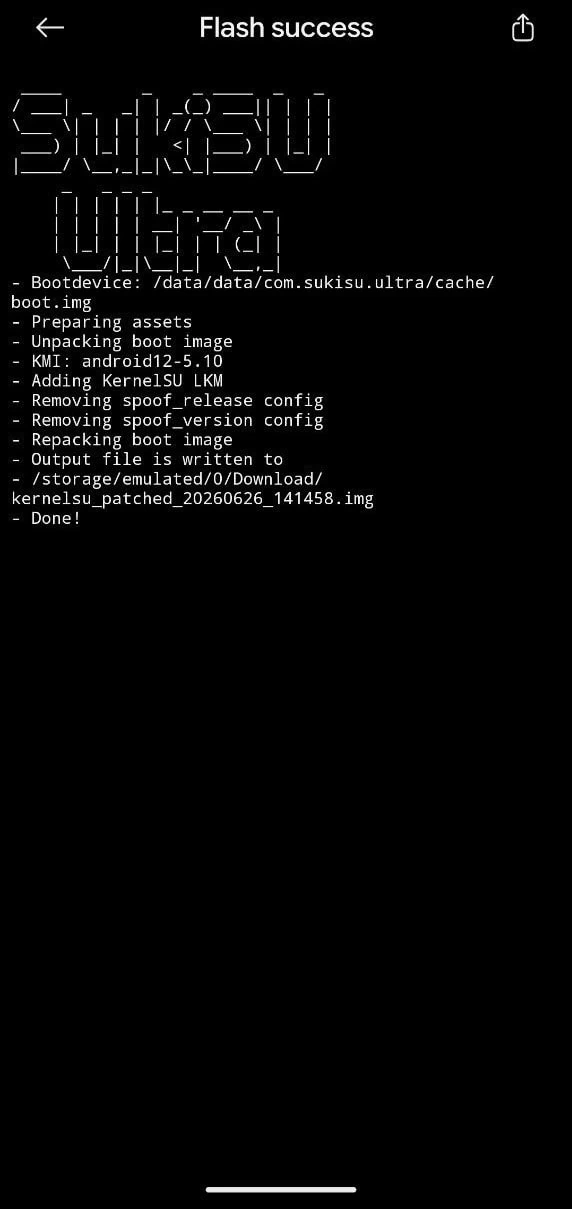
7. After patching, rename the patched image to kernelsu_patched.img.
The patched boot will be located at /storage/emulated/0/Download/kernelsu_patched_***.imgHow to Flash patched SukiSU-Ultra boot image
1. Download the latest ADB & fastboot tool and unzip it on your PC C:\ Drive.
2. Copy the kernelsu_patched.img to your pc platform-tools folder
3. Open CMD on your PC and type cd C:\platform-tools and hit enter.
4. Flash the patched boot image by using the commands.
fastboot flash init_boot kernelsu_patched.imgNew Android Version
fastboot flash boot kernelsu_patched.imgOr
fastboot flash vendor_boot kernelsu_patched.img5. Reboot the device manually or type “fastboot reboot” to reboot the device.
6. Open the SukiSU-Ultra app and verify root access and safety net check.
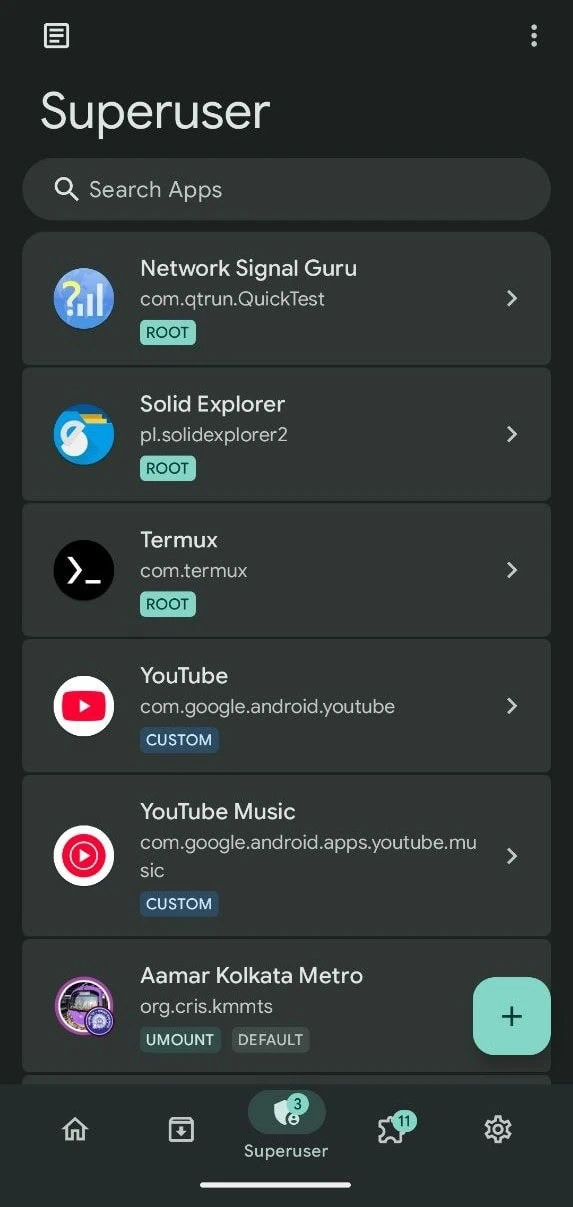
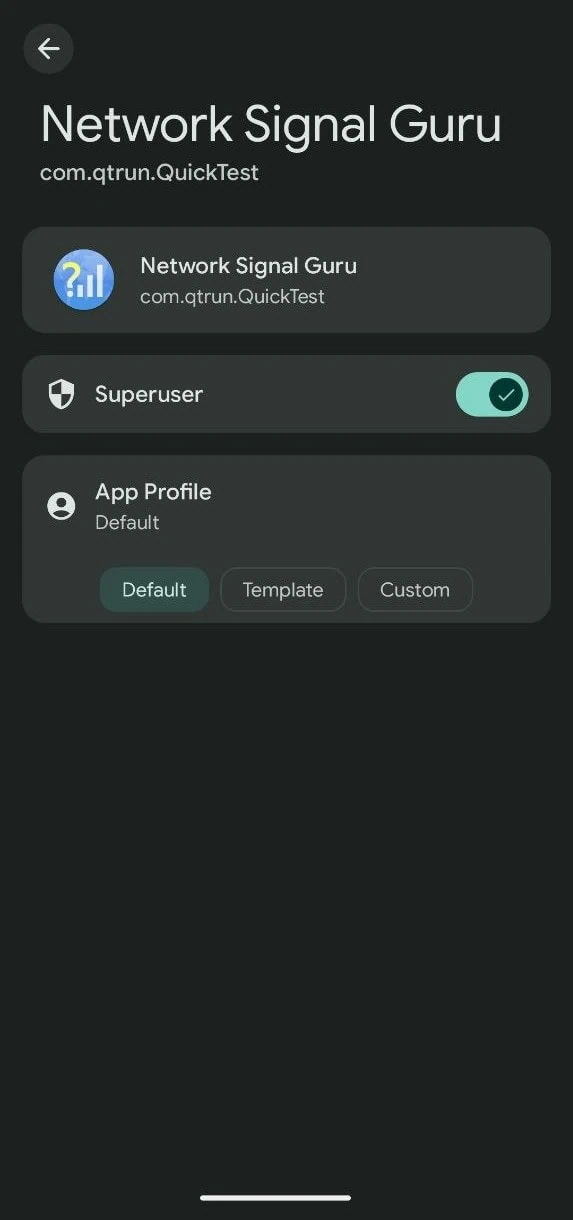
7. Enable Superuser to root Apps From Superuser TAB ➡ Select The App ➡ Turn On Superuser Toggle.
8. Flash SUSFS module from here. And copy the verified boot hash under “root of trust.”
9. Go to /data/adb/VerifiedBootHash and put the string you copied in the text file
10. Finally, restart and hide banking apps using the SUSFS module.
After rooting, some banking apps may not work. The device must get a Full Play Integrity PASS for banking apps to work. Here full guide to Play Integrity PASS on KernelSU: To Fix Banking App Root Detection.
Conclusion
SukiSU-Ultra v4.1.3 is a solid choice for anyone looking to root their Android device using a kernel-based method. The fork brings useful extras over the original KernelSU like a better manager interface, susfs hiding tools, and KPM module support. The installation process is straightforward and follows the same boot image patching method that KernelSU users are already familiar with.
Whether you are a custom ROM enthusiast or just want full control over your device, this root solution covers the basics well. It supports a wide range of Android versions and kernel setups, so compatibility should not be an issue for most modern phones. Enjoy the added control and customization that comes with kernel-level root access on your device.






Bagus sekali
Root