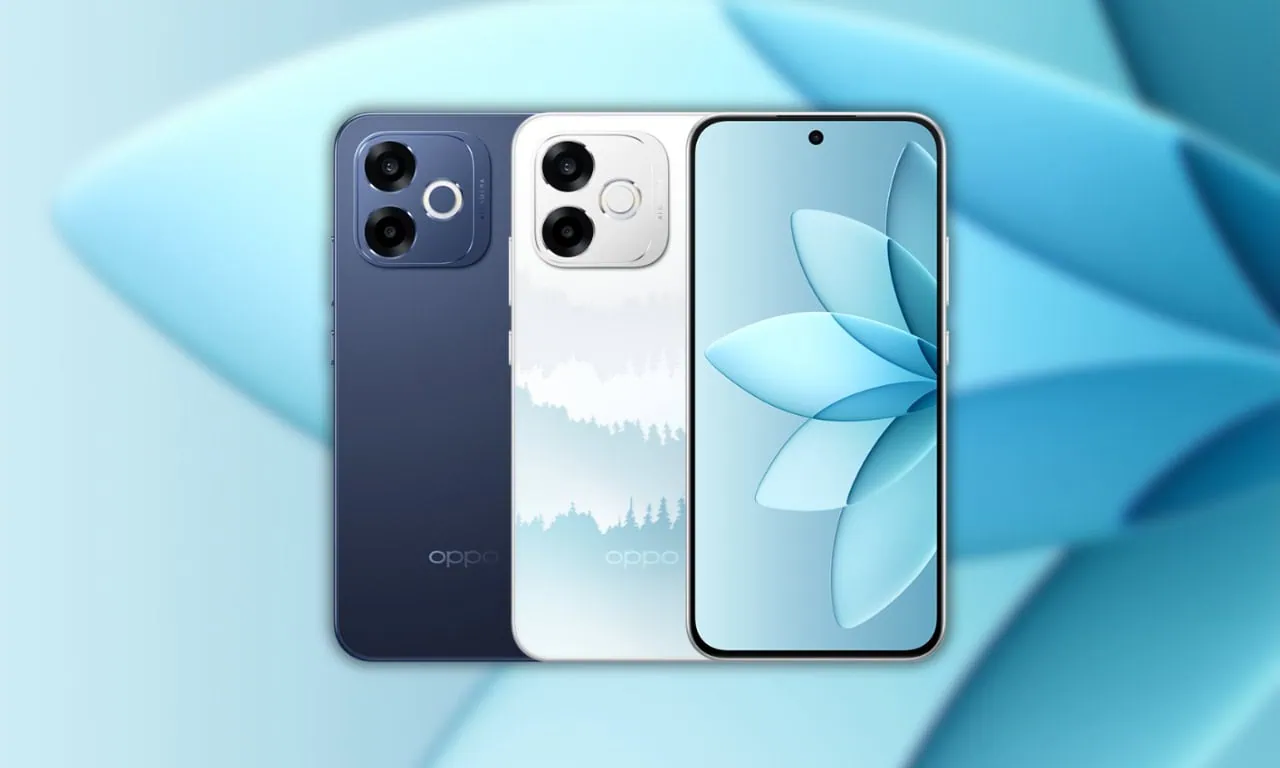
Oppo has announced the new Oppo A6s Pro, the latest device in the A-series lineup. This device features the latest Dimensity 6360 Max processor, a 7,000mAh battery with 80W fast charging support, and a 6.57-inch FHD+ AMOLED display with 120Hz refresh rate. Every Oppo smartphone comes with unique wallpapers. The device looks very beautiful because of its colourful wallpapers. Here, you can download Oppo A6s Pro stock wallpapers for your smartphone.
In July 2026, the Oppo A6s Pro was released for sale in China. The Oppo A6s Pro will have a distinctive appearance, a fresh style, and an AMOLED display. When it comes to appearance, the phone will also have some awesome wallpapers. The wallpapers can be downloaded here in High resolution.
Oppo A6s Pro Specification:
| Processor | Dimensity 6360 Max |
| Display | 6.57-inch FHD+ AMOLED, 120Hz |
| RAM | 8GB / 12GB |
| Storage | 128GB / 256GB / 512GB |
| OS | ColorOS 16 (Android 16) |
| Battery | 7000mAh, 80W fast charging |
| Rear Camera | 50MP + 2MP |
| Front Camera | 16MP |
| Colors | Moonshine Blue, Rising to Prominence, Good Luck Lotus |
Oppo A6s Pro packs a dual camera setup featuring a 50-megapixel primary camera with PDAF. The rear camera setup has autofocus, LED flash, HDR, and panorama. It sports a 16-megapixel front-facing selfie camera for video calls and selfies.
Oppo A6s Pro Wallpapers Sharing
Oppo A6s Pro stock wallpapers are truly impressive. We love to share new wallpapers and themes whenever a new product comes out. This device comes in Moonshine Blue, Rising to Prominence, and Good Luck Lotus colors, and each comes with a matching wallpaper. Included in this new collection are twelve new stock wallpapers. The rest are built in ColorOS 16 stock Wallpapers. They are ready to download now in HD+ resolution. We listed them below. If your device has a screen resolution of 1080p or lower, these wallpapers look great.
Wallpapers preview






Download Oppo A6s Pro Stock Wallpapers
We have extracted twelve wallpapers. The Wallpapers feature Blue, White, Red, Yellow, and Cyan abstract designs, creating a modern, fluid aesthetic. We will publish more when they are available for smartphones. So you can download the wallpapers for your phone in a zip file. To set a wallpaper or lock screen, simply browse the wallpaper folder and open the image you want to use as your wallpaper. Press the 3-dot menu and tap “Set as wallpaper” or “Lock screen”.
Download Link –
How to Set these Wallpapers on Home Screen, Lock Screen, and Always-on Display
- Download and extract the Oppo A6s Pro Stock Wallpapers zip file on your Android phone using the Files app or any file manager.
- Open the extracted wallpaper in Gallery / Photos / Files app.
- Tap the three-dot menu or More option and select Set as wallpaper.
- Choose Home screen, Lock screen, or Home and lock screen → adjust the crop if needed → tap Apply / Set.