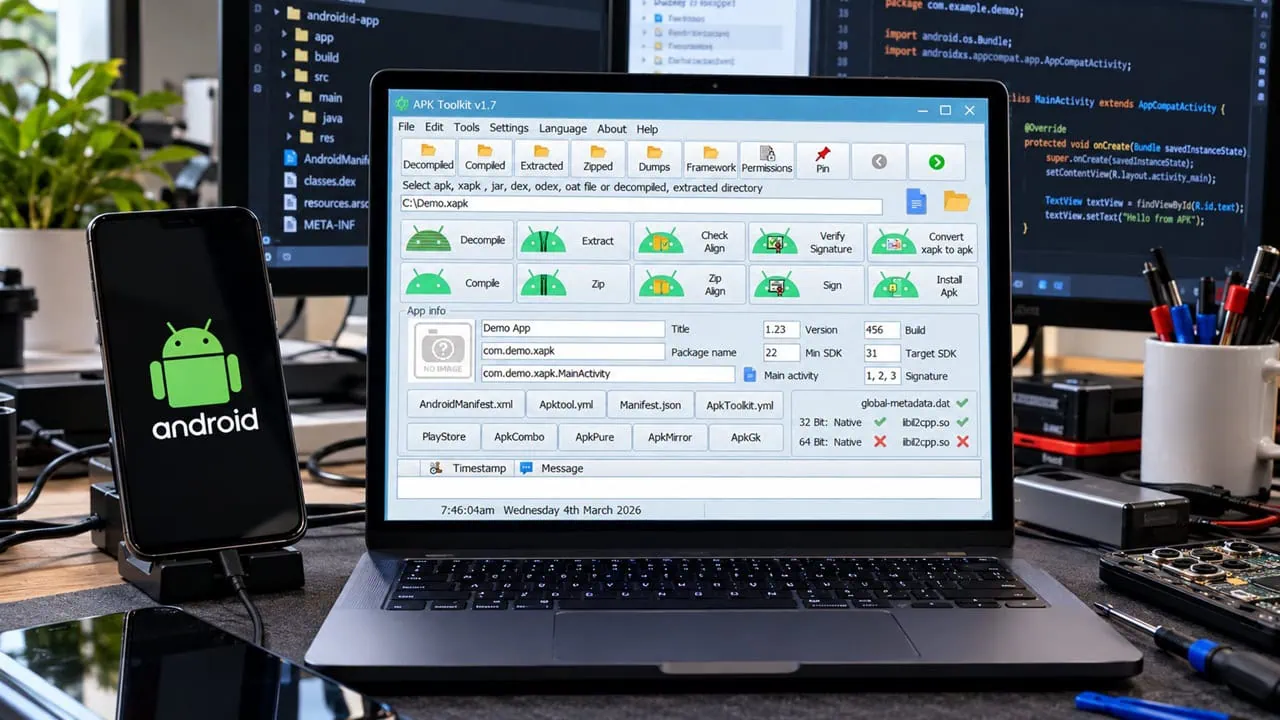
Reverse engineering an app for Android now means installing Java frameworks and using the terminal to feed it complex commands. APK Toolkit alters this by using a native Windows GUI that packs decompiling, editing, rebuilding and signing into one window. This lets you take apart an app, understand how it functions and reassemble it without having to touch a single command line directly. And once you learn to reverse engineer Android apps with it, the whole platform starts to make sense.
The toolkit was re-built after APK Easy Tool was discontinued and retains the original idea while adding many more features. You can decompile almost any Android format (apk, xapk, jar, dex, odex, oat), read smali code and resource data, make changes and resign the results. This is great for learning how apps work, fixing minor annoyances or studying the actual use of permissions. Whatever you make, use it only on your personal devices and for learning.
What APK Toolkit Does
| Feature | What It Does |
| Decompile & Compile | Opens apk, xapk, jar, dex, odex and oat files and rebuilds them after changes |
| Sign & ZipAlign | Signs and verifies the rebuilt apk and aligns it for modern Android versions |
| Edit app info | Changes the app icon, name, package name, version and SDK levels |
| Clone APK | Installs multiple instances of the same app by cloning it |
| IL2CPP analysis | Built-in dumper plus dnSpy to inspect Unity game code with drag and drop |
| Regex on smali | Multi-threaded search and replace across decompiled smali; the ad-removal presets run on the same engine |
Download APK Toolkit
Click the button below to download APK Toolkit. It is a portable Windows app: extract the folder and run the executable file. The interface comes with light and dark themes and supports languages such as English, German, Hindi and others.
How to Reverse Engineer Android Apps
The whole reverse engineering flow starts with a single apk file on your desktop – drag it into the window and the work begins.
Decompile an APK
- Open APK Toolkit and drag your apk (or xapk) file into the window. You can drop several files at once.
- Pick the Decompile option. The toolkit extracts the resources and smali code into a project folder on your disk.
- Open that folder to browse the manifest, layouts, drawables and the smali code that makes the app run.
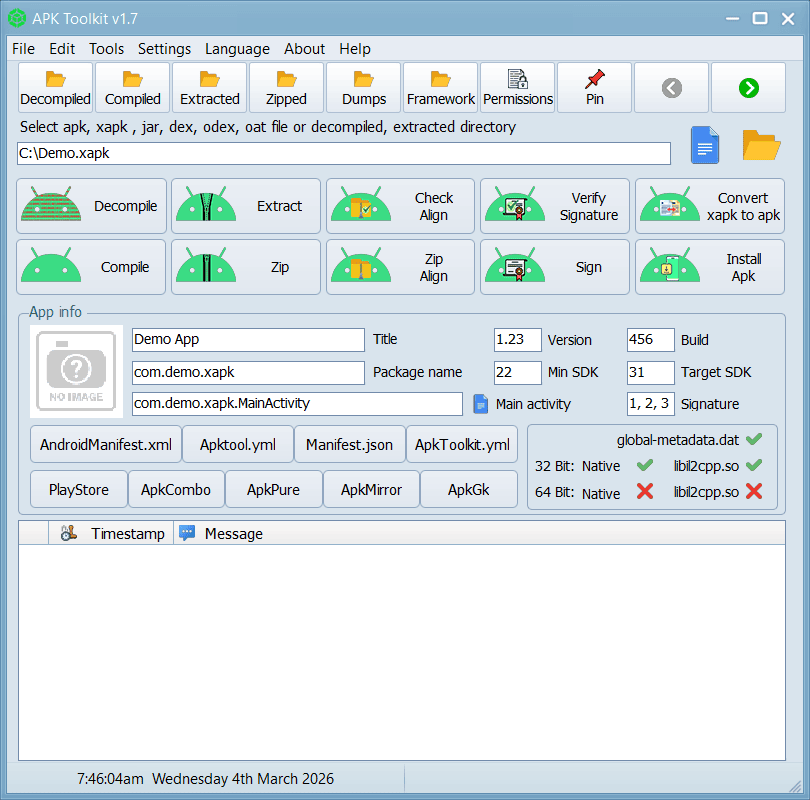
Explore and Edit with APK Toolkit
- Start with the easy wins:
res/values/strings.xmlholds the app name, labels and translated text. - For behavior changes, edit smali directly – the toolkit’s multi-threaded regex search-and-replace runs across the entire decompiled project at once.
- Use the built-in presets to strip ad code, add a starting toast or inject an extra manifest permission with one click.
- The built-in viewer shows permissions, native 32-bit/64-bit libraries and even detects Unity’s global-metadata.dat and libil2cpp.so at a glance.
Rebuild and Sign
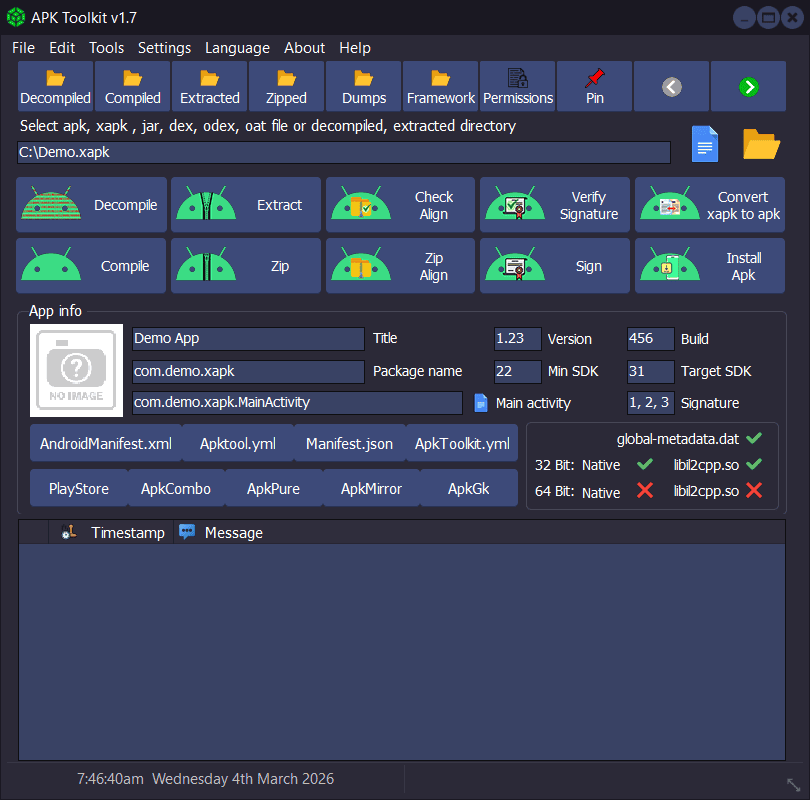
- Click Compile in the toolkit, and then the tool will rebuild your APK from the folder with your modifications.
- Run Zipalign to get the file ready; then sign with the built-in signer so Android accepts it.
- Push the new build via ADB or simply copy the signed APK file into your phone.
Advanced Tools
- Signature Killer – bypasses signature checks for learning; it does not promise to bypass every protection.
- il2cppdumper + dnSpy – dump Unity (IL2CPP) games straight from the apk and inspect the code instantly.
- xapk conversion – split a xapk or bundle into a single installable apk.
- Clone – run two instances of the same app on one phone.
Troubleshooting
- Antivirus blocks the toolkit – portable reverse-engineering apps trigger constant false positives. Add the folder to the antivirus exclusions and the warning goes away.
- Decompile fails on a protected app – apps with ProGuard obfuscation or strong packers refuse to open cleanly; test on a simple apk first.
- App will not install after signing – some apps check their signature at runtime. That is exactly the Signature Killer scenario, and it only works when the app’s checks allow it.
- Old odex/oat files – these come from system partitions. Decompile them from a full system dump or they will be incomplete.
Want to reverse engineer Android apps? It is not hacking but a skill. APK Toolkit gives you a clean window into everything an Android app does: what it displays, conceals and does with your data. Decompile a simple app, rename it and rebuild it on your own phone and you learn much more about Android in one night than you would in a week of theory and this tool makes the whole process painless.