

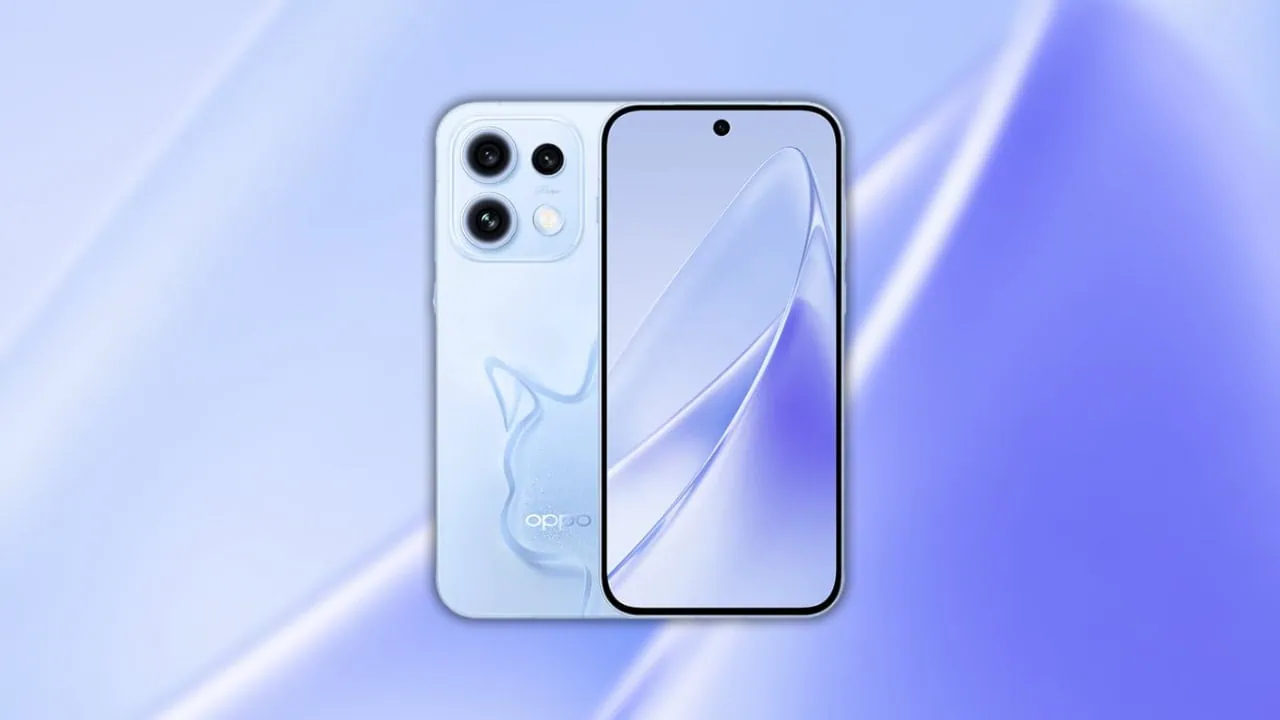
Oppo has finally launched the Reno17 series, and the lineup includes the Reno17 and the Reno17 Pro. The Reno17 Pro has the new 200MP main camera, while both phones use 1.5K flat displays with a 120Hz refresh rate. Also, the slim metal build and the new colour finishes give the series a fresh look. The device comes with a slew of aesthetic wallpapers that look impressive. Here we have shared the Oppo Reno17 Stock Wallpapers and Live Wallpapers from Oppo Reno17 and Oppo Reno17 Pro.
Every time we share new wallpapers on our blog, when a new phone is released or leaked on the internet. Today the Oppo Reno17 Series wallpapers were shared online alongside the launch event. So we will share the latest Oppo Reno17 Stock Wallpapers and Oppo Reno17 Series Live Wallpapers in a ZIP and APK file.
Oppo Reno17 Series Specifications:
| Specification | Oppo Reno17 | Oppo Reno17 Pro |
| Processor | Snapdragon 7 Gen 4 (4nm) | MediaTek Dimensity 8550 Super |
| Display | 6.5-inch 1.5K AMOLED, 120Hz | 6.32-inch 1.5K LTPS, 120Hz |
| RAM | 12GB / 16GB | 12GB / 16GB |
| Storage | 256GB / 512GB | 256GB / 512GB |
| OS | Android 17, ColorOS 17 | Android 17, ColorOS 17 |
| Battery | 8000mAh, 80W fast charging | 7200mAh, 80W fast charging |
| Rear Camera | 50MP main + 50MP periscope (3.5x) + 50MP ultrawide | 200MP main + 50MP periscope (3.5x) + 50MP ultrawide |
| Front Camera | 50MP | 50MP |
| Protection | IP68 and IP69K | IP68 and IP69K |
| Colors | First Snow White, Ice Moon White, Cocoa Brown, Starlight Pink, Encounter Cat | First Snow White, Ice Moon White, Cocoa Brown, Starlight Pink, Encounter Cat |
The Oppo Reno17 has a 50-megapixel primary camera, a 50-megapixel periscope telephoto camera with 3.5x optical zoom, and a 50-megapixel ultrawide camera, while the Reno17 Pro steps up to a 200-megapixel main sensor. Both phones use a 50-megapixel selfie camera, are rated IP68 and IP69K, and run Android 17 with ColorOS 17 on top. Both phones ship with their own Oppo Reno17 Stock Wallpapers and live wallpapers, which we have shared below.
Oppo Reno17 Stock Wallpapers
These stock wallpapers come with aesthetics and are impressive with their unique images. You know that we always share all new wallpapers and Live wallpapers as soon as possible on our websites. The series comes with five preloaded stock wallpapers built around the new colour finishes, and all of them are flat image files with no parallax tricks. All the wallpapers are now available to download and are listed below. If your device has the same screen resolution or lower, then these will look good on your device.
Oppo Reno17 Stock Wallpapers Preview





Live Wallpapers Preview
Alongside the static Oppo Reno17 Stock Wallpapers, the phones ship with their own live wallpapers. We have ported the Oppo Reno17 Series Live Wallpapers for all Android devices. You can simply install the Oppo Reno17 Series Live Wallpapers apk on your device and enjoy it on your phone.
Download Oppo Reno17 Stock Wallpapers
We have extracted five stock wallpapers from the Oppo Reno17 Series. Additionally, you can download the wallpapers for your phone in a zip file. To set wallpaper or lock screen, browse the wallpaper folder and open the image you want to set as wallpaper. Press the 3-dot menu and tap on the set as wallpaper or lock screen.
Download –
Oppo Reno17 Series Live Wallpapers – coming soon
How to Set Wallpapers on Home Screen, Lock Screen, and Always-on Display
- First, download the Oppo Reno17 Stock Wallpapers .zip file and unzip it from File Manager or Explorer.
- Open File Manager and browse the unzipped wallpapers folder.
- Select the Wallpaper you like, tap on the 3-dot menu, and then tap Use, Open Gallery App, and Set As Home Screen, Lock Screen, or Always-on Display.
Please share those wallpapers with other communities and forums if you like them. Don’t forget to join our community.
How to Set Live Wallpapers on Android
- Download and install the Google Wallpaper app and the live wallpapers APK that comes with the Oppo Reno17 Stock Wallpapers pack.
- Long-press an empty area of the home screen and choose Wallpapers and style.
- Tap Live wallpapers from the top tabs.
- Pick the Oppo Reno17 live wallpaper set.
- Tap Apply to set it on the lock screen, home screen, or both.