
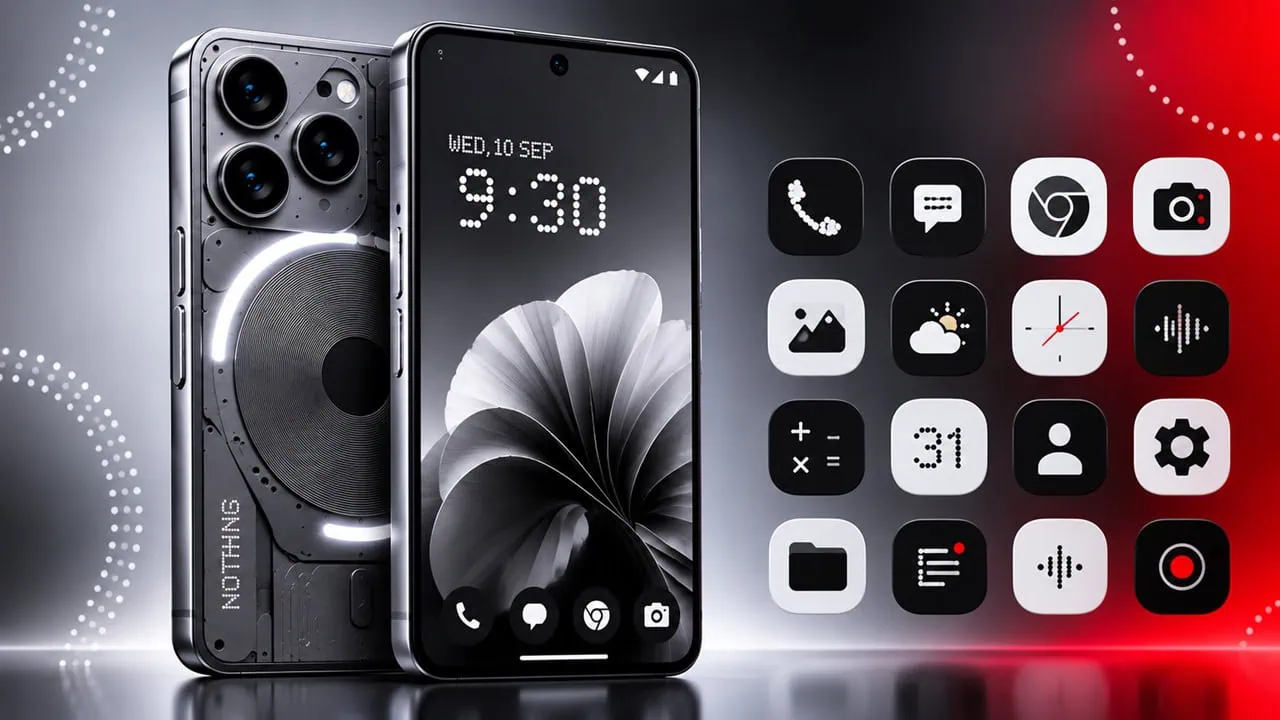
The Stock Apps Package that comes with each smartphone includes various types of apps such as Launcher, Camera, Gallery, Clock, Sound Recorder, Weather and more. In this article we will share the Nothing OS 5.0 Stock Apps for all Android phones. Nothing has just released a new version of its Android user interface, Nothing OS 5.0. This is their biggest visual change yet. It was released alongside Android 17.
You can download Nothing OS 5.0 Stock Apps from the download section below, including Launcher, Gallery, Camera, Weather, Glyph and more. Also, you can use these apps to create a custom ROM for other Android phones too. You can also install these apps on any Android phone and thus you can test or access some features of Nothing OS on your own device.
Nothing OS 5.0 Features
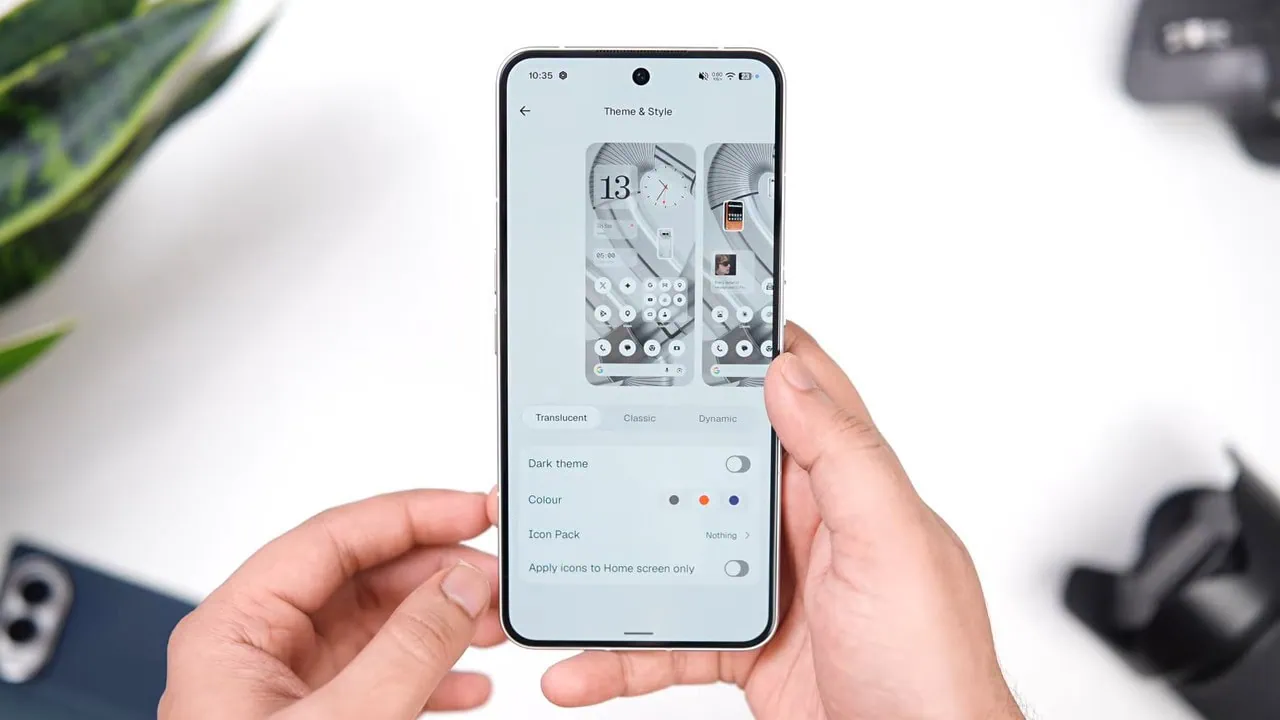
Nothing OS 5.0 is a complete redesign rather than a small update. The interface now uses the new Geist typeface, translucent surfaces and a refined dot matrix style across Settings, the status bar, widgets and system controls. The Theme and Style page adds Translucent, Classic and Dynamic looks along with colour options and the Nothing icon pack.
Beyond looks, Nothing OS 5.0 focuses on everyday performance. App launches, scrolling, touch responsiveness, task switching and background app behavior have been improved, and Essential AI tools are now part of the system as opposed to in a separate app. Also the new design language is carried by Glyph controls, Game Mode and Essential Space features. Those system pieces are part of the same Nothing package too.
Nothing OS 5.0 Stock Apps Download Links
Nothing OS 5.0 provides excellent alternatives for stock apps for Android users. The package contains diverse apps with advanced features and clean design and can be installed on many Android devices. Stock apps from Nothing OS 5.0 allow users to customize phones and have a consistent Nothing experience.
In our previous posts we have already published Nothing OS 5.0 Wallpapers, Nothing OS 5.0 Ringtones and Nothing OS 5.0 Fonts. This time we will share the stock apps from Nothing. We have extracted all 44 Nothing Stock Apps and System Apps from a Nothing OS 5.0 device, so you can download them for your Android device.
List Of Nothing OS 5.0 Stock Apps
Every Nothing OS 5.0 Stock Apps file below is a direct download, so you can grab only the ones you need.
| App | Size | Download |
Essential AppsEssentialApps.apk | 31.08 MB | Download |
Essential IntelligenceEssentialIntelligence.apk | 2.95 MB | Download |
Essential RecorderEssentialRecorder.apk | 90.73 MB | Download |
Essential SpaceEssentialSpace.apk | 158.98 MB | Download |
Essential Space (All)EssentialSpace_All.apk | 8.16 KB | Download |
Essential Space (Metroid)EssentialSpace_Metroid.apk | 8.16 KB | Download |
Nothing LauncherNothingLauncher3.apk | 67.77 MB | Download |
Nothing CameraNTCamera.apk | 164.00 MB | Download |
Nothing GalleryNTGallery.apk | 94.96 MB | Download |
Nothing WeatherNothingWeather.apk | 11.03 MB | Download |
Nothing GlyphNothingGlyph.apk | 23.00 MB | Download |
Essential Apps
The Nothing OS 5.0 Stock Apps above are the ones most people install first, and the group below adds the tools and companion apps.
| App | Size | Download |
Nothing XNothingX.apk | 351.16 MB | Download |
Nothing App LockerNTAppLocker.apk | 9.24 MB | Download |
Nothing Card LabNothingCardLab.apk | 47.09 MB | Download |
Nothing ExperienceNothingExperience.apk | 3.97 MB | Download |
Nothing Ringtone GeneratorNothingGenerateRingtoneService.apk | 51.72 MB | Download |
Nothing Sound RecorderNothingSoundRecorder.apk | 9.47 MB | Download |
Nothing Universal SearchNothingUniversalSearch.apk | 8.15 MB | Download |
Nothing User GuideNothingUserGuide.apk | 106.67 MB | Download |
Nothing Wallpaper PickerNothingWallpaperPicker.apk | 26.48 MB | Download |
Nothing ToyNothingToy.apk | 11.45 MB | Download |
MagicballMagicball.apk | 2.27 MB | Download |
GWPGWP.apk | 4.27 MB | Download |
Live Wallpaper PickerLiveWallpapersPicker.apk | 4.12 MB | Download |
Sound PickerSoundPicker.apk | 1.09 MB | Download |
Wallpaper CropperWallpaperCropper.apk | 120.66 KB | Download |
Background Services
The Nothing OS 5.0 Stock Apps pack also carries the background services and stub packages listed here.
| App | Size | Download |
Nothing AccountNothingAccount.apk | 48.67 MB | Download |
Nothing AgreementNothingAgreement.apk | 1.62 MB | Download |
Nothing App ServiceNothingAppService.apk | 5.81 MB | Download |
Nothing Audio Effect ServiceNothingAudioEffectService.apk | 129.81 KB | Download |
Nothing Card ServiceNothingCardService.apk | 18.40 MB | Download |
Nothing Companion Device ManagerNothingCompanionDeviceManager.apk | 33.59 MB | Download |
Nothing Dynamic ColorNothingDynamicColor.apk | 64.22 KB | Download |
Nothing IntroductionNothingIntroduction.apk | 8.87 MB | Download |
Nothing Offline OTA UpdateNothingOfflineOtaUpdate.apk | 3.90 MB | Download |
Nothing PAi StubNothingPAIStub.apk | 12.59 KB | Download |
Nothing ProxyNothingProxy.apk | 14.54 MB | Download |
Nothing SettingsNothingSettings.apk | 102.80 MB | Download |
Nothing Wallpapers Basic Color StubNothingWallpapersBasicColorStub.apk | 12.53 KB | Download |
Nothing Wallpapers StubNothingWallpapersStub.apk | 63.05 MB | Download |
Nothing Gallery Media ProxyNTGalleryMediaProxy.apk | 2.00 MB | Download |
Nothing Third PartyNtThirdParty.apk | 25.28 MB | Download |
Nothing Third Party (All)NtThirdParty_All.apk | 40.32 KB | Download |
Nothing Wi-Fi Ext ServiceNtWifiExtService.apk | 152.22 KB | Download |
How To Install Nothing OS 5.0 Stock Apps APK File.
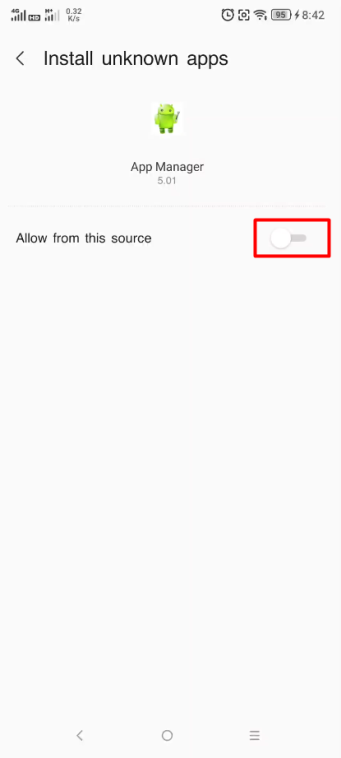
Installing Nothing OS 5.0 stock apps is easy. Most APK files install just like any other APK. Before starting, allow your file manager to install apps from unknown sources and download the APK. Tap on it and confirm installation. Some apps also need permissions after they have been installed.
Just a few apps from Nothing use services of the NothingOS system, so the launcher, Glyph controls and some system panels do not work fully on phones from other brands. Everything else, like the Gallery, Camera, Weather app, Sound Recorder and wallpaper picker, work normally on most Android 17 phones, so most of these Nothing apps are safe to try on a non-Nothing phone.
- Download the Nothing OS 5.0 Stock Apps APK you want to install on your device.
- Go to File Manager, open the Download folder, and tap the APK file.
- If Android blocks the install, allow Install unknown apps for your file manager and try again.
- For split APK files, read this guide on – Install Multiple Split APKs APK, APKM, XAPK
- Go to Settings, find the installed app, and grant all the permissions it asks for.
- Open the app and check whether it works on your device.
Final Thoughts:
Overall, the Nothing OS 5.0 Stock Apps provide an excellent combination of modern design, good performance and useful functionality compared to most of the default Android apps available on the market. Each application, from the Launcher to the Gallery, Camera, Weather, Glyph and Sound Recorder, delivers an overall aesthetic that matches the updated Nothing OS 5.0 interface.
Because of the availability of these apps, users can access the Nothing style on any phone brand. This is convenient for people who like to modify and customize their phones; whether it is for daily use or to work on a custom ROM project, they can use the complete Apps package.