
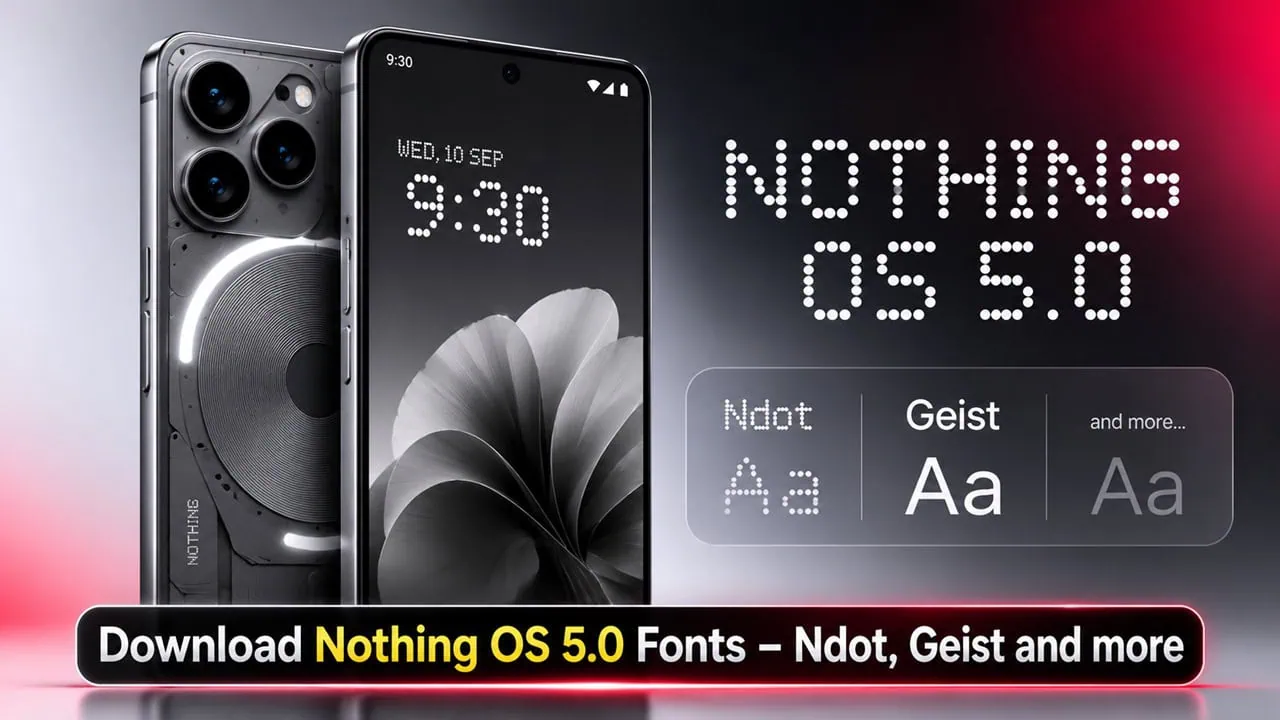
Do you like new Nothing OS 5.0 look? But you may have another Android phone and want to give Nothing OS 5.0 Fonts a try. Now you can use Nothing wallpapers, ringtones, and the new Geist and Ndot fonts on your phone and PC.
In this post, we have extracted all Nothing OS 5.0 Fonts from a Nothing OS 5.0 device. The set includes Ndot 55, Ndot 57, NDot Caps, NType 82, Geist, Geist Mono and LetteraMonoLL. You can use them on your Android phone. Nothing released Nothing OS 5.0 with Android 17. The update brings a wider visual refresh and a brand new system typeface.
Nothing OS 5.0 Features
The new Nothing OS 5.0 offers a cleaner and more consistent interface. It also brings the new Essential AI tools and the latest Android 17 features. Styles have been refreshed for Settings, the status bar, Camera, widgets and system controls. Typography, icons, spacing and materials saw the biggest changes.
Geist has become the main system font and has replaced Roboto and Inter. The new typeface is broader, more geometric and matches the overall UI of Nothing. Text scaling and hierarchy were refined too, so navigation through Settings and menus looks much more consistent. This typography work is exactly why these Nothing OS 5.0 Fonts are worth downloading.
Nothing OS Fonts for Android Phones
If you are an Android user and love the minimalist look of the Nothing OS 5.0 Fonts, you are in luck. You can download the popular fonts onto your Android device. In just a few easy steps, you can enjoy the same typography that ships on Nothing phones.
Android users can apply Nothing OS Wallpapers, Themes and Ringtones on their devices. We have already shared all the latest Nothing OS 5.0 Wallpapers and Nothing OS 5.0 Ringtones. In this post, we will share Nothing’s own fonts so you can apply them on any Android phone. The pack also works on Windows, so you can use the same typeface on your desktop.
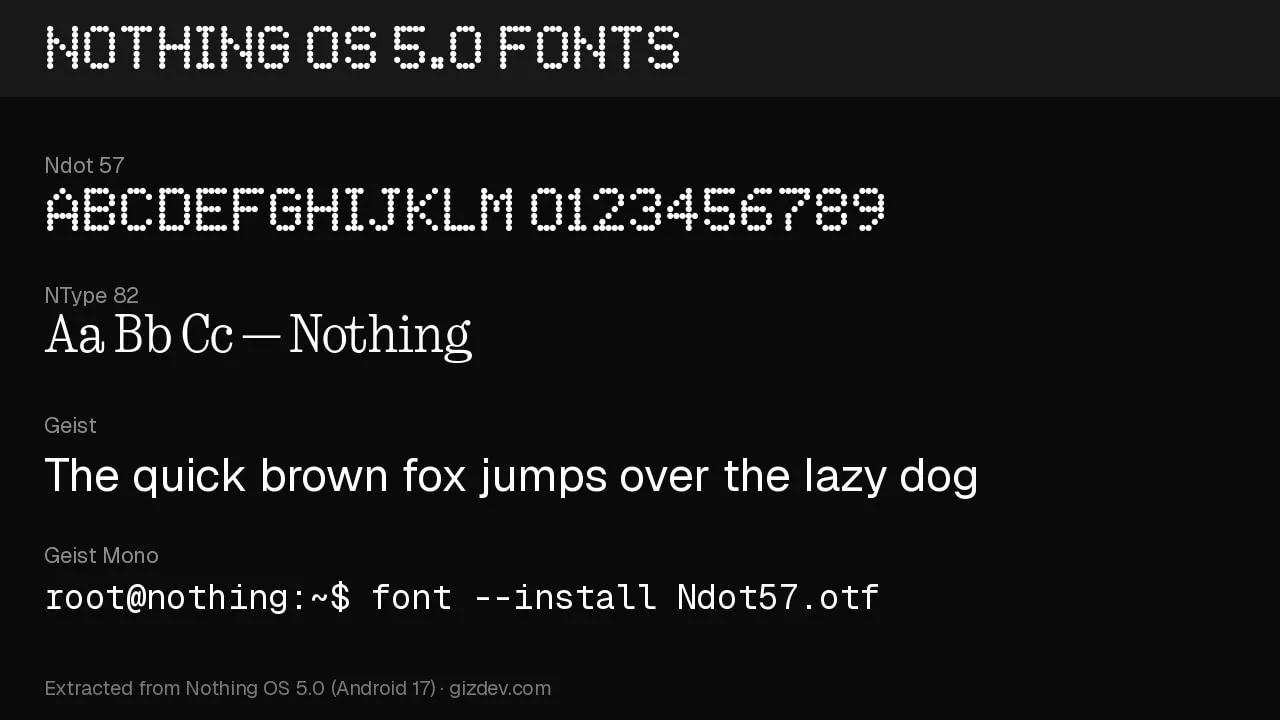
Fonts List
Here is the complete file list for the Nothing OS 5.0 Fonts pack we extracted.
Fonts Download Link
The latest Nothing OS 5.0 Fonts such as Ndot 55, Ndot 57, NType 82, Geist, Geist Mono and LetteraMonoLL are compatible with your Android devices. They also work on Windows. Each file has been extracted from Nothing OS 5.0 firmware. The glyphs match the ones that appear on your phone itself.
- Ndot 55, Ndot 57, Ndot 57 Aligned, NDot 55 Caps, NDot 57 Caps and NDot 77 JP Extended – Nothing_OS_5.0_NDot_Fonts.zip – Download Fonts
- NType 82 Regular and NType 82 Headline – Nothing_OS_5.0_NType82_Fonts.zip – Download Fonts
- Geist, Geist Italic, Geist Mono and Geist Mono Italic – Nothing_OS_5.0_Geist_Fonts.zip – Download Fonts
- LetteraMonoLL, LetteraMonoLLItalic, LetteraMonoLL Mono – Nothing_OS_5.0_LetteraMono_Fonts.zip – Download Fonts
- More – nsegments_1_vf.otf | space_age.ttf
All fonts are also available in a single zip file. You can choose which family you want from the list below. Extract the zip file on your phone or PC and copy the fonts into your fonts folder before applying.
How to Apply Nothing OS Fonts on Your Android Devices
To apply the Nothing OS font on an Android phone, you can use the font option built into Nothing phones. You can also use third party tools like iFont and zFont. This guide covers both the non-root and root methods for applying Nothing OS 5.0 fonts on your phone.


You can change the system font on Nothing OS 5.0 from Settings > Display > Font and display size > Default font. Pick Roboto or Geist there. For a dot matrix look, turn on the dot matrix title option in Settings > Special Features > Experimental Features.
1. Download the zFont app on your Android device, and download the font (.ttf or .otf) file on your device.
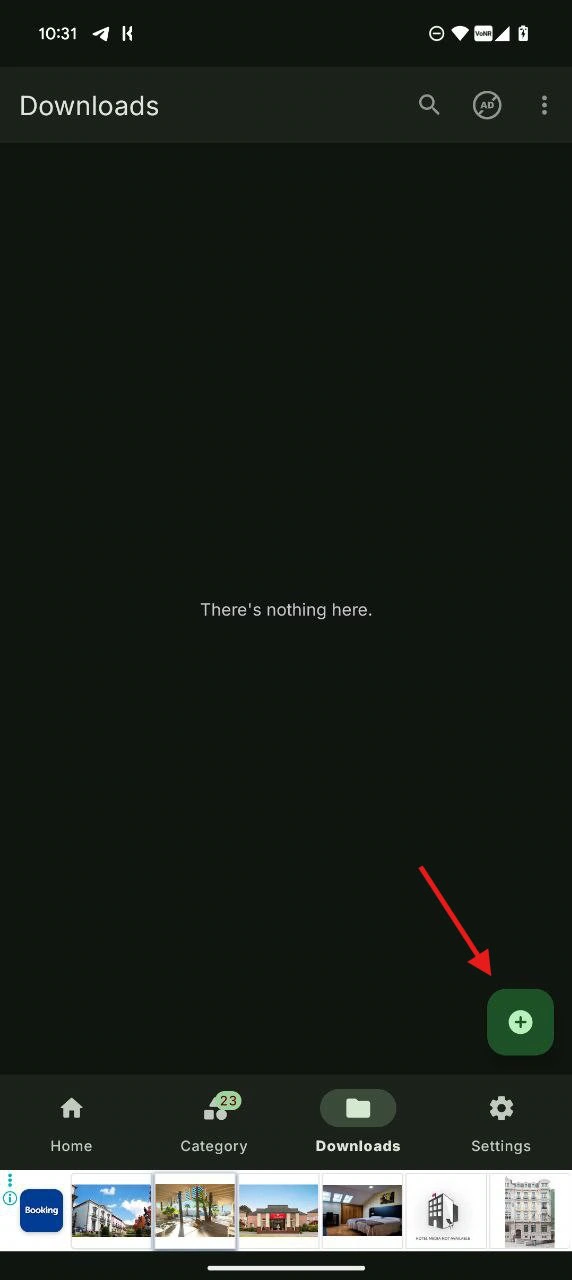
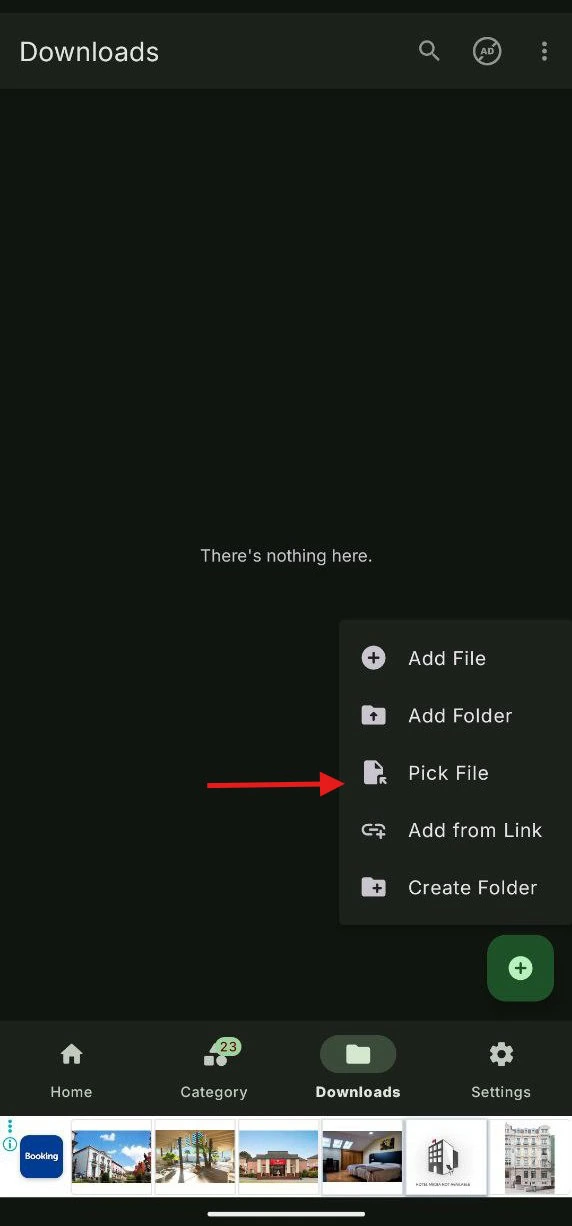
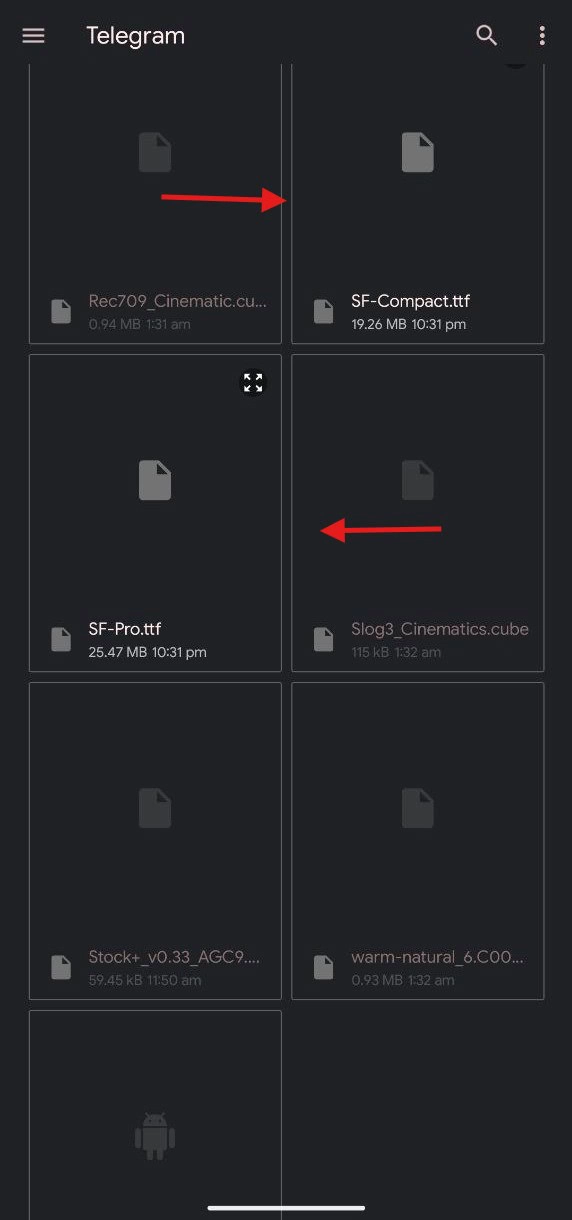
2. Open the ZFont app and go to the download tab. Tap on the “plus” icon and choose the “file” option. Browse the Nothing OS 5.0 font from the list, then tap on apply.
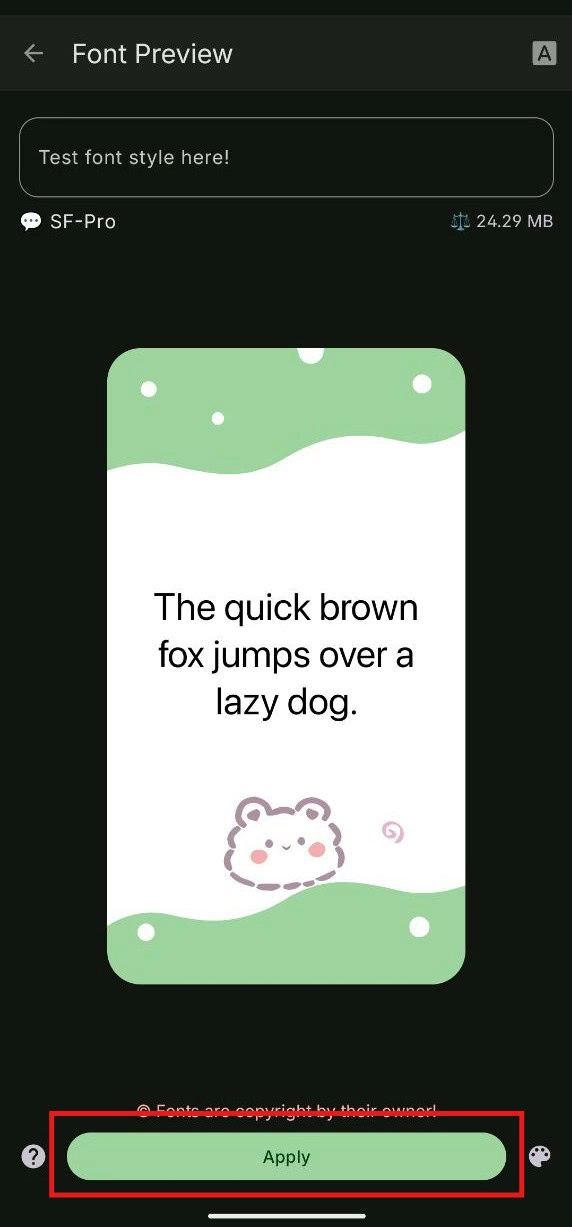
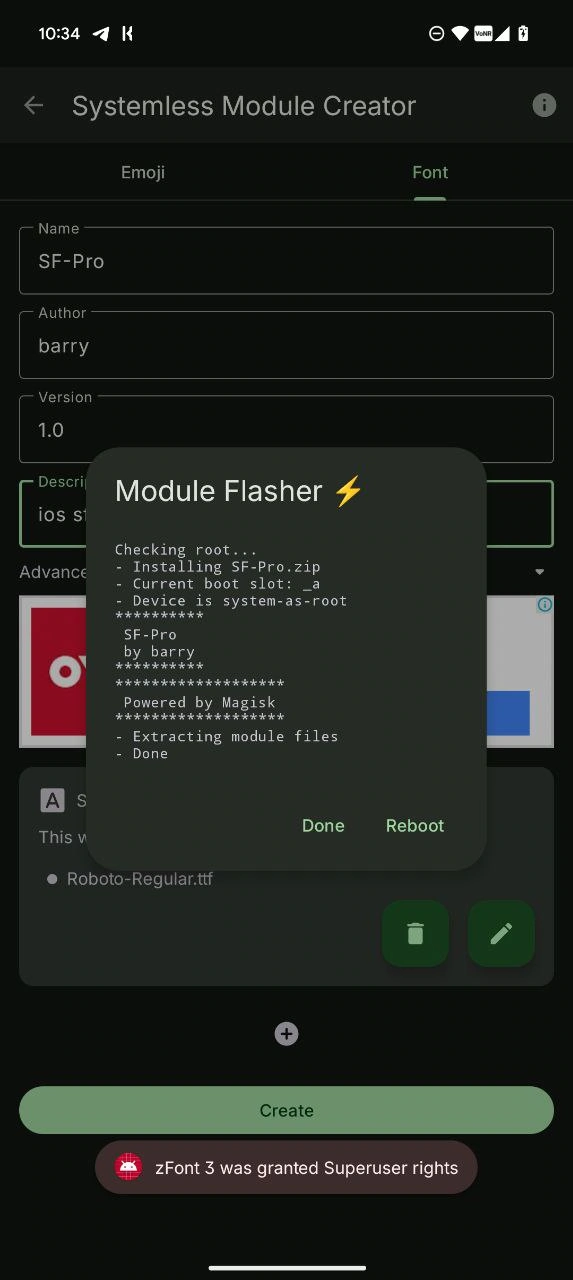
3. After applying the font, reboot the device.
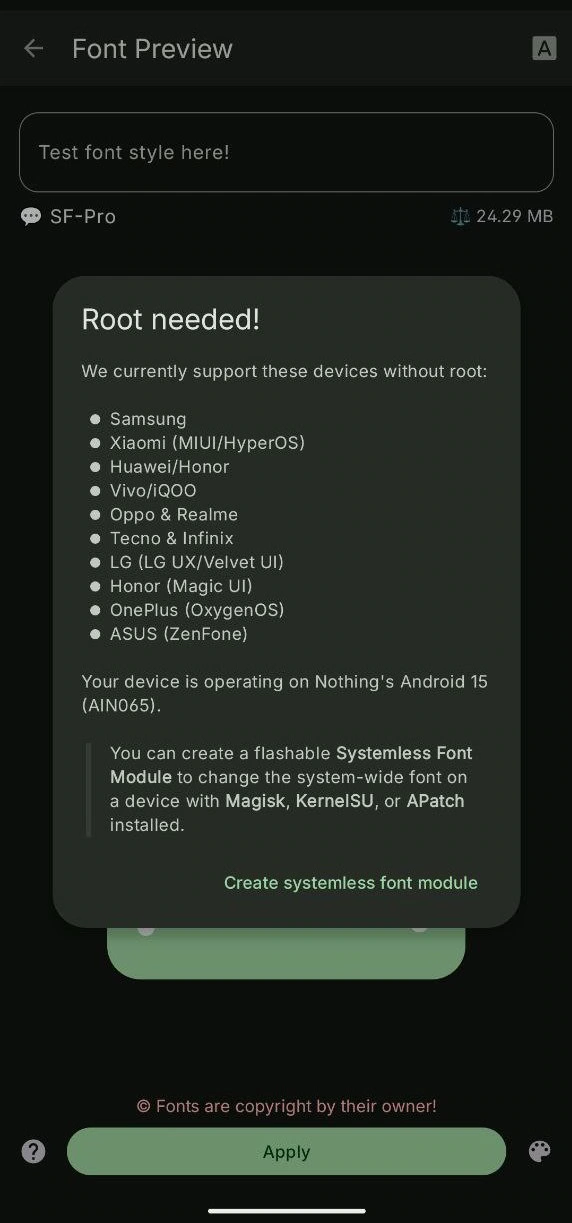
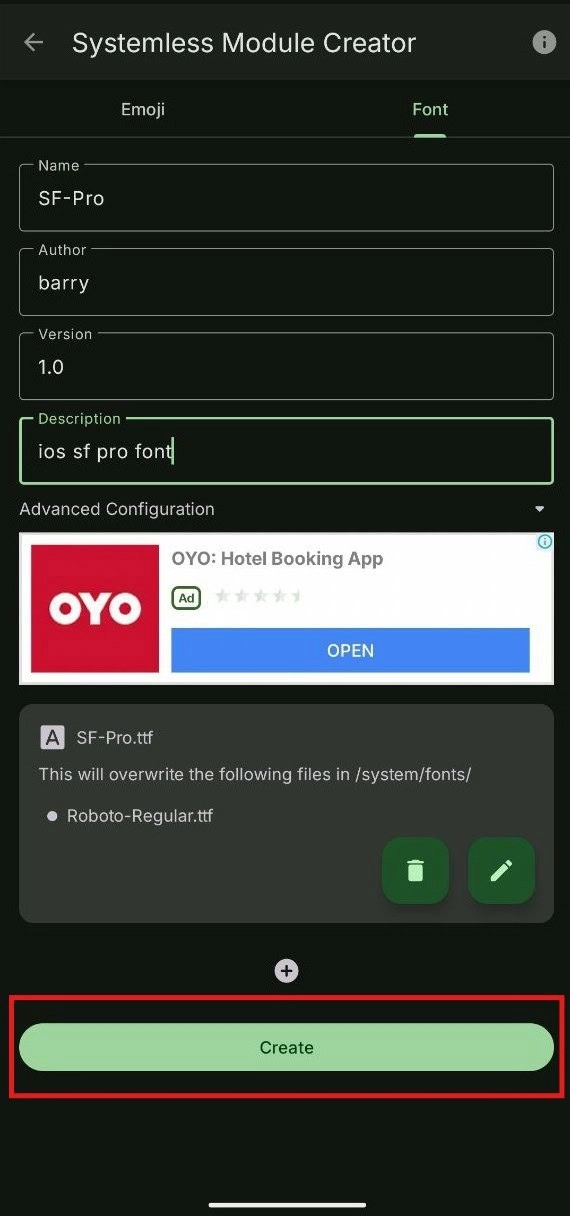
4. For a rooted device, follow all the steps above. Tap the “systemless font module” -> File font name, author, version and description, then create.
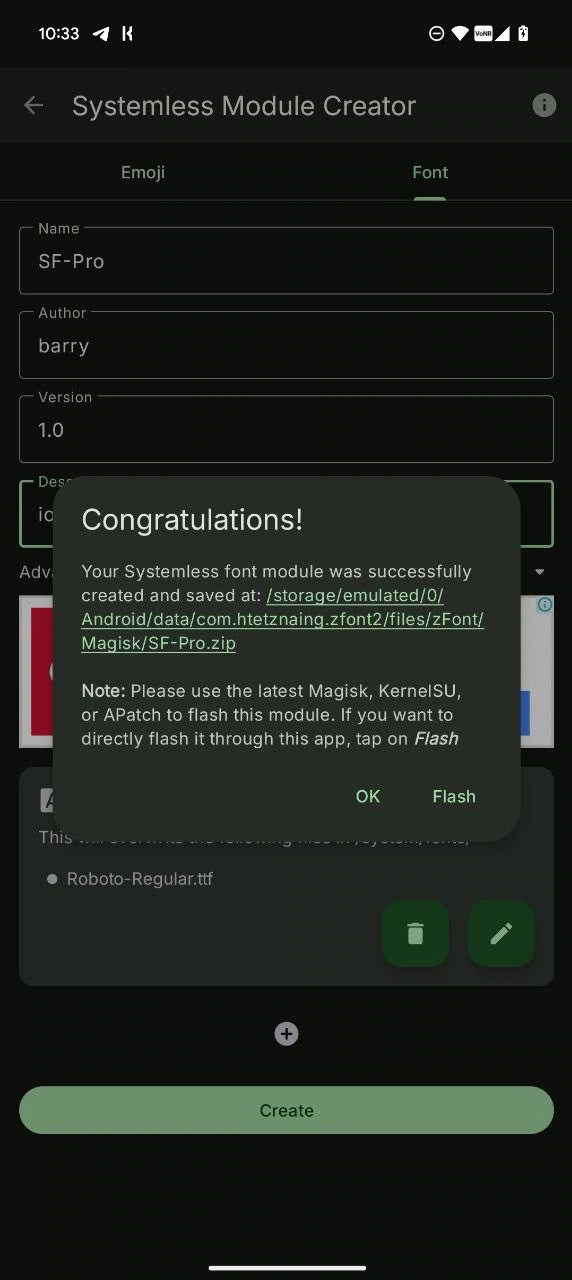
5. Now, after creating the module, tap on Flash and reboot the phone. After that, the module will replace the stock font.
- On a Nothing OS 5.0 phone, you can also change the default font from Settings > Display > Font and display size > Default font.
- Open the theme app on your phone and go to the font option to apply it.
- For third-party apps like ifont and zFont, you can apply the file directly without touching the system partition.
- Or read our font change guides in our blog – How To Install Custom Fonts On Galaxy | Install Any Font In Samsung Galaxy | Change Font On LG Android Phones