

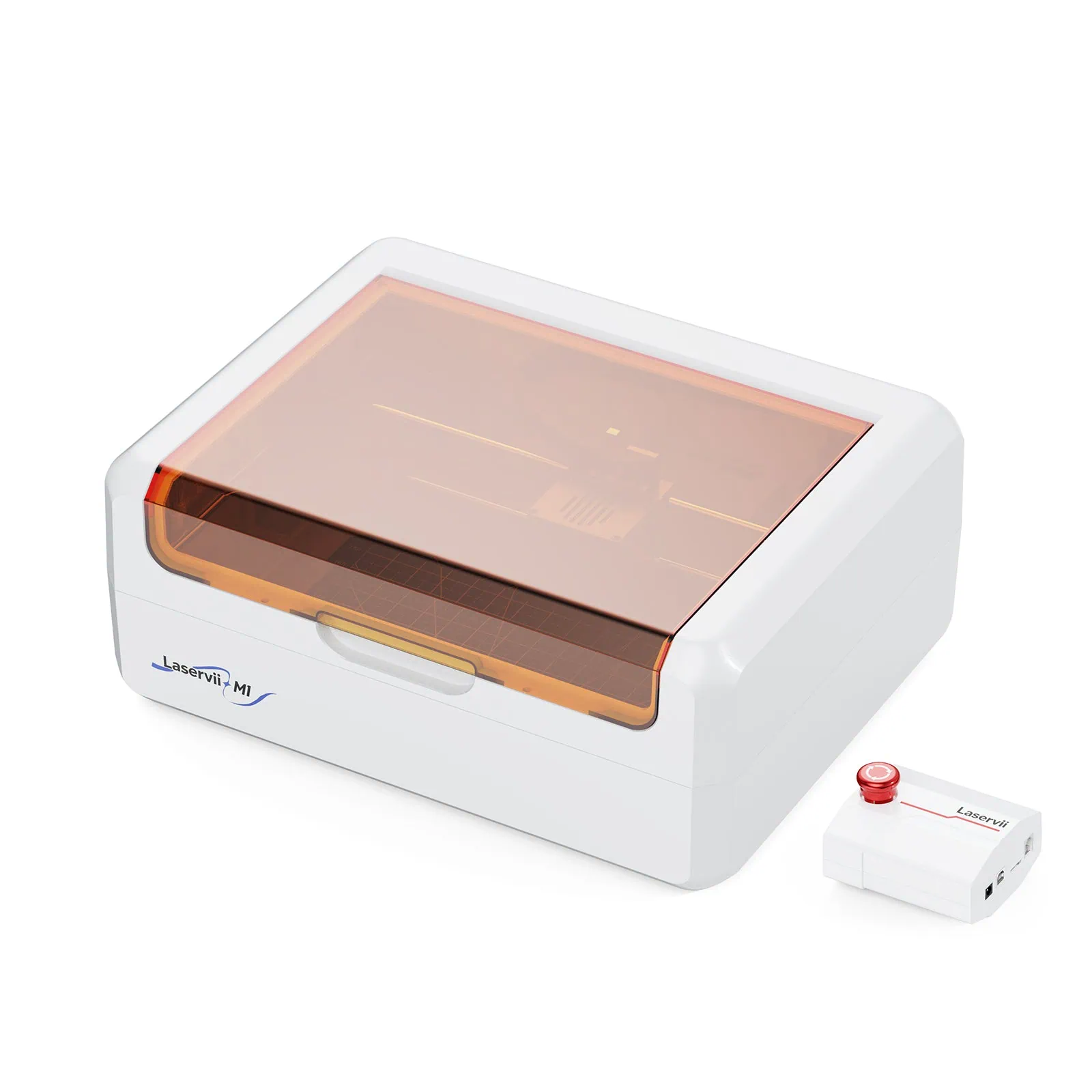
The Laservii M1s Enclosed Laser Engraver is a desktop laser engraving and cutting machine designed for users interested in personalized products, creative projects, and small-batch production. Combining an enclosed structure with different laser module configurations, the machine offers a range of engraving and marking capabilities while maintaining a compact design suitable for a desktop workspace.
One of the main highlights of the Laservii M1s is its availability in three configurations: 12W, 24W, and IR 2W. Each version targets different applications, from detailed engraving on wood and other compatible materials to marking selected metals.
In addition to its laser modules, the M1s includes an integrated exhaust fan, an automatic lid-pause feature, multiple connectivity options, and compatibility with popular engraving software such as LightBurn and LaserGRBL.
Let’s take a closer look at the Laservii M1s, its main features, available configurations, accessories, and technical specifications.
- 1. Fully Enclosed Design with Integrated Safety Features
- 2. Engraving Speed of Up to 36,000 mm/min
- 3. Three Laser Module Options: 12W, 24W, and IR 2W
- 4. Material Compatibility: More Than 200 Supported Materials
- 5. Beginner-Friendly Setup with 95% Pre-Assembly
- 6. Software Compatibility and Multiple Connectivity Options
- 7. Compact Dimensions and Lightweight Construction
- 8. Optional Accessories to Expand the Machine's Capabilities
- 9. Laservii M1s Technical Specifications
- 10. Final Thoughts: Is the Laservii M1s Worth Considering?
- Purchase Link
1. Fully Enclosed Design with Integrated Safety Features
One of the first things that distinguishes the Laservii M1s from many traditional desktop laser engravers is its fully enclosed construction.
Instead of using an open-frame design, the M1s places its engraving system inside a protective enclosure. This design helps contain smoke, dust, and other emissions generated during engraving and cutting, making it a more contained solution for a desktop workspace.
The enclosure also includes an automatic pause function. According to Laservii, the machine automatically pauses operation when its lid is opened. This feature helps reduce the risk of accidental exposure to the laser during operation.
Another integrated feature is the built-in exhaust fan, which is designed to remove smoke from inside the machine. This helps maintain better air circulation during engraving sessions.
Laservii also highlights the machine’s quiet operation, positioning it as an option for users who want to work on creative projects without excessive operating noise.
However, an enclosed design does not eliminate every potential risk. Proper ventilation, appropriate material selection, supervision, and a fire-safe working environment are still important when operating laser equipment.
2. Engraving Speed of Up to 36,000 mm/min
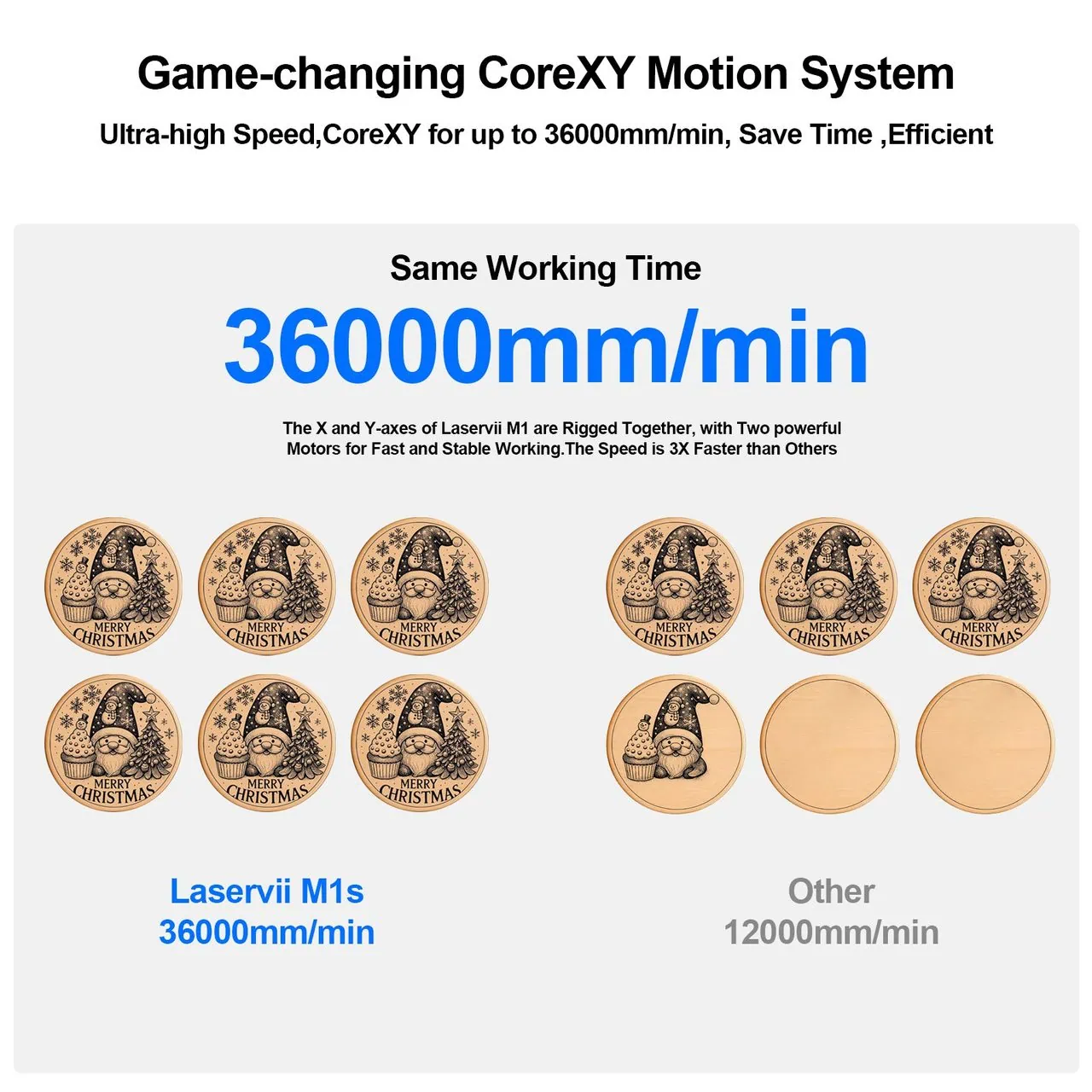
Speed is another important specification of the Laservii M1s.
According to the manufacturer, the machine supports a maximum engraving speed of up to 36,000 mm/min. This specification is intended to support both individual personalized projects and small-batch production.
For users creating customized gifts, decorative items, labels, or other engraved products, engraving speed can influence how efficiently multiple designs are processed.
The M1s also uses an XY-axis belt system with a tensioning design. Laservii explains that this system helps the laser module move smoothly and reduces slipping during operation.
The manufacturer’s feature description mentions positioning precision of 0.01 mm, while its technical specification table lists X/Y positioning accuracy as ±0.1 mm. These are different measurements, so it is worth distinguishing the two figures rather than treating them as interchangeable.
The machine also offers a working area that varies depending on the selected laser module. The 12W version provides the largest listed working area, while the 24W and IR 2W versions have slightly smaller working dimensions.
This gives users different options depending on the size of their projects and the type of engraving they intend to perform.
3. Three Laser Module Options: 12W, 24W, and IR 2W
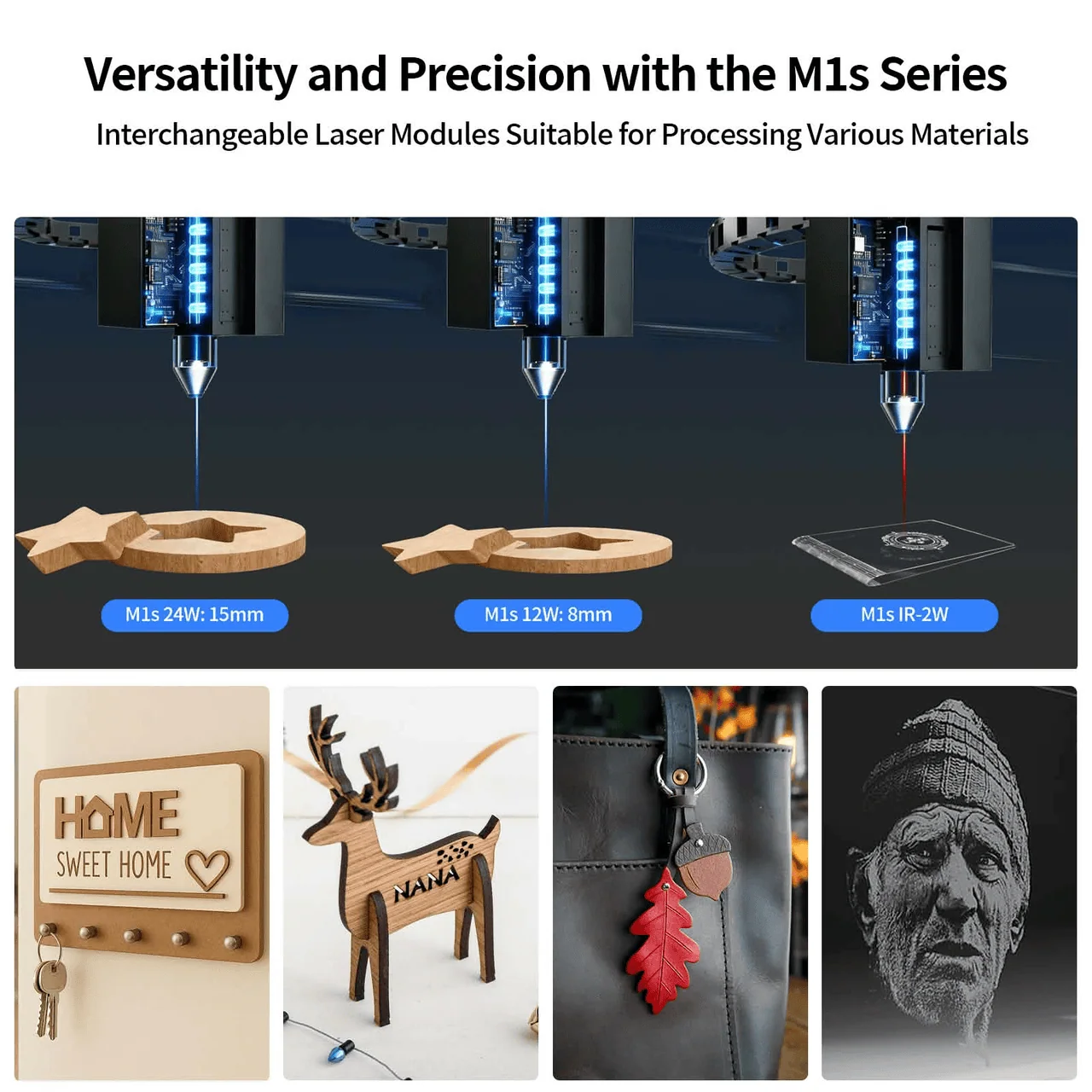
Perhaps the most important aspect of the Laservii M1s is the availability of three laser module configurations.
Rather than offering only one laser output, Laservii provides two blue diode options and one infrared option. Each configuration has different characteristics and is intended for different material applications.
Laservii M1s 12W: Designed for Detailed Engraving
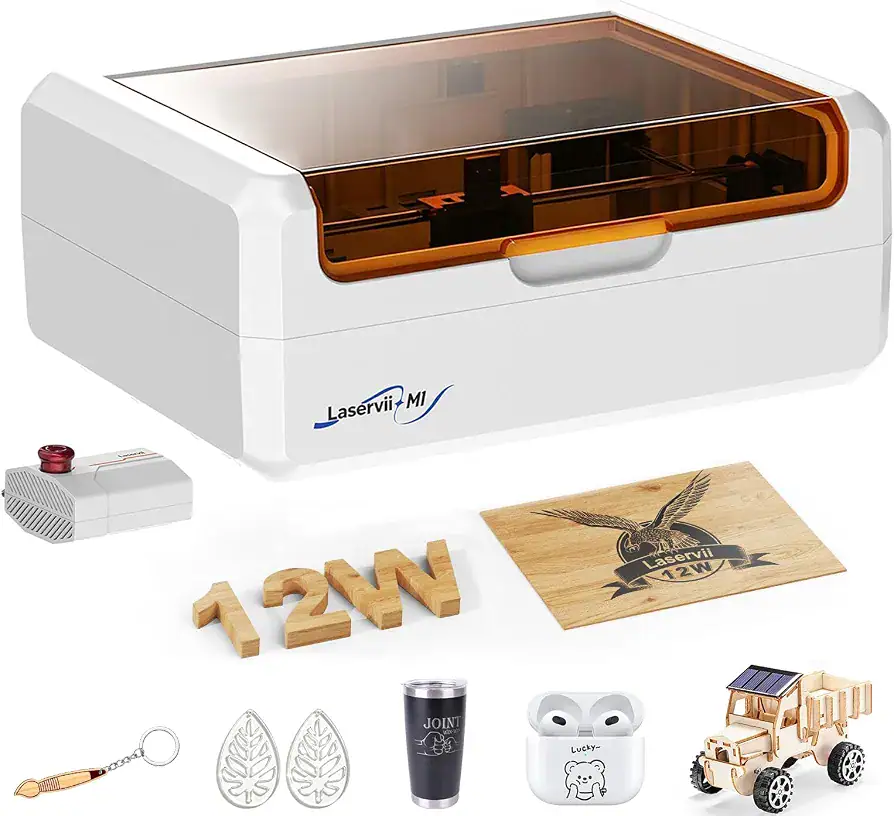
The 12W version uses a blue diode laser with a wavelength of 450 ± 5 nm.
Laservii positions this configuration as an option for detailed engraving. Its near-square laser spot measures 0.05 × 0.08 mm, and it provides a working area of 305 × 205 mm.
The listed compatible materials include plywood, MDF, solid wood, paper, kraft paper, coated metal, leather, selected laser-safe plastics, and bamboo.
For users who prioritize detailed designs and want the largest working area available in the M1s range, the 12W configuration is an option worth considering.
Laservii M1s 24W: Higher Optical Output for Cutting Applications
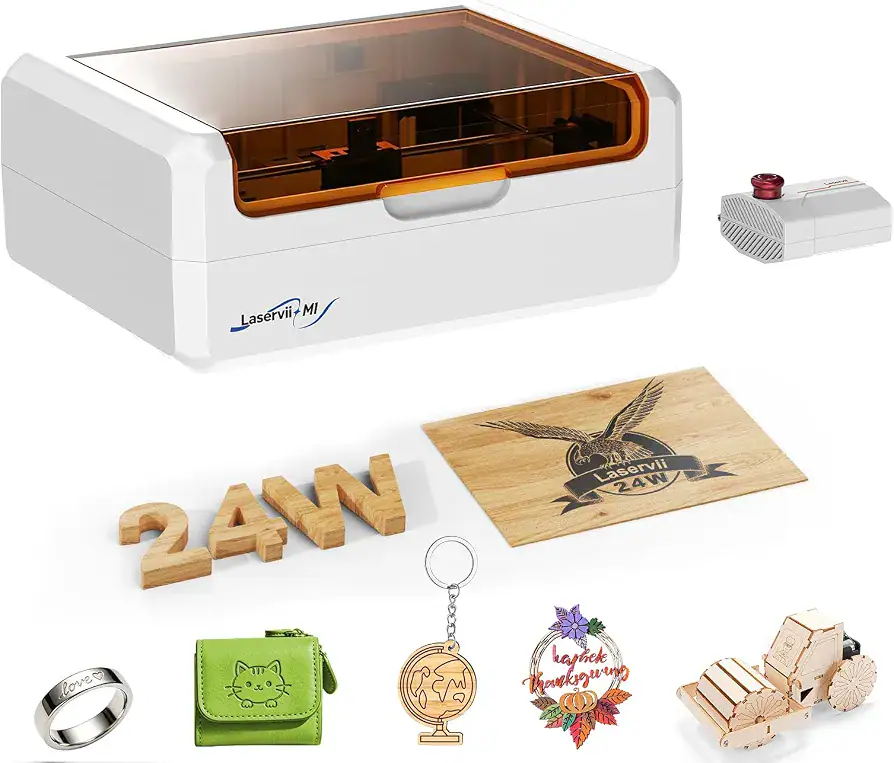
The 24W version is another blue diode configuration, offering higher specified laser output than the 12W model.
It operates at the same listed wavelength of 450 ± 5 nm, but uses a rectangular laser spot measuring 0.08 × 0.1 mm.
Laservii describes this version as suitable for higher-speed cutting applications on compatible materials.
Its working area measures 285 × 205 mm, slightly smaller than the 12W version.
The manufacturer lists materials such as plywood, MDF, solid wood, paper, kraft paper, coated metal, leather, selected laser-safe plastics, and bamboo as compatible with this configuration.
The 24W version may therefore be more relevant to users looking for higher specified optical output for compatible engraving and cutting projects.
Laservii M1s IR 2W: Infrared Laser for Metal Marking
The third option is the IR 2W version, which uses an infrared laser rather than a blue diode laser.
It operates at a wavelength of 1064 ± 1 nm and features a circular laser spot with a focal spot size of D ≤ 45 μm.
Unlike the two blue diode configurations, the IR 2W version is specifically presented for fine marking applications on listed metals and opaque acrylic.
The manufacturer lists stainless steel, titanium, iron, aluminum, copper, brass, zinc, and opaque acrylic among its compatible materials.
Its working area is 285 × 205 mm.
This configuration is particularly relevant to users whose projects involve personalized metal items, identification markings, or detailed designs on compatible surfaces.
4. Material Compatibility: More Than 200 Supported Materials
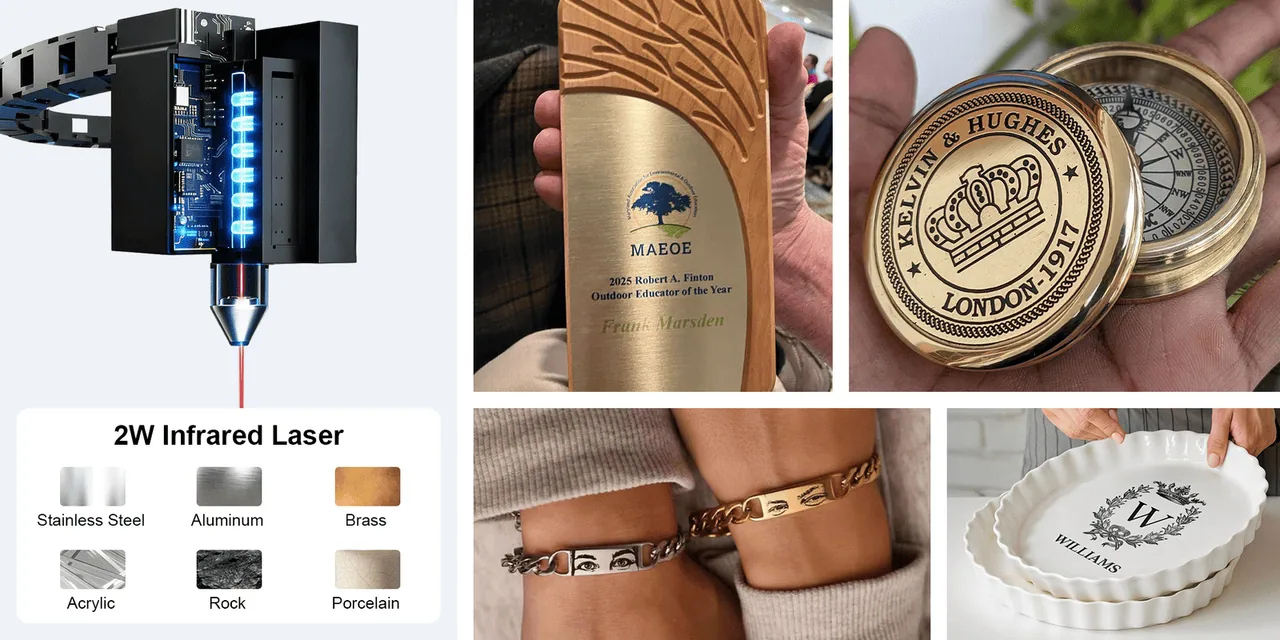
Laservii advertises compatibility with more than 200 materials for the M1s range.
However, the actual materials supported depend on the selected laser module. The blue diode and infrared configurations have different applications, so choosing the right version is important.
The 12W and 24W blue diode versions list several non-metal materials, including:
- Plywood and MDF
- Solid wood
- Bamboo
- Paper and kraft paper
- Leather
- Selected laser-safe plastics
- Coated metal
The IR 2W version focuses on marking applications involving:
- Stainless steel
- Titanium
- Iron
- Aluminum
- Copper
- Brass
- Zinc
- Opaque acrylic
This variety gives the M1s different potential applications in personalized gifts, decorative products, customized accessories, and small creative projects.
It is important to note that material compatibility does not mean every material can be processed in the same way. The selected module, material composition, coatings, and manufacturer’s safety guidance all matter. Users should verify material suitability before operation.
5. Beginner-Friendly Setup with 95% Pre-Assembly
Another feature highlighted by Laservii is the machine’s initial assembly process.
The company states that the M1s comes approximately 95% assembled, reducing the amount of setup required before getting started.
This can be helpful for people who are new to desktop laser engraving and do not want to spend too much time assembling a machine from individual components.
The manufacturer also presents a simple three-step workflow:
- Place the material in the working area.
- Prepare the design using compatible software.
- Start the engraving process using the machine’s supported controls.
Although the workflow is presented as beginner-friendly, users should still read the manual, understand the software, and follow the machine’s operating and safety requirements before starting a project.
6. Software Compatibility and Multiple Connectivity Options
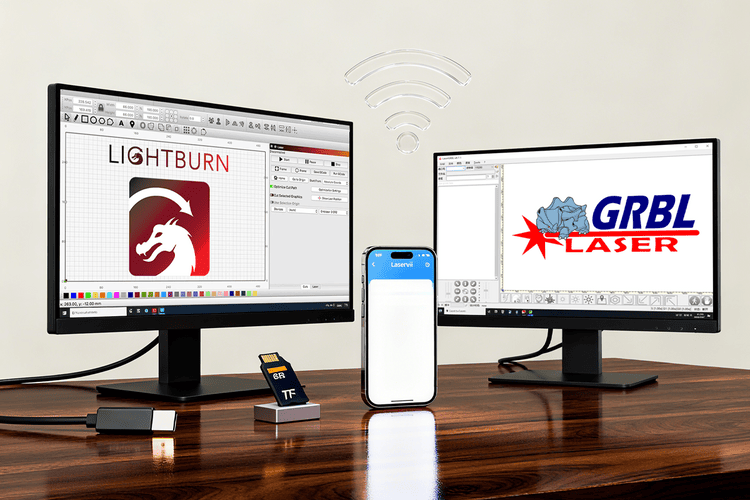
Software compatibility is another important consideration when choosing a laser engraver.
The Laservii M1s supports several engraving applications, including:
- LightBurn
- LaserGRBL
- Wecarver
- LaserMakerSpace
These applications provide different tools for preparing designs and controlling compatible engraving machines.
LightBurn and LaserGRBL are particularly relevant to users who already work with desktop laser engraving software.
In terms of connectivity, the M1s supports Wi-Fi, a USB data port, and TF-card storage. The manufacturer notes that using the TF card requires a display screen.
Bluetooth and USB flash drive connectivity are not supported according to the product specifications.
The listed operating systems are Windows and iOS.
This combination gives users several ways to transfer compatible project files and manage their engraving workflow.
7. Compact Dimensions and Lightweight Construction
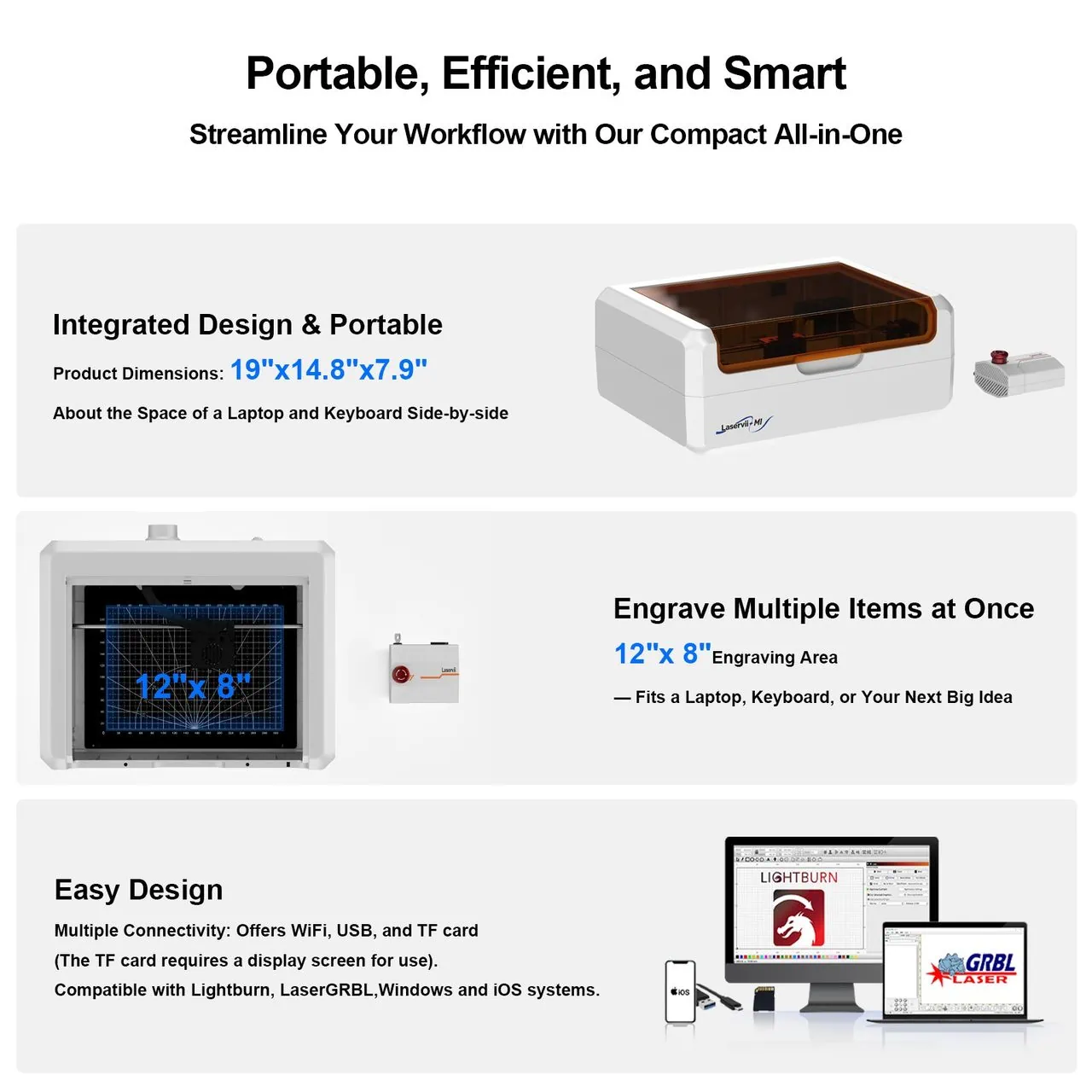
Despite its enclosed construction, the Laservii M1s maintains a relatively compact desktop form.
Its dimensions are 485 × 375 × 200 mm, approximately 19.1 × 14.8 × 7.9 inches.
Laservii compares its overall size to a desktop printer, giving users an idea of the space it occupies.
The enclosure is made from ABS and PC materials and comes in a white and amber color combination.
The machine’s net weight varies slightly depending on the selected configuration:
- 12W version: 7.0 kg
- 24W version: 7.2 kg
- IR 2W version: 7.2 kg
These dimensions and weight figures make the M1s a relatively compact option compared with larger engraving systems.
It is worth remembering that the actual workspace also needs room for ventilation, suitable accessories, and safe operation.
8. Optional Accessories to Expand the Machine’s Capabilities
Beyond the main machine, Laservii offers several optional accessories designed to expand the range of projects users can work on.
These accessories are useful for people who want additional positioning features, different workpiece support options, or the ability to engrave cylindrical objects.
Camera Module
The optional camera module helps users position designs on the working material.
According to Laservii, it provides software-assisted positioning and project previews while minimizing edge distortion.
This can be particularly useful when working with existing objects or materials that require more accurate design placement.
Rotary Module
The rotary module is designed for cylindrical engraving applications.
It allows compatible objects, such as bottles and cups, to be positioned for engraving around their curved surfaces.
This accessory can be useful for personalized drinkware and customized cylindrical products.
Engraver Risers
The engraver risers provide additional height and support for compatible projects.
Laservii describes them as height-adjustable columns designed to provide stability when working with rotary attachments and larger engraving setups.
Honeycomb Bed
The optional honeycomb bed provides an alternative working surface for compatible cutting projects.
Laservii highlights its role in improving cutting performance.
Air Assist Pump
The air assist pump is another optional accessory designed to improve engraving efficiency.
It adds an air-assist function to compatible projects and is listed among the accessories available for the M1s.
These accessories are not necessarily included with every machine purchase, so users should check the selected bundle before ordering.
9. Laservii M1s Technical Specifications
Here is a comparison of the three available configurations based on the manufacturer’s published specifications.
| Specification | 12W | 24W | IR 2W |
|---|---|---|---|
| Laser type | Blue diode | Blue diode | Infrared |
| Wavelength | 450 ± 5 nm | 450 ± 5 nm | 1064 ± 1 nm |
| Laser output | 12W | 24W | 2W |
| Working area | 305 × 205 mm | 285 × 205 mm | 285 × 205 mm |
| Maximum speed | 36,000 mm/min | 36,000 mm/min | 36,000 mm/min |
| Workpiece height | 0–50 mm | 0–50 mm | 0–50 mm |
| Positioning accuracy | ±0.1 mm | ±0.1 mm | ±0.1 mm |
| Spot size | 0.05 × 0.08 mm | 0.08 × 0.1 mm | D ≤ 45 μm |
General Machine Specifications
| Specification | Details |
|---|---|
| Model | Laservii M1s |
| Dimensions | 485 × 375 × 200 mm |
| Body material | ABS + PC |
| Body color | White / Amber |
| Control-board input voltage | 24V |
| Rated electrical power | 72W / 120W / 96W |
| Net weight | 7.0–7.2 kg |
| Connectivity | Wi-Fi, USB, TF card |
| Software | LightBurn, LaserGRBL, Wecarver, LaserMakerSpace |
| Operating systems listed | Windows / iOS |
| Maximum workpiece height | 50 mm |
| Optional accessories | Camera, risers, air assist, honeycomb bed, rotary module |
10. Final Thoughts: Is the Laservii M1s Worth Considering?
The Laservii M1s brings together several features that make it an interesting desktop laser engraving machine.
Its enclosed construction, integrated exhaust fan, automatic lid-pause function, and multiple laser configurations distinguish it from basic open-frame engraving systems.
The availability of 12W, 24W, and IR 2W versions also gives users more flexibility when choosing a configuration for their intended projects.
The 12W version focuses on detailed engraving and provides the largest working area, while the 24W version offers higher specified blue-diode optical output for compatible cutting applications. The IR 2W version, meanwhile, is designed for fine marking on listed metals and opaque acrylic.
Additional accessories, including the camera module, rotary module, honeycomb bed, risers, and air assist pump, provide further options for expanding the machine’s capabilities.
Overall, the Laservii M1s is worth exploring for people interested in compact desktop laser engraving, personalized products, and small creative projects. Before choosing a version, it is important to compare the laser modules, working areas, material compatibility, and optional accessories to find the configuration that matches the intended application.
For complete specifications and available configurations, visit the official Laservii product page.
Purchase Link
Buy Laservii M1s Enclosed Laser Engraver on Laservii Official Store
Read also: SCULPFUN S30 Ultra Laser Engraver: Unmatched Precision and Power


