

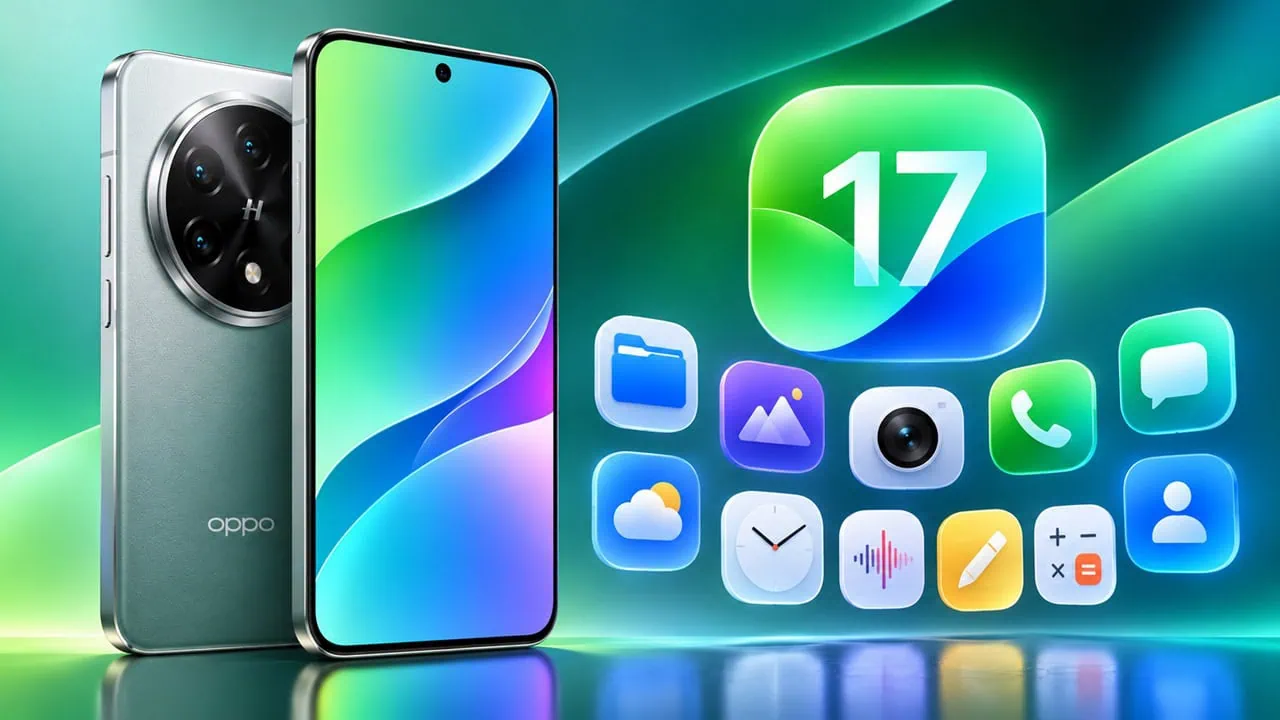
ColorOS 17 has just been rolled out with Reno 17 series and a new build includes a complete set of apps that many people wish were on other phones. We extracted stock apps directly from the ColorOS 17 firmware, tested each separately, and packaged them into plain APK files that you can sideload onto any Android device. No rooting is required to install ColorOS 17 Stock Apps.
The download section below includes 25 stock apps from ColorOS 17, including Browser, Camera, Gallery, and Notes, as well as smaller utilities like Compass, Recorder, and Calculator. Files are single APKs, and you can install them one at a time. In this post, we have shared all ColorOS 17 Stock Apps that you can try on other Android smartphones.
About ColorOS 17
Color OS 17 is Oppo’s latest Ui and builds directly on Android 17. It is fine-tuned for OPPO Smartphones and features a cleaner layout and smoother animations compared to Color OS 16. Color OS 17 also includes a bigger push toward on-device AI features than before. Alongside visual changes, Oppo also refreshed its own apps and that is what we present here. The Color OS 17 Stock Apps shown below are directly from this build.
ColorOS 17 Stock Apps Ported Version
Ported stock apps behave differently from the ones on a real Oppo phone. Apps like the Browser, Calculator, Clock, Compass and Recorder install and run like normal APKs. Bigger system apps such as the Camera, Gallery and Phone Manager are priv-apps on the phone, so they expect Oppo framework services underneath, and some functions may not work on phones from other brands. We kept them in the pack anyway because partial functionality still beats nothing.
Features:-
- Extracted from the ColorOS 17.0.1.201 firmware.
- 26 stock apps in single APK files.
- Works on any Android 15+ device without root for most apps.
- Same app versions that ship on the Reno17 series.
- Install only the apps you want.
Download ColorOS 17 Stock Apps For All Android Phones
One honest note before you install. This is the Chinese ColorOS 17 build, so a few apps need China-only sign-in and services. The core tools work anywhere, but do not expect every app to be fully usable outside China. Start with the small apps if you only want a taste of ColorOS 17.
Core Stock Apps
| Stock App | APK File | Size | Download |
| Browser | ColorOS17_Browser.apk | 274.3 MB | Download |
| Gallery | ColorOS17_Gallery.apk | 381.6 MB | Download |
| Camera | ColorOS17_Camera.apk | 170.7 MB | Download |
| Notes | ColorOS17_Notes.apk | 266.0 MB | Download |
| Music | ColorOS17_Music.apk | 78.3 MB | Download |
| Videos | ColorOS17_Videos.apk | 24.3 MB | Download |
| File Manager | ColorOS17_FileManager.apk | 45.6 MB | Download |
| Weather | ColorOS17_Weather.apk | 78.6 MB | Download |
| Clock | ColorOS17_Clock.apk | 49.6 MB | Download |
| Calendar | ColorOS17_Calendar.apk | 95.2 MB | Download |
| Calculator | ColorOS17_Calculator.apk | 20.3 MB | Download |
Tools and Utilities
The second group of ColorOS 17 Stock Apps covers the tools Oppo bundles for everyday use.
| Stock App | APK File | Size | Download |
| Phone Manager | ColorOS17_PhoneManager.apk | 110.1 MB | Download |
| Sound Recorder | ColorOS17_SoundRecorder.apk | 56.9 MB | Download |
| Screen Recorder | ColorOS17_ScreenRecorder.apk | 16.3 MB | Download |
| Screenshot Editor | ColorOS17_Screenshot.apk | 57.9 MB | Download |
| Health | ColorOS17_Health.apk | 220.8 MB | Download |
| Compass | ColorOS17_Compass.apk | 9.6 MB | Download |
| ColorOS17_Email.apk | 38.8 MB | Download | |
| Backup & Restore | ColorOS17_BackupAndRestore.apk | 52.3 MB | Download |
| Digital Wellbeing | ColorOS17_DigitalWellbeing.apk | 23.2 MB | Download |
| Always-On Display | ColorOS17_AOD.apk | 41.8 MB | Download |
Extras
The last group of ColorOS 17 Stock Apps is the extras Oppo loads on top of the core set.
| Stock App | APK File | Size | Download |
| Game Assistant | ColorOS17_GameAssistant.apk | 164.0 MB | Download |
| Assistant Screen | ColorOS17_AssistantScreen.apk | 97.8 MB | Download |
| Link to Windows | ColorOS17_LinkToWindows.apk | 84.9 MB | Download |
| Kids Space | ColorOS17_KidsSpace.apk | 32.6 MB | Download |
| Keyboard | ColorOS17_Keyboard.apk | 108.4 MB | Download |
How to Install ColorOS 17 Stock Apps APK File
- Download the ColorOS 17 Stock Apps APK files you want from the tables above.
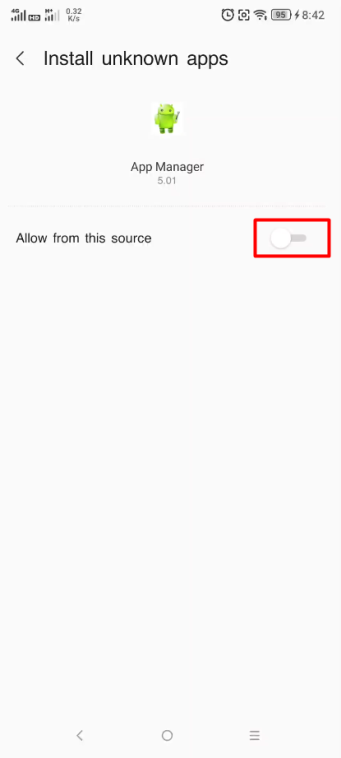
- Open Settings, go to Apps, then Special app access, then Install unknown apps, and allow your browser or File Manager from this source.
- Open the APK from your File Manager and tap Install.
- For split APK files, read this guide on – Install Multiple Split APKs APK, APKM, XAPK
- If the install fails on a non-Oppo phone, connect the phone to a PC and install it with ADB using the command adb install -r appname.apk.
Conclusion
That is the full set of ColorOS 17 Stock Apps for all Android devices. Grab the apps you want from the tables above, sideload them, and tell us in the comments which ones worked on your phone. If a particular app is in demand, we can pull more packages from the firmware in a follow-up post.