
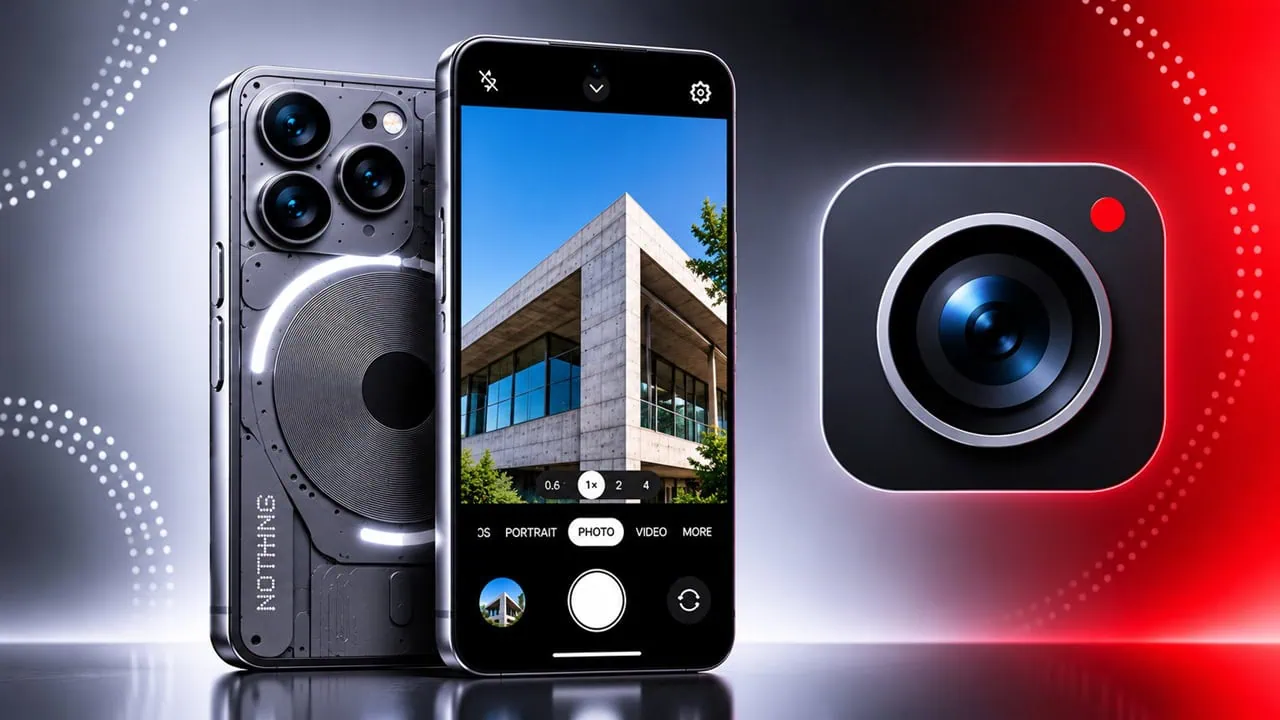
Nothing started as a small phone brand with a very distinct look, and its software has grown into one of the cleanest Android skins around. The Nothing OS 5.0 update brings a new camera interface with fresh icons, simpler controls and smoother motion. The camera app itself is one of the best parts of that update, and people keep asking whether it can run on other phones. We pulled the Nothing OS 5.0 camera from the firmware dump and packed it so you can install it on other Android devices. Here we have shared the ported Nothing OS Camera Mod for all Android phones.
Nothing OS is the custom Android skin that ships on Nothing and CMF phones. Version 5.0 arrived on top of Android 17 and reworked the home screen, lock screen, Camera, Gallery and widgets. The camera part of the update is easy to notice because the mode carousel is cleaner, the quick settings drawer was reorganised, and the shutter feels instant. The package we share here is the real camera app from that build, not a clone or a renamed third-party camera.
About Nothing OS 5.0:
Nothing OS 5.0 builds on Android 17 and retains the same typographic identity that has defined the brand. Nothing refreshed typefaces, icons, and spacing across Settings, the status bar, and system controls. Motion is smoother too: menus slide open and shut without small jitters that older builds had. For photography, the viewfinder, mode switch and settings panel also adopt a monochrome look with one accent of red.
The update also integrates camera features into the system. Photos go straight to the Nothing Gallery app; the live toggle for motion photos and the watermark are in the camera settings drawer, and a shortcut for Glyph Mirror is on phones running the Glyph interface. This integration is what makes this app different and requires more than simply installing a plain APK from different brands. We explain this further down. This is also why the Nothing OS Camera Mod cannot be a simple cut-and-paste job.
Nothing OS Camera Ported Version
The Nothing OS camera mod in this post is extracted from Nothing OS 5.0 firmware, signed and packaged as an installable APK. The package name is com.nothing.camera and is extracted from the Nothing 4A series. We also pack the same APK into Magisk modules and KernelSU modules for rooted phones.
The ported version of Nothing OS Camera for people who have installed custom ROMs like Lineage OS, Axon OS, CRDroid, and others. You can also install the ported Nothing OS Camera on other Android Smartphones and try the Nothing interfaces.
Features:-
Updated mode carousel (Portrait, Photo, Video, More)
Quick settings drawer (Flash, Timer, HDR, Exposure)
Filter and Tuning sliders
Motion photo capture
12MP and high resolution output
Grid lines and 1:1, 4:3, 16:9, Full aspect ratios
Watermark toggle
Glyph mirror shortcut on Glyph phones
Gallery shortcut to Nothing Gallery
Front and rear camera switch
Video recording with the updated controls
QR scanning with a stable target frame
Monochrome interface with a red accent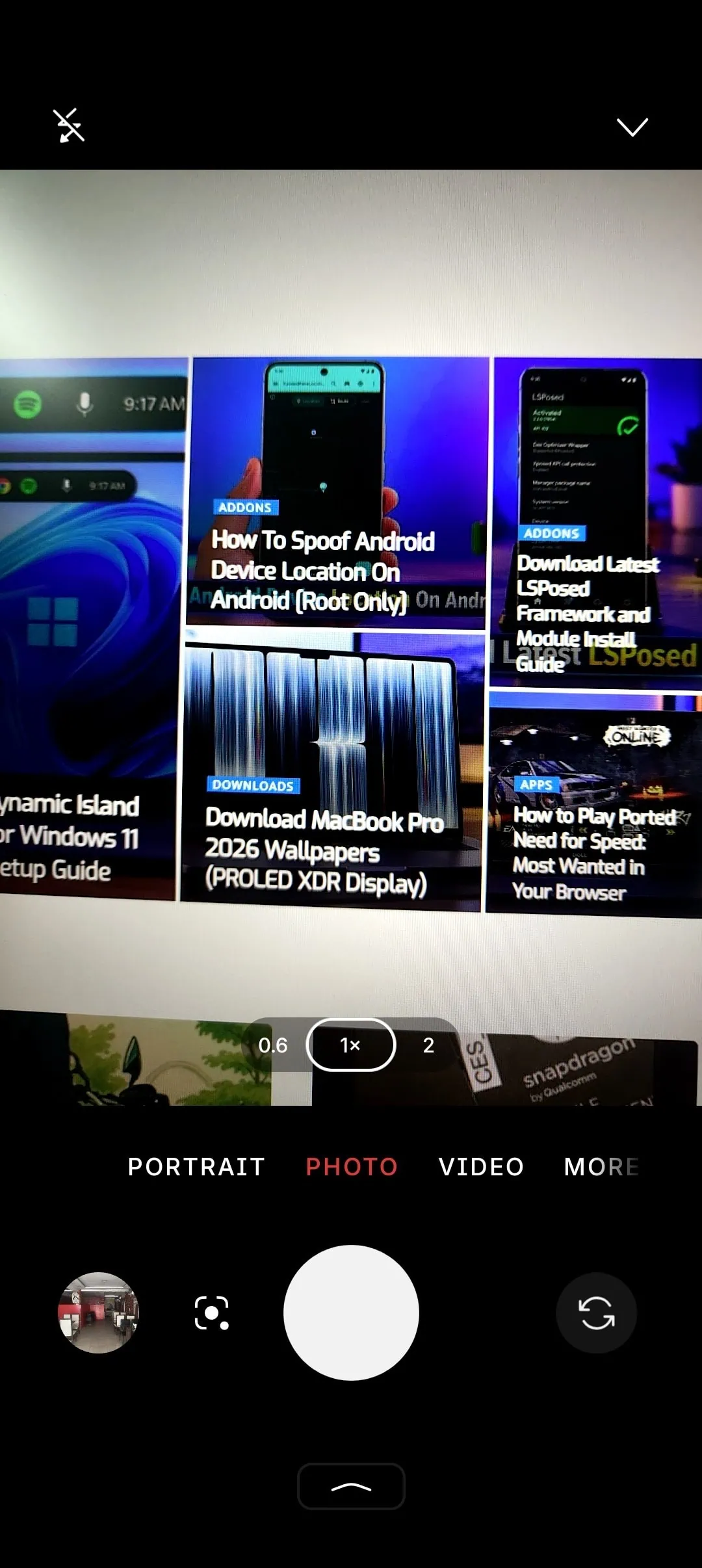
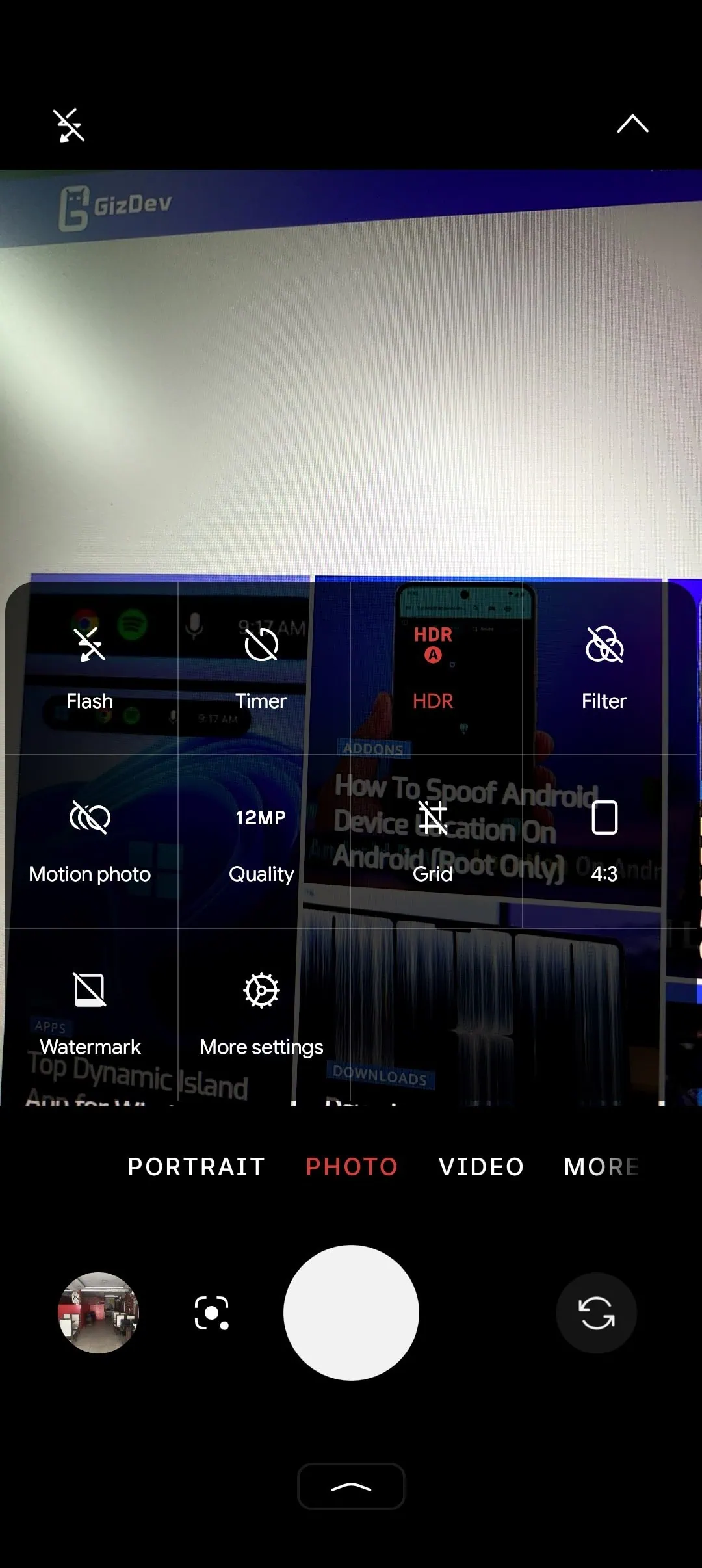
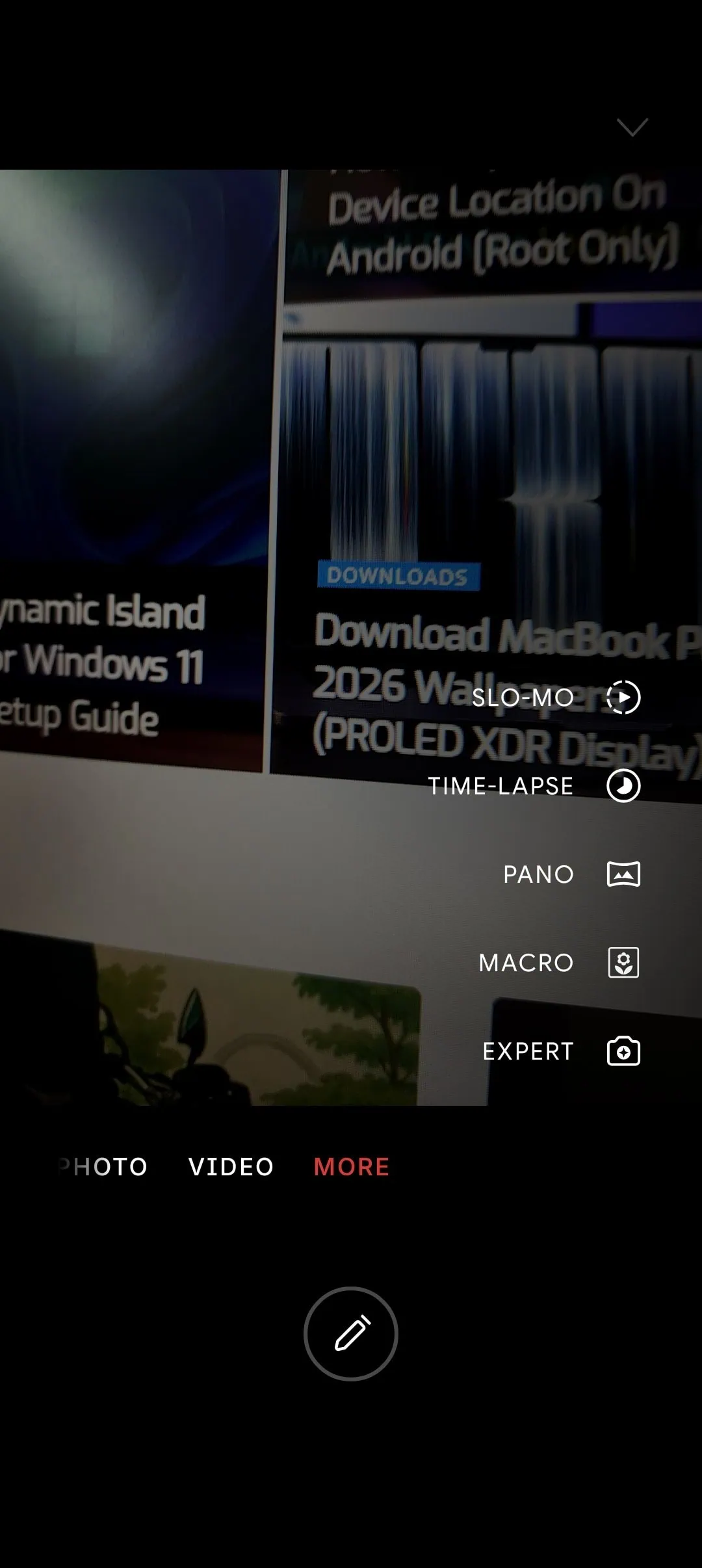
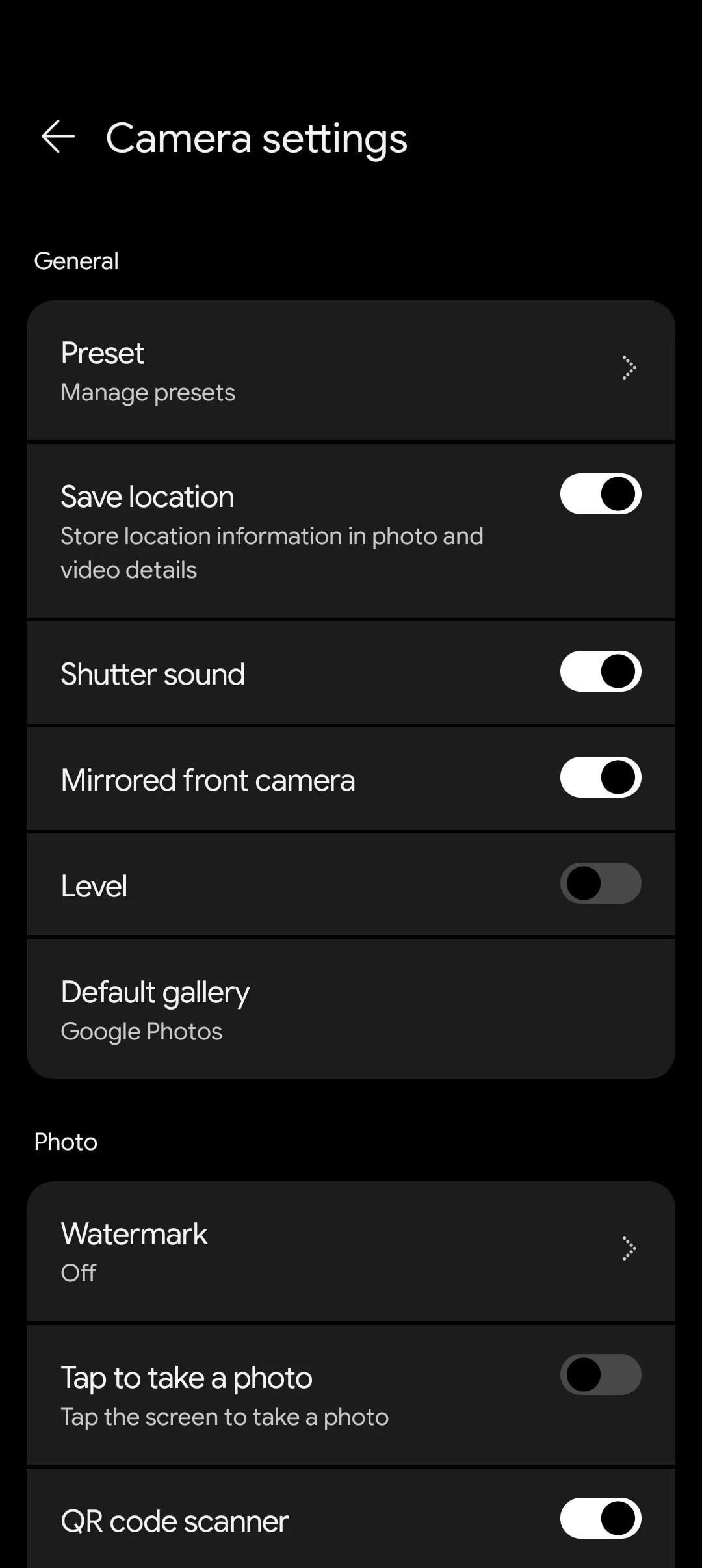
The screenshots above were taken using the camera app in Nothing OS 5.0. The settings drawer, the mode carousel and the red accent are all part of the new design, and the layout is the first thing people notice after installing it on another phone.
Download Nothing OS Camera Mod
Here you can grab the ported Nothing OS Camera APK and the module build. Both files are from the same Nothing OS 5.0 and Nothing OS 4.1 firmware, so the app version matches what ships on the phone. Pick the APK for a normal install, or the module if your phone is rooted and you want the camera to reside in the system partition.
Nothing OS 5.0 Camera APK – Nothing_Camera_OS5_6.1.001.apk (172 MB, com.nothing.camera)
Nothing OS 5.0 Camera Magisk / KernelSU Module – Nothing_Camera_OS5_Magisk_Module_v1.0.zip (172 MB, system app module)
Nothing OS 4.1 Camera APK – NTCamera.apk
Nothing OS 4.1 Camera Magisk / KernelSU Module – ntcamera_port_v1.13.zip
Before you start, a few things to know. The APK requires Android 15 or newer, and the module requires Magisk 24 or KernelSU, with module handling via Zygisk. Neither replaces a working camera app on Nothing phones until you uninstall the old one. The ZIP file must stay intact because Magisk treats it as an archive, not as an APK.
How to Install Nothing OS Camera APK on Any Android Phone
- Download the Nothing OS Camera Mod APK, Nothing_Camera_OS5_6.1.001.apk, on your phone.
- Open Settings, go to Apps > Special access > Install unknown apps, and allow your file manager or browser.
- Open the APK from Downloads or Files, tap Install, and wait for the package to finish.
- If the installer shows “App not installed” or a package conflict, uninstall any older Nothing camera copies first, then try again.
- Launch the camera and grant Camera, Microphone, Photos and Notifications when it asks.
- If the app closes right after launch, your phone is missing Nothing’s camera libraries, so use the module route below.
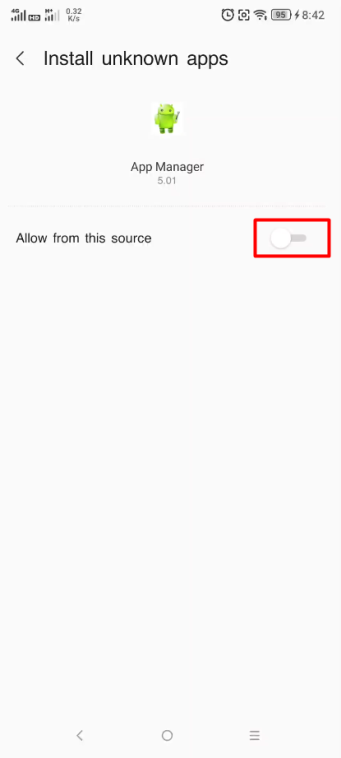
How to Install Nothing OS Camera Module (Magisk / KernelSU)
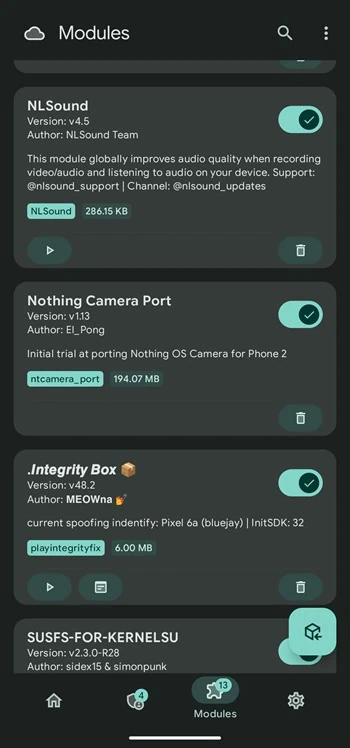
- Install Magisk or KernelSU on your phone and make sure root access works.
- Download the Nothing_Camera_Module zip file and leave it in the Downloads folder without unzipping it.
- Open Magisk, open the Modules tab, and tap Install from storage.
- Select the module zip from Downloads and let Magisk flash it.
- Reboot the phone once the flash finishes.
- Open the app drawer, launch the camera, and grant the permissions it asks for.
- KernelSU users follow the same path: Modules, Install from storage, pick the zip, reboot.
- To remove it later, open the Modules tab, tap Remove on the Nothing camera module, and reboot.
Compatibility and What to Expect
On a Nothing phone running a custom ROM, the module is usually enough to bring the camera back. On hardware from other brands the app can open and shoot, but Nothing’s processing pipeline and the Glyph bits are missing. A CMF Phone 1 user on a custom ROM reported the app working fine after turning off phone spoofing, while others report an instant crash, so the Nothing OS Camera Mod behaves differently on every device and ROM.
Conclusion:
That’s everything you need for the ported Nothing OS 5.0 camera: worth trying if you like design and want an interface that Nothing uses without buying a Nothing phone. Keep the APK handy because a factory reset or ROM update will remove it, and you’ll have to install it again.