

In today’s digital world, it is easy to capture our valuable memories, family celebrations, and vacation photographs. You can save these photos on computer, external hard drive, USB flash drive, or any other storage device. What if these images become inaccessible or get deleted all of a sudden? There are several reasons, such as accidental deletion, formatting, file system corruption, virus attacks, or storage device errors, why these photos get deleted.
Fortunately, many DIY solutions and third-party software specialized in photo recovery are available to help you recover those lost photos. However, manual workarounds can be time-consuming and may fail to provide the desired results. This is where picture recovery software becomes useful. In this guide, we’ll explore some of the best picture recovery software options, their key features, and the situations in which each tool can be useful.
Why Should You Use Photo Recovery Software?
There are several manual DIY solutions you can try to recover your lost photos, like checking previously created backups. However, these are not guaranteed especially if no recent backup is available. In such cases, you can use professional photo recovery software tools to retrieve your deleted, lost, or inaccessible image files from storage devices. These professional tools perform comprehensive scanning of your storage devices to identify recoverable photographs and allow you to restore selected files to another location.
When you delete a photo, it usually moves to the Recycle Bin (Windows), Trash (Mac), or Recently Deleted folder, where you can easily restore it. Even after permanent deletion (for example, with the Shift + Delete), the photo may remain on your device until new data overwrites it. You can use photo recovery software to recover it before that happens.
These photo recovery tools help in several situations, including:
When your photo is deleted using the Shift + Delete key shortcut or removed after emptying the Recycle Bin or Trash.
Your photos are erased from formatted SD cards, USB drives, and hard disks when the original data remains intact.
If you’re a beginner or don’t have enough technical knowledge, these photo recovery software tools can help you easily restore deleted photos.
When recent backups are unavailable or incomplete, recovery software may offer another opportunity to retrieve lost photographs.
5 Best Picture Recovery Software to Recover Deleted Photos
Here are 5 best picture recovery tools worth considering:
1. Stellar Photo Recovery
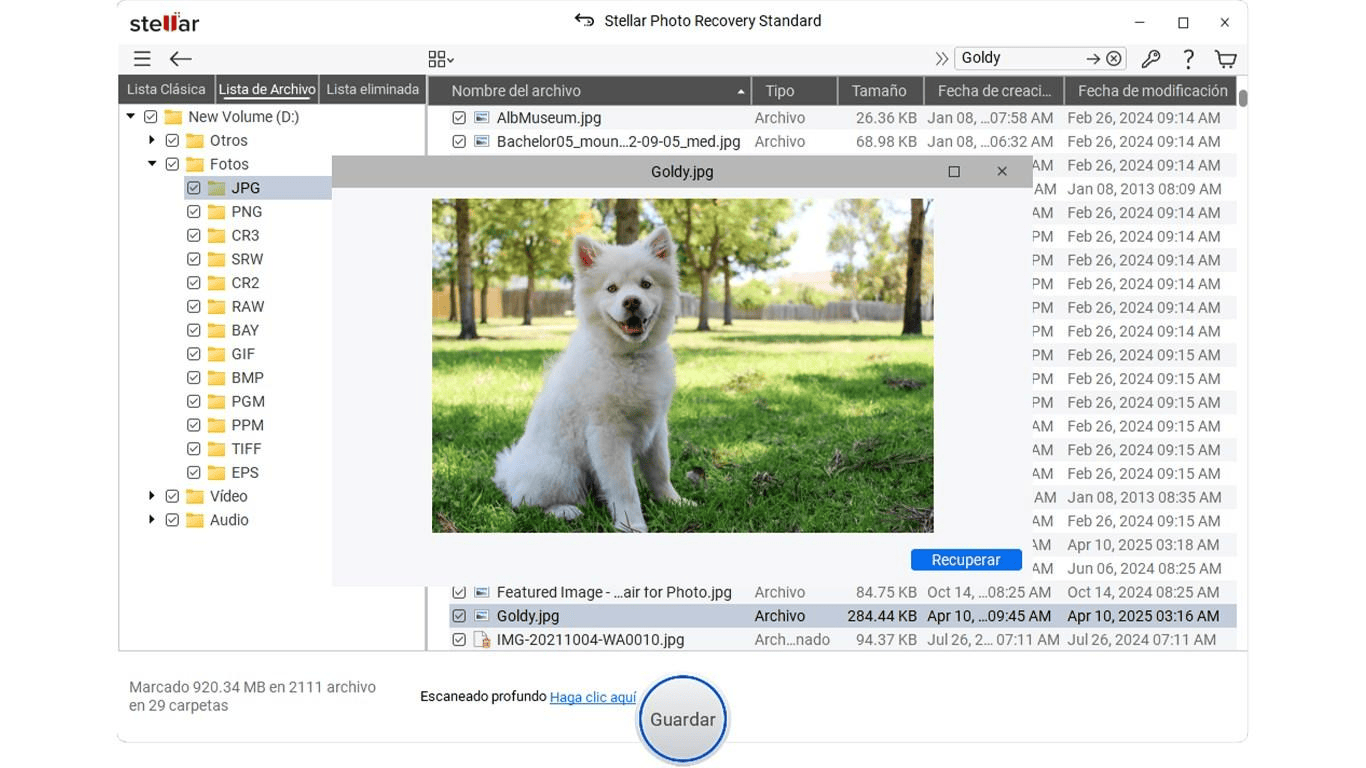
Stellar Photo Recovery is a dedicated photo recovery software which can help you recover photos deleted due to various reasons, including accidental deletion, formatting, system errors, etc. You can use this tool to restore deleted, formatted, or lost pictures from different storage devices such as SD cards, memory cards, USB drives, etc.
Along with photos, you can use the Stellar Photo Recovery software to restore deleted audio and video files of various file formats. The software offers Quick Scan and Deep Scan options. While Quick Scan searches for recently deleted files, Deep Scan performs a more comprehensive examination of the selected storage device to locate additional recoverable data. This tool supports recovering RAW photographs captured using popular camera brands such as Canon, Nikon, Sony, Fujifilm, and Olympus.
Key Features of Stellar Photo Recovery:
Supports recovery of deleted, formatted, and inaccessible photographs of various file formats, including JPG, PNG, GIF, and BMP.
Offers preview functionality to let you preview the recoverable files before saving them on your device.
Provides a simple, intuitive interface suitable for beginners and non-technical users.
Helps retrieve photos deleted due to accidental deletion, formatting, and other data loss issues.
Supports recovery from BitLocker-encrypted drives, helping you retrieve lost photographs from password-protected storage devices using appropriate credentials.
Use the free recovery feature to evaluate the software and verify recoverable files before purchasing the full version.
2. Recuva
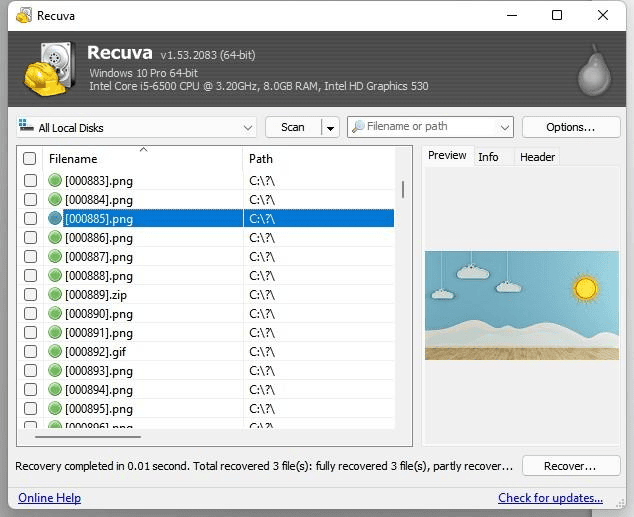
Recuva is a Windows-based file recovery software which you can use to recover deleted files from computers, external hard drives, USB flash drives, and memory cards. Developed by CCleaner, this recovery tool offers a straightforward recovery process. Its picture recovery capabilities make it useful for retrieving accidentally deleted photographs without navigating complicated settings.
Recuva offers a Deep Scan option, which performs thorough scanning of your storage devices to find recoverable files. Its free version provides basic file recovery functionality, while the Professional edition offers additional capabilities. One of its key features is that it displays the recovery status of identified files, helping you understand their potential recoverability.
Key Features:
Compatible with different internal or external storage devices, including USB drives, supported memory cards, etc.
Offers Deep Scan functionality to locate missing files which regular scans may find difficult to find.
Known for its guided recovery interface that simplifies scanning, browsing, and the data restoration process.
Displays recovery status indicators for identified files, helping users evaluate their condition and understand the possibility of successful photo restoration.
3. Wondershare Recoverit
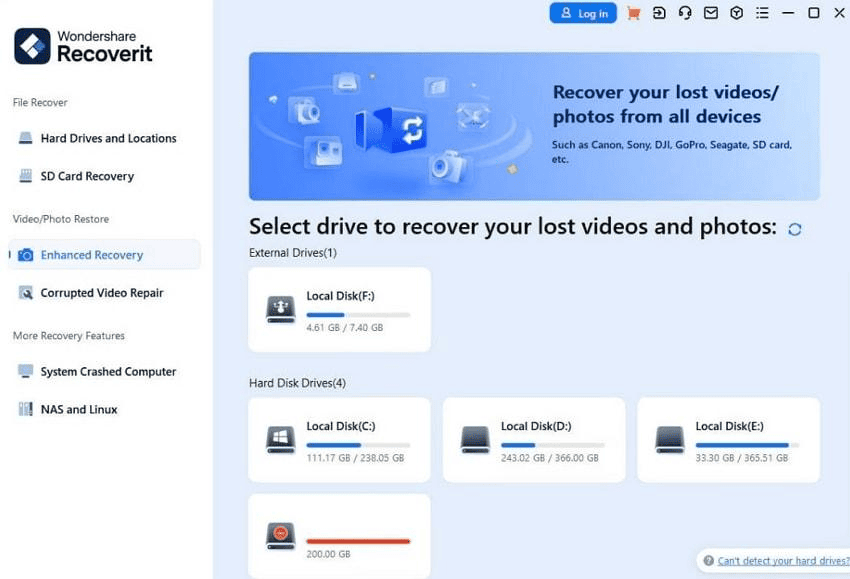
Recoverit, developed by Wondershare, is a professional data recovery software designed to help you restore lost, deleted, or inaccessible data from computers and compatible storage devices. It supports Windows and macOS, making it a suitable option for users working across different operating systems. You can use this recovery tool to restore files from various storage devices,
Wondershare Recoverit supports recovery of deleted photographs in various file formats such as JPG, JPEG, PNG, TIFF, BMP, GIF, HEIC, and several RAW camera formats, including CR2, NEF, ARW, and DNG. Its preview functionality allows you to inspect supported recoverable images before restoring them.
Key Features:
Perform comprehensive scanning of your storage devices to locate deleted, hidden, formatted, and inaccessible photographs.
Supports multiple storage devices, including HDDs, SSDs, digital cameras, SD cards, and USB flash drives.
Includes filtering and search options to help you identify specific photographs from extensive scanning results.
4. PhotoRec
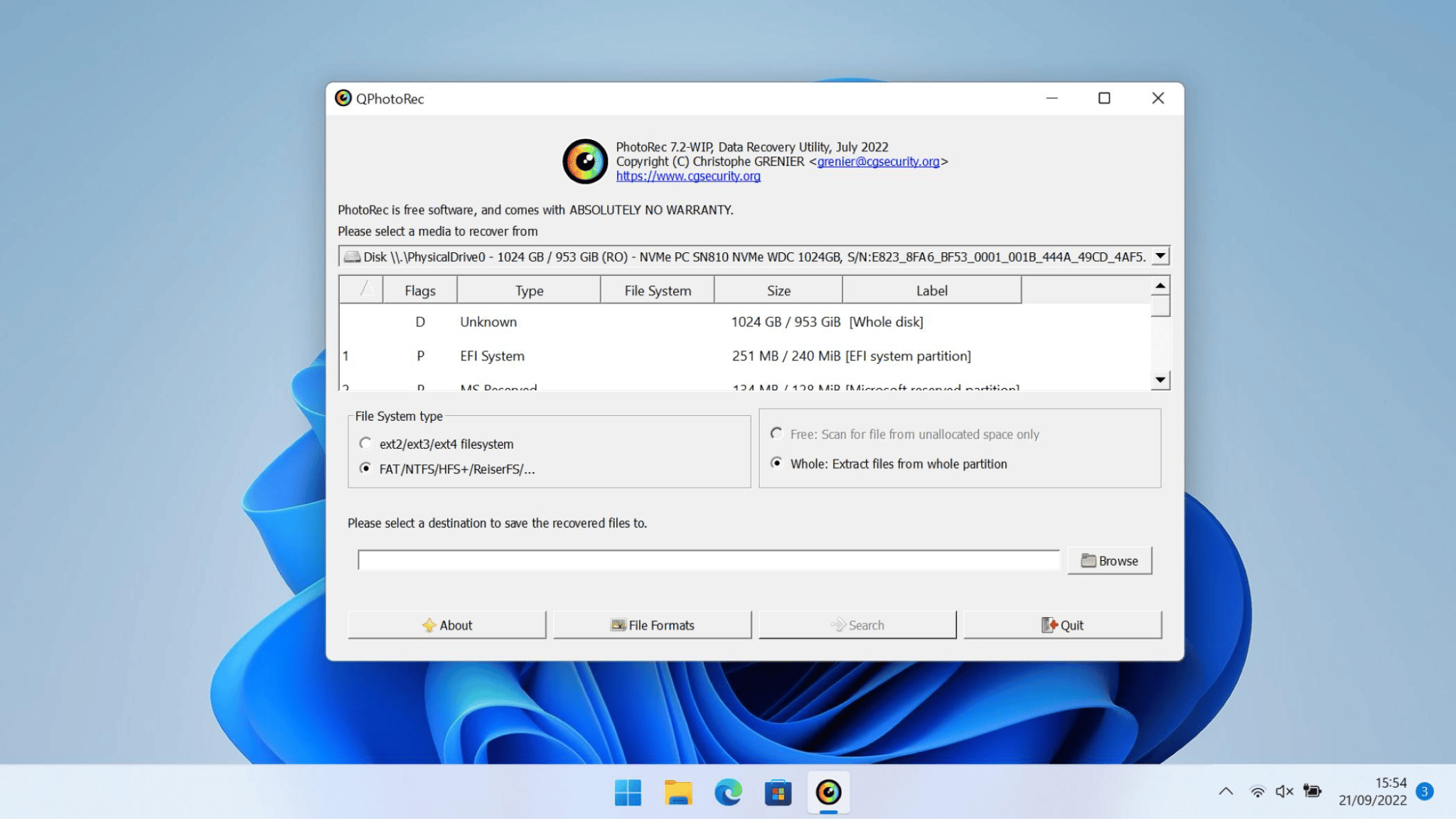
PhotoRec is a free, open-source data recovery program designed to restore your deleted photographs and other files. You can use this tool to restore deleted files from Windows, macOS, and Linux operating systems and different storage devices. Unlike conventional recovery applications, PhotoRec uses a file carving technique to identify lost files through their underlying data signatures rather than relying entirely on file system information.
This amazing photo recovery software is compatible with various storage devices, including internal hard drives, SSDs, USB flash drives, SD cards, and digital camera memory cards. It can recognize more than 480 file extensions across approximately 300 file families, including JPEG and other graphics formats. However, the software is based on a text-based GUI, which may be challenging for beginners.
Key Features:
Supports recovery from formatted or corrupted storage devices by scanning underlying data blocks for recognized file signatures.
Provides custom file selection options, allowing you to choose specific image formats and avoid unnecessary file recovery.
Recovers deleted photographs using file signature scanning without depending entirely on original file system information.
5. R-Studio
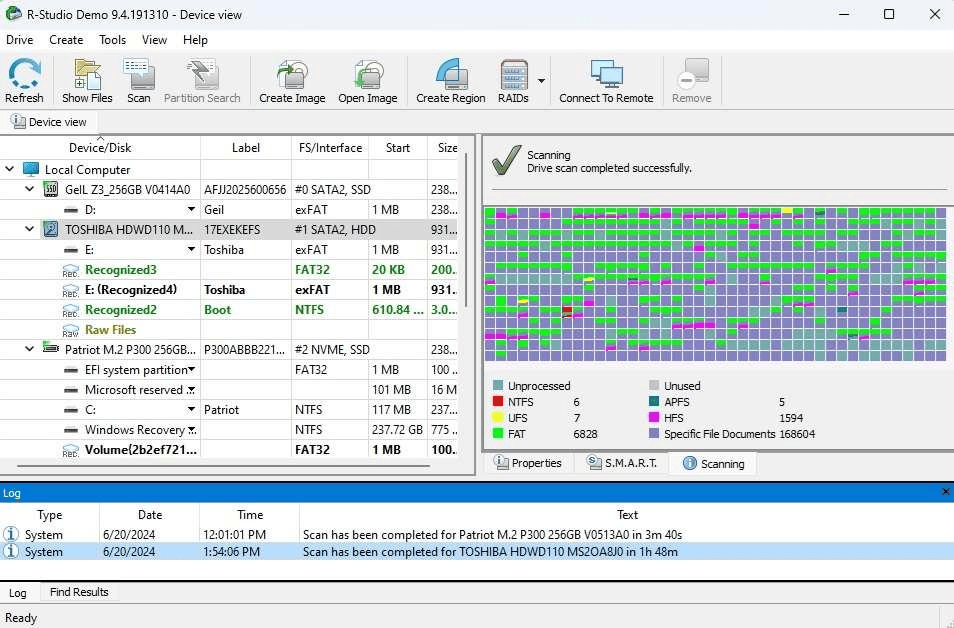
R-Studio is an advanced data recovery software designed to retrieve deleted, lost, or inaccessible files from different storage devices. You can use this tool to recover files deleted from internal hard drives, external HDDs, SSDs, USB drives, and others. The software is particularly useful for handling complicated data loss situations involving formatted drives, damaged partitions, corrupted file systems, and accidental file deletion.
This photo recovery software supports multiple file systems, including NTFS, FAT, exFAT, APFS, HFS+, Ext2/3/4, and XFS, making it suitable for recovery across different operating systems. One of R-Studio’s notable capabilities is its support for raw file recovery. This feature searches storage devices for recognized file signatures, helping you locate photographs even when the original file system information is damaged or unavailable.
Key Features:
Recovers deleted photographs from formatted drives, damaged partitions, corrupted file systems, and various supported storage devices.
Provides raw file recovery capabilities to locate photographs using recognised file signatures when file system information becomes unavailable.
Offers advanced RAID reconstruction capabilities for recovering photographs from supported damaged or inaccessible RAID configurations.
Wrapping Up
If recovering deleted photographs from your device seems difficult consider using one of the best photo recovery software discussed above. All the aforementioned tools offer different recovery capabilities. It’s important to check and compare the features of these recovery tools and then choose the one that best fits your needs. If you are looking for a straightforward solution for everyday photo recovery, Stellar Photo Recovery is worth considering. Its scanning options, support for multiple image formats, and file preview functionality make it a practical option for you to locate and recover deleted pictures easily
Remember that preventive measures like maintaining regular backups are equally important to protect your photographs against unexpected data loss.