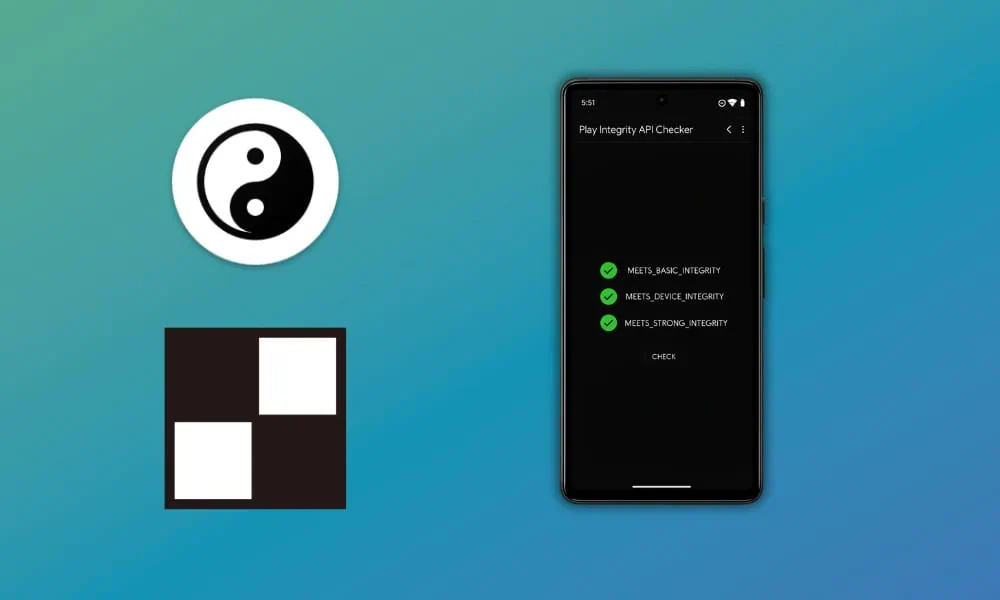
You can now Pass Play Integrity and Run Any Banking Apps on your rooted device with the help of a KernelSU module. If you rooted your Android device, you may know that you can’t use the payment apps like Google Pay or banking apps like ICICI or the SBI Yono app. Likely, the apps will auto-close or show you an insecure or rooted device. In this post, we will guide you on how to pass Play Integrity on KernelSU. Additionally, we will explain how to run Payment or banking apps.
In recent security patches, the Integrity is stronger than new payment and banking apps. These apps do not work even when hiding the apps from root. Your device needs a strong Integrity Test Pass to work the apps. In this post, we will show all the methods and guides to pass the “Meets Basic Integrity“, “Meets Device Integrity,” and “Meets Strong Integrity” checks. We will use ZygiskNext, Integrity-Box, Tricky Store, and Hide MY AppList App. Moreover, we will guide you to set up all the modules. Also, we will ensure that your devices pass strong Play Integrity and run the banking app.
What is Play Integrity API?
Play Integrity is an important security feature developed by Google. It helps protect Android devices and applications from threats such as fraud, unauthorised modifications and malicious activities. In addition, Play Integrity protects the device and applications with a safeguard that lets the user know that the Android system and applications are in a trusted environment. Using the Play Integrity API, the system checks the device for factors such as authenticity. It also checks the application for integrity.
This way, the developers have more useful information and help the user by protecting them from such risks as a Trojan horse or malicious installations of important applications. Additionally, it protects against execution of banking applications on compromised/ hacked devices. To the consumer, what this means is that now it would be even safer to use banking applications, as extra security is facilitated. Consequently, the applications will run in a more solid computing environment. Finally, there is peace of mind when using any other service that is important, such as payments, etc.

How to Get Strong Play Integrity PASS on KernelSU
After Google implemented the Play Integrity API, Android enthusiasts and developers also developed and found a way to bypass the Play Integrity API check. There are many KernelSU modules available on the market, like susfs, ZygiskNext, Integrity-Box, Tricky Store and Hide MY AppList App. We can combine them to pass the Play Integrity check. In this guide, we will show you a complete guide from installing the module to setting up the module. Next, we will explain hiding the rooting apps on your mobile. Then the payment apps or banking apps can work on your device.
Downloads and Requirements
Before starting the guide, make sure you have installed KernelSU properly on your device. Follow the guide on our blog to install KernelSU on your device. Download all the KernelSU Play Integrity pass KernelSU modules and then follow the guide.
- Latest KernelSU ⇒ Latest KernelSU and KernelSU Next
- ZygiskNext KernelSU ⇒ zygisk-next-release.zip GitHub
- Integrity-Box Module ⇒ Integrity-Box GitHub
- More Strong Integrity And Hide Root App (optional) ⇊
- Latest LSPosed zygisk magisk ⇒ LSPosed-v2.1 | LSPosed Github
- Tricky Store Module ⇒ TrickyStore github | Tricky-Store-v1.3.0.zip
- Hide MY AppList ⇒ (new) HMA-V3.8 | (old) HMA-V3.6.1 (optional)
Get Strong Play Integrity PASS With KernelSU | Setup Guide
1. First, install KernelSU on your device from the download section if you have not installed it on your device. Then download all the KernelSU Modules on your device.
2. Open the KernelSU App and go to Module, tap on Install, browse the modules, and install one by one. Don’t reboot the device. Reboot the device once you have finished all the module installations.
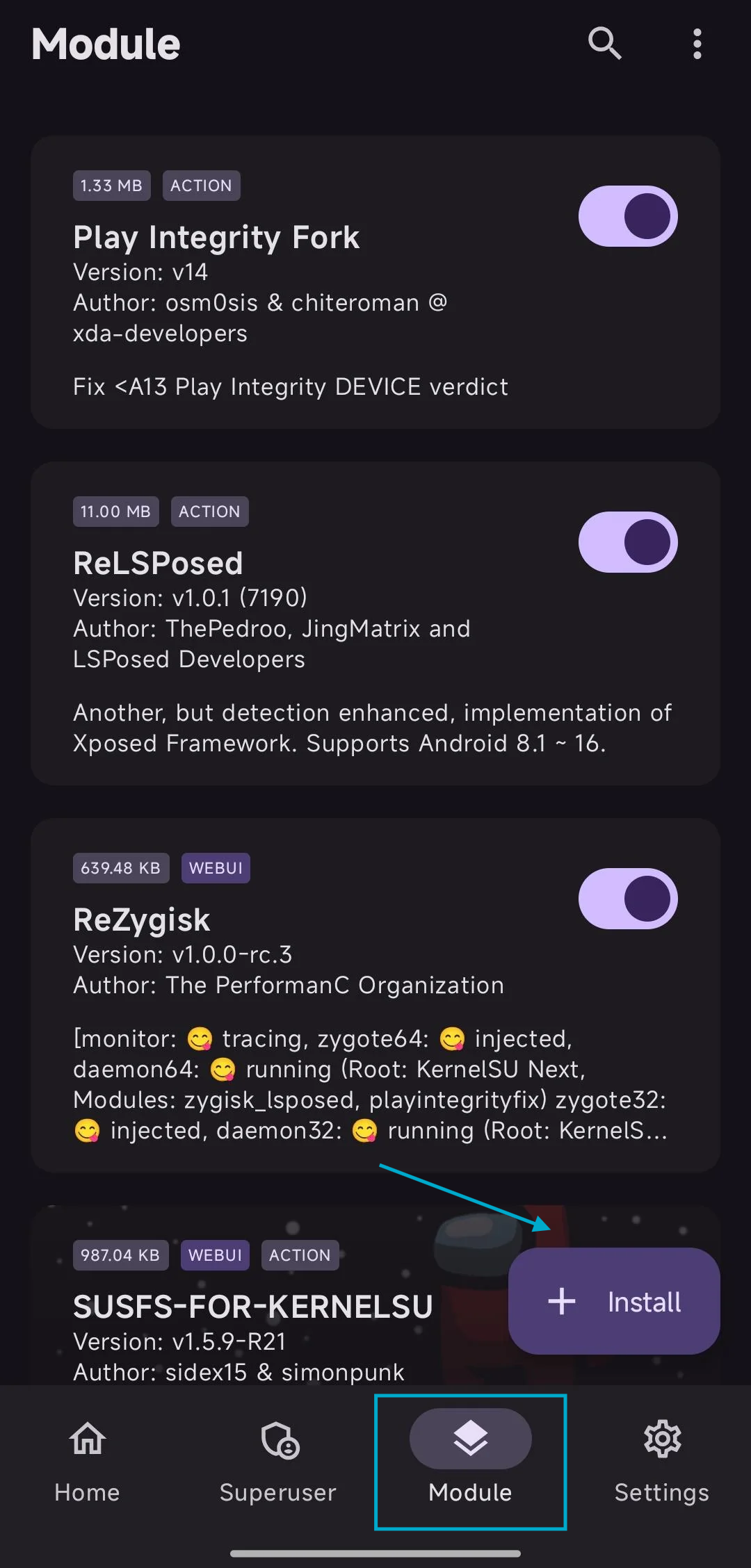
3. First, install ZygiskNext and Integrity-Box Module, then Tricky Store Module. (Optional) Install the LSPosed zygisk KernelSU and Hide MY AppList if the strong Play Integrity and hide root apps.
4. Reboot the device.
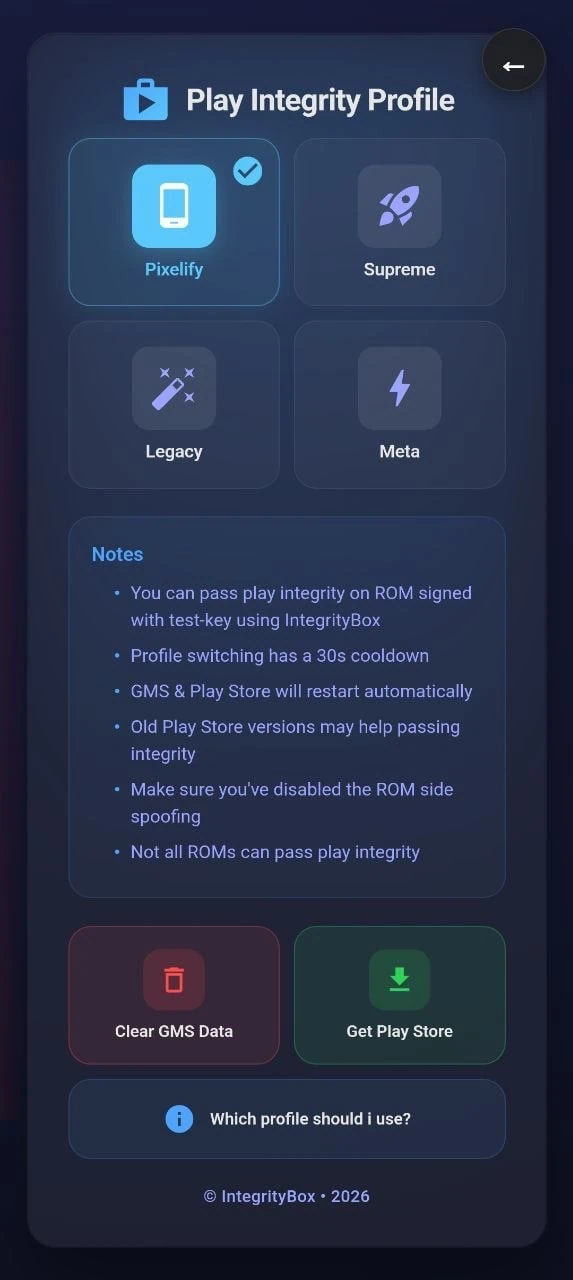
5. Once you have installed all the modules, open the KernelSU app and go to the Module section. Find Integrity-Box, tap on Web Ui Icon, and Set Profile to Pixelify.
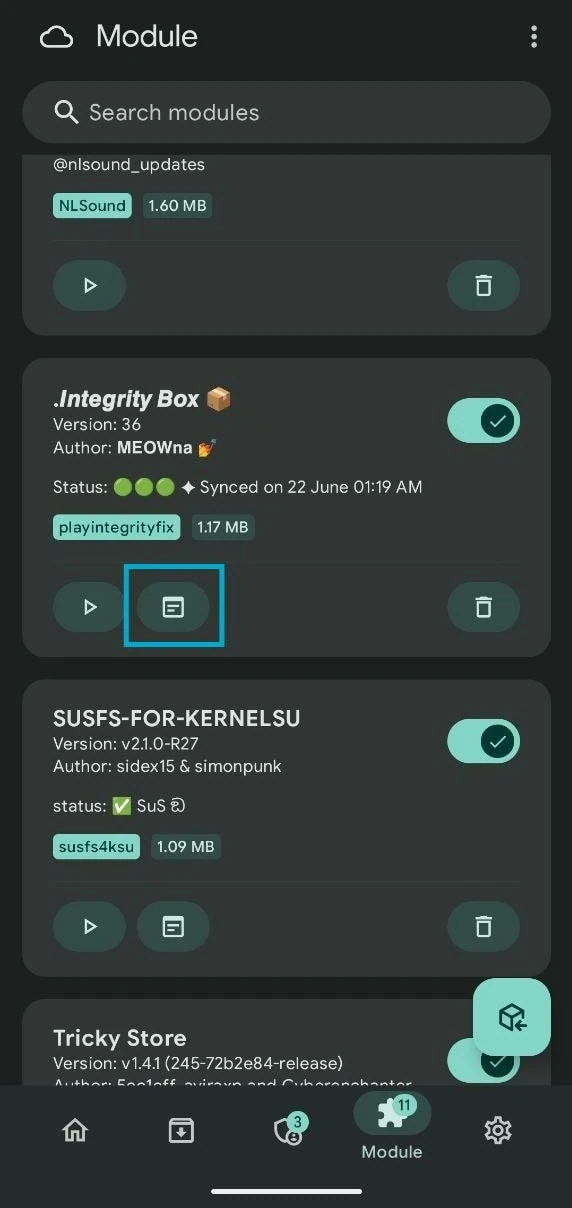
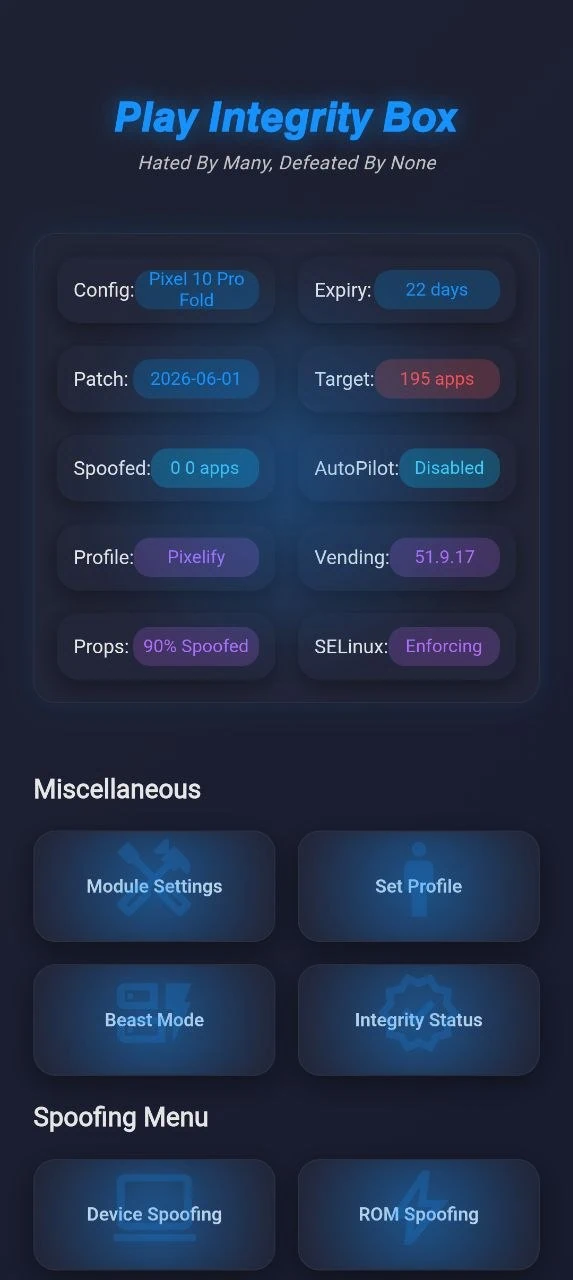
6. Now get the latest Strong integrity keybox from the Integrity-Box module. Back to the Module section, and tap on Action (Play Icon) on the Integrity-Box module. Once the app is opened, it will fetch the latest keybox XML file for your device.
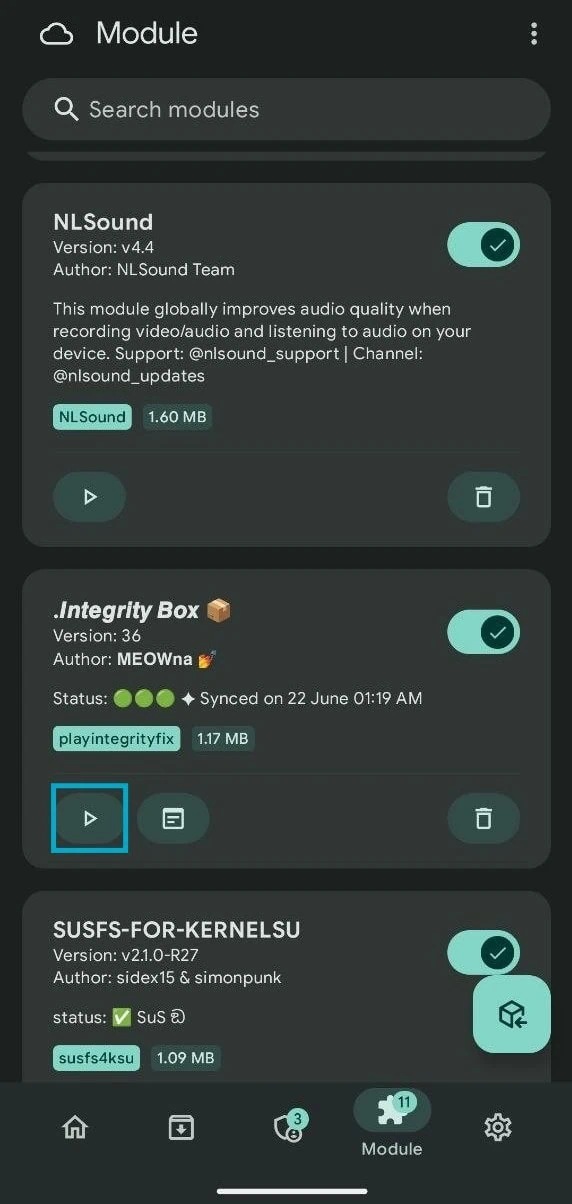
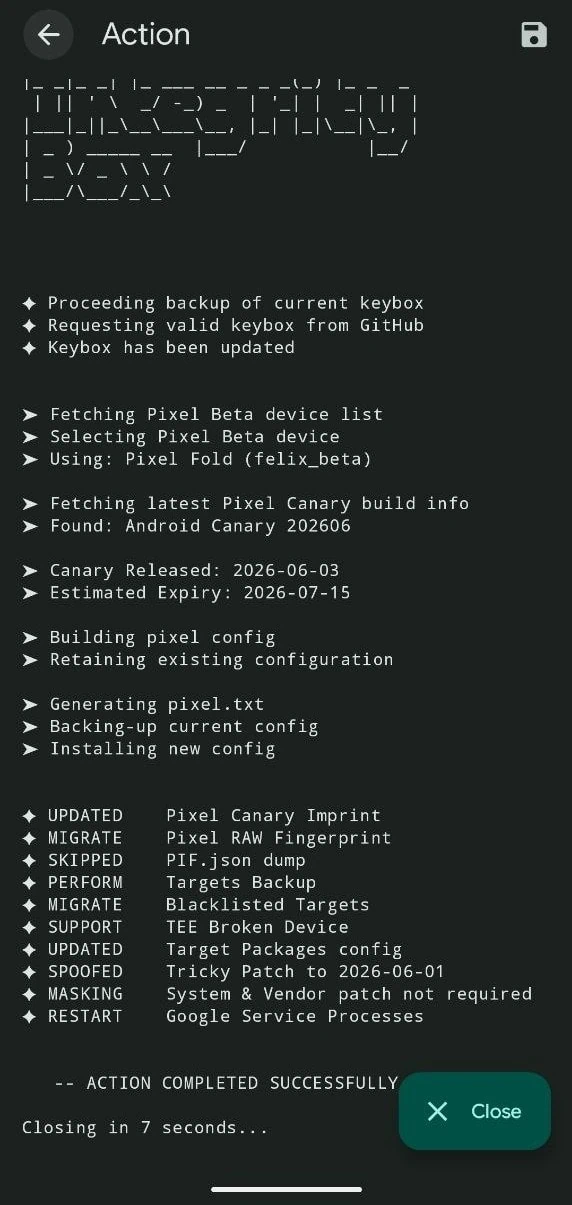
7. Now, reboot the device and follow the next step.
Set up Tricky Store to get stronger Play Integrity PASS
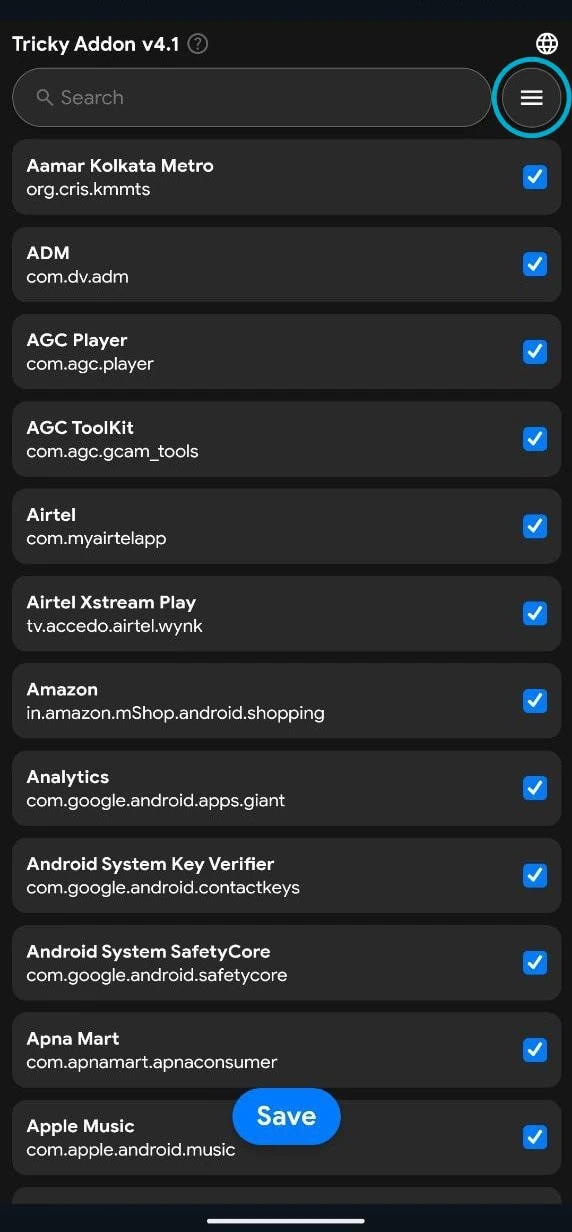
1. Once more, open the KernelSU app and go to the Module section, find Tricky Store, and tap on Action (Play Icon). Tap on the 3-bar menu and tap on Select All and deselect the rooted apps like KernelSU, Revanced,
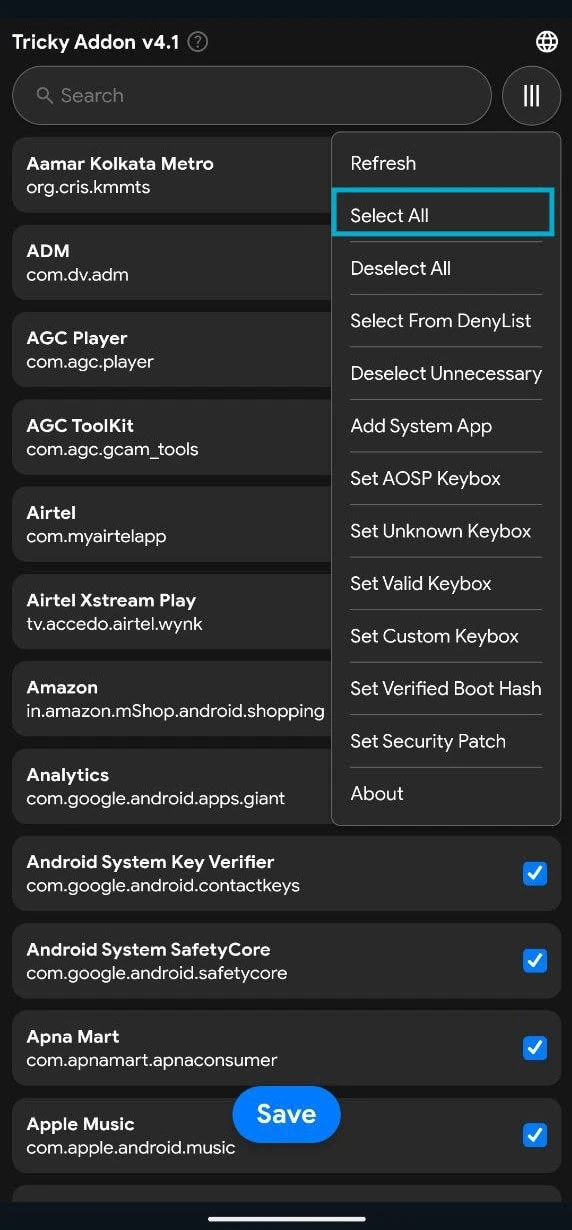
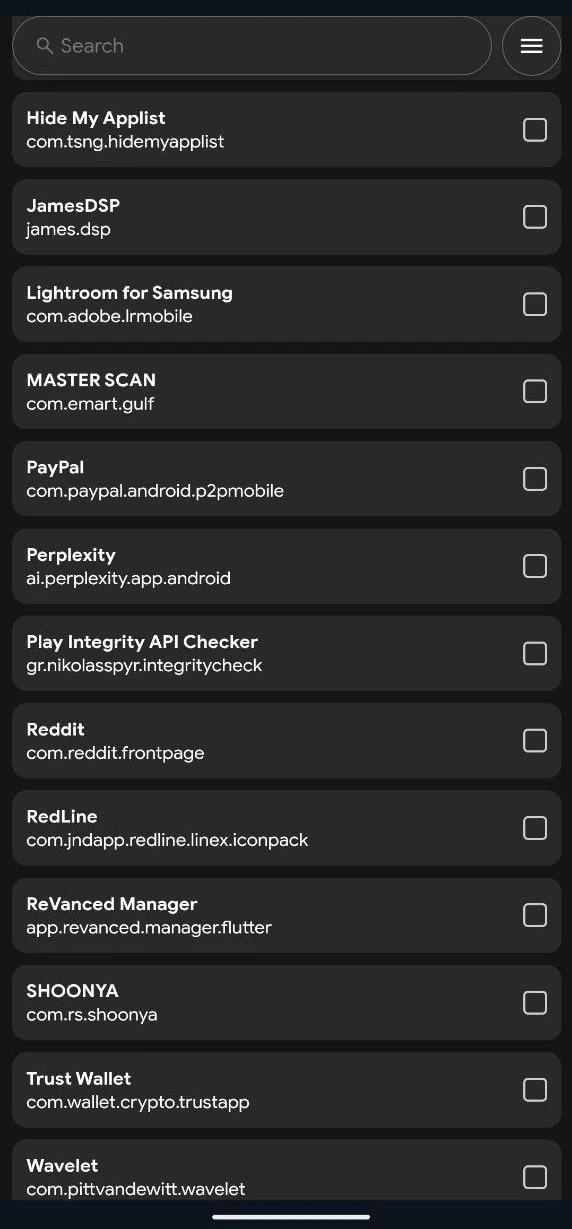
2. Now get the latest Strong integrity keybox from the Integrity-Box module. Back to the Module section, and tap on Action (Play Icon) on the Integrity-Box module. Once the app is opened, it will fetch the latest keybox XML file for your device.
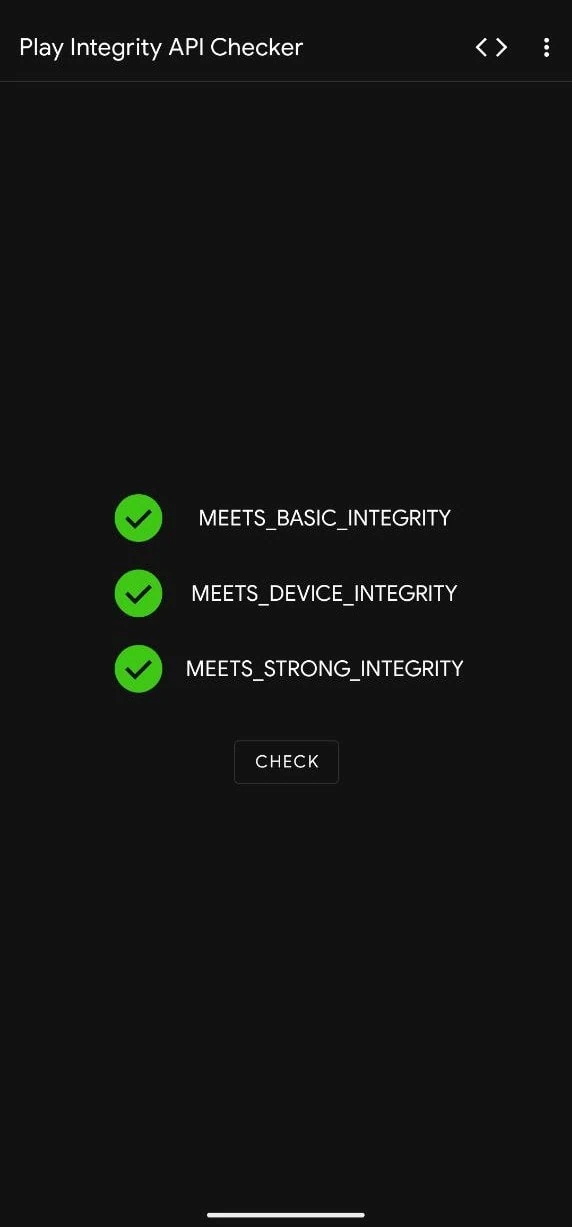
3. Reboot the device and check PlayIntegrity with the integrity checker App. If all the Play Integrity Pass, then you’re good to go use the Payment and Banking Apps. If not, then go to the Strong Integrity Pass steps.
Hide Banking / Payment Apps from Root with LSPosed
1. If all the Play Integrity not passed, then go to the download section and download the LSPosed KernelSU Module, and Hide MY AppList Apk App. Next, install all the modules and App Hide MY AppList, then reboot the device.
2. Open Notification Panel, tap on LSPosed “LSPosed Loaded“, go to Modules and Open Hide My Applist App. Enable the module. Then tap on Settings Icon -> Template Manage -> Create A Bl@cklist template -> Apps invisible -> Add all Root Apps from this list, then back to the main menu.
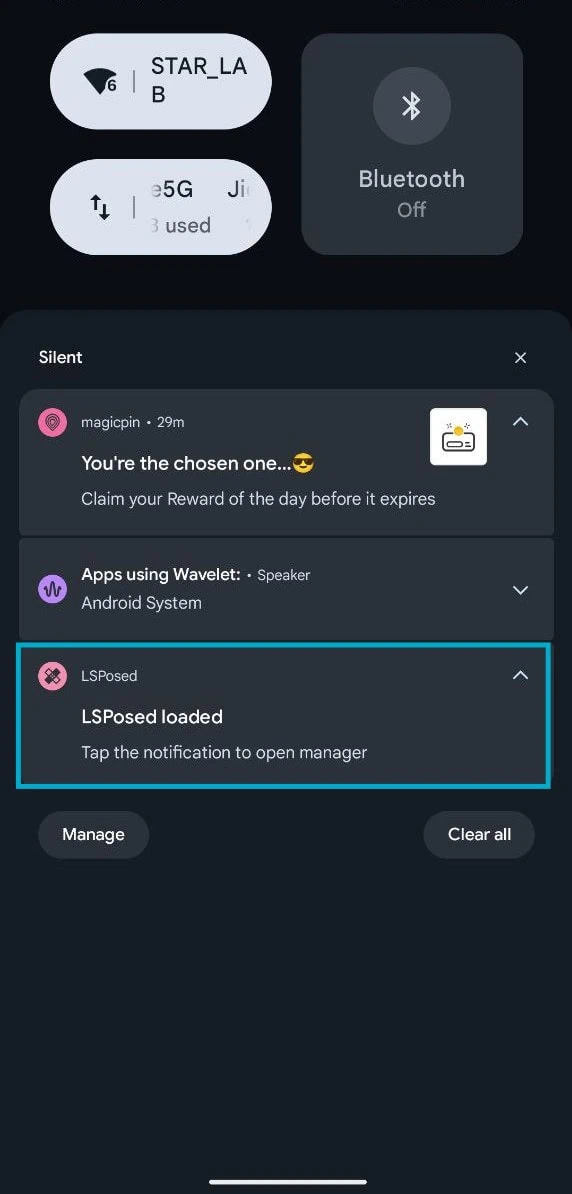
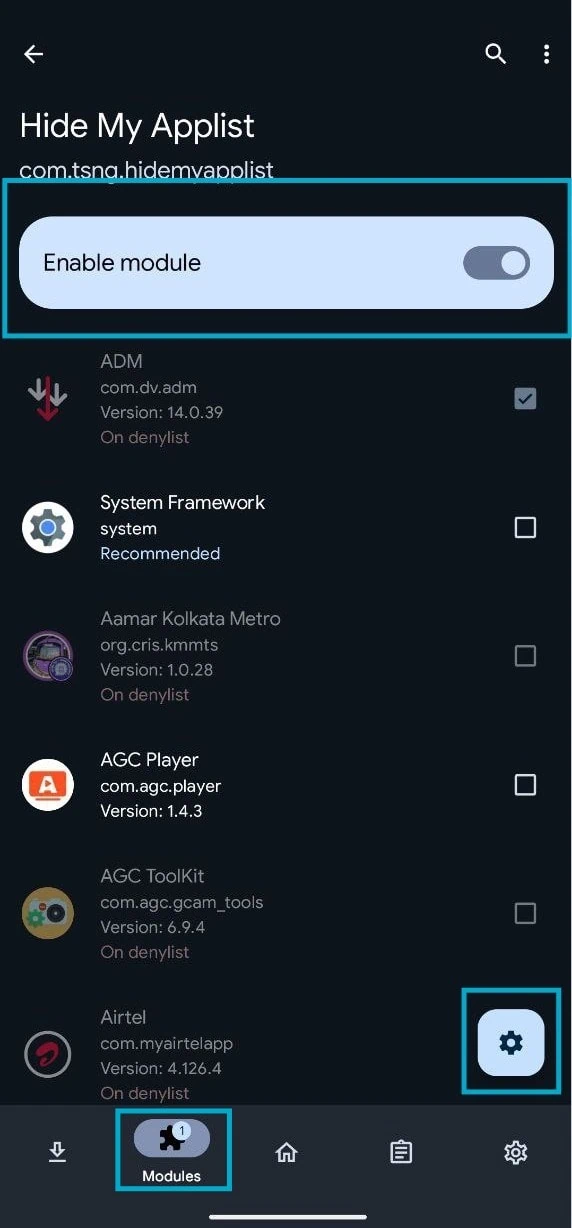
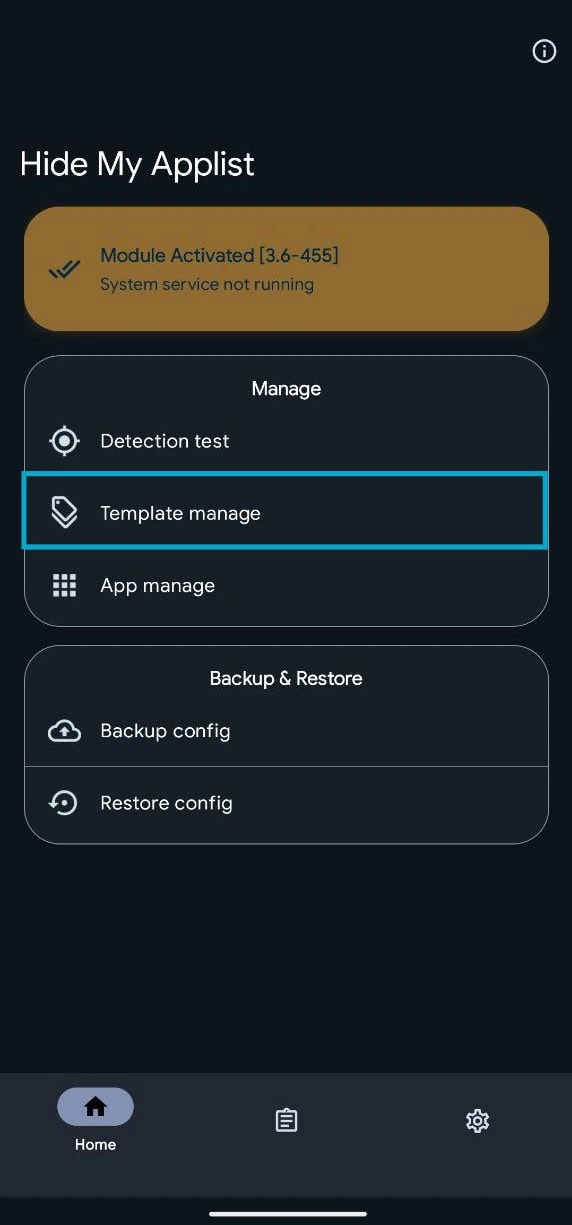
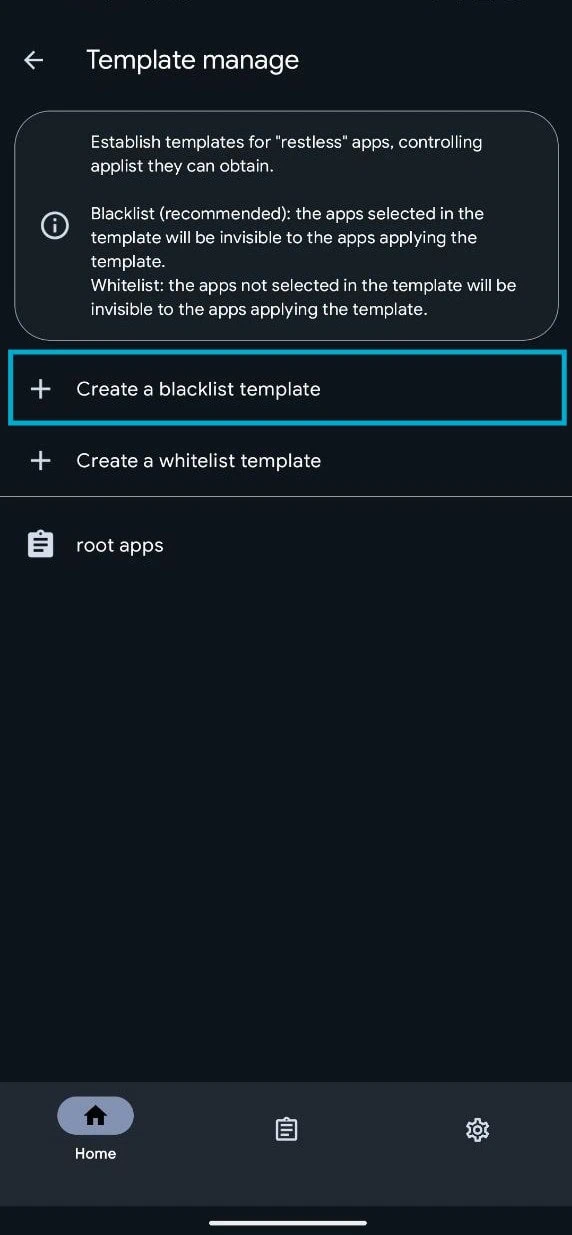
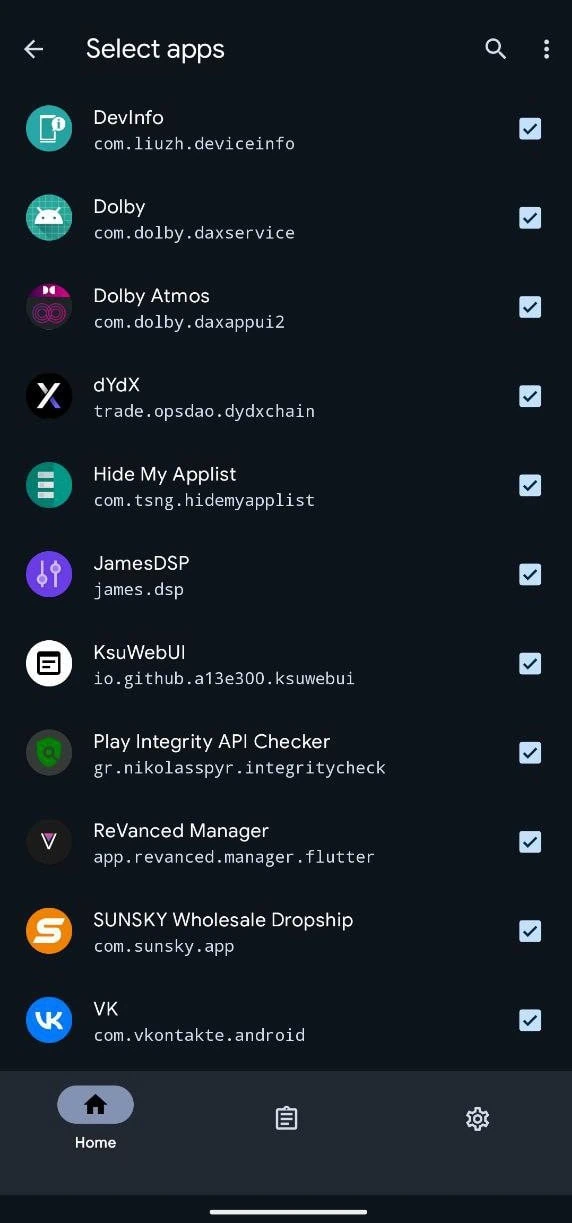
3. Now back to the Main menu. Once more tap on Settings -> App Manage -> Select the payment apps that you want to run on your rooted device. Toggle to enable hide. Select the root app template and back.
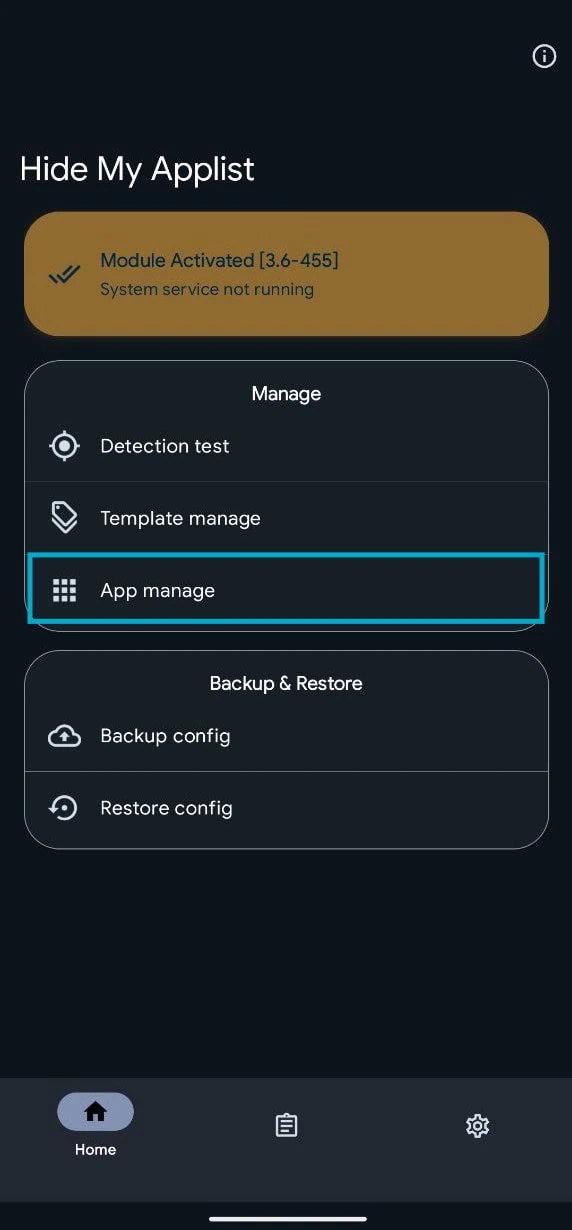
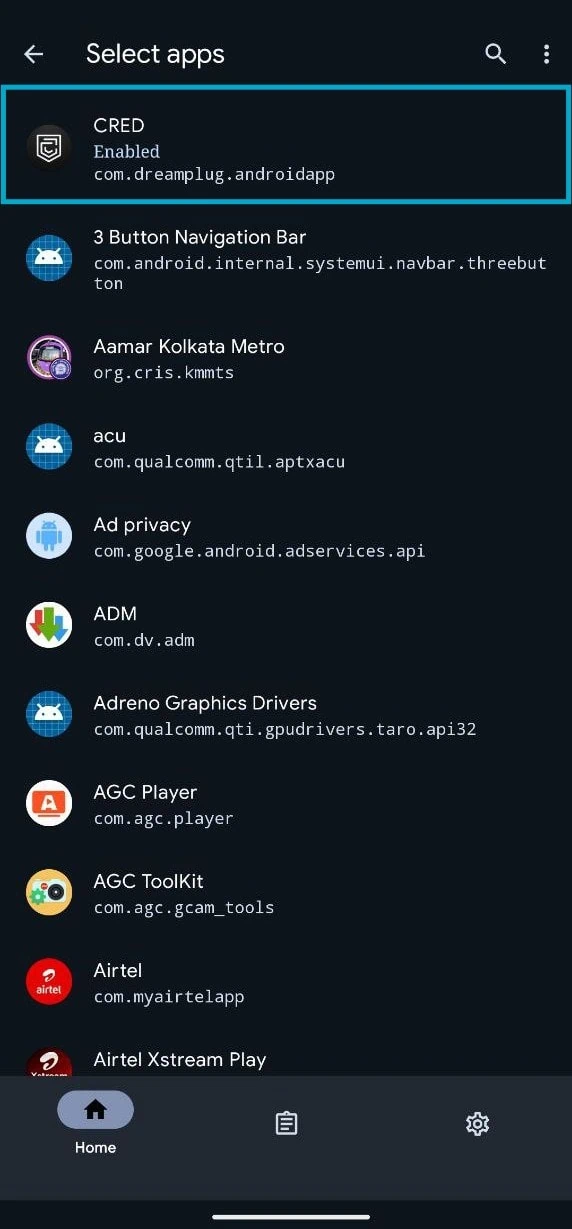
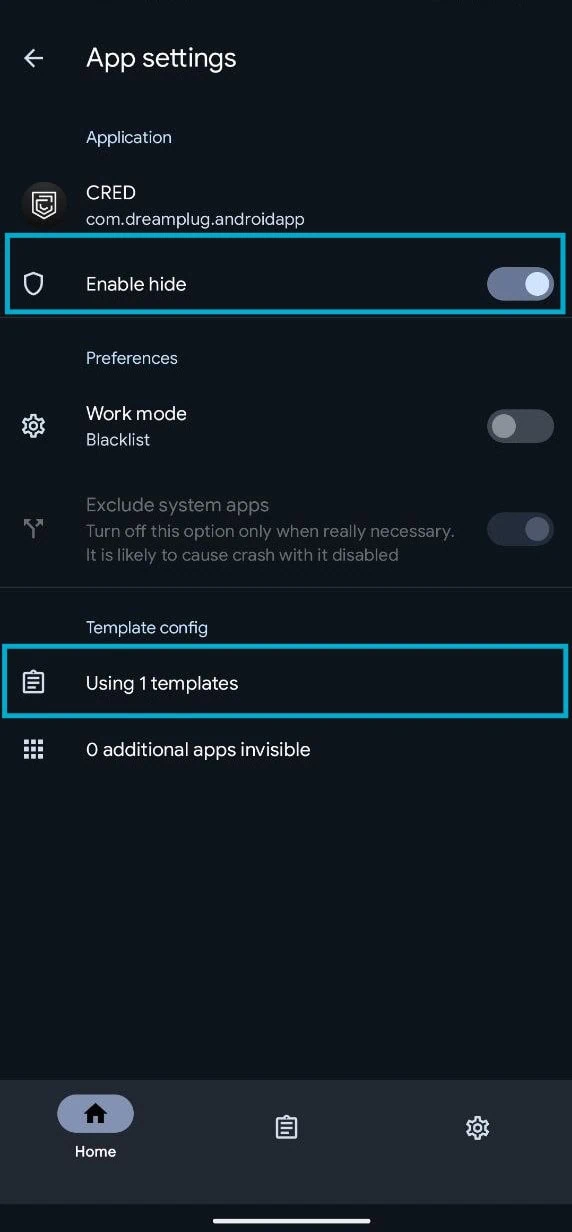
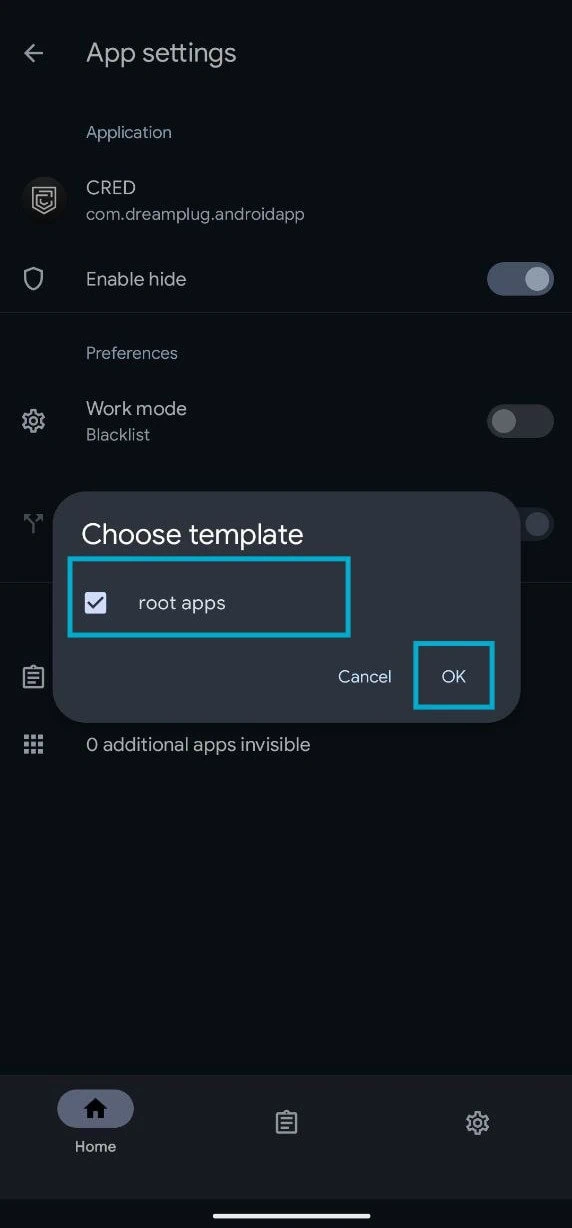
4. Now, Clear payment or banking apps data from Settings -> Apps and open the app.
Test Play Integrity On Your Android Device
After completing all the steps, check if all the Play Integrity parameters “Meets Basic Integrity“, “Meets Device Integrity” and “Meets Strong Integrity” pass on your device or not. Download Play Integrity API Checker from the Google Play Store. After that, open the app. Tap on check to verify if all Play Integrity checks pass on your device.


Final Thought
With kernel SU (Super User) and correct modules in place, you should be able to keep your root access enabled for all other purposes, while allowing banking/payment apps to pass the integrity checks as well.
Each time a test fails, review your module configuration again, refresh your keybox, remove the banking app’s stored data, then re-test the Play Integrity Checker again with an emphasis on confirming each test passes.