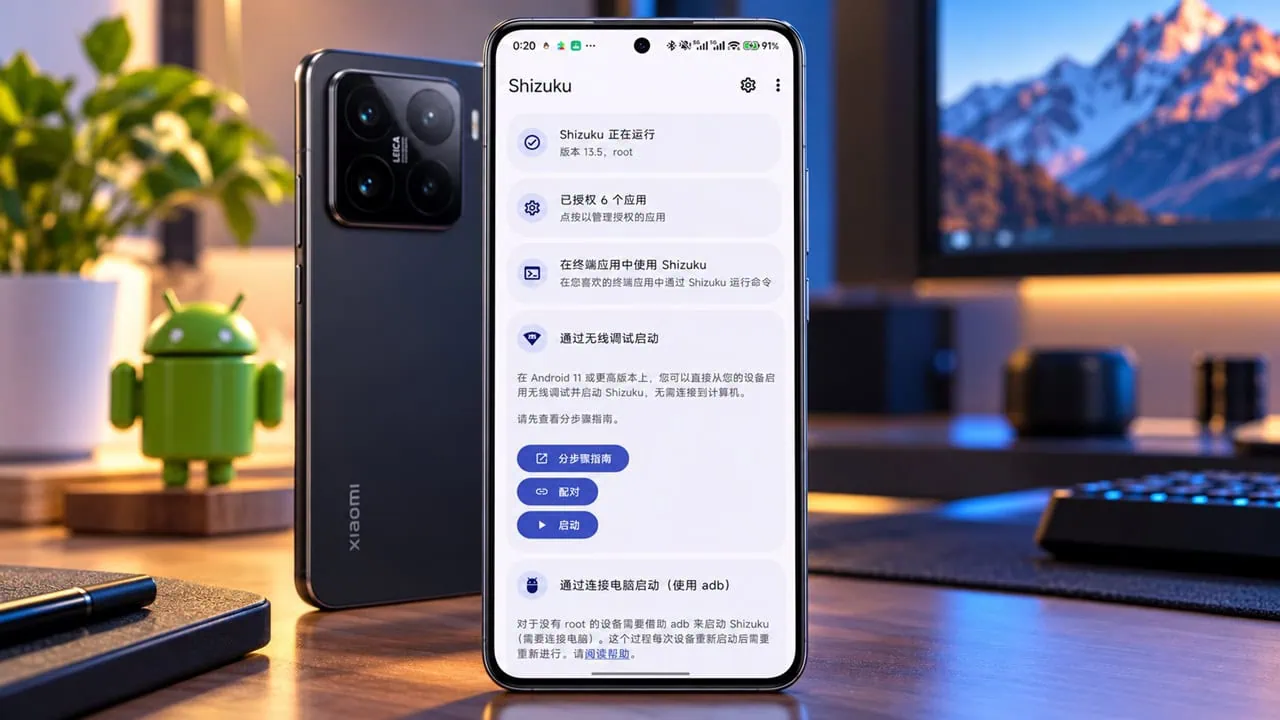
Currently, unlocking the bootloader on Xiaomi phones typically involves an annoying, lengthy wait and patching the boot image to root the device. Recently, a developer discovered a chain of exploits that uses a fastboot parameter to turn SELinux into permissive. With a vulnerable system service on a locked bootloader, you can grant root access to Shizuku directly. Here is how to root a Xiaomi Smartphone without unlocking the bootloader, with the exact commands and full guide. If you want to root xiaomi without unlocking bootloader in one session, this is the most direct route.
Want to root Xiaomi Smartphones without unlocking bootloader? The chain exploits above was found for the Xiaomi 17. Fastboot injection and vulnerable MIUI system service works for older chipsets as well, and that is why owners of Xiaomi 14, 15 and other phones with Snapdragon processors have already used it. It does not require unlocking the bootloader; it just upgrades privileges at the current boot, and that is why it’s less risky.
What Is This Exploit?
This chain of exploits works only on Xiaomi phones powered by Snapdragon chips, and three separate flaws combine to achieve this. First is a missing validation check for the eFISP partition, which is exclusive to the Snapdragon 8 Elite Gen 5. The other two flaws are also present: fastboot parameter injection that switches SELinux to permissive mode on the MIUI service. Together they unlock the bootloader, the last two methods provide the privilege of root via Shizuku. These same two flaws are what let you root Xiaomi without unlocking bootloader on older Snapdragon tablets and phones.
Which Devices Work
The author verified the exploit on a Redmi K70 running HyperOS 3.0.9.0 with the February 2026 Android security patch. Support is not guaranteed on every model or every HyperOS build, but the affected family is the Xiaomi 14, Xiaomi 15 and other devices built on the snapping SM8650 or SM8750 chipsets.
How to Root Xiaomi Without Unlocking the Bootloader
- Enable USB debugging first, connect the phone to a PC with Android SDK Platform Tools installed, and open a Command Prompt inside that platform-tools folder. Then follow these steps.
- Download and install the latest Shizuku APK Build from the GitHub repo.
Step 1 – Boot to Fastboot
adb shell reboot bootloaderStep 2 – Set SELinux to Permissive
The first command injects the boot parameter; the second boots the system with it. Without permissive SELinux the extracted privilege still exists but cannot read or write most of the /data files.
fastboot oem set-gpu-preemption-value 0 androidboot.selinux=permissive
fastboot continue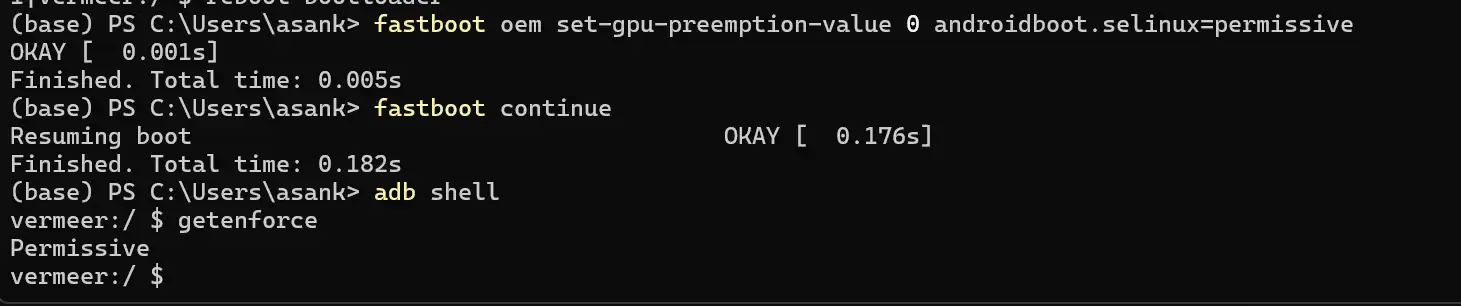
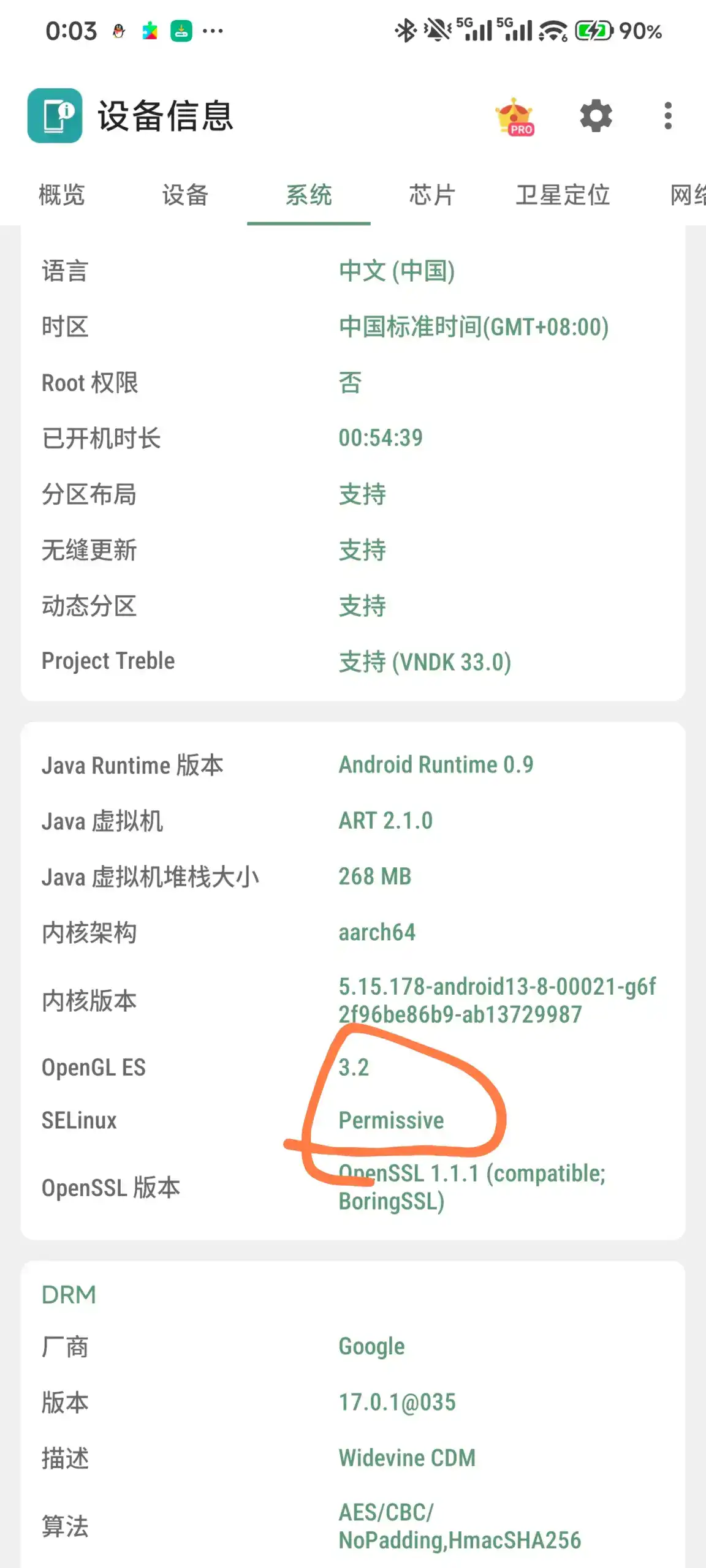
SELinux reverts to strict mode the next time you reboot your phone, so the permissive state only lasts for this boot.
Step 3 – Confirm You Can Root Xiaomi Without Unlocking Bootloader (Whoami)
Execute the vulnerable miui.mqsas.IMQSNative service commands with ADB Shell privileges:
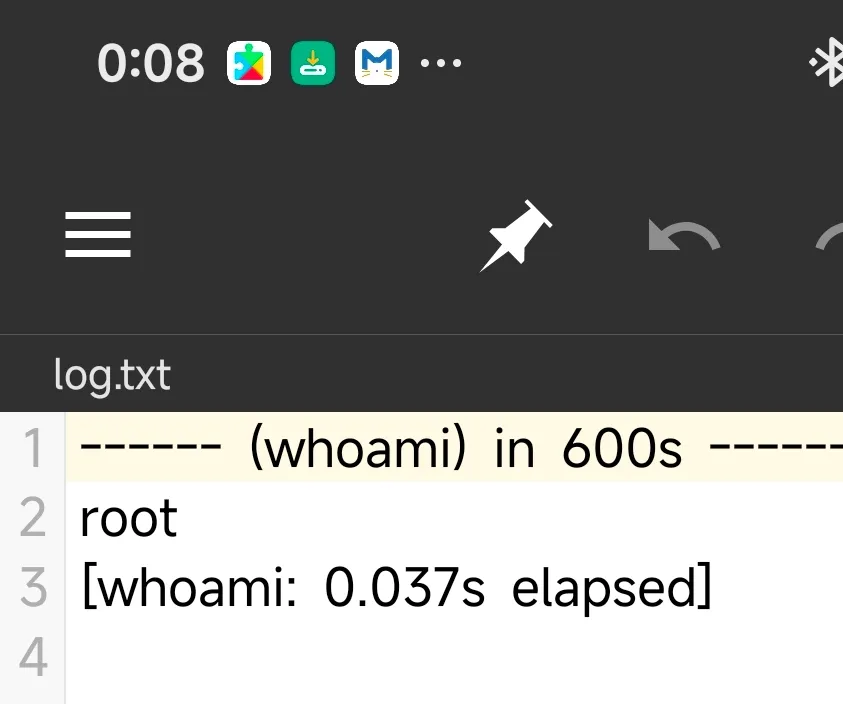
adb shell service call miui.mqsas.IMQSNative 21 i32 1 s16 "whoami" i32 1 s16 "" s16 '/sdcard/log.txt' i32 600Open the log.txt file in the phone’s internal storage. If it prints root, the exploit is working and you now have read/write access to nearly everything inside /data.
Step 4 – Grab the Environment Variables
Run adb shell env and copy the values of DEX2OATBOOTCLASSPATH and BOOTCLASSPATH. These two variables are missing when the daemon starts through the exploit, which is exactly why the plain command crashes.
adb shell envStep 5 – Build the Start Script
Create a file named start.sh on the PC, paste the two variables you copied, then add the path to the Shizuku daemon from your own install. The random-looking folder name differs per device, so find it under /data/app/~~/moe.shizuku.privileged.api-/.
export DEX2OATBOOTCLASSPATH="value"
export BOOTCLASSPATH="value"
/data/app/~~your_random_path/moe.shizuku.privileged.api-your_random_path/lib/arm64/libshizuku.so
Step 6 – Run the Script to Root Xiaomi Without Unlocking Bootloader
adb push start.sh /sdcard/start.sh
adb shell service call miui.mqsas.IMQSNative 21 i32 1 s16 "sh" i32 1 s16 "/sdcard/start.sh" s16 '/sdcard/log.txt' i32 600
The Shizuku daemon now runs with root privileges, and from Shizuku you can pass elevated access to apps like Termux or a file manager – giving them near-full reach inside /data.
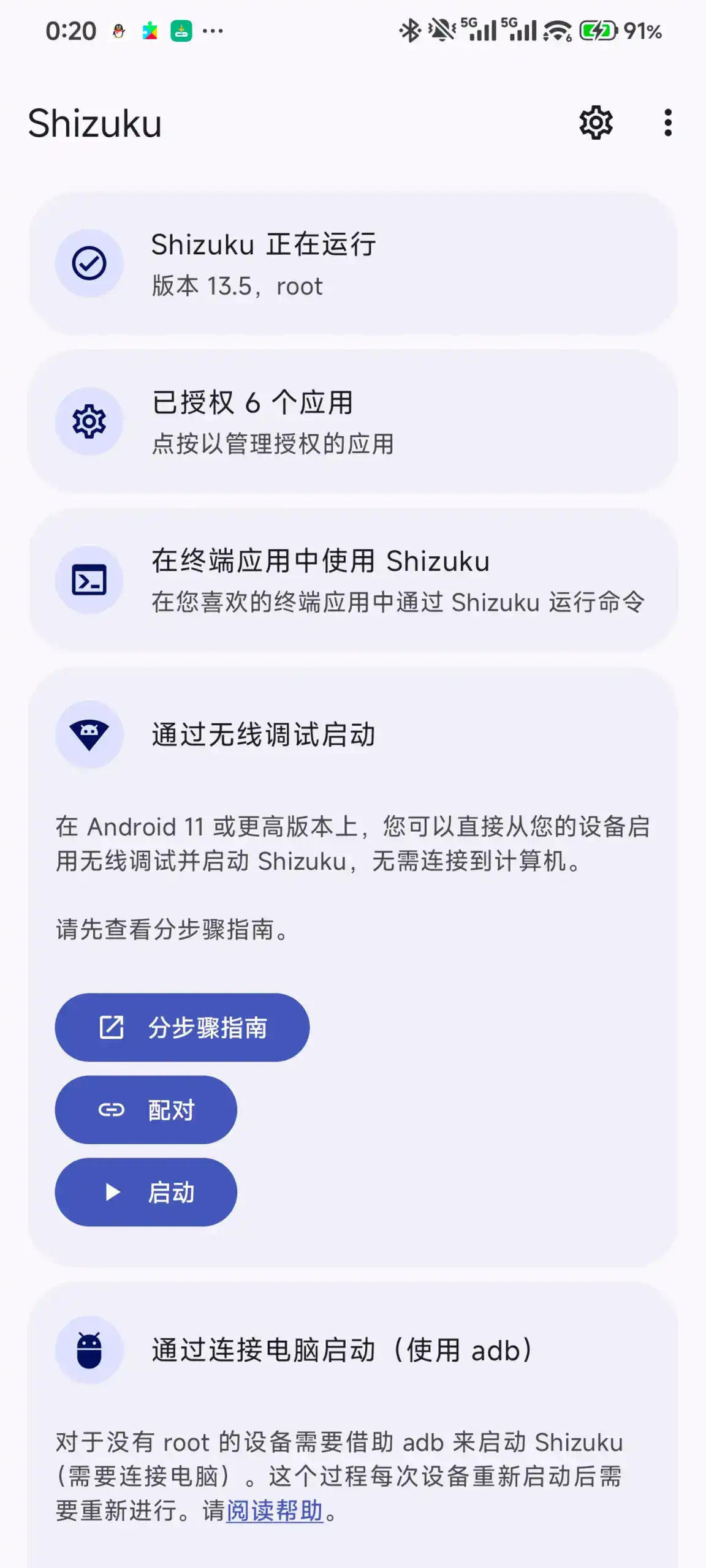
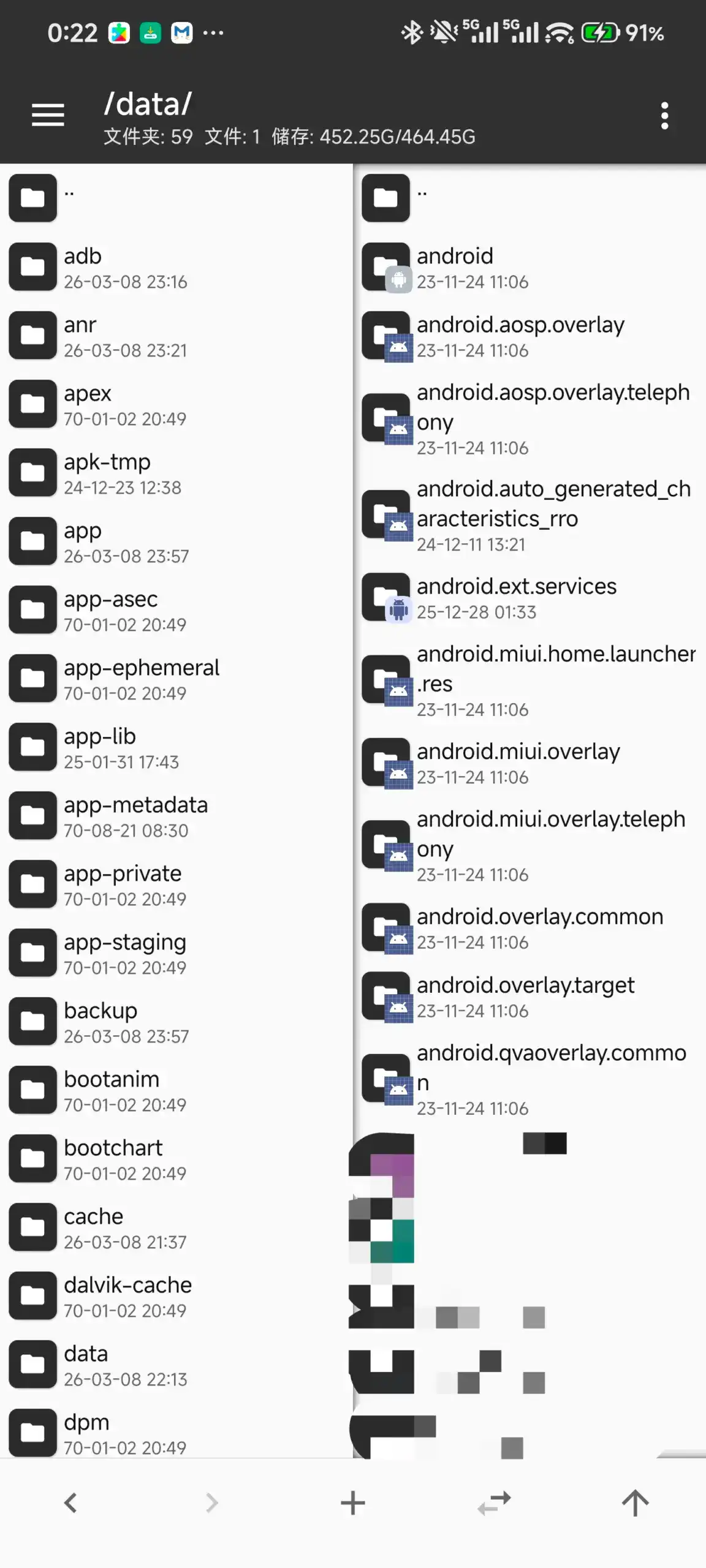
Once Shizuku has the privilege, any app that supports Shizuku can easily gain root access. In the screenshot, the developer granted access to MT Manager. When browsing files in /data, they are usually behind Android’s sandbox. The same applies to Termux or any other Shizuku-compatible App; each one first asks Shizuku for permission, and then Shizuku’s daemon grants access based on the permissions of the permitted session. To see which app is asking and what it accesses, monitor the Shizuku app by keeping it open and checking its permission page before allowing other third-party apps. The screenshot below shows that after MT Manager is granted this privilege /data directory is no longer blocked.
Things to Know
- Not a permanent root – every normal reboot clears it; re-run the fastboot and service-call sequence to restore it for that boot.
- Re-run the env step after updates – the Shizuku package path changes between app updates, so refresh the start script path when it does.
- Skip the OTA if you want to stay – updating can patch the service and, on some builds, fuse the qfuse.
- Shizuku 13.6.0 or newer – the environment-variable handoff is tested against the current Shizuku release.
If you wanted to root Xiaomi without unlocking bootloader, the Xiaomi 14, 15 and other SM8650 or SM8750 devices now do it with a copy-paste chain: set SELinux to permissive via fastboot, execute one service call to confirm root access then give Shizuku appropriate environment and all other supporting apps get elevated access as well.