The best sound MOD for Android available right now is Dolby Atmos. For many years, the Audio Mod has been popular among Android enthusiasts for the best Audio experience on any Android smartphone. Currently, I am using the Module on my Nothing Phone 2 running Android 15, and the module delivers exceptional results. The Dolby Atmos Module was extracted from the Sony Xperia and ported to Android 16 and Android 15. The Module was developed and ported by reiryuki and works on both Magisk and KernelSu apps.
In this post, we will share Dolby Atmos that works on Android 15 and Android 16. I have tested it on my Nothing Phone 2, and it’s working with amazing sound. Of course, you have to root your device to use this module; it works with Magisk and KernelSU root solutions. I have tested on Android 15 and Android 16, but the modules can work on Android 11 to Android 16. This module features Dynamic, Movie, and music surround with a custom equaliser. To get the full effect, try the Module with your Phone speaker, wired earphones, and a Bluetooth headset.
Dolby Atmos For Android
Dolby Atmos for Android is a more advanced form of spatial audio that creates a cinematic-like soundstage for your smartphone and/or tablet when you use speakers or headphones. The module offers object-based audio processing and establishes a virtual 3D sound field, which sets the Dolby Atmos Module apart for immersive audio experiences. This allows you to hear the effect of the sound, the voice, and the music in a much more realistic way than hearing them from either the left or right channel.
The Mod provides additional features on the Android platform, such as virtual surround sound, enhanced vocal clarity for dialogue and vocals, and automated volume control that dynamically adjusts based on the type of content being viewed/listened to (movies/music/games/voice). Many smartphones come with Dolby Atmos modes/presets (auto/movies/music/voice) within their sound settings to allow users to customise their experience to suit what they are viewing/listening to, and have been designed to improve both the overall loudness and noise reduction of the audio. If you wish to optimise your setup further, consider installing a Dolby Atmos Module for expanded options.
Features
- Immersive 3D surround sound on mobile.
- Clearer dialogue and vocals in movies and games.
- Pre-built Dynamic, movies, and Music preset.
- Custom Option: Intelligent Tone, Reduce Reverb, Dialogue Enhancer and Graphic Equalizer.
- Louder, richer audio with less distortion.
- Smarter volume levelling across different content.
- Works with both phone speakers and wired/wireless headphones.
Screenshots
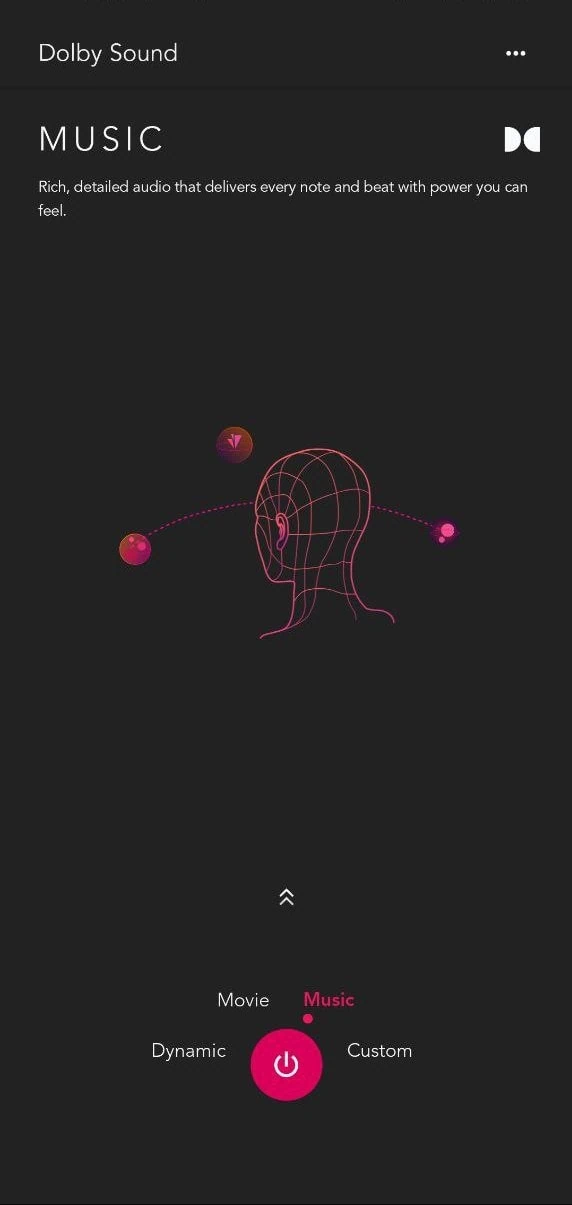
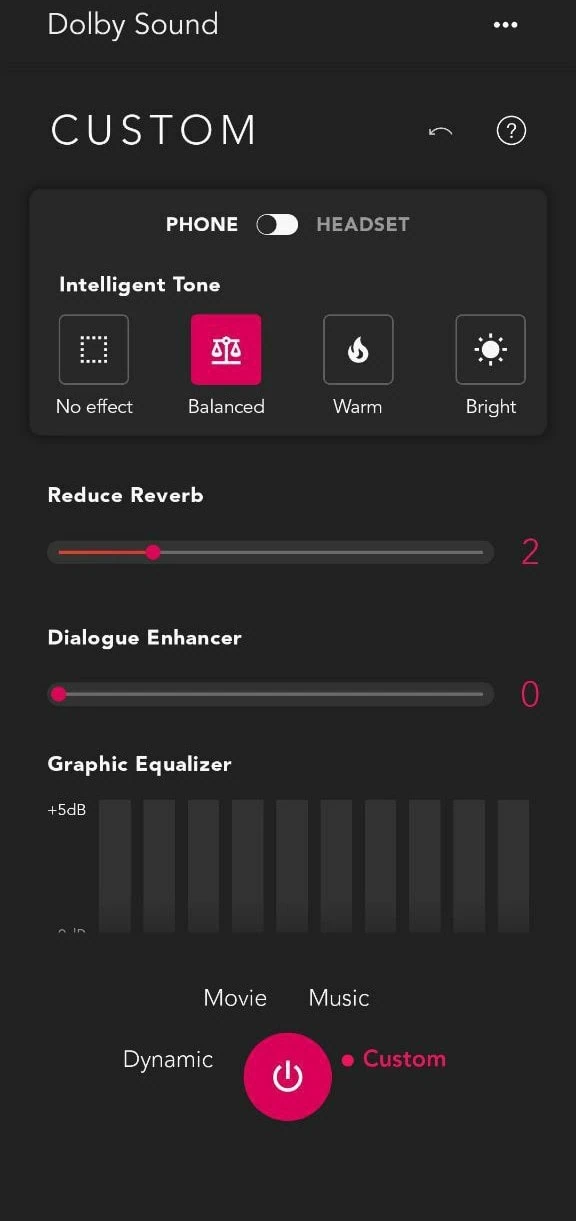
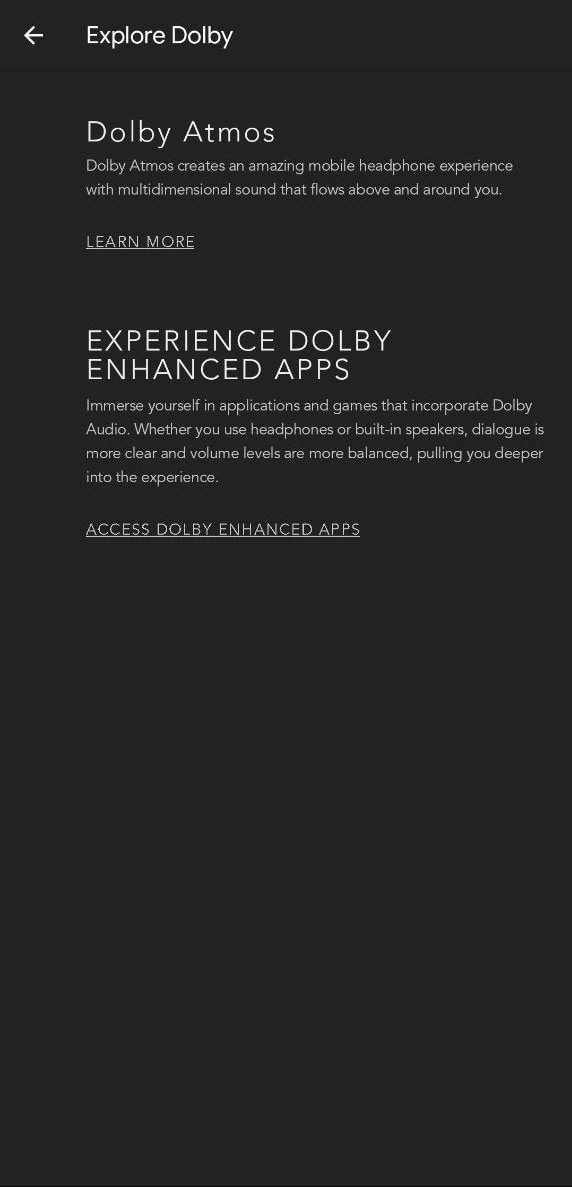
Download Dolby Atmos Module
In this download section, we will share the latest version of ported Dolby Atmos for Android, ported from the Sony Xperia 5 device. For those interested in audio advancements, the Dolby Atmos Module is included, and we will share more ported versions in the future, once they are available.
Sony Xperia 10 Dolby Atmos Module ⇒
Xperia 5 V Dolby Atmos Module ⇒ DolbyAtmos-SonyXperia5V.zip
Razer-Phone2 Dolby Atmos Module ⇒ DolbyAtmos-RazerPhone2-MagiskM@dule.zip
Chnagelogs
Dolby Atmos Sony Xperia ChangeLogs
- Fix wrong target in latest KernelSU
- Improve detections
Supported Device
- Support Android 11 to Android 16 Smartphones.
- arm64-v8a architecture.
- HIDL audio service.
- Magisk or KernelSU or Apatch Root Solution. All can work with the Dolby Atmos Module if installed correctly.
- AML Magisk Module.
How to Install Dolby Atmos on Android with Magisk or KernelSU
- First, make sure your device is rooted with Magisk or KernelSU root solution.
- Before installing the Dolby Atmos Module, install the Audio Modification Library AML Module.
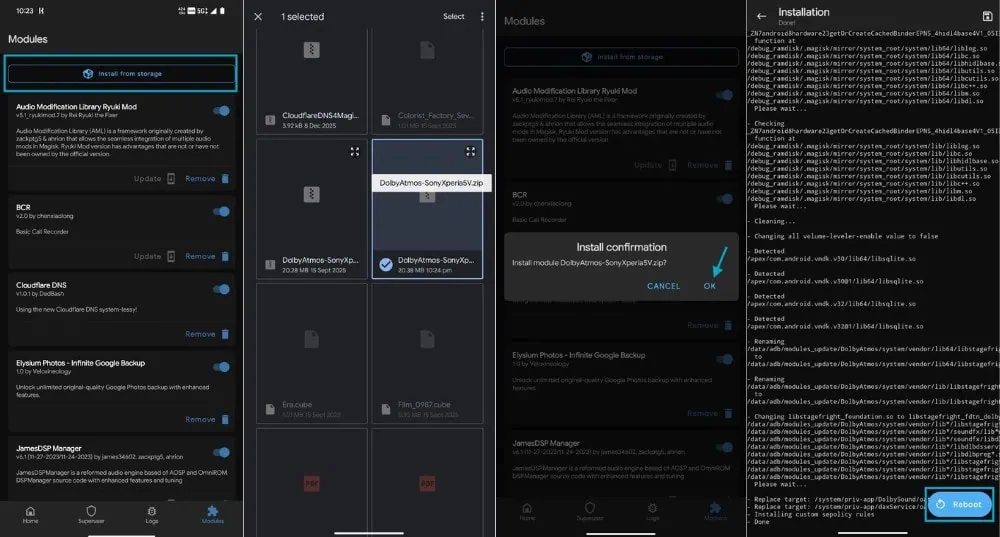
- Then download the Dolby Atmos Module from the download section and flash the Module with Magisk or KernelSU.
- Open Magisk App, Go to the Module Section ➝ Install From Storage ➝ Select The Module ➝ Confirm the Install by tapping “OK.

- Once the Installation is done, reboot your device.
- After rebooting the device, open the Dolby Atmos App and customise the audio settings according to your listening experience.
Frequently Asked Questions
Yes, the module was tested and confirmed working on selected devices that are running both android versions 15 and version 16 with proper root access.
Yes, in order to install and enable this module you will need a rooted device that has either magisk or kernelsu installed.
Yes, this module could interfere with others, so you would need to uninstall/disable any and all other audio mods and/or sound effect modules prior to installing this module.
Generally considered to be safe for an experienced user, caution is still required as with any custom audio mod; please make a full back-up of your data and proceed at your own risk.