gizdevlogo
  • NEWS
  • DEALS
  • TECH
    • HOW TO
  • DOWNLOADS
    • Stock Wallpapers
    • Stock Ringtones
    • THEMES
    • Firmwares
  • ANDROID
    • Rooting
    • TWRP Recovery
    • Unlock Bootloader
    • Custom Roms
    • Google Camera
No Result
View All Result
gizdevlogo
No Result
View All Result

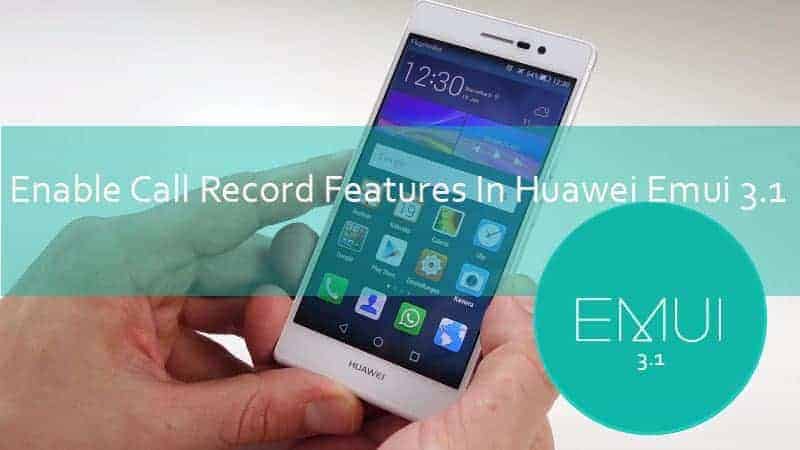
Enable Call Record Features In Huawei Emui 3.1 Rom’s
by nitya
April 1, 2018
in Addons, All In One, Apps, Downloads, How To

Enable Call Record Features In Huawei Emui 3.1 Rom’s

Enable Call Record On Huawei Emui 3.1

Content List
  • Enable Call Record Features In Huawei Emui 3.1 Rom's
      • Preparation:-
      • ⇓⇓Download HwCallRecorder.apk ⇓⇓
      • HwCallRecorder.apk
      • Instructions

Huawei released Emui 3.1 Huawei owns ui and lollipop android 5.1 for there phones Honor 6, Honor 6 Plus, Honor 4x, Honor 4c, Ascend P7, Ascend P6, Ascend Mate 7 And Many models. But many customers say no call record option after the update, here the solution you can enable call record features with this guide its tested on Honor 6, Honor 4x Honor 4c, Honor 6 Plus. So let’s go to the guide, Enable Call Record Features In Huawei Emui 3.1 Rom.

Preparation:-

  • Updated Your Device To Lollipop Emui 3.1.
  • Enable Unknown Source.
  • Download The HwCallRecorder.apk.
  • Read Instructions .

⇓⇓Download HwCallRecorder.apk ⇓⇓

HwCallRecorder.apk


Instructions

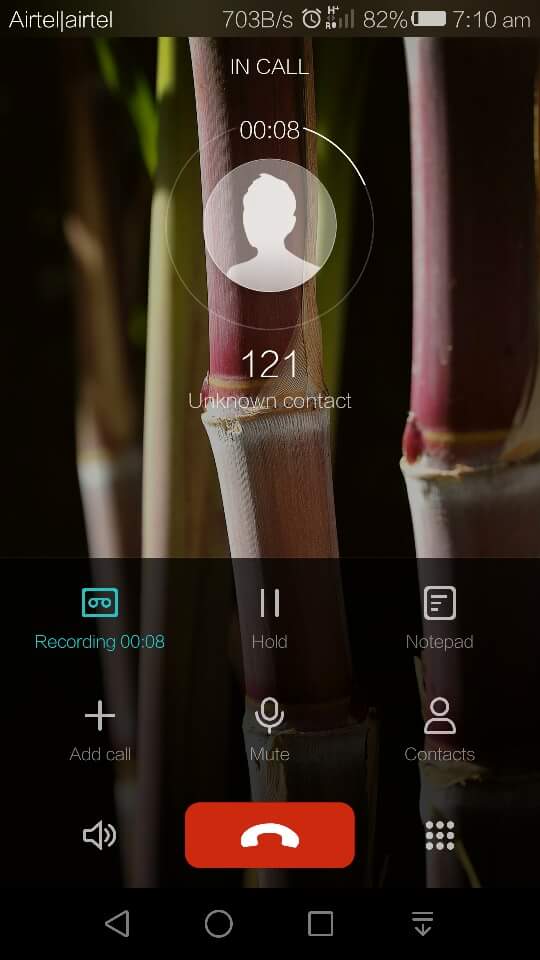
  1. Download And Install HwCallRecorder.apk.
  2. If You Want To Record When You Calling Any One Just Press Record Record Start.
 

1 of 2
- +


Credit: – B Shyam, Balaji SP B Positive, Raju

Summarize With AI:
chatgptChatGPTgoogleaiGoogle AIgrokGrokperplexityPerplexity
nitya

nitya

Nitya is a co-founder of gizdev.com, who really wants to help people. Learned almost everything by himself, started blogging at an early age. He likes to try out every Custom ROM, Mods On His Device

Related Posts

How to Convert Huawei Smartphones to CN Region

How to Convert Huawei Smartphones to CN Region For Free

Download Official Honor 600 Stock Wallpapers

Download Official Honor 600 Stock Wallpapers in FHD

Comments 3

  1. Tomasz Zap says:
    10 years ago

    is there any way to elable this feature on honor 4c with marshmallow installed ?

    Reply
  2. Syed Afnus says:
    10 years ago

    hi thr i hv downloaded and install too but im not able to record .. the record button is not responding.. in my huawei p8

    Reply
  3. Huang JunQiang says:
    10 years ago

    After updating the Huawei ROM to the latest version, you must have found all recorders in the market no longer work well – you can only record your own voice, the caller’s voice can’t be recorded.

    Boldbeast Recorder however, can record calls crystal clear in two sides for Huawei P9, P9 Plus, P9 Lite, Mate 8, Mate 7, Mate S, P8, P8 Max, P8 Lite, P7, P6, G8, G7, Honor 8, 7, 6, 5, 4 etc, even with the latest ROM. No root needed. So far this is the ONLY solution in the market that really works well without root.

    Reply

Leave a Reply Cancel reply

Your email address will not be published. Required fields are marked *

This site uses Akismet to reduce spam. Learn how your comment data is processed.

LATEST ON GIZDEV

How to Efficiently Recover Deleted Photos on an Android Mobile Phone?

Official Lenovo Legion Y70 Stock Wallpapers in FHD

Download Latest ReSukiSU v4.1.0 Kernel-based Root Solution

Leaked Samsung Galaxy Z Fold 8 Stock Wallpapers in FHD

Official Vivo X300 FE Stock Wallpapers Download in FHD

Download Latest SukiSU-Ultra v4.1.3 Kernel-based Root Solution

How to Convert Huawei Smartphones to CN Region For Free

Official VIVO S60 Stock Wallpapers & Live Wallpapers Collection

  • About Us
  • Contact Us
  • Privacy Policy
  • Editorial Policy
© 2026 GizDev. Made with ❤️ in India
chatgptChatGPTgoogleaiGoogle AIgrokGrokperplexityPerplexity
No Result
View All Result
  • NEWS
  • DEALS
  • APPS
  • THEMES
  • WALLPAPERS
  • STOCK RINGTONES
  • GOOGLE CAMERA

© 2026 GizDev. Made with ❤️ in India