Nowadays most of the Android user use stock Android or 3rd party Android operation system. In this generation, most of the people like to use big size smartphone. In addition, users of Android, HTC Sense, LG UX, Oxygen OS or Samsung One UI, it is possible that pulling the notification panel up from the bottom of the screen is a bit strange. Most of the flagship device comes with 6-inch or more size screen display. It could be very useful since not everyone has bigger hands and many users can not easily reach the top of the notifications panel. For those users, we share a guide to get MIUI 10 Style Quick Settings and Notification Panel on any android device using MIUI-ify app.
MIUI 10 Style Quick Settings And Notification Panel For Android
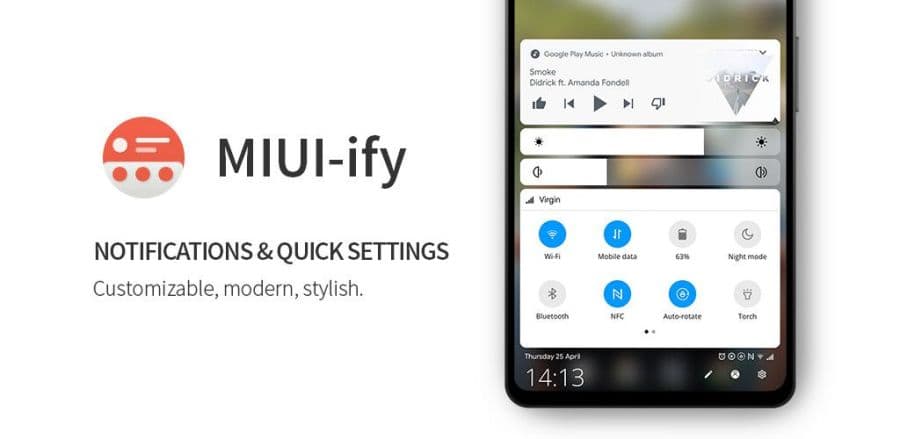
Here we share a beautiful and helpful app that made for users who wants notification panel to the bottom of your screen. Thanks to XDA Developer’s Senior Member ‘TomBayley1’ developed a beautiful MIUI 10 Notification Panel for all android users. This application based on the stock Android Q/Pie style with MIUI style panel. The MIUI-ify app is based on the latest, MIUI 10 skin. So easily you can change many types of notification style with this application. Let’s go to the main article.
Download MIUI-ify – Notification Shade


Related – How To Resize Navigation Bar In MIUI 10/9
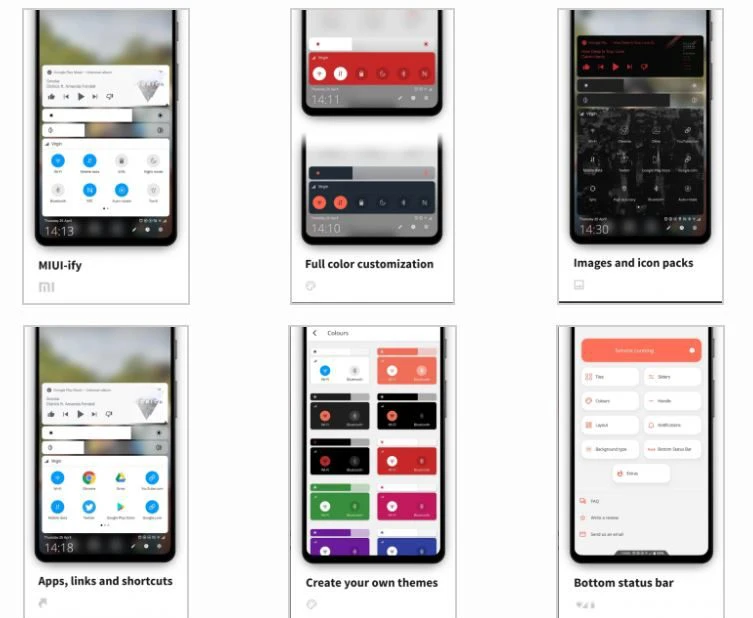
List of Features of the MIUI-ify App
NOTIFICATION SHADE
- Control all notifications.
- Reply, open, dismiss, interact and manage.
- Full-color customization.
- Dynamic colors.
BOTTOM STATUS BAR
- Move your device’s status bar to the bottom of the screen.
- Full support for notification and system setting icons.
- Full-color personalization.
- Blacklist: hide the status bar in specific apps.
QUICK SETTING TILES
- 40+ different settings.
- Add any app or URL as a shortcut in the panel.
- Layout: Change the number of tile rows and columns.
- Sliders: Screen brightness, ringtone, alarm, notifications, and media volume.
- MIUI 10 themed.
HANDLE TRIGGER AREA
- Customizable position and size so it doesn’t interfere with navigation gestures.
- Options to hide in landscape and fullscreen.
- Blacklist: hide the handle trigger in specific apps.
OTHER CUSTOMIZATIONS
- Blur the background.
- Change the colors of the panel background and the quick setting icons.
- Add a background image to the panel.
- Select an app icon pack.
- Match the navigation bar color to the footer color.
- Dark mode.
- Integration with Tasker.
BACKUP / RESTORE
- Backup and Restore your customizations.
Get extra features with Root / ADB
Ability to toggle secure system settings such as Mobile Data and Location.
These settings can only be toggled with root or a one time ADB command, due to Android’s security restrictions.
Quick Setting Options
- WiFi
- Mobile data
- Bluetooth
- Location
- Rotate mode
- Do not disturb
- Airplane mode
- Sync
- Torch / Flashlight
- NFC
- Music controls
- WiFi hotspot
- Screen timeout
- Battery Saver
- And over 22 more!
Install MIUI-ify application then set all permission and enjoy. If you have any problems comment below. Also, you can contact us at our Official Facebook page GIZDEV. Like our Facebook and Instagram pages for more stuff and updates on phones, themes, customizations, leaks, mods.
Other Updates
- MIUI 10.3.7.0 For Poco F1
- MIUI 10 Oreo For Redmi 5A and 5
- Stable MIUI 10.3.3.0 For MI Mix 2S
- MIUI 10.3.5.0 For Poco F1