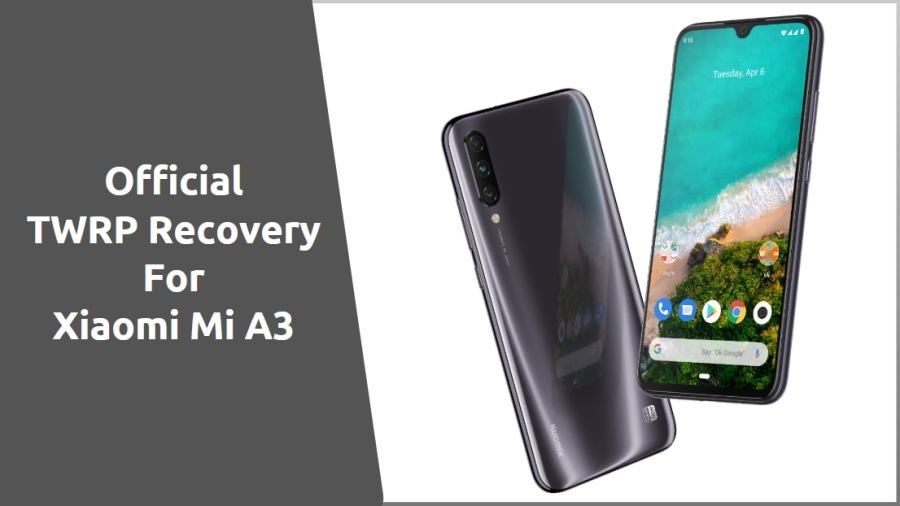
Finally, TWRP for Xiaomi Mi A3 is available to download. Xiaomi launched its latest Indian mid-budget smartphone with a beautiful look and specification. These devices come with the latest Android One based on the Android 10 version. To flash TWRP Recovery need to use ADB Tool, we have shared the full guide with recovery below. Now we will show you how to Install TWRP Recovery for Mi A3 using ADB Tool.
Mi A3 Specification:
The Mi A3 has 6.09 inches Super AMOLED capacitive touchscreen. This device comes with Qualcomm SDM665 Snapdragon 665 (11 nm) processor, and it comes with 4/6 GB of RAM. The device runs on the Android 10 (Android One) out of the box. It has a Non-removable Li-Po 4030 mAh battery.
The camera is the most highlight features in this device. Xiaomi offers a triple camera setup on the Mi A3 consisting of a 48-megapixel primary sensor, an 8-megapixel ultra-wide angle sensor with a 118-degree field-of-view, and a 2-megapixel depth sensor. At the front, it has a 32-megapixel selfie shooter.
Xiaomi Mi A3 temporarily has an unofficial TWRP port. Still, if you are one of those ports waiting for an official build, your wait is finally over – the official TWRP is now available for your device. Here we share “TWRP for Mi A3,” which will make it easier to Root. After install TWRP recovery, you can now install Custom ROM, Kernel, Mods, Root, or even back up and restore any ROM. First, we will install TWRP recovery using ADB.
TWRP Recovery For Xiaomi Mi A3
TWRP stands for Team-Win Recover Project. We all know that TWRP recovery and rooting your smartphone is useful for customizing your device and installing mods. But installing TWRP recovery, you need some tools. Before doing all those processes first, we need to unlock the bootloader of the Xiaomi Mi A3. Without unlocking the bootloader, you can’t install TWRP on your device. Here we provide TWRP v3.3.1 for Xiaomi Mi A3.
Preparation:
- Charge your device, a minimum of 70%.
- Backup your essential data, in case, remove all data.
- Install Xiaomi Driver.
- Enable Developer Options and USB Debugging on the MI device.
Go to settings ⇒ About phone ⇒ Tap on “build number” 7 times to enable developer options.
Go to your settings ⇒ Developer options ⇒ tick the “ USB debugging ” checkbox.
- This installation guide is exclusively for OnePlus 7 Pro. Don’t use it on other devices.
Download Mi A3 TWRP Recovery
Download other required files:
- ADB Tool: ADBFASTBOOT TOOL
- Download Magisk from Here.
Install Official TWRP For Mi A3
1. First Read Preparation Unlock Bootloader Download Required Files.
2. Download “adb-fastboot-tool.zip” extract it on a desktop.
- Download TWRP img and all files from above. Then copy all those files in your device and do keep a copy of TWRP on the computer.
3. Rename TWRP recovery file to “recovery.img” and copy to adb-fastboot-tool folder.
4. Open CMD windows in adb-fastboot-tool folder by Shift + Mouse Right-click.
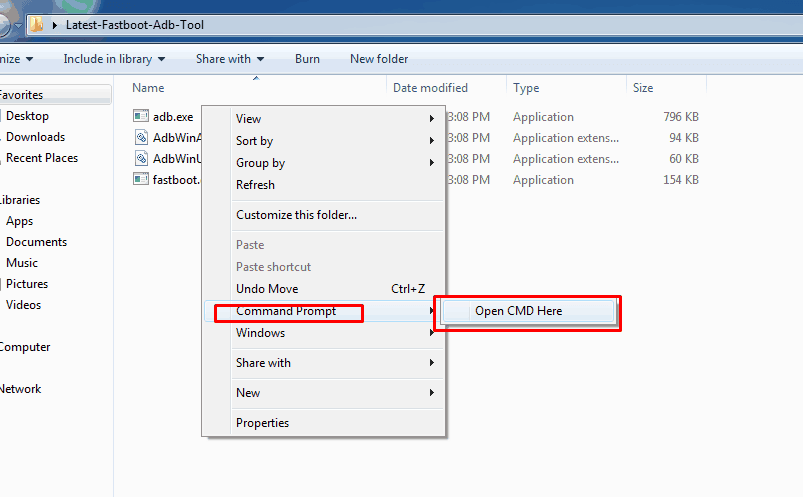
5. Connect your device to the PC; make sure USB Debugging is enabled.
6. Now Reboot your Mi A3 in Bootloader Mode, using this command.
adb reboot bootloader
› If you get Permission popup in your device, then Allow it.
7. Once your device in fastboot mode, Now paste this command on command window and hit enter to install TWRP recovery temporarily.
fastboot boot recovery.img
8. This will install the TWRP temporarily. Now boot into TWRP Recovery.
9. Now flash the TWRP Recovery flashable zip file, which you have moved to internal storage.
10. Then click the install button and select “twrp.img” to install TWRP permanently in your device.
11. Once done, click on the Reboot system button to restart the device.
12. That’s it.
If you have any problems, comment below. For more updates on stuff like flashing, wallpapers, themes, etc. like our Facebook page.
Other devices recoveries
- Root Samsung Galaxy A10S
- Root Samsung Galaxy A30S
- Install TWRP Recovery And Root Nokia 7.2
- Root Nokia 7.1 With TWRP Recovery