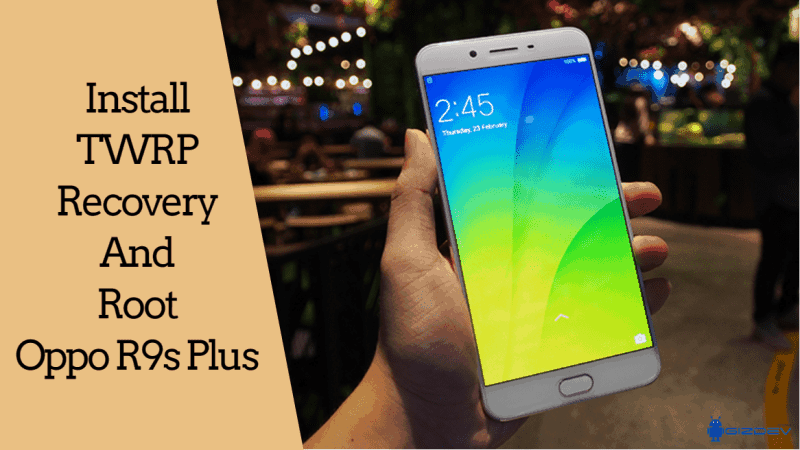
Two years ago Oppo launched the Oppo R series device, named R9s Plus. The new Oppo R9s Plus comes with a dual selfie camera, they called this device a selfie expert camera. Many people already bought these smartphones. Today I saw “TWRP for Oppo R9s Plus” and a guide to “root Oppo R9s Plus” in the XDA forum. Here we share a full guide to installing TWRP Recovery and Root Oppo R9s Plus.
TWRP Recovery And Root Oppo R9s Plus:
Here we will guide to installing TWRP recovery on Oppo R9s Plus. Also, Oppo R9s Plus via Magisk with a simple guide. If you have R9s Plus, want to install TWRP Recovery for Oppo R9s Plus and root method. You can easily install TWRP recovery with MsmDownloadTool via this guide. Here you find to install TWRP Recovery and Root Oppo R9s Plus.
After launching Oppo R9s Plus already started to develop mods, and custom ROM, also if you want to install Viper4Android, Dolby or any sound mod on Oppo R9s Plus. If you want to install custom ROM or any mod then need to install TWRP Recovery and root access. Thanks to XDA Member iHeymanth to share this guide. Here we provide unofficial TWRP 3.1.1-0 for Oppo R9s Plus. So let’s go to the steps below to Install TWRP Recovery And Root Oppo R9s Plus.
Requirements:
- Download USB Drivers for Oppo Devices or Oppo PC Suite
- Download all Firmware and TWRP recovery from below and extract all files on your computer in the same folder.
- Read the instruction carefully.
Download:
- Oppo R9s Plus Marshmallow Firmware
- Oppo A57 Firmware (For MsmDownloadTool permission)
- TWRP for Oppo R9s Plus: recovery.img
- Root File > Download SuperSU.
Install TWRP Recovery For Oppo R9s Plus:
- First, switch off your device (if not), then connect it to your PC via USB cable holding the Vol up button.
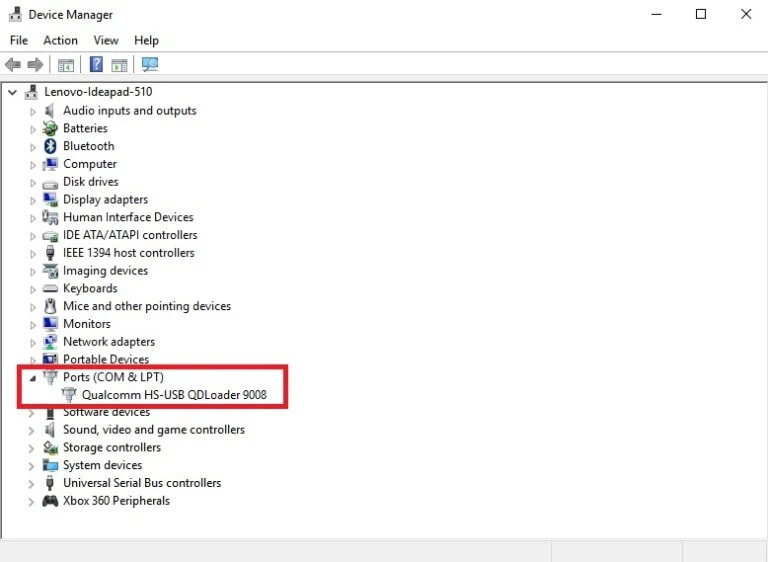
- Open device manager in your desktop, under unknown devices you see ” QHUSB_BULK ” right click on it and select Upgrade driver software.
- You’ll see “Qualcomm HS-USB QDLoader 9008” under Ports (COM & LPT) option.
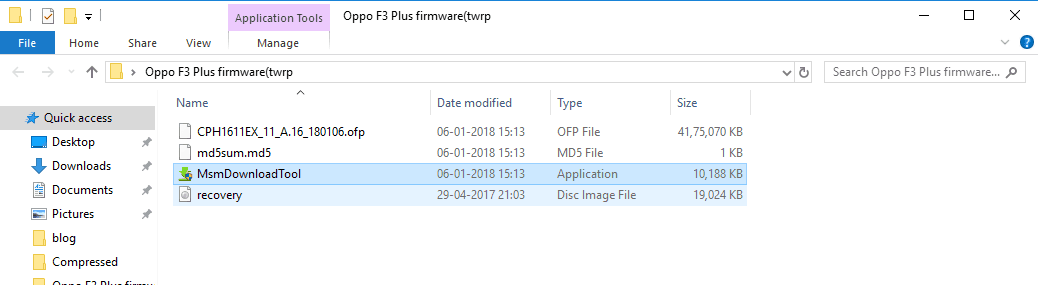
- Now open the firmware A57 Firmware folder then right-click on MsmDownloadTool.exe and you will get a Session Timeout error, simply ignore and close it.
- Then run MsmDownloadTool as administrator from R9s Plus firmware folder.
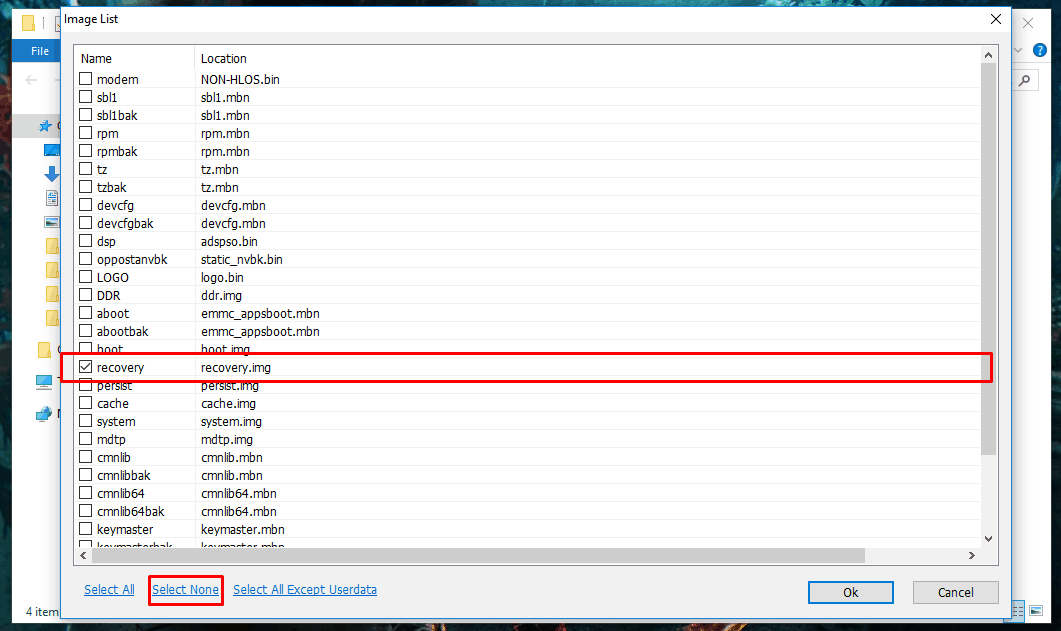
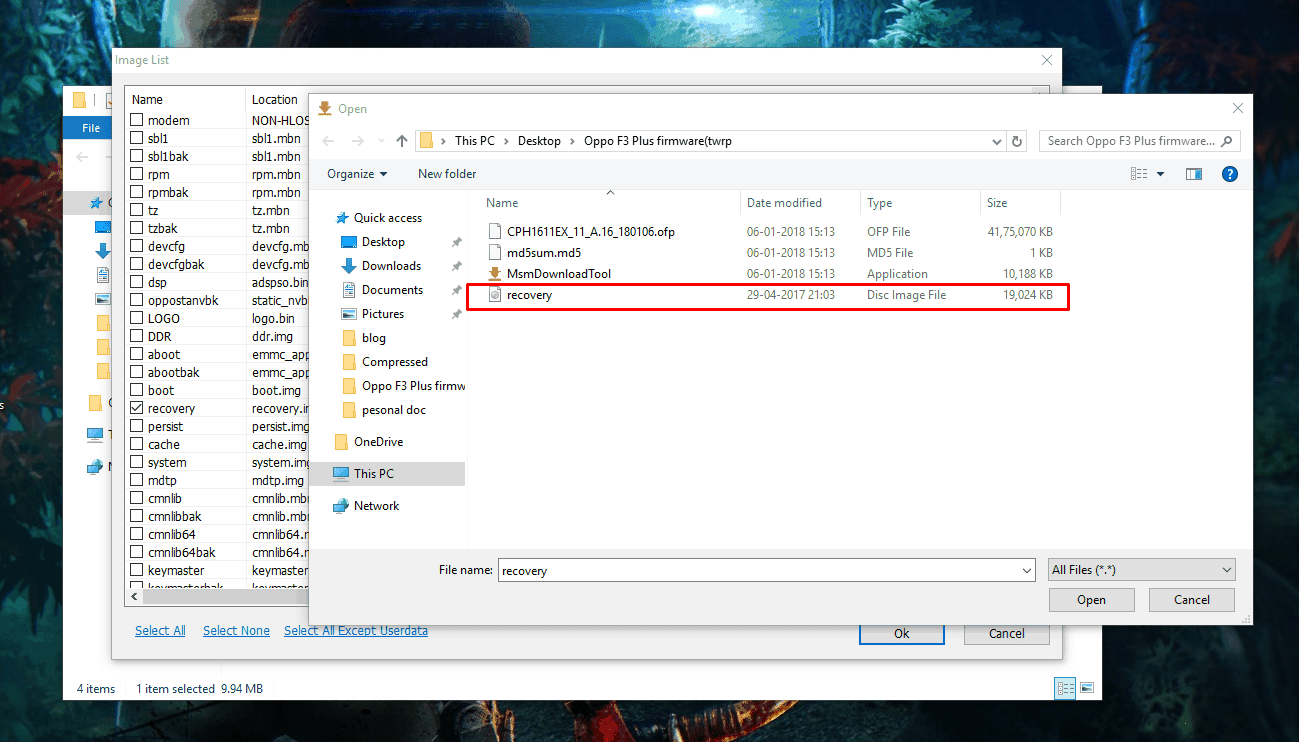
- Press F5, then click on “Select None” to uncheck all options except Recovery and then double click on Recovery option and select the recovery.img from firmware folder.
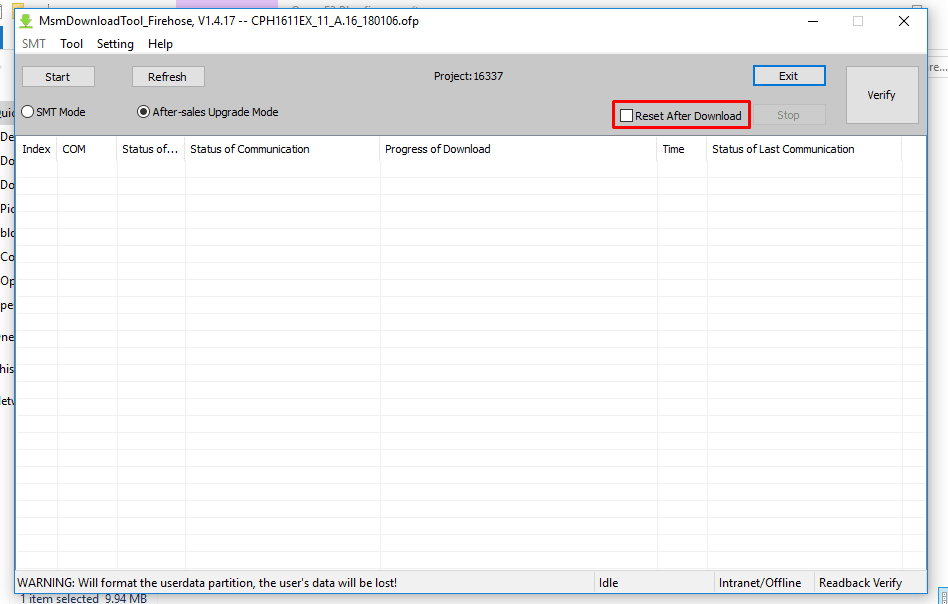
- Now uncheck “Reset After Download“.
- Then click on the Start button in the top of the left corner.
- Once the process is complete, a green text will appear via pop-up.
- Reboot your device Press Vol Up and Power Button and release them when it vibrates. Now immediately after seeing oppo logo again press Vol up + Power button to Power off your device to prevent booting!!!!
- Now press Vol Down + Power button to Enter into TWRP recovery on Oppo R9s Plus.
Root Oppo R9s Plus With SuperSU:
- Download the modified SuperSU and copy it to the Internal Storage or external storage.
- Turn off your phone and turn it into recovery mode By Volume UP + Power.
- Now Don’t Allow Modifications.
- Go to Install Navigate to SuperSU.zip Swipe to install.
- Reboot your phone.
- Or read the guide on our magisk article.
If you have any problem do comment below. Also, for more updates on stuff like ROM, wallpapers, themes etc like our Facebook page.