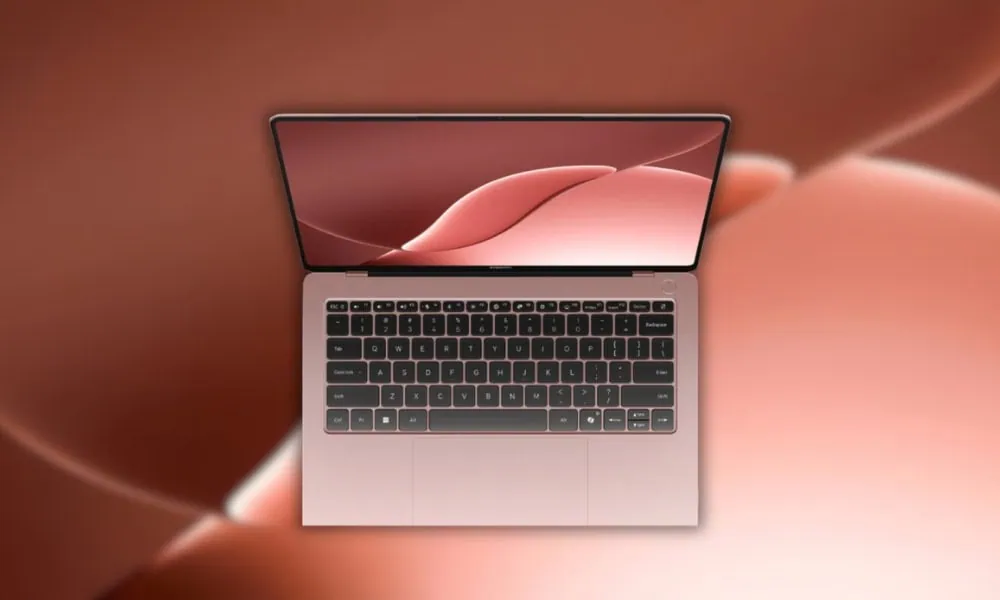
Xiaomi officially announced the most budget-friendly laptop, the Xiaomi Book Pro 14. We have already updated the Xiaomi Book Pro 14 news and updates on our Telegram channel. The newest Xiaomi Book 2026 laptop has still not been launched for sale, but some devices are provided for media and YouTubers. Some media persons shared the Xiaomi Book Pro 14 wallpapers on Twitter. This article will share Xiaomi Book Pro 14 2026 Wallpaper in 4K for Desktop and Laptop.
In this post, you can download Xiaomi Book Pro 14 2026 Wallpapers. We have extracted all the wallpapers from the Xiaomi Book Pro 14 2026 devices. The wallpapers are in 4K resolution. We have zipped all the wallpapers so you can download them easily. You can apply these Wallpapers to your Windows or Linux device to test MacOS on your device :D.
About Xiaomi Book Pro 14
The Xiaomi Book Pro 14 is a high-end thin-and-light laptop that has a 14.6-inch OLED screen with 3.1K resolution, a 120Hz refresh rate, and 1600 nits peak brightness. This laptop has some serious “horsepower” under the hood, but weighs in at 1.08 kg and has a very thin form factor. It comes equipped with the Intel third-generation Core Ultra X7 358H processor, so you can expect a lot from this laptop when it comes to productive work or creative applications.
Xiaomi Book Pro 14 has drive slots for up to 4 TB of storage as well as an M.2 SSD slot. There is a very nice large pressure sensitive touchpad on the Book Pro 14 and also provides gesture control. In addition to the touchpad there are a wide variety of ports including Thunderbolt 4, USB Type-C, USB Type-A, HDMI 2.1, and a 3.5 mm headphone jack. The thermal management for this laptop is accomplished using a vapor chamber cooling system with two fans and a three-air duct configuration so the computer can run at full throttle (up to 50 W) while being loaded.
Xiaomi Book Pro 14 Wallpapers
The official Xiaomi Book Pro 14 wallpapers are now available. Though only a few wallpapers are available now, you can download the official ones on the devices themselves. We will update more wallpapers once we have them. Until then, download the Blue gradient, Deeper blue tones, Pink gradient with soft powder, Peach and coral tones, Purple, orange, and white blend tall rounded bars wallpapers below from the Xiaomi Book Pro 14. To get inspired for your desktop or lock screen, try customizing with Xiaomi Book Pro 14 Wallpapers for a fresh new style.




Note: the images listed above serve as a preview of the wallpapers and are only intended for representational purposes. It is important to note that the preview images are of lower quality, hence it is not recommended to download them directly. Instead, kindly utilize the designated download link provided in the section below for obtaining the wallpapers.Download Wallpapers In ZIP File –
How to Set these Wallpapers on Home Screen, Lock Screen, and Always-on Display
- First, download the Xiaomi Book Pro 14.zip file and unzip it using File Manager or Explorer.
- Open File Manager and Browse The unzipped wallpapers folder.
- Select the Wallpaper you like, tap on the 3-dot menu, and then tap Set As Wallpaper, Home Screen, or Always-on Display.
Please share those wallpapers with other communities and forums if you like them. Don’t forget to join our Telegram group for more wallpapers, Themes, and ringtones updates.