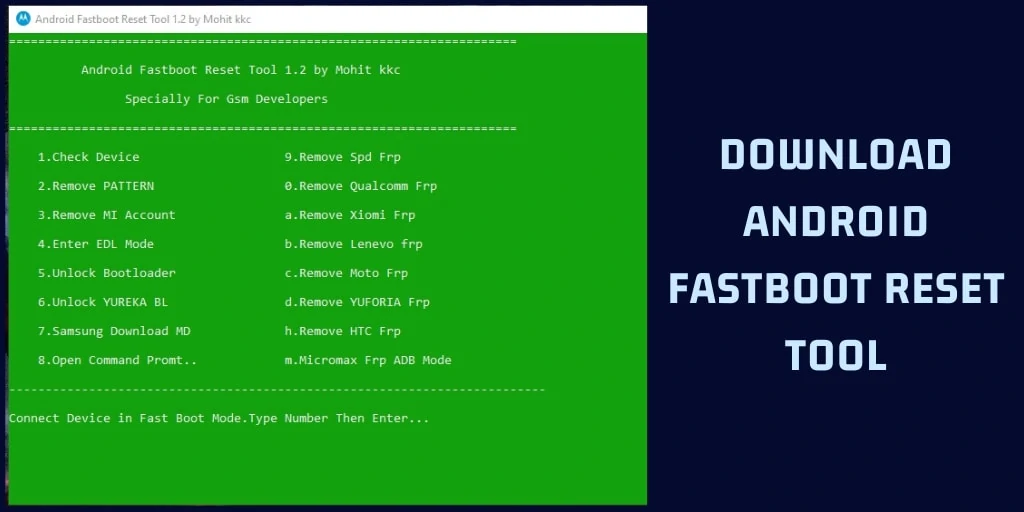
Android Fastboot Reset Tool is a simple tool that offers many essential features for Android devices. Android is the most popular customizable OS in the world. After unlocking the bootloader and rooting your Android device, many users face some issues. In this post, we will share the latest AFR Tool v1.2 with you. The Tool supports Qualcomm (all features supported), SPD, and MTK processor devices. If you have the following Android device, then you can perform all the operations without losing your data.
Android Fastboot Reset Tool For Windows PC
Earlier Android smartphones were not as secure as the new ones. Google has now added many security features, such as Factory Reset Protection (FRP). Now, FRP is used on almost all devices, which locks the device if you format it directly via recovery.
Here we share the best guide to removing the FRP lock or bypassing it using the Android Fastboot Tool. Also, the tool offers many multi-purpose functions, such as removing the FRP lock, unlocking the bootloader, bypassing the MI account, bypassing the screen lock, etc.
Features of Android Fastboot Reset Tool v1.2
The Tool is a very simple and powerful tool you can use with MediaTek, Qualcomm, and SPD (Spreadtrum) devices. The tool is easy to use and does not require root or any other privileges.
- Remove:
- Pattern Lock
- SPD FRP
- Qualcomm FRP
- Xiaomi FRP
- Lenovo FRP
- Moto FRP
- Yuforia FRP
- HTC FRP
- Micromax FRP
- Unlock Bootloader
- Remove Mi Account
- Samsung Download MD
- Enter EDL Mode
Above listed, all features come with Tool. All features are working very well with any Android device except the “Remove Mi Account feature.”
Pre-Requisite:
- This tool will work only on a Windows PC.
- Install the USB Driver from here. (If your device doesn’t detect.)
- Remember to disable the antivirus on your PC before installing this tool.
Android Fastboot Reset Tool v1.2 Download Link
Thanks to Developer “Mohit kkc” for building this awesome tool for Android users.
How to Use Android Fastboot Reset Tool
- First, download the “Android_Fastboot_Reset_Tool v1.2.zip” file and extract it on your PC.
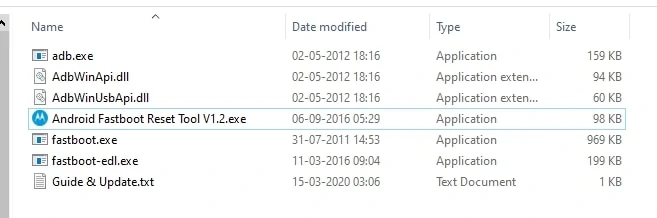
- Now go to the extracted folder and open the “Android_Fastboot_Reset_Tool V1.2.exe” file.
- You will see a pop-up box with a list of all the features that the can tool perform. As shown in the image below.
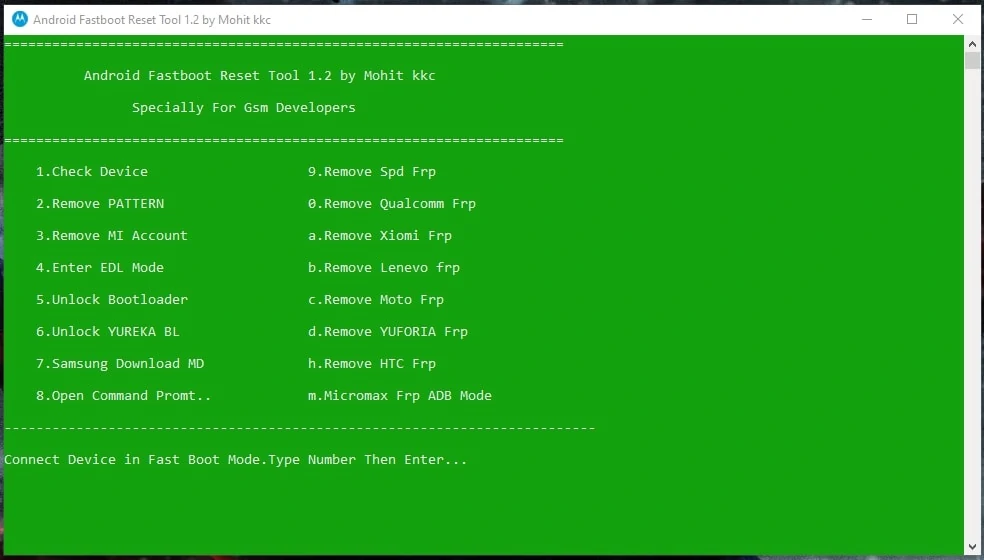
- After that, you need to boot your device into Fastboot Mode and connect it to the PC using USB.
- To enter Fastboot mode, make sure your phone is turned off, then press and hold the Volume up and Power buttons.
- Now type 1 and press enter to check smartphone is connected or not.
- If your device is connected successfully, then you can use all the features of the tool.
- You can select an option by typing any number or alphabet that shows the operation and clicking Enter.
- Once the process is complete, disconnect your device from your PC and restart.
- That’s it, now all the operations are supported by the Android Fastboot Reset tool on your Android device.
If you like the guide, please share it with other communities and forums. Don’t forget to join our Telegram group for more Android stuff, wallpapers, Themes, and ringtones.