Fastboot Enhance tool is developed by GitHub user libxzr, it’s an enhanced version of the official Fastboot tool modified with many features. The tool is based on a graphical interface and supports Windows 11 to Windows 10. With the unique functions inside this Fastboot Enhance Tool, you can flash images, erase partitions, Unpack Payload.bin, and much more. In this post, we will share the latest version of the Fastboot Enhance tool that supports most Android Phones.
The FastBoot Enhance is particularly helpful to those who have to deal with new A/B Partitioned Devices and use Payload.bin OTA Packages to update the device using older image files. Using FastBoot Enhance’s simple graphical interface, anyone can easily unpack the contents of Payload.bin, view the contents of individual partition images, and prepare them for manual flashing or backup purposes. This is just some of what the Fastboot Enhance Tool can help with for your Android device.
Fastboot Enhance Features
- Show fastboot vars with Fastboot Enhance Tool for more advanced options
- Switch between fastbootd & bootloader using the Fastboot Enhance interface
- Switch between A & B slot
- Flash Payload.bin in fastbootd
- Flash images
- Erase partitions
- Delete logical partitions
- Create logical partitions
- Resize logical partitions
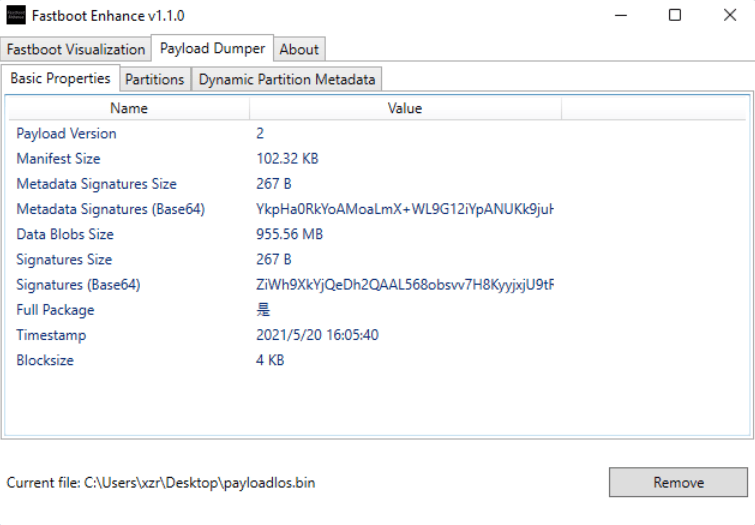
- Unpack Payload.bin
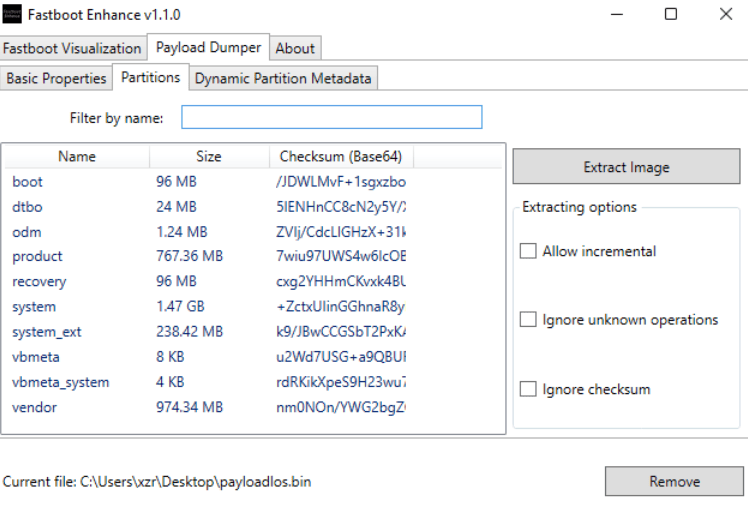
- Extract specific image from Payload.bin
- Show Payload vars
- Show dynamic partition metadata
Supported Device
- Most of the Android phones – OnePlus, Nothing Phone, Realme, Google Pixel, Xiaomi, and most of the Android phones are compatible with the Tool.
- Android 8.0 to Android 15 can utilize the Fastboot Enhance features
- Support A & B slot
Requirements
- A Windows PC or Laptop is needed to run Fastboot Enhance Tool.
- Support Windows 10 to Windows 11.
- Net Framework and VC Redist runtime are installed on your PC
- An Android device with an unlocked bootloader ➝ How To Unlock OnePlus Phone Bootloader
- Fastboot USB drivers must be installed on your PC ➝ Latest Google USB Drivers
Chnagelogs
v1.4.0 Latest
Add support for removing pending update ( #3 )
Add japanese translations ( #7 )
v1.3.0
New icon
Add support for opening zips with payload.bin inside
Add support for showing progress on taskbar
v1.2.0
Add support for reboot to system & recovery
Screenshots
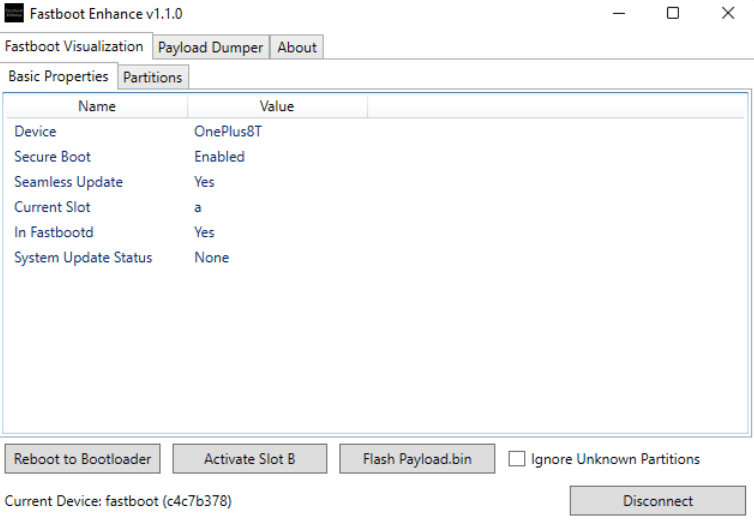
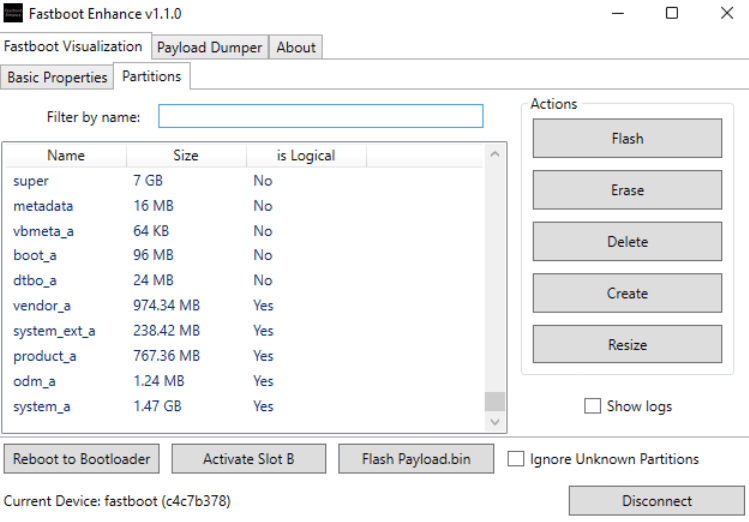
Download Latest Fastboot Enhance Tool
Here you can get the latest Fastboot Enhance Tool v1.4.0 in a zip file, so you can download even if the official links have stopped working. You can start using Fastboot Enhance Tool on your Windows system right after download.
Download ⇒
How To Use Fastboot Enhance
- Simply download and unzip the tool. In just a few seconds, the Fastboot Enhance Tool will be ready to operate.
- Connect your phone to fastboot mode using the Tool for a streamlined setup.
- Run the Fastboot Enhance the device will show in the home screen.
- Go to the Partitions tab and browse and flash the image you want with the Tool.
- To unload the Payload.bin, go to Payload Dumper and browse the file while using Tool.