gizdevlogo
  • NEWS
  • DEALS
  • TECH
    • HOW TO
  • DOWNLOADS
    • Stock Wallpapers
    • Stock Ringtones
    • THEMES
    • Firmwares
  • ANDROID
    • Rooting
    • TWRP Recovery
    • Unlock Bootloader
    • Custom Roms
    • Google Camera
No Result
View All Result
gizdevlogo
No Result
View All Result

Guide To Install Customized Framework For Moto G4 Play (Stock ROM)
by Abhishek
June 21, 2020
in All In One, Android, Tools
Guide To Install Customized Framework On Moto G4 Play (Stock ROM)

Guide To Install Customized Framework For Moto G4 Play (Stock ROM)

Guide To Install Customized Framework For Moto G4 Play (Stock ROM)

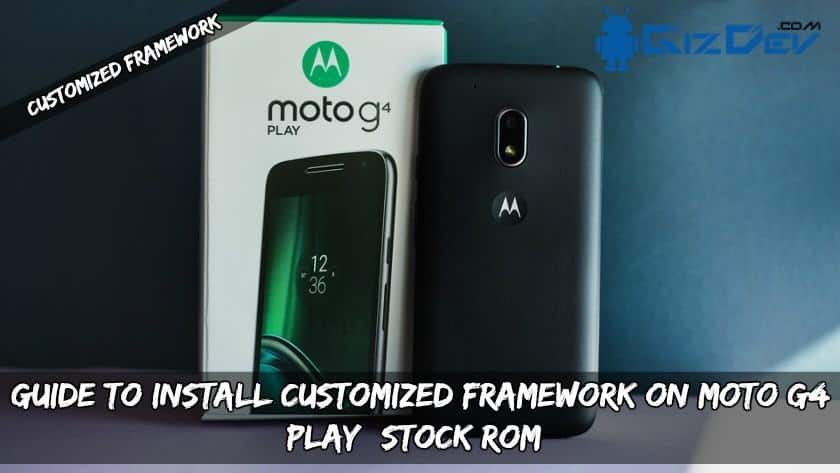
Guide To Install Customized Framework For Moto G4 Play (Stock ROM). Follow the guide to install this customized framework on Moto G4 Play. Let’s get some information about the Moto G4 Play.

Content List
  • Guide To Install Customized Framework For Moto G4 Play (Stock ROM)
      • Short Info About Moto G4 Play:
      • Features of customized framework: 
      • Guide To Install Customized Framework In Moto G4 Play:
    • ⇓⇓ Download Customized Framework Zip File ⇓⇓

Short Info About Moto G4 Play:

Motorola launched G4 Play in May 2016. It launched with the 1.2Ghz quad-core Qualcomm Snapdragon 410 processor. The G4 Play comes with 5 inch HD 720  pixels by 1280 pixels Full Hd display. G4 Play Powered by quad-core processor 2GB of ram. About the storage, it has 16GB of internal memory Expandable up to 128GB. About the camera, Moto G4 Play has 8 – megapixel dual back camera and 5-megapixel front for selfies. G4 Play is running on a 2800mAh Non-removable battery.

This is a customized framework mod for G4 play. It is only compatible with G4 Play stock ROM. Let’s check it out this customized framework features.

Features of customized framework: 

  • Decreased minimum brightness from 5 to 1.
  • Decreased the dimming brightness from 10 to 5.
  • Enabled the Multi-User support
  • Allowed all rotations
  • Set multi-user limit from 1 to 4.
  • Disabled that annoying notification “turn on screen if unplugged from charger”.

Supported device:

Moto G4 Play STOCK ROM ONLY, DON’T TRY OVER ANY OTHER ROM.

Guide To Install Customized Framework In Moto G4 Play:

  1. Download the below Customized_fraework.Zip and copy it to your external memory.
  2. Reboot your phone into recovery, by pressing Power+VOL UP+VOL DOWN buttons.
  3. In the recovery menu, Click on Install, navigate to the Customized_fraework.Zip.
  4. Swipe to install the zip, clear caches and reboot your smartphone.

Recommended For You:

  • Guide To Install TWRP Recovery And Root Samsung J2 2016
  • Install Xposed in Moto X 2nd Gen with Android Marshmallow
  • [MOD] CAMERA NEXT Camera Mod For Xiaomi Device
  • [Apk] Install Huawei P9 Camera On Any Android Device
  • Install Audio Mod Dolby ATMO’S On Redmi Note 3 With Twrp

⇓⇓ Download Customized Framework Zip File ⇓⇓

Customized_fraework.Zip

If you like it, Don’t forget to share !! If any problem, comment below. 

Summarize With AI:
chatgptChatGPTgoogleaiGoogle AIgrokGrokperplexityPerplexity
Abhishek

Abhishek

A Mechanical Engineer, blogger, content writer, and digital marketer. A hardcore tech enthusiast. Loves to try out the new tech especially in the Android world. Apart from content writing, he loves gaming and traveling. Shoot a mail, to write your content.

Related Posts

All Motorola Razr Fold Stock Wallpapers in a ZIP File

Download All Motorola Razr Fold Stock Wallpapers in a ZIP File

Motorola Moto G Play 2026 Stock Wallpapers

Motorola Moto G Play 2026 Stock Wallpapers in FHD

Leave a Reply Cancel reply

Your email address will not be published. Required fields are marked *

This site uses Akismet to reduce spam. Learn how your comment data is processed.

LATEST ON GIZDEV

Official Redmi K90 Ultra Stock Wallpapers from Xiaomi

How To Install SUSFS Module – Root Hiding Service for KernelSU

How to Efficiently Recover Deleted Photos on an Android Mobile Phone?

Official Lenovo Legion Y70 Stock Wallpapers in FHD

Download Latest ReSukiSU v4.1.0 Kernel-based Root Solution

Leaked Samsung Galaxy Z Fold 8 Stock Wallpapers in FHD

Official Vivo X300 FE Stock Wallpapers Download in FHD

Download Latest SukiSU-Ultra v4.1.3 Kernel-based Root Solution

  • About Us
  • Contact Us
  • Privacy Policy
  • Editorial Policy
© 2026 GizDev. Made with ❤️ in India
chatgptChatGPTgoogleaiGoogle AIgrokGrokperplexityPerplexity
No Result
View All Result
  • NEWS
  • DEALS
  • APPS
  • THEMES
  • WALLPAPERS
  • STOCK RINGTONES
  • GOOGLE CAMERA

© 2026 GizDev. Made with ❤️ in India