

Are you tried downloading files from pan.baidu.com?. If you are a daily download user of pan.baidu.com then you can find the solution here. Here is the 2020 guide for Downloading files from pan.baidu.com. This is a fully working pan.baidu.com chrome downloader extension called baidudl to Download files at full speed without restriction.
We have already posted pan.baidu.com Download script but it’s no more working and the script is outdated. So here we have found another fully working Baidu downloader extension created by Kyle-Kyle to Download files from pan.baidu.com. This is a fully working pan.baidu.com extension without any restriction support Internet download manager and acceleration.
The pan.baidu.com is alike the Chinese google drive pan.baidu.com part of baidu.com. The pan.baidu.com a cloud drive for Chinese users gives you free 2 GB of space to share files images videos. If you are a viewer of Chinese forum blogs, and interested to download files from outside of China but you can’t download them at full speed and have many restrictions. So here is the extension to download files at full speed without restriction from pan.baidu.com.
New Guide – How to Download files from pan.baidu using Link Generator
Requirements:-
- Chrome Browser.
- Internet Download Manager.
- Baidu Account.
Preparation:-
- First Create a Baidu Account ⇒ Create Baidu account without China number and VPN.
- Install baidudl chrome Extension In Your Browser.
- Read the Guide.
How To use baidudl Extension and download Files From pan.baidu.com
1. Download and install the baidudl Baidu Downloader chrome Extension.
Baidu-dl chrome Extension download link ⇒
2. Unzip the zip file and copy the baidudl-master folder to C drive.
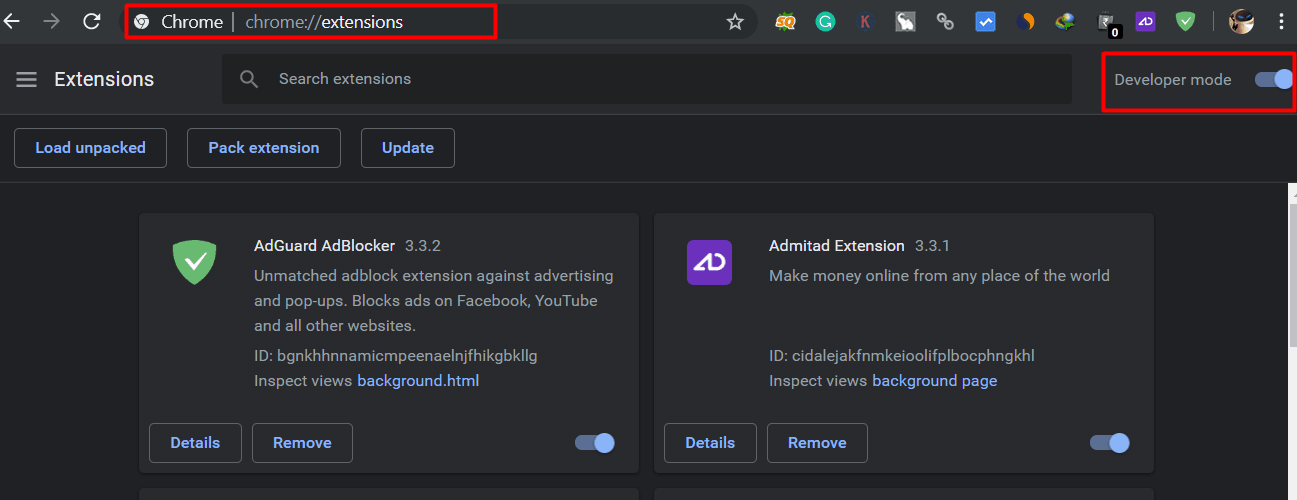
3. Open chrome browser navigate to ⇒ chrome://extensions in your browser and enable Developer mode.
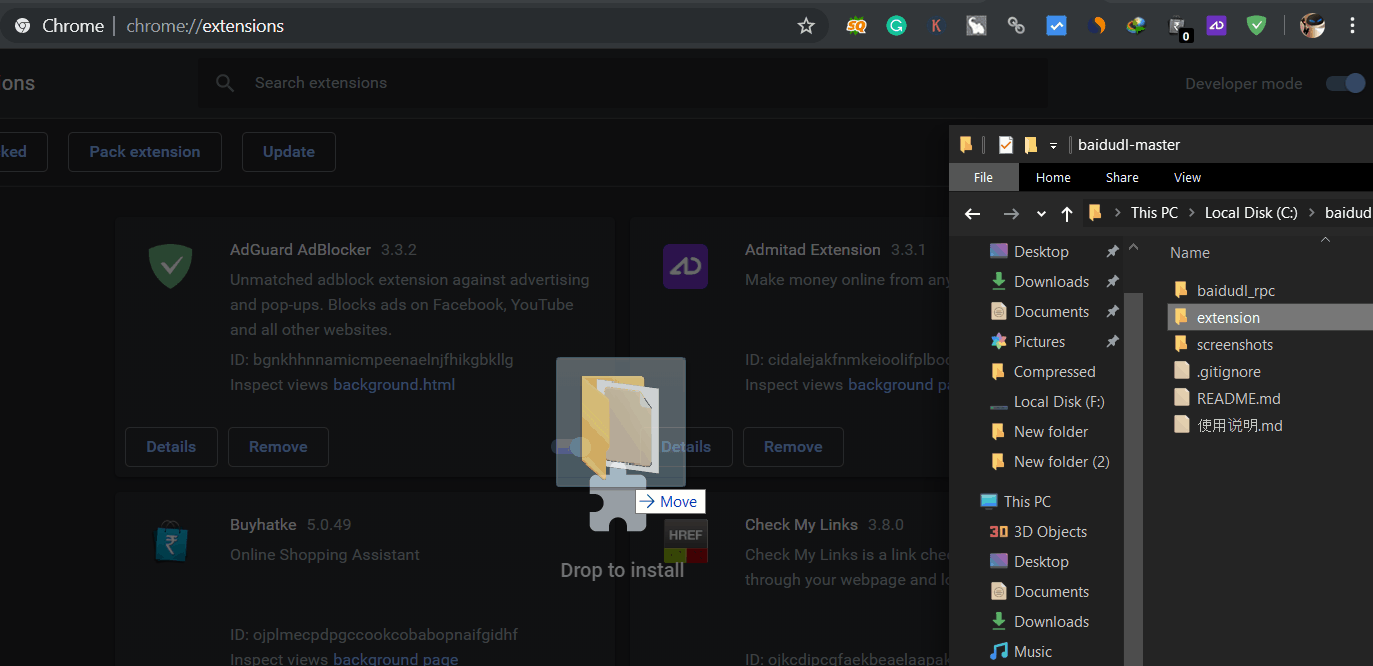
4. Now drag and drop “extension”folder from baidudl-master folder to the chrome browser chrome://extensions tab.
5. Now visit any pan.baidu link and login to pan.baidu.com with your baidu account follow this steps to create a baidu account.
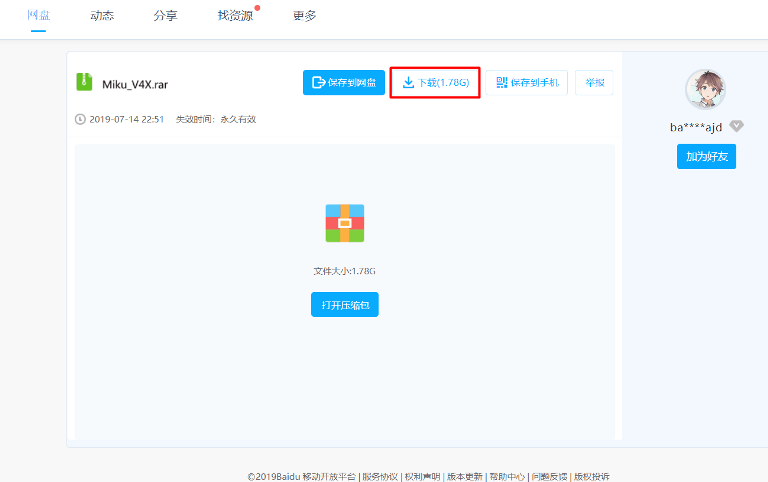
6. Click on Download button then login page will appre, Next login with your username and password.
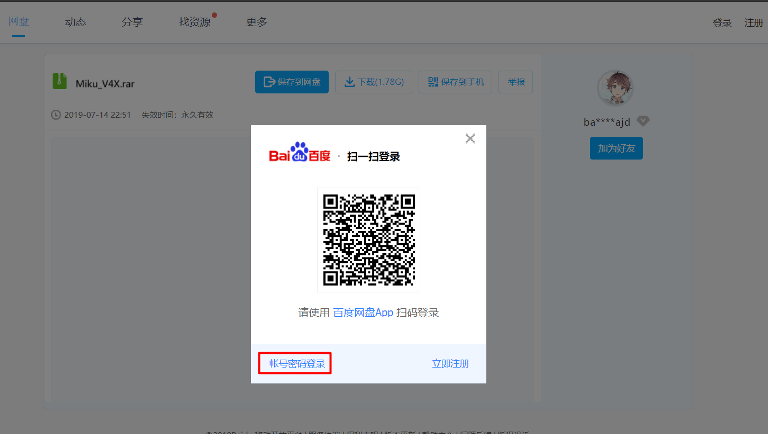
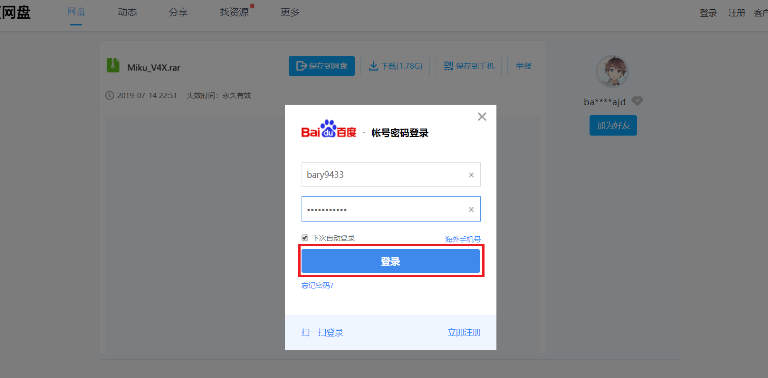
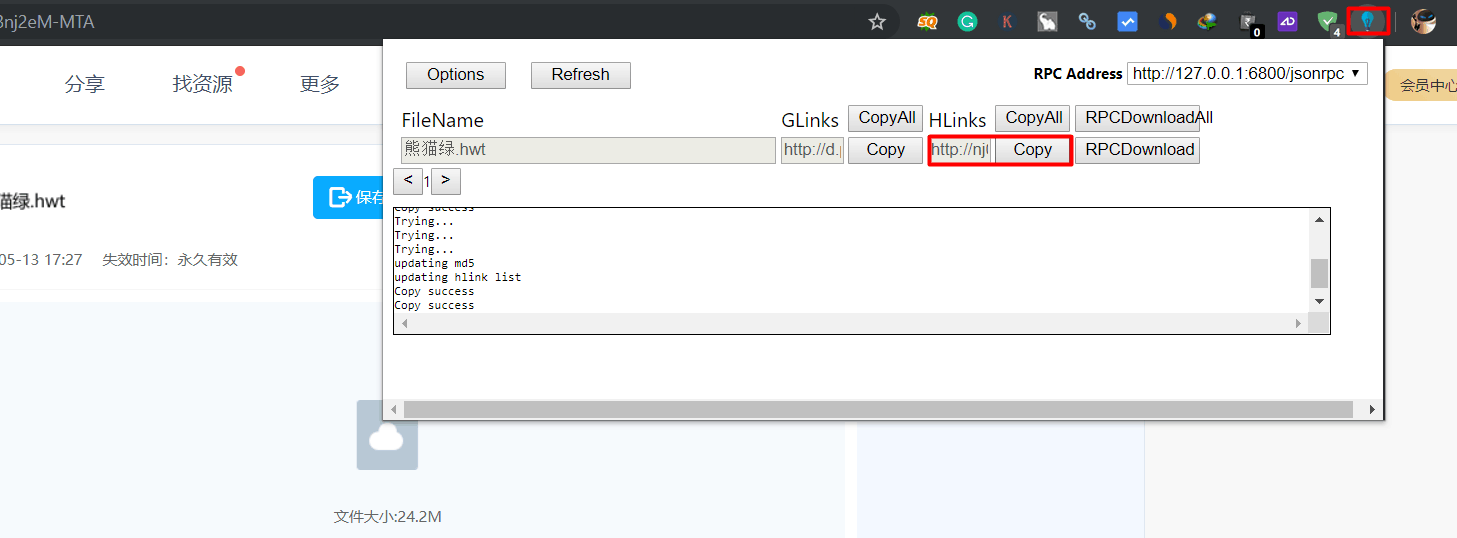
7. Now click on the baidudl-master extension icon and wait to generate the download link, next copy the HiLink.
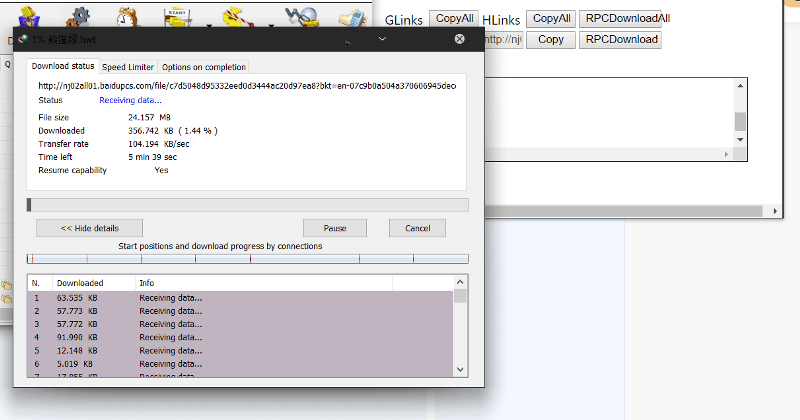
8. Now past the link in any download manager or your browser to download the file at full speed.
Method 2 :
- If the download manager method is not working try the RPC Download method.
- First Run baidudl_rpc.bat file from “\baidudl-master\baidudl_rpc\Windows” folder.
- Next, go to the download page and click on the baidudl-master extension icon next click RPC Download under filename.
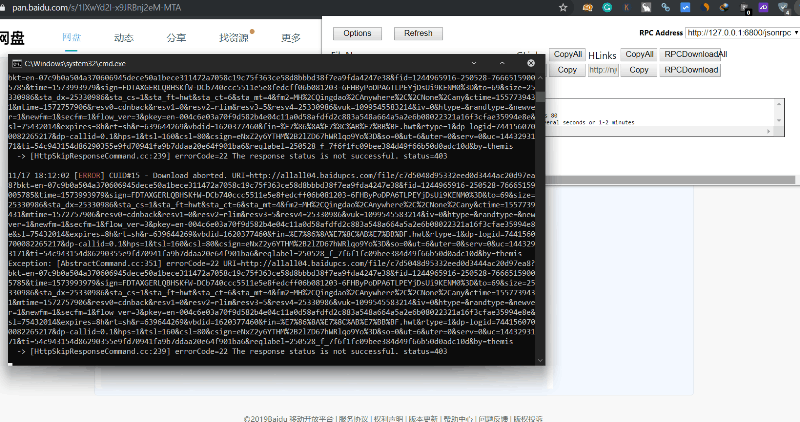
The file will be saved to “\baidudl-master\baidudl_rpc\Windows” folder.
If the guide Download files from pan.baidu.com is working for you please share it with other communities and forums :). Don’t forget to join our telegram group for more wallpapers, Themes, Ringtones Update –
More Guides






Thanks Havin, It works. I watched the video tutorial, and it’s very helpful [https]://bit[.]ly/[3eeFQmd] ( delete ” [ ] ” )
THANK YOU VERY MUCH !!!
AMAZING.
NOW I FINALLY GOT THAT MUGEN FILE I BEEN LOOKING FOR
Thanks BaiduDownloader.com! Fast download:)
It works for me, tks
Baidudownloader.com is an excellent tool for downloading online videos.