Recovering deleted photos from your Android phone is an easy task when you have a proper backup of your lost photos. What if you don’t have any backup? Losing photos without a backup can be upsetting, especially when they include precious family memories, vacation pictures, important work-related images, or screenshots containing valuable information. Whether your photos are lost accidentally or due to any other reason, recovery is often possible in all scenarios.
Fortunately, several Android data recovery methods are available that you can try to recover lost photos from Android mobile with ease. This guide explains how to efficiently recover deleted photos on an Android mobile phone and improve your chances of successful recovery.
What Causes Photo Loss on Android?
Photo loss on your Android phone may happen due to a variety of reasons, ranging from accidental deletion to device damage. Understanding the exact cause can help you determine an adequate photo recovery workaround. Some main reasons for your photo loss include:
Accidental Deletion
One of the most common reasons for your photo loss is accidental deletion. You may have unintentionally deleted photos while cleaning up storage, organising albums, or selecting multiple files at once.
Factory Reset
Performing a factory reset erases all data stored on the device, including photos, videos, apps, and personal files. If photos are not backed up beforehand, they may be permanently lost.
Software Updates or System Errors
Software updates can sometimes fail or cause unexpected issues, leading to data corruption, photo loss, or inaccessible photos. System crashes and OS errors may also contribute to photo loss.
Malware and Virus Attacks
Malicious programs like viruses and malware can delete, hide, encrypt, or corrupt photos and other files stored on the device.
Failed File Transfer
Interruptions during file transfers between a phone and a computer, cloud service, or external storage device can sometimes cause photos to become corrupted or disappear.
What Happens When Photos Are Deleted on Android?
When a photo is deleted on your Android mobile phone, it goes to the Recycle Bin folder and remains there until permanently erased. The device OS marks the storage space occupied by the photo as available for new data. Until any new file is overwritten at that space, there is a good chance that you can recover your deleted photos.
This is why it is important to stop using the device immediately after noticing data loss. Continuous usage of your device for taking new photos, installing apps, or downloading files may overwrite the deleted data and make recovery more difficult.
How do I Recover Deleted Photos on an Android Mobile Phone? [Quick Methods]
Now that you’re familiar with the reasons for photo loss on your Android phone, it’s important to immediately proceed with adequate photo recovery workarounds. You can go with the below DIY methods one by one to get your lost photos back:
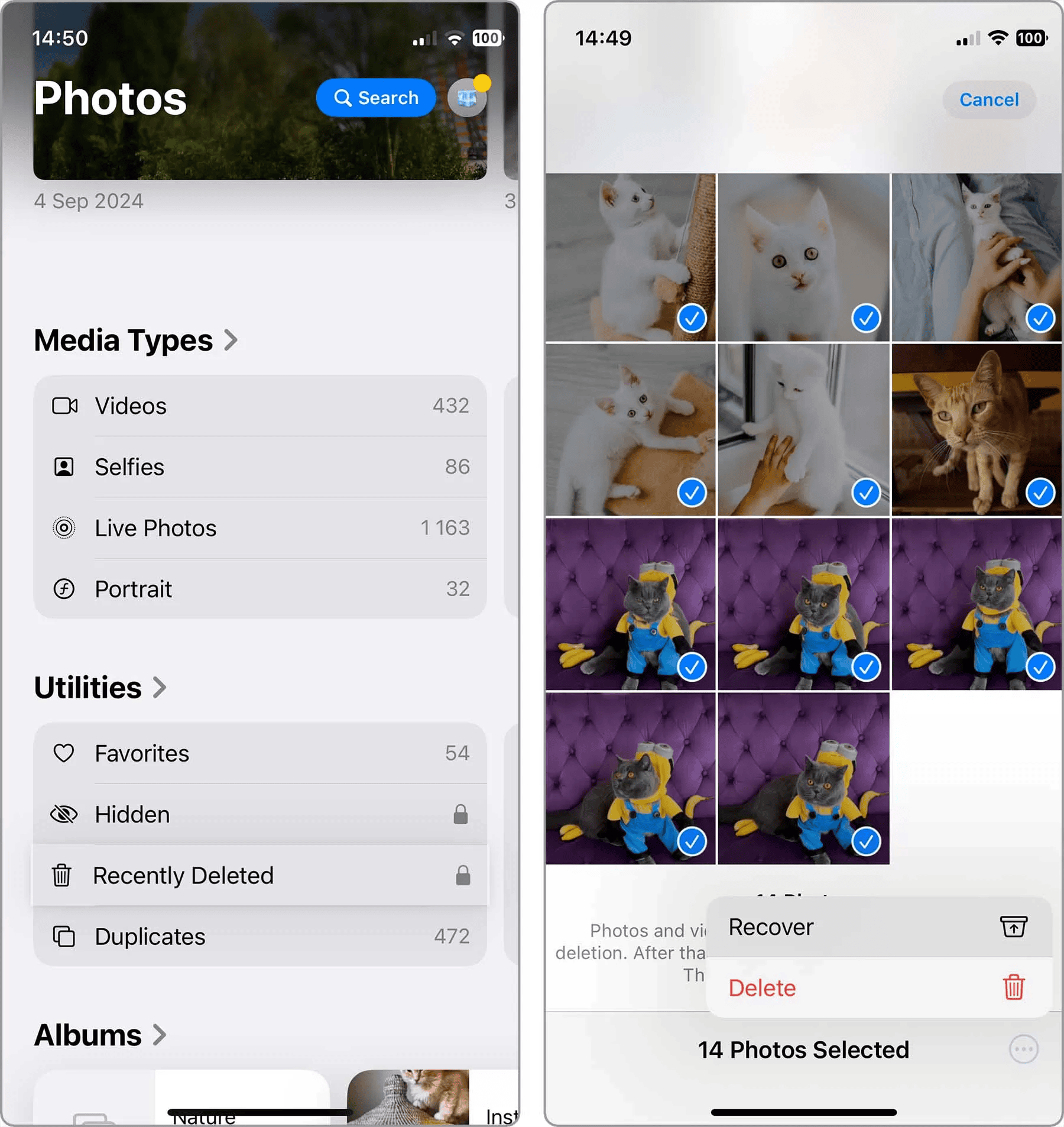
Method 01: Check the Recycle Bin Folder
As mentioned, your photos aren’t immediately erased from your Android phone. Instead, they go to the Recycle Bin folder and remain there until permanently erased. Deleted photos are typically stored there for 30 to 60 days before being permanently removed. To recover your photos from the Recycle Bin folder:
Firstly, launch the Gallery or Photos app on your phone.
Look for the Recycle Bin section (it may appear as Trash or Bin).
Browse through the deleted photos and choose the one you need to restore.
Click Recover or Restore to save them back to your phone.
Method 02: Recover Photos from Google Photos
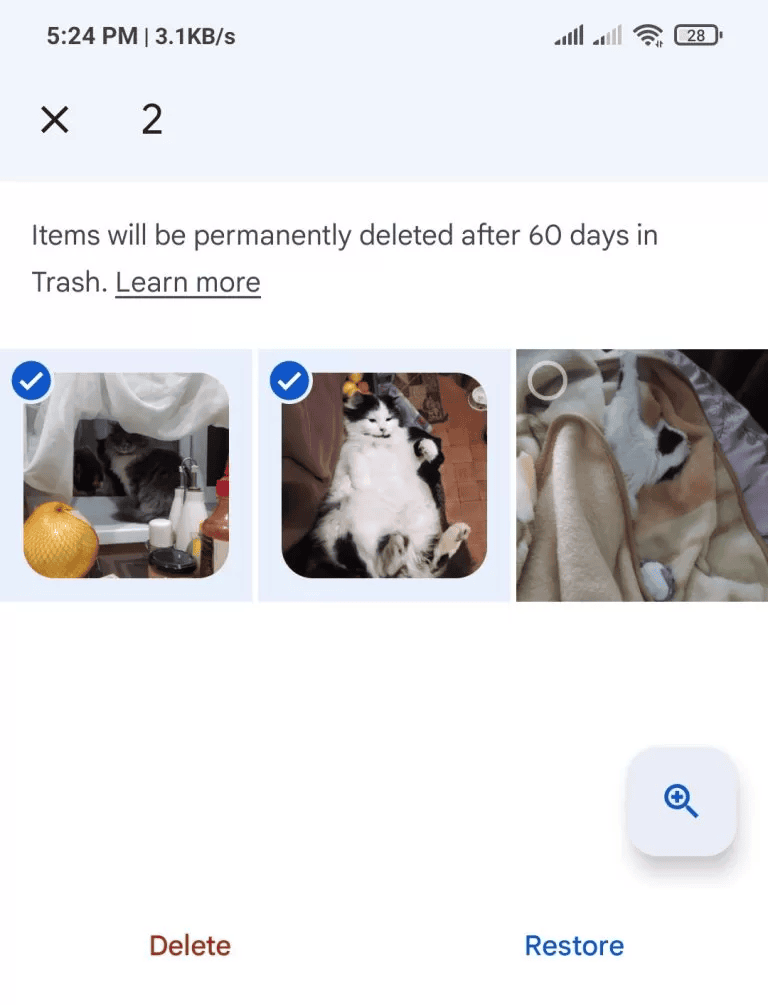
Many Android users automatically back up their photos to Google Photos. If backup was enabled before the photos were deleted, recovery is straightforward. All you have to do is:
Launch the Google Photos app or visit it in your web browser.
Tap Library, then go to Trash.
File the deleted photos you need to restore.
Click Restore to save the selected photos to your gallery and Google Photos library.
Method 03: Recover Photos via Messaging Apps
If you’ve sent/received your deleted photos via any messaging app (such as WhatsApp, Telegram, Facebook Messenger, etc.), there’s a high chance that your photo might be present there. Many messaging apps automatically save media files. To recover your photos using these messaging apps:
Open the messaging app on your Android phone.
Search conversations where photos were shared.
Once the image is found, open it and download/save it again.
This method is surprisingly effective for recovering important photos that were exchanged with friends, family, or colleagues.
Method 04: Recover Photos Using Android Data Recovery Software
When photos are permanently deleted, and no backup is available, specialised third-party software for Android data recovery like Stellar Data Recovery for Android may help. It is a specialised data recovery tool designed to retrieve deleted or lost data from Android smartphones and tablets. Along with photos, you can use this tool to restore deleted videos, audio files, documents, contacts, etc., of various file formats. Its user-friendly interface makes the recovery process straightforward, even for users with limited technical knowledge.
The Stellar Data Recovery for Android software is known for its simple and intuitive user-friendly interface.
This tool is compatible with a wide range of Android smartphones and tablets from various manufacturers.
It allows you to preview the recoverable files before saving them on your device.
Here’s how to efficiently recover deleted photos on an Android mobile phone using this recovery tool:
Step 1: Download and install the Stellar Data Recovery for Android software on your Windows PC/Mac. Also, connect your Android phone to that device using a reliable USB cable.
Step 2: Launch the software and from the homepage, select Android Phone. Click Scan to initiate the scanning process.
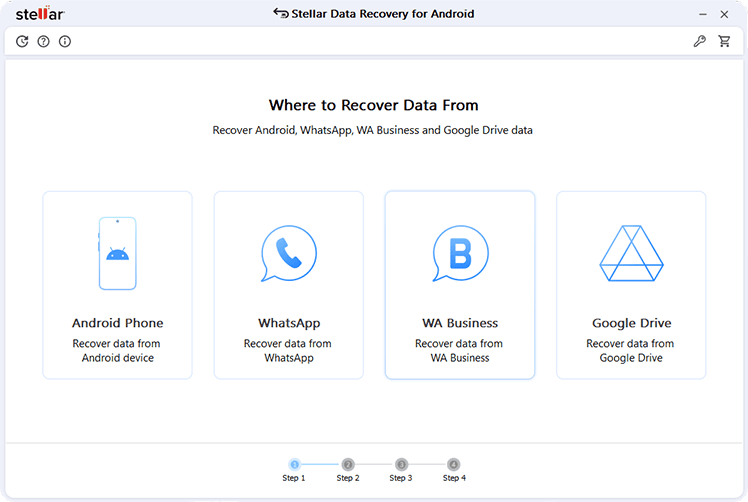
Step 3: Once the scan is complete, preview the recoverable files. Select the photos you want to restore and click Save to save them to a secure location on your computer.
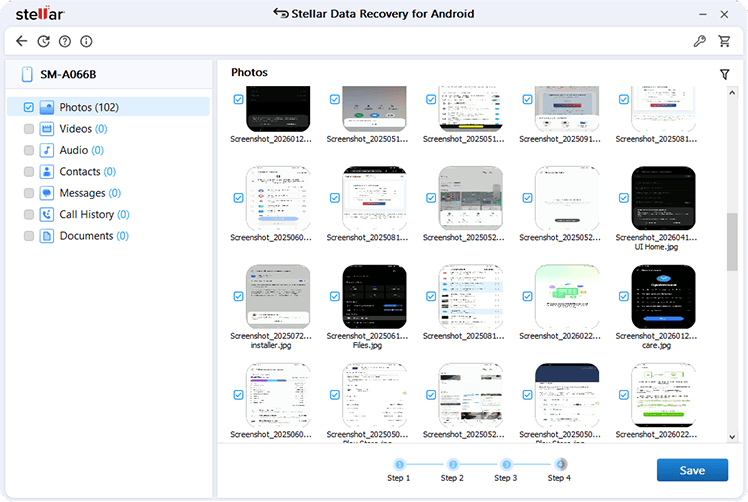
Note: It is recommended to save recovered files to a different storage location to avoid overwriting data.
Tips for Better Recovery Results
Recovering lost photos using the aforementioned Android data recovery methods is quite easy. Moreover, you can consider the below tips to maximise the chances of successful photo recovery:
- Stop Using the Device Immediately: Once you encounter photo loss on your Android phone, avoid taking new pictures, downloading files, or installing applications. New data may overwrite deleted files and reduce recovery success.
- Recover Photos as Soon as Possible: The sooner you attempt these photo recovery methods, the greater the likelihood of retrieving the deleted photos intact.
- Maintain Adequate Storage Health: Regularly monitor your device’s storage and avoid using damaged or unreliable memory cards.
- Keep Backups: Although recovery software is highly useful, maintaining backups through cloud storage or external devices provides an additional layer of protection.
Wrapping Up
Photo loss on Android devices can happen unexpectedly, but it does not always mean your images are gone forever. You can go with the above photo recovery methods one by one to get your deleted photos back. Start with basic workarounds like checking the Recycle Bin, cloud backups, etc. If these DIY methods fail, use third-party Android data recovery tools like Stellar Data Recovery for Android. This tool can help you retrieve permanently deleted images from internal storage or SD cards.
The key to successful photo recovery is minimising device usage after deletion and exploring all available backup sources. Additionally, enabling automatic cloud backups and maintaining regular copies of important photos can protect your memories from future loss.