
There’s always someone so-called prankster to send these messages. Previously, saw a few of the guys posting the same thing to fix. WhatsApp crashing due to messages was pretty common but this time not even just closing and then opening the app was working. Obviously, if you delete chat history it might fix but what if chat history is valuable to you? So, if you have a rooted smartphone you can fix WhatsApp crashes due to spam messages with one tool.
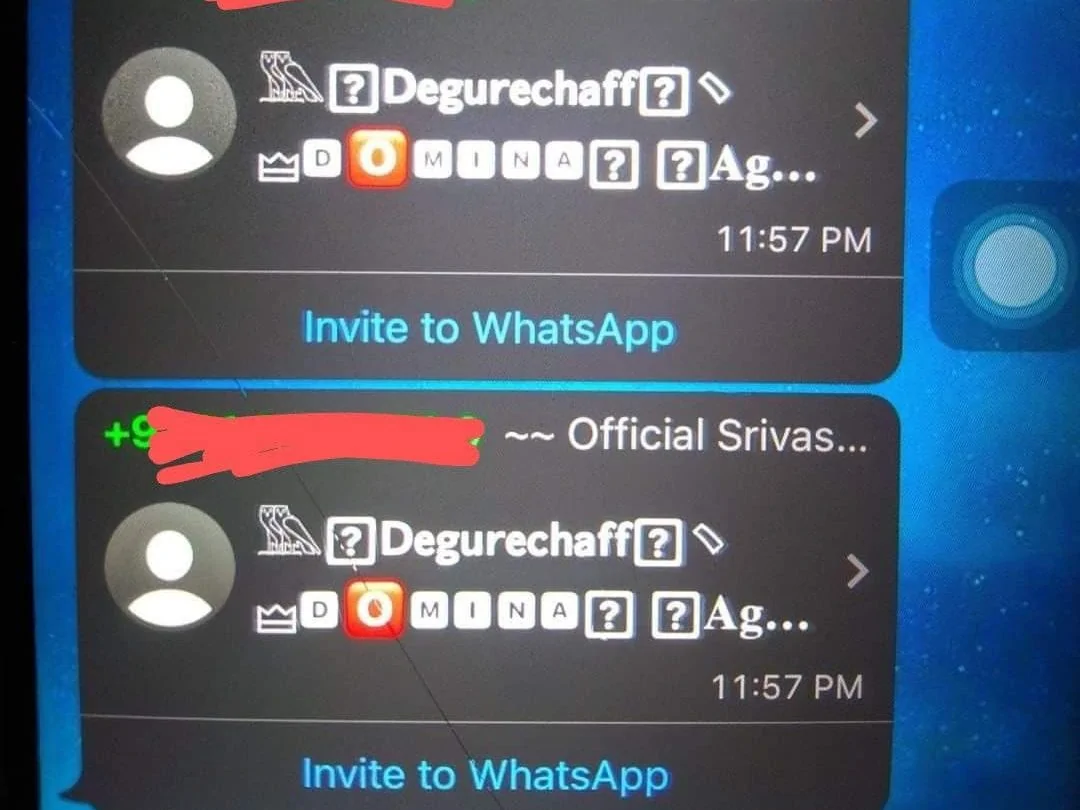
You can check the above message which was sent in the chat. Later if someone opens that chat WhatsApp and sometimes even the phone might crash. So if you have a rooted smartphone you can fix the WhatsApp crashes due to spam messages with one tool. Thanks to Yash Vardhan Singh for this tool, you can check his XDA profile.
How To Fix WhatsApp Crashes Due To Spam Messages
1.) Download the tool from the downloads section below.
2.) Open the tool and select WhatsApp.
3.) Now open the msgstore.db file.
4.) Now go to the messages folder and search for the sh*thead number who sent you the message.
5) You will see two entries of this number.
6) Delete both two entries.
7) Now open WhatsApp, the crashing issue would be resolved.
Downloads Section
So, You can Fix WhatsApp Crashes Due To Spam Messages with this tool. It requires a rooted device so you’ll have to check that one. Or you can use Aero WhatsApp to fix the crash. If you like the post, share it with your friends. Follow our social pages to get all updates as soon as possible. Follow