

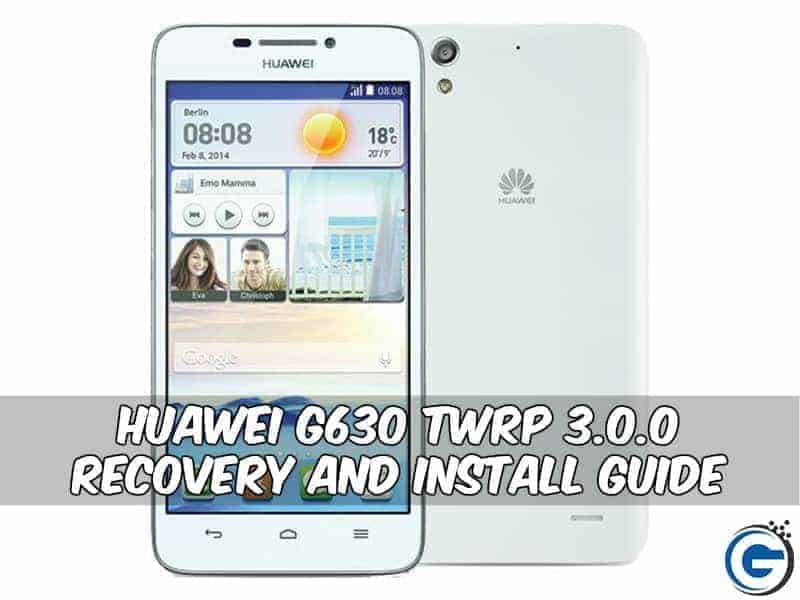
Huawei G630 Twrp 3.0 Recovery and Install Guide With Flashify
This post about Huawei G630 Twrp 3.0 Recovery and Install Guide With Flashify App
Huawei g630 smartphone was launched in March 2014, the phone comes with a 5.0-inch capacitive touchscreen with a resolution of 720 x 1280 pixels resolution. The phone is powered by 1.2 GHz quad-core comes with 1 GB of ram. The phone packs 4gb of internal storage which can be expanded up to 32gb. The Huawei ascend g630 comes with the main camera of 8 megapixels on the back and a front 1 megapixels for a selfie. The Huawei ascend g630 runs Android 4.3 and is powered by a non-removable Li-ion 2000 mah battery.
Preparation:-
- Charge Your Device to at least 60 %.
- Backup Phone Apps, Contacts, SMS.
- Download Recovery.img & Flashify (link given below)
⇓⇓ Downloads Rcovery.img & Flashify ⇓⇓


Guide To Install Twrp 3.0 In Huawei G630 :-
- Read Preparation and root the device .
- Install Flashify.
- Download “Recovery.img” and copy it to SD-Card root.
- Open App and Press “Recovery image” and Chose The “Recovery.img” Do A Stock Recovery Backup.
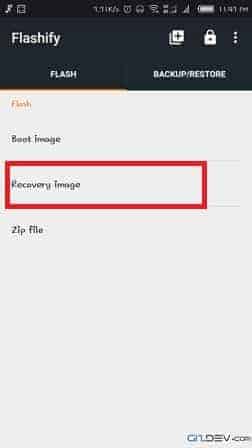
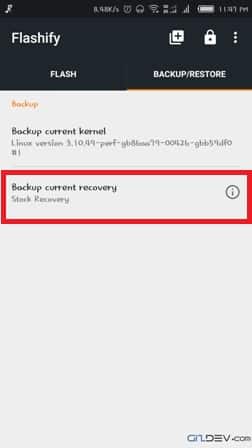
- Wait For Complete The Install And Reboot Your Phone.
Recommendation:-
- Install Twrp 3.0 and Root Coolpad Note 3 Android M
- Guide To Install TWRP and Root Xiaomi Redmi 3S
- Guide To Install TWRP Recovery And Root LYF Water 7
- Install TWRP Recovery And Root Vivo Y66
![simple-smile Install Chroma [Android 6.0.1] Stable Custom Rom For Huawei Nexus 6P](https://i0.wp.com/www.gizdev.com/wp-includes/images/smilies/simple-smile.png?w=640)






Please help i tried to flashed twrp recovery but unfortunately I get this error
<>
Please tell me how fix this error