Spreadtrum mobile processor is used in most budget and mid-range smartphones and feature phones. Many Indian brands, such as Micromax, Lava, Intex, and Karbonn, use the Spreadtrum mobile processor in their mid-range smartphones and feature phones. Even Samsung used Spreadtrum in its low-end phone range. Like Qualcomm and MediaTek, Spreadtrum also has flashing tools such as the Qualcomm QPST tool and the MTK flash tool. With SPD Research Tool, SPD Factory Tool, and SPD Upgrade Tool, you can flash Spreadtrum devices, Unbrick Spreadtrum devices, and update Spreadtrum Devices.
The Tool helps you recover your device from a hard brick if you have flashed the wrong stock or custom ROM. SPD Flash Tool (Spreadtrum Flash tool). This tool also updates your device to the latest Android Versions, including Android 7.0, Android 8.0, and Android 9.0. The tool supports all new and old Spreadtrum smartphones and feature phones, as well as the SC**** processor series. Here, we have shared the download links for the SPD Research Tool and SPD Upgrade Tool, along with instructions for using them.
Supported processors:-
SC***** Series Smartphone and Feature phone processor.
Spreadtrum Flash Tool Features
- Flash Stock Firmware/ROM, Recovery.
- Flash.PAC, P5C Firmware
- Format / Hard Reset.
- Format Full Memory.
- Backup Restore NV File
- Configure LCD Files
Download Latest Spreadtrum Tools
How To Use Spreadtrum Flash Tool
Prerequisites:-
- First, charge your device to interrupt flashing.
- For backup device apps, Messages, Contacts, and Gallery, you can use Dr.Fone – Recover (Android) for that.
- The Spreadtrum Driver must be installed on your PC, as this tool will use Spreadtrum Download mode to recover your device.
- Download the tool and read the guide.
Guide to Flash Spreadtrum Phones with SPD Research Tool, SPD Factory Tool, and SPD Upgrade Tool
- Download the latest Spreadtrum Flash Tool – SPD Research Tool, SPD Upgrade Tool for Android Phones, and SPD Factory Tool for feature phones.
- Download the flash tool, unzip the zip file, and download firmware from your device. You can download firmware from our ROM, firmware website, gizrom.com.
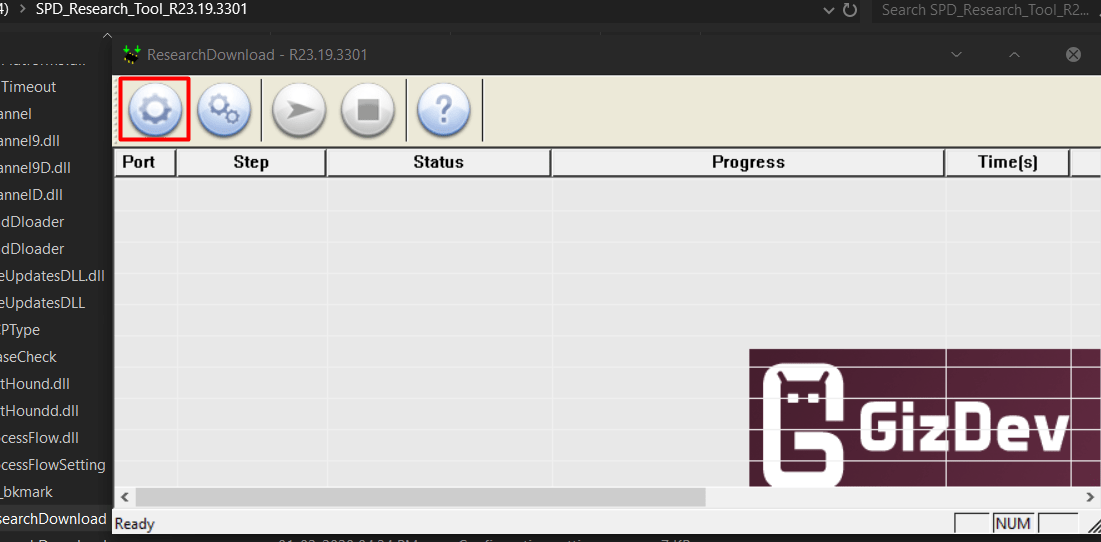
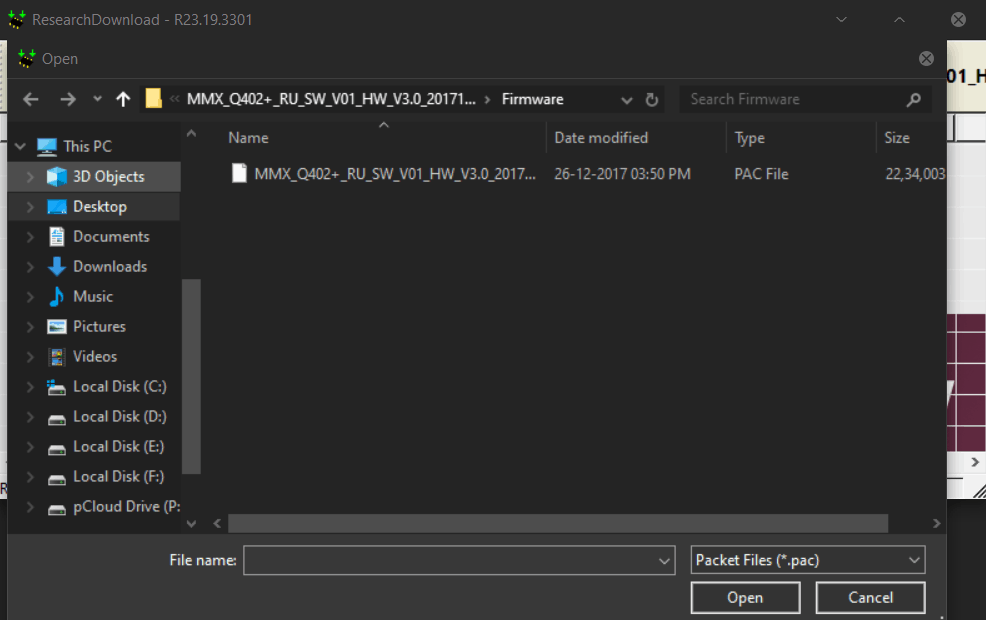
- Run the Spreadtrum Flash Tool .exe file, then browse to the .pac file by clicking the settings icon.

More Tools ⇒
For more tools and Android updates, don’t forget to join our Telegram group for more wallpapers, Themes, and Ringtones.