


Sony Music App got a new update 9.4.16.A.1.17, updated on May 19, 2026. The latest update brings Bug fixes and performance enhancements. You can see below all changelogs and xda forum member Ben Ling also Modded the latest Sony Music. The Modded version of Sony Music Player v9.4.16.A.1.17 can be usable on any Android Device and supports the latest Android 10 and Android 15.
The Music app from Sony Provides You with a Superb experience when listening to your audio files. Publish your songs, organize them in playlists, And listen. Xperia Music optimizes the noise to make it seem great and Makes sure small electricity is used, which means that you can listen to it as long as you want. In Case You Have an Android Wear device, you can control your music move your favourite playlists, and listen to only a Bluetooth headset linked. The audio program is compatible with Xperia devices.
Sony Music App Features
Xda forum member created a Universal Moded WALKMAN App which can be installable on any Android Device with Android 9.0 to Android 10 devices. Normally the Xperia app comes with Sony Android devices and the app is only available for Download on Sony devices on the Play Store. Xda forum member Ben Ling created the Universal Sony Music App, which can be installed on any Other Android device.
- The latest WALKMAN builds v9.4.16.A.1.17 (stable).
- Clear audio.
- Equalizer preset (such as Rock, Easy Listening, Jazz, etc.)
- Clear bass.
- Surround Sound VPT (Soundstage option).
- Adjust background colour following album art.
- Edit Music Info.
- Album art in song lists
- Display disc number in album view if available
- Android P Support
Screenshots

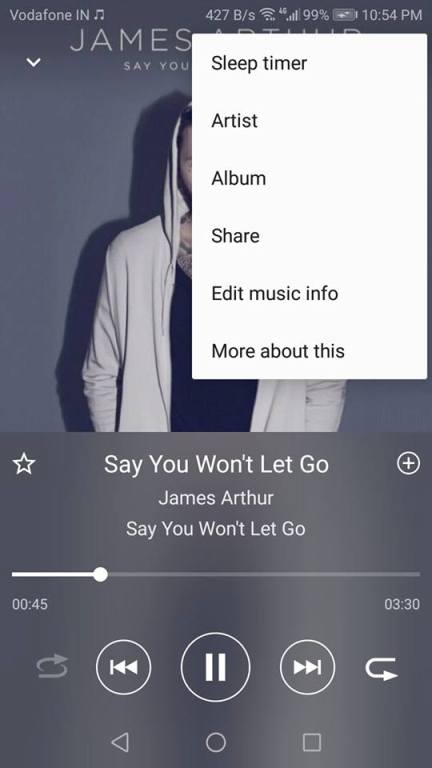
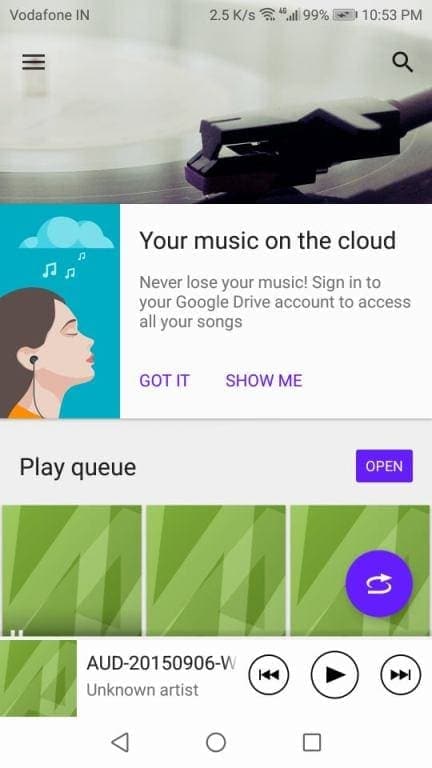
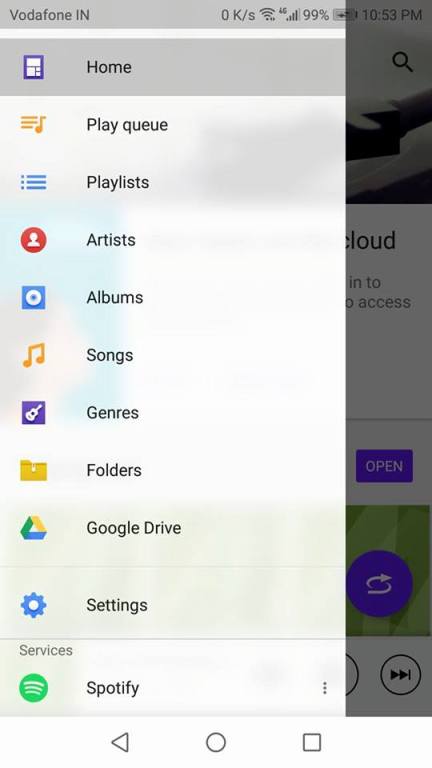
Sony music player is the best music player and it is also able to optimize the sound to make it sound great, and the main thing is that it used a little battery, so you can listen for as long as you want :).
Also Download:- MIUI Music Apk Works Online Music For All Android
Changelog:-
- Music Stable v9.4.16.A.1.17
- Stability improvements and bug fixes
- Music Mod v9.4.16.A.0.9
- Bug fixes and performance enhancements
Supported Device:-
- Android 4.2+/, Android 5.0 – 5.1.1, Android 6.0 – 6.0.1, Android 7.0 – 7.1, Android 8.0 – 8.1, Android 9.0 – 14
How to Download the Sony Music App
The app can be downloaded from Google Play for Sony devices, and other Android device users can install the Universal Sony Music Apk beta or stable version on their devices. Here is the download link of the Universal APK by XDA forum member Ben Ling.
Sony Music (Walkman) App Details
| App Name | Sony Music |
|---|---|
| Developer | Sony Mobile Communications |
| Extension | Apk |
| File Size | 10 MB |
| Last Updated | August 27 2025 |
| Root required | No |
| Version | (Mod 9.4.14.A.0.6) (stable 9.4.16.A.0.9) |
| Version Required | Android 10 |

Download Universal Sony Music (Mod 9.4.16.A.0.9) (stable v9.4.16.A.1.17)
Sony Music Enhanced by starterPinguin2001
Download – Sony_Music_Enhanced_v20_-_BETA.apk | Sony_Music_Enhanced_v19.apk [Updated 13/05/2026]
Xperia Music Magisk Version
Android 4.4 (SDK 19) and higher: XperiaMusic-Min19-Magisk.zip
Android 9 (SDK 28) and above: XperiaMusic-Min28-Magisk.zip
More Sony Apps –
How To Install Sony Music App on Any Android Device
- Download the Sony Music Universal APK file, Stable or Beta version.
- Install universal.apk.
- Back to home open the App and allow all permissions.
- Now Enjoy Xperia Music On Your Android Devices.
- Click on the Settings button to access additional settings.
- You can see those options, Equalizer, Edit cover, and much more.
If you like this post, please share this content with your friends
Related Downloads:-






Hi please update univesal version for samsung devices