

Guide To Install TWRP Recovery + Gapps And Root Nubia Z11
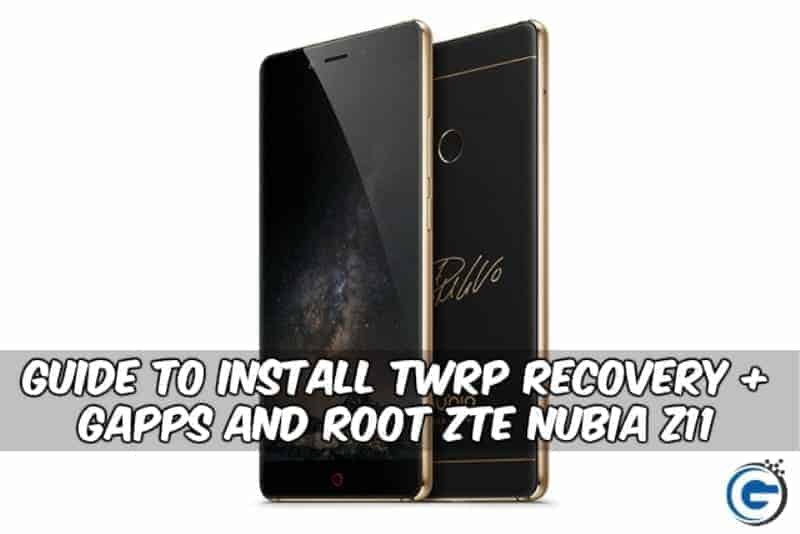
Zte Nubia Z11 phone was launched June 2016 this is Zte nubia first Snapdragon 820 device with 4 GB of ram 64GB internal Storage support external storage. Previously year nubia’s Z9 had come with Snapdragon 810 with Bezel-Less display and 2900 mAh battery, This year Zte also select brand ambassador of nubia Brand Cristiano Ronaldo they also came to us Europe market. The Nubia Z11 has 5.5 Inch Bezel-Less 1080 x 1920 resolution display, It has Non-removable Li-Ion 3000 mAh battery Powered by Android OS, v6.0.1 nubia UI 4.0.
Preparation:-
- Charge Your Device.
- Backup Phone Apps, Contacts, SMS.
- Type *#7678# In Dial pad and enable all the options.
- Enable developer options.
Go To Settings -> About Phone -> Tap On “Build Number” 7 Times To Enable Developer Options
- Enable USB Debugging.
Go To Your Settings -> Developer Options -> Tick The “Usb Debugging” Checkbox
- Enable OEM Unlock.
Go To Your Settings -> Developer Options -> Tick The“Oem Unlock” Check box
- Install Zte Driver Run “autorun.exe“.
- Download and unzip “Z11-TWRP-ROOT-GAPPS.zip“.
- Read Guide.
Also Read:-
- How To Root Z11 Mini S Install TWRP Recovery, Unlock Bootloader
- Guide To Unlocking Bootloader & Root LYF Wind 1 Using Root Tool
- Guide To Root Samsung Galaxy J2 Prime Super SU Root
- Install TWRP Recovery And Root Galaxy C7 Snapdragon Variant Only
⇓⇓ Download Z11 TWRP-Gapps-Root ⇓⇓
Instruction To Install Twrp 3.0 and Root Nubia Z11:-
Step 1 -> Read The Preparation.
2 -> Download and Unzip “Z11-TWRP-ROOT-GAPPS.zip“.
3 -> Connect Your Phone To Pc Via USB.
4 -> Go to Z11-TWRP-ROOT-GAPPS folder and run stalence.bat.
5 -> Type 2 and hit enter to install Twrp recovery Permanently to install temporary Type 3 to root.
6 -> Phone will auto reboot to twrp recovery mode after install did Select Recovery Language to root the device follow the next steps.
7 -> To root the phone go to TWRP advance-> Stalence tools Click On root to root the device.
Note :- Don’t install Super Su zip it will brick your device
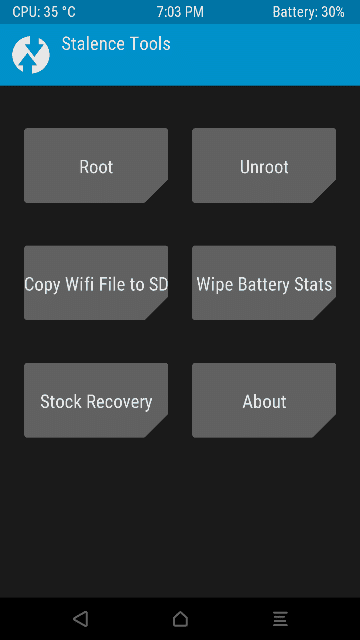
8 -> Reboot the device after root done.
Instruction To Install Gapps In Nubia Z11:-
- Copy “gapps-601-20160709_signed.zip” to your phone Storage or sd card.
- Turn on your phone into recovery mode by (Volume Up + Power).
- Or Go to Settings > System Update > Click 3 dots in the top right corner then select local update > select the zip file then install it will be boot into TWRP and flash gapps zip file.
- Reboot your device
- Now set allow permission for this apps
Google Account Manager
Google Backup Transport
GoogleServicesFramework
Google Play Store
Google play services
- Go to settings > apps >all > find the following apps and once selected scroll to the bottom and give the apps all available permissions.
- Reboot and enjoy 🙂
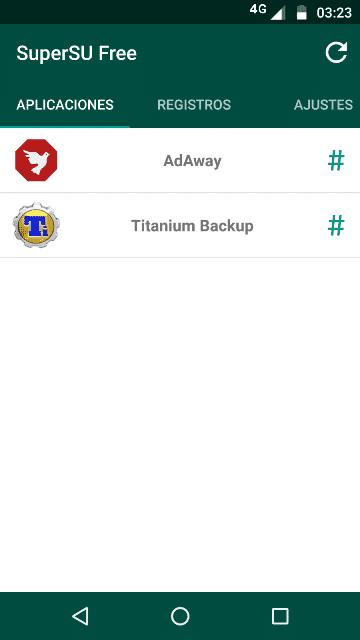
Check Root Status With Root Checker
Your Phone Now Successfully Rooted With Twrp 3.0 You Can Now Customize Your Phone.
To update your device via stock recovery simply go into twrp go to >advance>stalence tools>stock recovery.






work for nubia z11 blackgold 6gb/64gb version??. thx
yes
Is this guide working on the latest nougat official rom?
Thanks