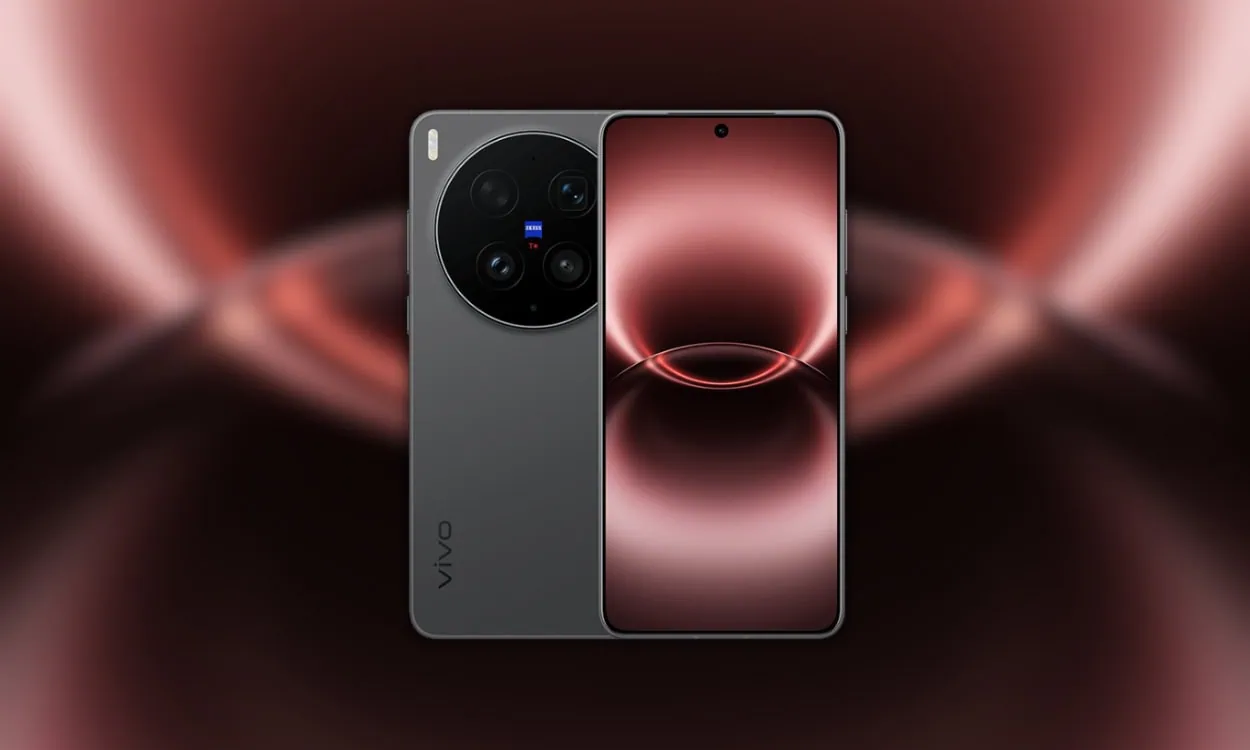
Vivo has announced the new Vivo X300 Ultra Smartphones, including the Vivo X300. This device features the latest Snapdragon 8 Elite Gen 5 Ultra Processor, a Triple camera module, and 100W charging support. Every smartphone comes with unique wallpapers. The device looks very beautiful because of its colourful wallpapers. Here, you can download Vivo X300 Ultra stock wallpapers for your smartphone.
In March 2026, the Vivo X300 Ultra is expected to be released for sale. The Vivo X300 Ultra will have a distinctive appearance, a fresh style, and an LTPO AMOLED display. When it comes to appearance, the phone will also have some awesome wallpapers. The wallpapers can be downloaded here in High resolution.
Vivo X300 Ultra Specification:
The Vivo X300 Ultra has an 6.82 inch LTPO AMOLED with a 1440 x 3168px resolution. This device is powered by an octa-core Snapdragon 8 Elite Gen 5. It comes with 16 GB RAM and options, along with 1TB storage. You can get Android 16 OS out of the box. Also, it comes with a massive 7000 mAh battery to power up the device that supports 100W fast charging. The smartphone is available in Black, Silver and Green color options.
Vivo X300 Ultra packs a Triple setup featuring a 200-megapixel wide-angle primary camera, a 200-megapixel periscope telephoto, and a 50-megapixel ultrawide. The rear camera setup has autofocus, LED flash, HDR, and panorama. It is rumoured to sport a single camera setup for selfies, an 50-megapixel primary camera.
Vivo X300 Ultra Stock Wallpapers Sharing
The Vivo X300 Ultra Stock wallpapers come with aesthetic designs, and we are impressed with their unique images. You’re aware that we constantly offer new wallpapers and themes on our websites as soon as possible. The device comes with three new preloaded stock wallpapers and 16 wallpapers from OriginOS 6. All the wallpapers are now available for download, and they are in 2K resolution. All the wallpapers are now available to download, which are listed below. If your device has a screen resolution of 1080p or lower, these will look good on it.
Vivo X300 Ultra Wallpapers preview



Download Stock Wallpapers in a Zip File
We have extracted three wallpapers, Green gradient, Red gradient, and Blue gradient wallpapers, and we will publish more when they are available for smartphones. So you can download the wallpapers for your phone in a zip file. To set a wallpaper or lock screen, simply browse the wallpaper folder and open the image you want to use as your wallpaper. Press the 3-dot menu and tap “Set as wallpaper” or “Lock screen”.
Vivo X300 Ultra Stock Wallpapers Download Link –
How to Set these Wallpapers on Home Screen, Lock Screen, and Always-on Display
- First, download the Vivo X300 Ultra Stock Wallpapers.zip file and unzip it from File Manager or Explorer.
- Open File Manager and Browse The unzipped wallpapers folder.
- Select the Wallpaper that you like, tap on the 3-dot menu, and then tap Use, Open Gallery App and Set As Home Screen, Lock Screen or Always-on Display.