
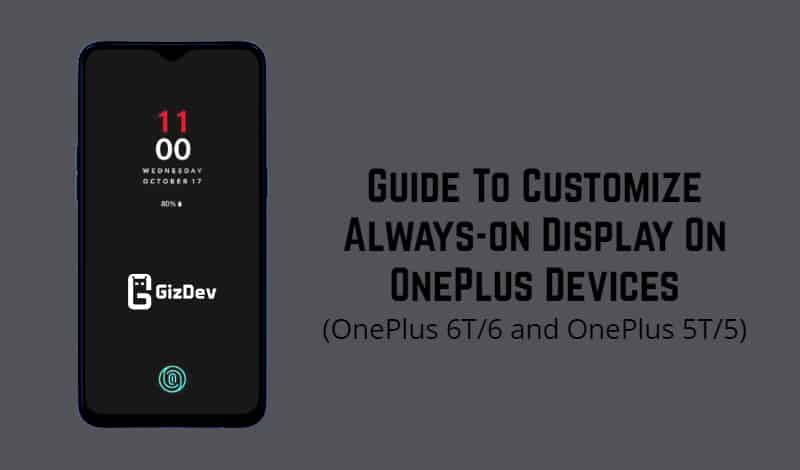
Are you using any Oneplus device that already enabled the Always-on display feature? Then here we share a guide for you to customize Always-on Display on OnePlus 6, OnePlus 6T, OnePlus 5, and OnePlus 5T.
OnePlus user known that OnePlus device comes with great performance with third-party customization. In the OxigenOS you can customize wallpaper, add widgets, or change the colour accent of the interface by default. However, you can use a third-party app to customize your device like Substratum. Substratum gives to change almost any part of the OxigenOS. Here we will show you how to customize Always-on Display on OnePlus Devices using Substratum overlays.
Always-on Display On OnePlus 6T, OnePlus 6, OnePlus 5T, and OnePlus 5
Latest OnePlus devices like OnePlus 6T/6 and OnePlus 5T/5 brings Always-on Display features. But this AOD comes with only one theme you cant customize it without a third-party theme. If you do not have AOD features on your phone then use a Magisk module to get the AOD on OnePlus 6T, OnePlus 6 and even OnePlus 5/5T. After enabling AOD feature then use OnePlus AOD Customizer to customize AOD theme.
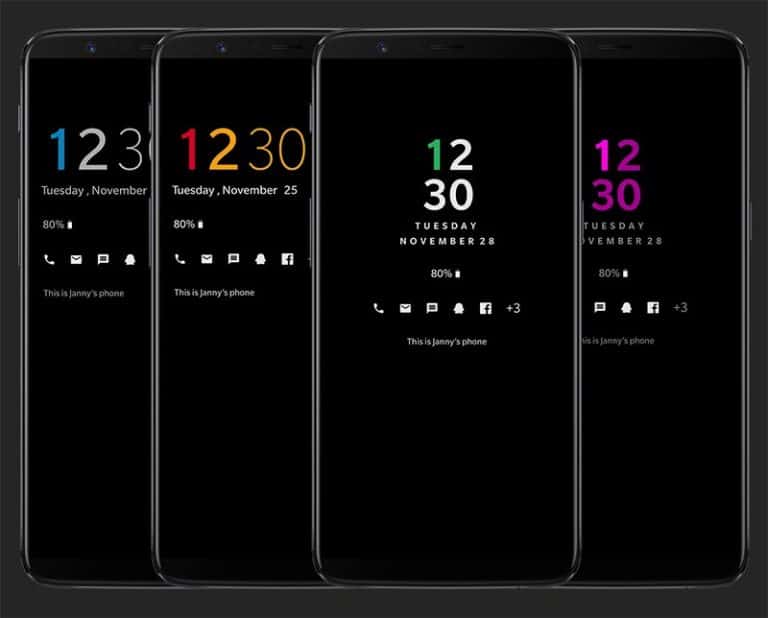
OnePlus AOD Customizer
Thanks to an XDA Senior Member “Udzi” made some theme that can use with Substratum to Customize OnePlus AOD. So let’s follow the guide to Customize Always-on Display on OnePlus Devices. The OxygenOS AOD customizer consists of four different overlays for adjusting different parts of the display:
- Digit Customizer: Colorize or hide the Ten-Digit/Digit/Percentage.
- Text Customizer: Colorize or hide the Date/Owner Text.
- Battery Customizer: Colorize or hide the Battery.
- Set some transparency to make the AOD more “ambient”.
- Modifier: Modify the LiftUp Time, Notification Time and hide the Analog Clock Background.
There are some cons that the notification icons are not customizable atm.
Steps To Customize Always-on Display On OnePlus Devices
- Launch the Andromeda desktop client so that Substratum has the permissions it needs in order to manage themes. The steps to achieve this, again, are outlined in the main tutorial here from XDA.
- First, download and install ‘substratum theme engine’ from below.

- Now download OxygenOS AOD Customizer overlays from below and install it on your device.
- Digit Customizer: OP-AOD-Digit-Customizer-v3.apk
- Text Customizer: OP-AOD-Text-Customizer-v3.apk
- Battery Customizer: OP-AOD-Battery-Cutomizer-v1.apk
- Modifier: OP-AOD-Modifier-v1.apk
- After installing both apps now simply open the substratum theme app and select “one overlay” from the list option.
- Once you are in the overlay option click on the “select to toggle all overlays“.
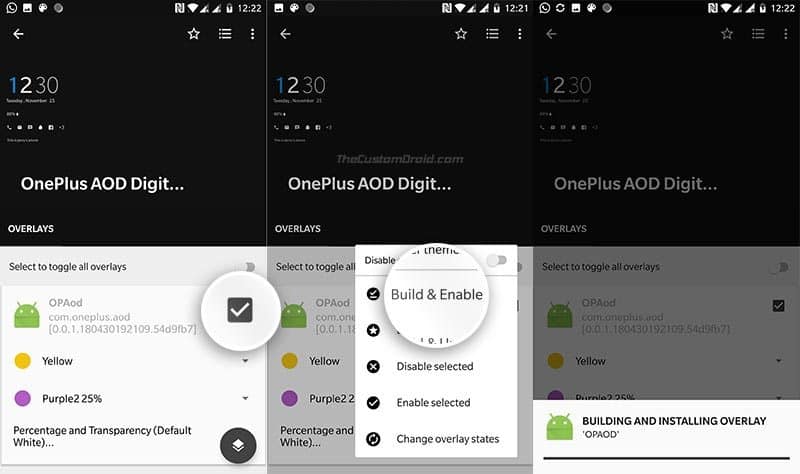
- After selecting overlays now click on the paint roller button in the below right corner of the screen. Then click “Build & Enable” option.
- Once the process completed, reboot your device.
- That’s it now you can simply turn off the display to check it.
- To remove the AOD Customization overlay from your device simply again open substratum app > Select the overlay that you want to remove then to click paint roller button > Tap on Disable selected and reboot your device.