
Asus just launched ASUS ZenFone 6 2019 in a few countries with Android Pie, and after the launch, Asus also released the kernel source code. The Taiwan brand Asus wants to give tough competition to the OnePlus 7 so as OnePlus they also released the kernel source and bootloader unlock tool on their support website. Asus uploaded the bootloader unlock tool on the Asus support website with the kernel source code. The bootloader unlock tool is a simple apk file you have to install the app and follow the instruction on the app to unlock the device.
This time Asus launched the ZenFone 6 device with near stock interface instead of ZenUI same as the ZenFone MAX series. The ZenFone 6 is powered by Qualcomm Snapdragon 855 processor and 5000 mAh battery. The main feature of ZenFone 6 is the flipping camera, the device comes with 48 MP Sony IMX586 RGB as well as a 13 MP 125-degree ultrawide sensor. The device is coming with 8GB of ram and 256 GB of UFS 2.1 NAND flash storage. As the OnePlus device this time ASUS also releases the source code bootloader tool, so we also expect development and custom ROMs for the device and we will update all the mod ROMs of this device in the future.
Unlock ASUS ZenFone 6 bootloader
As with the old ASUS device, you must download and install an external app to unlock the bootloader. Also, you should know that your device warranty will void after unlocking the bootloader, you may be stopped receiving the next OTA updates on the device after unlocking the device. So before unlocking the device make sure, can you re-lock the bootloader. and can you manually update the device or not if you do, then you proceed with the unlocking. Once you unlock the bootloader will also wipe the data on your smartphone so backup your data before starting the process.
Supported device
ZS630KL, ZS630**
Pre-requisites
- Before starting the unlocking process do a complete backup, your device includes Apps, Contacts, Messages, Gallery files, and Internal Storage Files.
- Charge the device for interrupt installation.
- To install the APK file make sure you have enabled Enable Unknown Source from the setting.
- Enable OEM unlock Enable USB Debugging ⇒ Enable Developer Options, USB Debugging Mode And OEM Unlock On Android Devices
- Download the unlocking app.
Download Bootloader Unlock Tool
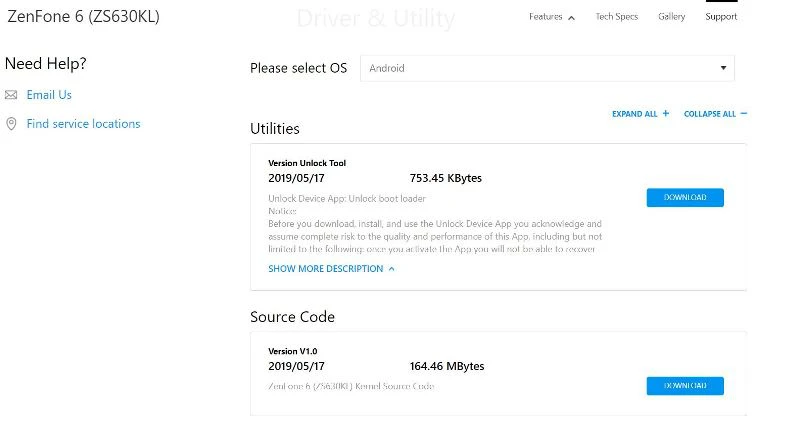
How to Unlock ASUS ZenFone 6 bootloader with Unlocking tool apk
First, read the Prerequisites backup of all the data on your device.
- To install the APK file make sure you have enabled Enable Unknown Source from the setting.
- Enable OEM to unlock the device bootloader.
- Download and install the app on your device.
- Follow the steps provided on the app.
- reboot the device
Once unlocking is done you can install TWRP Recovery on the device and you can also install MAGISK to root the device. Currently, the TWRP is not available for this device but we will publish it once it’s available.