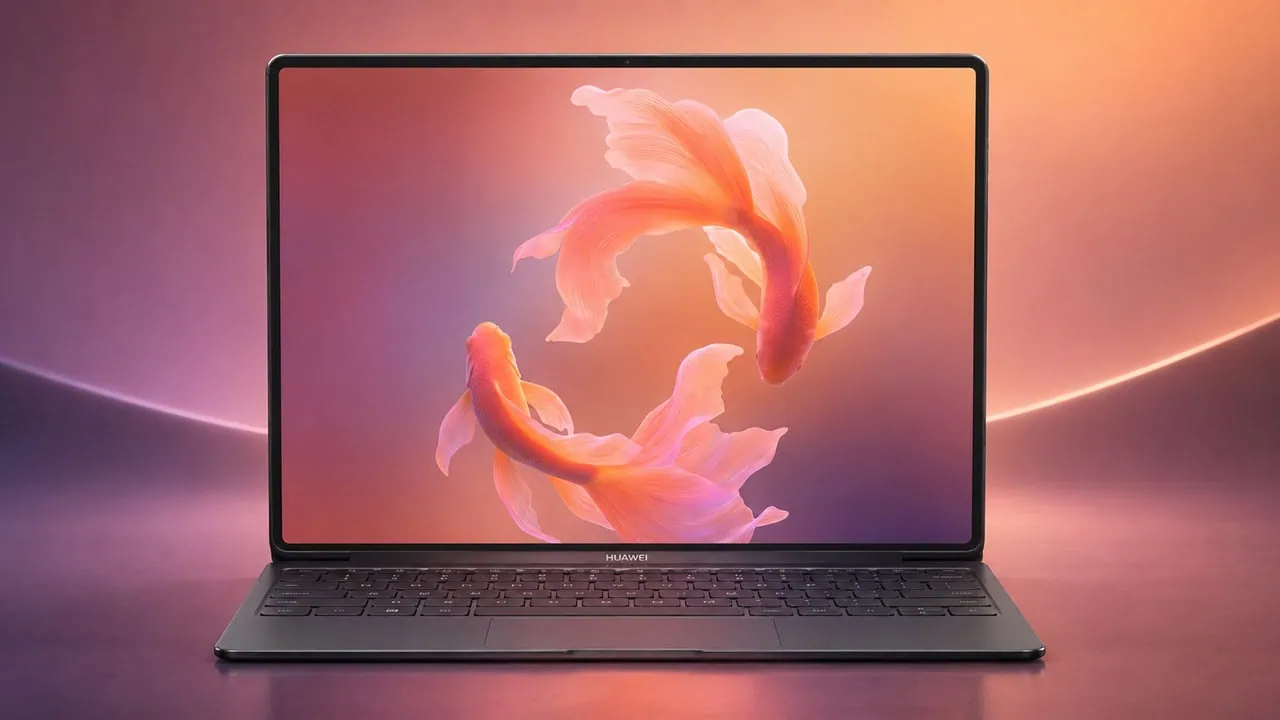
We have already posted news and updates about Huawei MateBook Fold on Telegram. Now you can download Huawei MateBook Fold 2026 wallpapers from the new foldable Huawei MateBook Fold Extraordinary Master Edition from its launch. We gathered all the Wallpapers into one package for easy download. These wallpapers are from coverage of this new extraordinary foldable notebook by Huawei. They look good on both computer screens and laptops.
Huawei launched MateBook Fold Extraordinary Master Edition at its event and sales began in August in China. This laptop has an 18-inch display with folding into a 13-inch size. Display has 3300 pixels per inch, 4:3 ratio, up to 700 nits brightness and peak of 1600 nits HDR. Inside are new Kirin X90 Plus chip, up to 32 gigabytes of RAM and battery with 74. 69 watt hours that charges to 140 watts. It comes out to weigh roughly 1. 16 kg which is very light considering such a big screen size.
Huawei MateBook Fold 2026 Specifications
| Specification | Details |
|---|---|
| Processor | HiSilicon Kirin X90 Plus |
| Display | 18-inch dual-layer foldable OLED, 3296 x 2472 pixels (4:3) |
| RAM | 24GB / 32GB |
| Storage | 512GB / 1TB / 2TB |
| Operating System | HarmonyOS 6.1 |
| Battery | 74.69Wh (6400mAh), 140W fast charging |
| Camera | 8MP front camera |
| Wallpaper Resolution | 4120 x 4120 pixels |
The MateBook Fold comes with twelve stock wallpapers. Each wallpaper has a clean and abstract look that matches the device’s sleek design. The selection includes bright airy images as well as darker ones as well. So whatever mood you want, from light to dark, you will find what you like. Every wallpaper is square with a resolution of 4120 by 4120 pixels. That is far in excess of what current laptop and monitors need; they really stand out with OLED panels where blacks are really black and colors really vibrant.
Huawei MateBook Fold 2026 Wallpapers Preview
The wallpapers spread across a few tones, from soft and light to rich and dark with a warm feel. Here are the MateBook Fold 2026 MateBook Fold Extraordinary Master Edition Wallpapers list – Design_Alpine Reflections Theme Unlock Vertical, Design_Blushing Wings Theme Unlock Horizontal, Design_Canyon at Dawn Theme Unlock Vertical, Design_Gallop in Light Theme Unlock Horizontal, HUAWEI MateBook Fold 2026 Ultimate Design_Koi Luminance Theme Unlock Horizontal, and Veiled Summit Theme Unlock Horizontal Wallpapers.


Note: the images listed above serve as a preview of the wallpapers and are only intended for representational purposes. It is important to note that the preview images are of lower quality, hence it is not recommended to download them directly. Instead, kindly utilize the designated download link provided in the section below for obtaining the wallpapers.Download Wallpapers In ZIP File –
File: Huawei_MateBook_Fold_2026_Wallpapers.zip
Download Link: Devdrive.cloud
How to Set These Wallpapers on Your Desktop and Laptop
On MAC:
- Download and extract the
Huawei_MateBook_Fold_2026_Wallpapers.zipfile to the location of your preference. - Go into System Settings by using Apple Menu → System Settings.
- Navigate to the Wallpaper section from the left sidebar.
- Click on “Add Photo” or the “+” icon to locate your desired folder.
- Locate the Huawei MateBook Fold 2026 wallpaper you prefer.
- Choose your screen fit method, such as Fill Screen, Fit to Screen, or Stretch to Fill Screen.
- If you have multiple monitors, repeat these steps on each display.
On Windows (11/10):
- Download and unzip the
Huawei_MateBook_Fold_2026_Wallpapers.zipfile to a local folder. - Right-click on an empty area of your Desktop.
- Select Personalize from the context menu.
- Click Background in the Personalization settings.
- Set Personalize your background dropdown to Picture.
- Click Browse photos and navigate to the extracted wallpaper folder.
- Select your preferred wallpaper, and it will apply instantly.
- For best results, set the Choose a fit option to Fill or Fit to match your screen resolution.
Please share these wallpapers with other communities and forums if you like them. Don’t forget to join our Telegram group for more wallpapers, themes, and ringtones updates.