
OnePlus is a Chinese smartphone brand specializing in Android devices. Every year, they launch Android smartphones and tablets. OnePlus also launched its product in European countries and Russia, and many people purchased it. If you are using OnePlus products, these service codes are required for language changes, network optimizations, sound adjustments, and other performance enhancements. In this post, we will share all the available codes for OnePlus service functions, including some of the best-kept OnePlus Service codes and Secret Codes to access the Service Menu.
You can open the Service Menu with these Codes on the OnePlus Android and Tablet smartphone. Support OnePlus smartphones, Mediatek, Qualcomm, and devices. With this code, you can increase volume, enter the engineering menu, factory mode, and the Service Menu. For many users, OnePlus Service codes are the gateway to advanced testing and adjustment options.
OnePlus Service Codes and Service Menu
With OnePlus service codes, you can open the secret menu. The service menu will help you to test the device’s hardware and software issues, also it will help you to customize the device with the help of the service code and secret code. You can test the OnePlus device audio issue, screen issue, touch issue, and other hardware problems. With the service menu, you can enable and disable the MTK Preloader Port, you can increase, and decrease the volume, also you can unlock the OnePlus bootloader with the service menu. Other network customization like locking the LTE band, locking network mode to 5G, 4G only, or 3G only.
View Firmware Version & Details
With the *#1234#, you can instantly view your device’s firmware version and build number. *#6776# to open “firmware version” on your OnePlus device. In addition, there are several OnePlus Service codes which help users to review firmware details seamlessly.
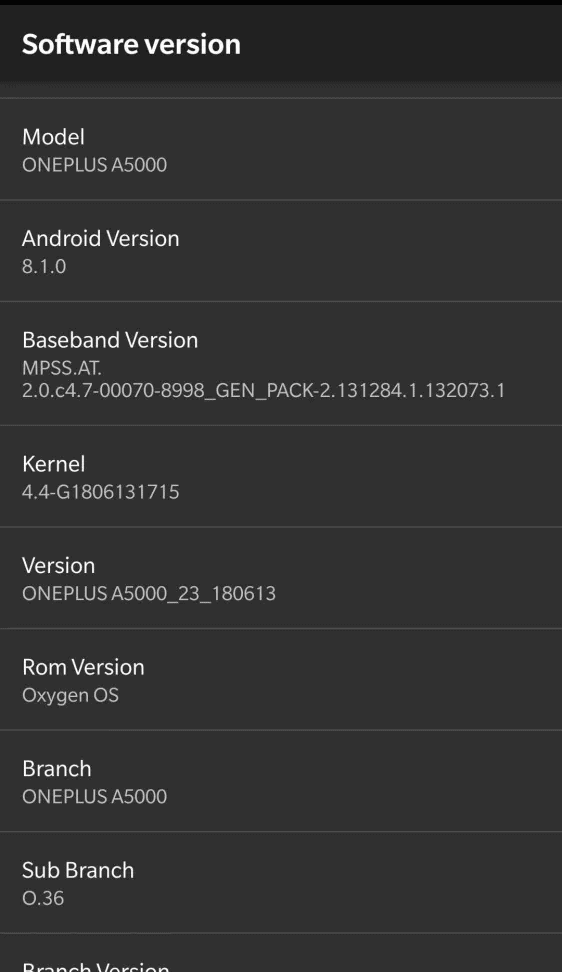
More Firmware Version Code ⇒
- *#1234# OR *#*#1234#*#* Check firmware/build number
- *#6776# OR *#*#1111#*#* View full software details
- *#*#4986*2650468#*#* Check firmware versions for PDA, Phone, H/W, and RFCallDate
OnePlus Engineering Menu
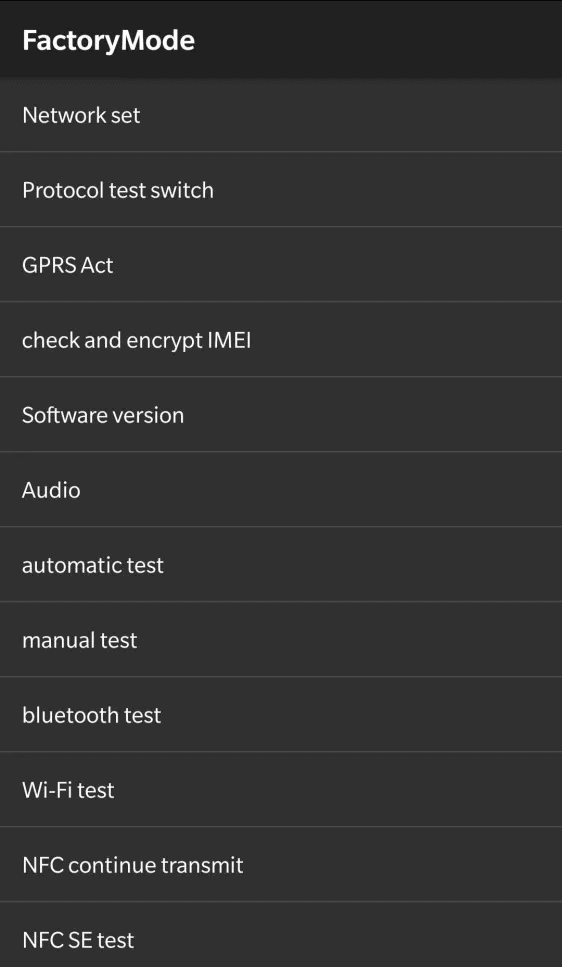
With the OnePlus Engineering Menu, you can test your hardware, change language, and check hardware and software versions. You can reset the phone and increase the volume of the earpiece and speaker. Not only can you lock the LTE and N1 band, locking network mode to 5G, 4G only, or 3G only, and many more valuable upgrades accessible through special OnePlus Service codes.
Engineering menu ⇒ *#36446337# or *#800#
More Engineer/Factory Mode Codes ⇓
- *#268# View Qualcommm settings
- *#888# View hardware PCB version & corresponding QR code
- *#9090# Diagnostic configuration
- *#*#2222#*#* FTA HW Version
- *#*#2663#*#* Touch screen version
- *#*#3264#*#* RAM version
- *#12580*369# Software and hardware information
- *#*#232337#*# Shows Bluetooth device address
- *#*#232338#*#* Shows WiFi MAC address
- *#*#1472365#*#* GPS
Reset OnePlus Device
With the OnePlus Factory Reset code, you can reset your Phone Instantly. It will delete your user data, Phone Logs, Contacts, messages, and All Installed Apps. To perform a thorough reset or diagnostics, many users rely on various OnePlus Service codes designed for device maintenance.
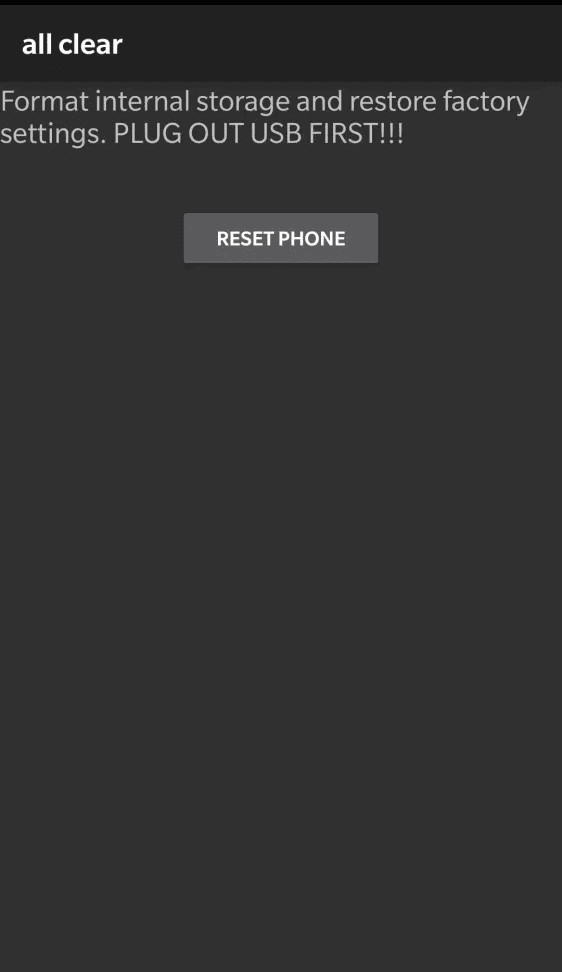
OnePlus Factory Reset codes ⇓
- *#8778# [ Resets the device, can be cancelled]
- *#*#7780#*#* [ Deletes your Google account, third-party apps, and all associated data. ] Can be canceled.
- *2767*3855# [ Completely erases the device and reinstalls the firmware ]
- *#*#947322243#*#* [ Instant data wipe, ATTENTION !!! Exit by booting into fastboot ]
Other OnePlus Service Codes
- *#800# – Enter engineering mode ( previous version can view freezes)
*#801# – Engineering switch test mode (dangerous)
*#802# – enter automatically engineering TTFF GPS test mode
*#803# – enter engineering network test mode
*#804# – automatic disconnect test mode
*#805# – engineering bluetooth test mode
*#806# – engineering aging test mode
*#807# – enter engineering test mode
*#808# – enter manual engineering test mode (average user may best not to change anything , just look)
*#809# – enter engineering echo test mode
*#888# – view hardware pcb version
*#900# – test photograph RGB
*#06# – view this machine mobile communication international recognition id
*#99# – screen lights long bright
*#6776# – machine info
*#1234# – view software details
*#36446337# – test function instruction.
Conclusion
OnePlus service codes allow users and technicians to get into some of the hidden diagnostic tools, detailed software information, and technical support tools in a very short time; which allows for testing of hardware and troubleshooting of problems without the use of an additional app. If used with caution, OnePlus Service codes give access to unique settings and features on your device, including hardware verification and software menu access, but entering codes without proper knowledge can pose risks.