How To Repair Bricked MI 3, Mi 4 With Fastboot Mode
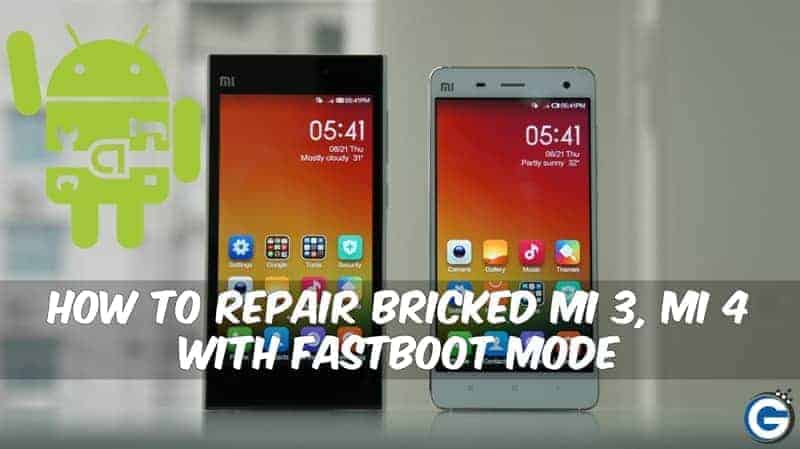
This Post About How To Repair Bricked Mi 3, Mi 4 With Fastboot Mode.
If your device bricked, not boot your device then you repair your Xiaomi MI 3, Xiaomi Mi 4 with the help of the computer. It is the easiest way to repair your device. Your device repair via fastboot, it is one of the to unbrick your device. this is one of the best methods to repair miui bricked devices. This guide is too easy if you face any problem then comment below we happy to help you.
Preparation :-
- Download The Latest Version Of MI Flash Tool.
- Download The Full Fastboot MIUI Rom For Mi 3 Or Mi 4.
- Read The Instruction .
⇓⇓ Download Tool & Fastboot Files ⇓⇓
Instructions To Flash MIUI with fastboot :-
- Run “MI flash tool” From “C:\Program Files (x86)\Xiaomi\MiPhone” .
- Click Browse Then click Advanced.
- Browse all files from “Fastboot ROM folder” that you download before.
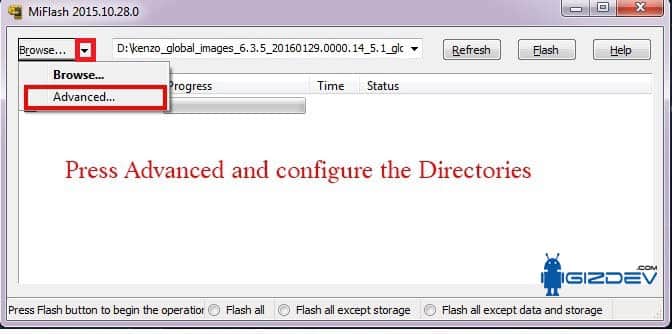
flash_all.bat:
Work :- clears all user data
flash_all_except_storage.bat:
Work :- clears all data except storage.
flash_all_except_data_storage.bat:
Work :- does not clear storage data, does not clear user data
- Browse “.bat” (anyone that you want) in fastboot Script at the first option.
- Then switch off your device and turn into fastboot mode by press the Volume down + the Power button.
- Now click on refresh button On Mi Flash It Would Show You Phone Connected Via Some Com Port # No
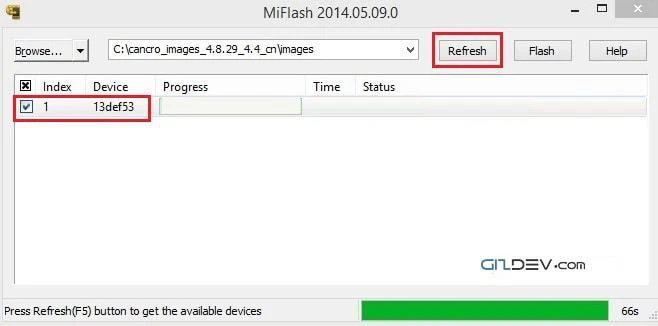
- If your device connected then Press “Flash” button.
(if Mi flash shows an error on clicking Flash , please restart Miflash and try again)
- It Would Take Some Time
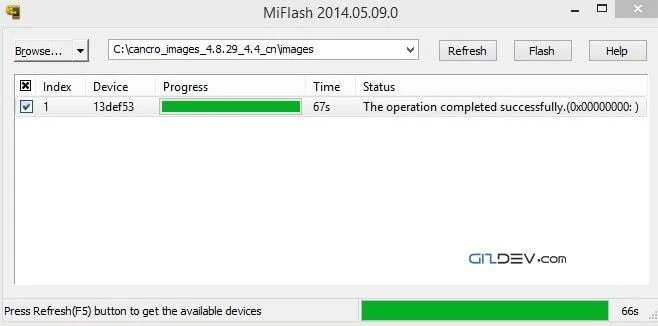
- After The Flash Is Completed Successfully Phone Will Auto Reboot.
If You face any Problem then comment below….. 🙂 🙂 🙂