Samsung Smart Switch is a tool that allows users to easily transfer data from old devices to new Samsung Galaxy devices. It is particularly useful for those who are switching from an older phone to a new Galaxy device. If you’ve purchased a new Samsung Galaxy device and want to transfer data to it, Smart Switch will do that without hesitation. The app works on both iPhone and Android Devices, so you can also transfer from your old iPhone to a new Samsung Galaxy device with this App. In this post, we will share the Latest Samsung Smart Switch APK and how to use the app.
We have already shared the Samsung Driver and PC suite on our blog for Windows and MAC. This time we are going to share the smart switch Samsung apk file so you can install it directly on your phone. You can transfer your phone data to a new Galaxy Device using a PC with a USB Cable or directly using the WIFI transfer option. Not just that, you can also back up Samsung apps and data on the Samsung cloud while transferring to a new phone. In this post, we will share the Samsung Smart Switch APK download link and provide a guide on how to switch from old Phones to new Phones using Smart Switch.
Samsung Smart Switch Features:
With Smart Switch, users can move a wide range of data, including apps, contacts, messages, images, music, and documents. The procedure is straightforward and can be completed wirelessly with WIFI or with a USB cable connection. In addition to transferring data, Smart Switch also allows users to back up their data to the Samsung cloud. One of Smart Switch’s major advantages is that it works with a variety of devices, including both Android and iOS devices. In general, individuals upgrading to a Samsung Galaxy device will find Samsung Smart Switch to be a useful tool.
About Samsung Smart Switch
| App Name | Smart Switch |
|---|---|
| Developer | Samsung Electronics Co |
| Extension | Apk |
| File Size | 32 MB |
| Released Date | Apr 17, 2013 |
| Last Updated | Nov 30, 2022 |
| Root required | No |
| Version | 3.7.39.5 |
| Version Required | Android 4.0 & Above |
Samsung Smart Switch Chnaglogs:
- 3.7.39.5
The new update fixes some common issues to enhance the performance of the app. The installation package size of this update is 32.26 MB.
Download Samsung Smart Switch APK Latest to OLD Verison
Users must download the App on both their old and new smartphones in order to use Smart Switch. Some devices Old Android devices may not support the new version, that’s why we’re going to share the old to New Samsung smart switch apk files in this post.


| Apk Version | Download Link |
|---|---|
| New Version – Smart Switch 3.7.39.5 | Smart_Switch_3.7.39.5.apk |
| Smart Switch 3.7.38.2 | Smart_Switch_3.7.38.2.apk |
| Smart Switch 3.7.36.5 | Smart_Switch_3.7.36.5.apk |
| Smart Switch 9.5.03.0 | Smart_Switch_9.5.03.0.apk |
| Smart Switch 3.7.25.2 | Smart_Switch_3.7.25.2.apk |
| SmartSwitch 2020 Version | Smart_Switch_3.6.10.0.apk |
How To Transfer Android Devices to Galaxy devices using Samsung Smart Switch
1. First, insert the SIM card and set up the new Galaxy device.
2. Download and Install Smart Switch Apk on both OLD and New devices.
3. Turn WIFI on both devices if you want to transfer data via Wireless.
4. Now open Smart Switch App on Both devices Old Android and Galaxy devices read all agreements and tap Continue.
5. Provide All The permission to the App and Continue.
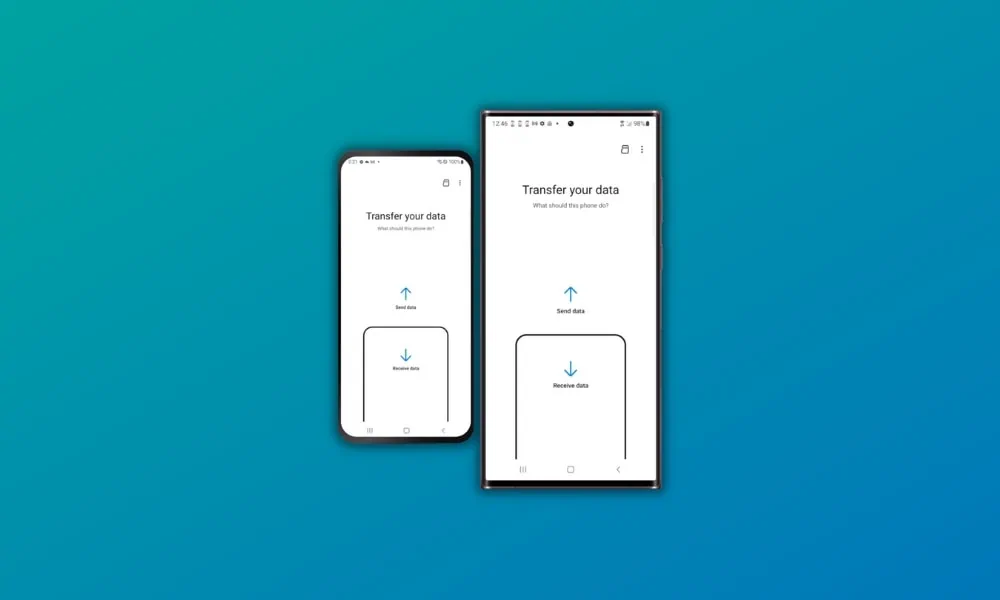
6. Tap on ”Receive Data” on the new galaxy device and Select the Old source Android, iPhone, or Windows Mobile devices.
7. Select the transfer Method USB Cable or Wireless method.
8. Allow the connection on OLD Device.
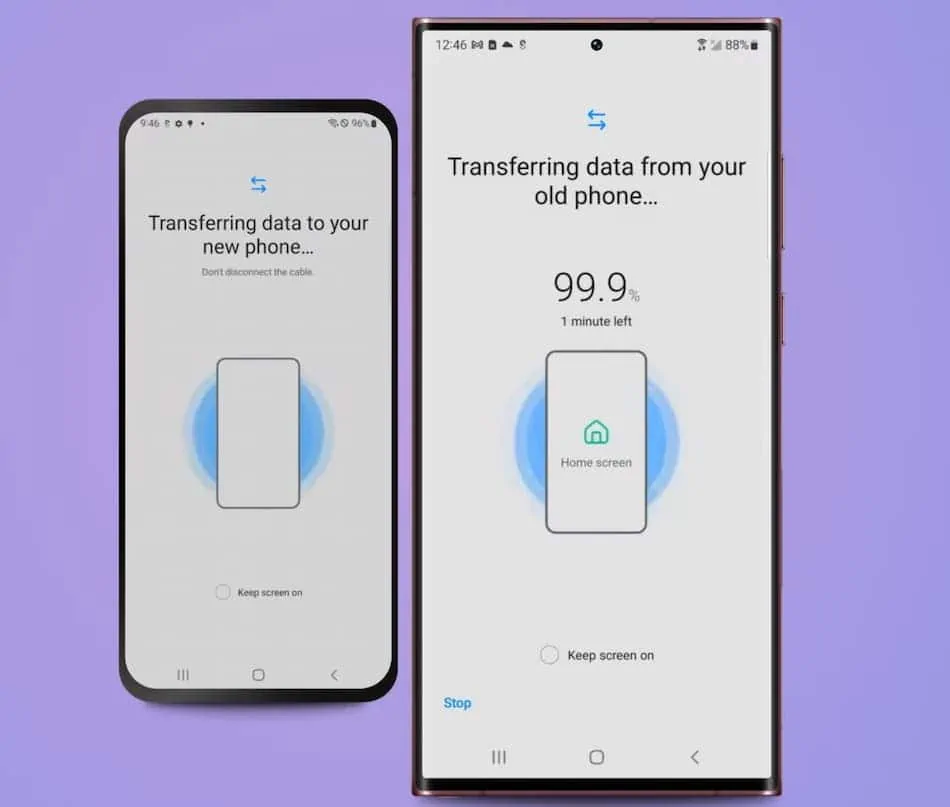
9. Select the data that you want to transfer to your New Galaxy Smartphone then tap Next to start the transfer.