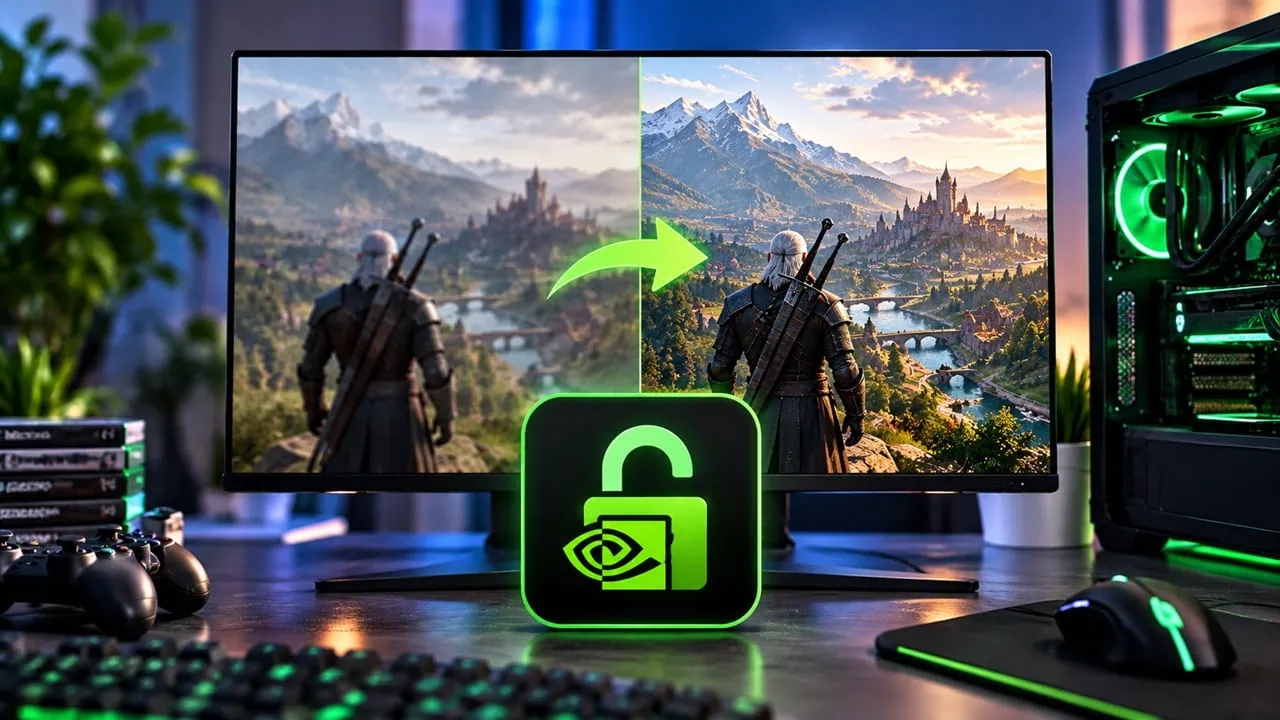
NVIDIA only allows DLSS 5 to work with games officially supporting it. However, most RTX 20, 30, and 40 series cards still cannot use the newest DLSS features. But a tool called DLSS Unlocked changes this and lets you unlock DLSS 5 on those cards with a few tricks. The tool lets older RTX GPUs use DLSS and DLSS 5 Neural Rendering in almost any game that supports native DLSS 2 or DLSS 3 directly.
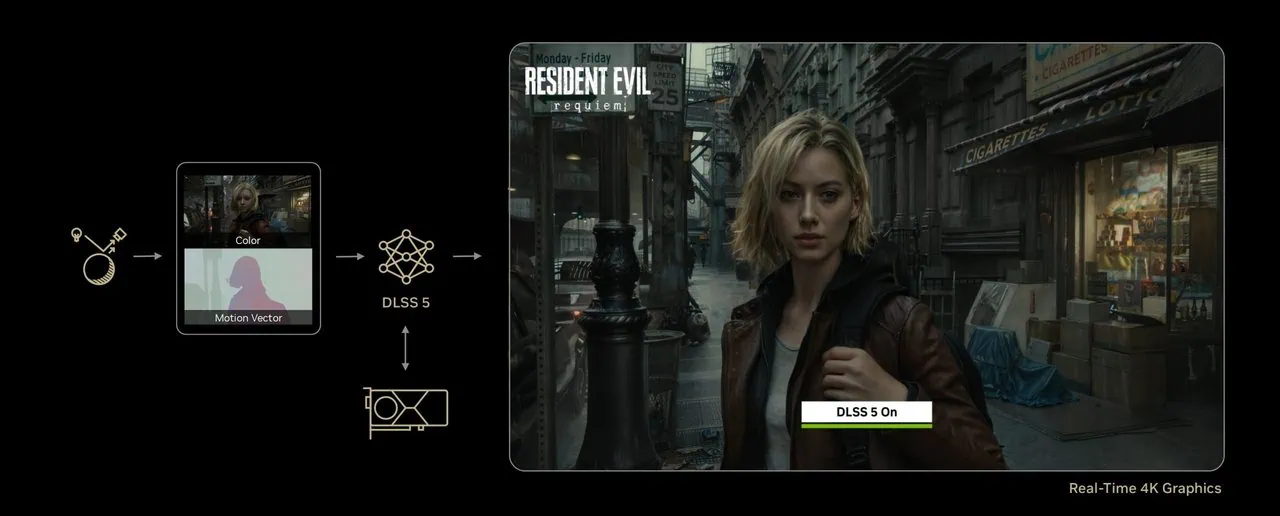
DLSS 5 is not just an upscale model. It is new tech called Neural Rendering from NVIDIA. This system takes colors and motion vectors from a game and feeds them into an AI model. The model then interprets skin, hair, fabric, and lighting in real time. The result is cleaner materials and more detailed faces. Best of all it performs this new rendering without replacing the game’s original renderer. DLSS-Unlocked brings that experience to games that never officially received it and lets you unlock DLSS 5 on unsupported GPUs, all in one package.
What is DLSS 5?
This tool includes DLLs based on OptiScaler (either dxgi.dll or version.dll) and a custom Streamline 2. 14. 1 runtime ready. You immediately have DLSS 5 and MFG working. Also included is a Neural Forwarder and an unlocker native for MFG called dlssg_sm86. For cards RTX 20 or 30 series you get immediate hardware acceleration for multi frame generation. For users with RTX 40 series you switch to Ada unlocker – use game overlay or edit OptiScaler.ini file. Package also provides DLSSG to FSR 3, FidelityFX and XeSS libraries for backup. Windows users install with auto installer and Linux users put standalone archive directly into Proton game folder.
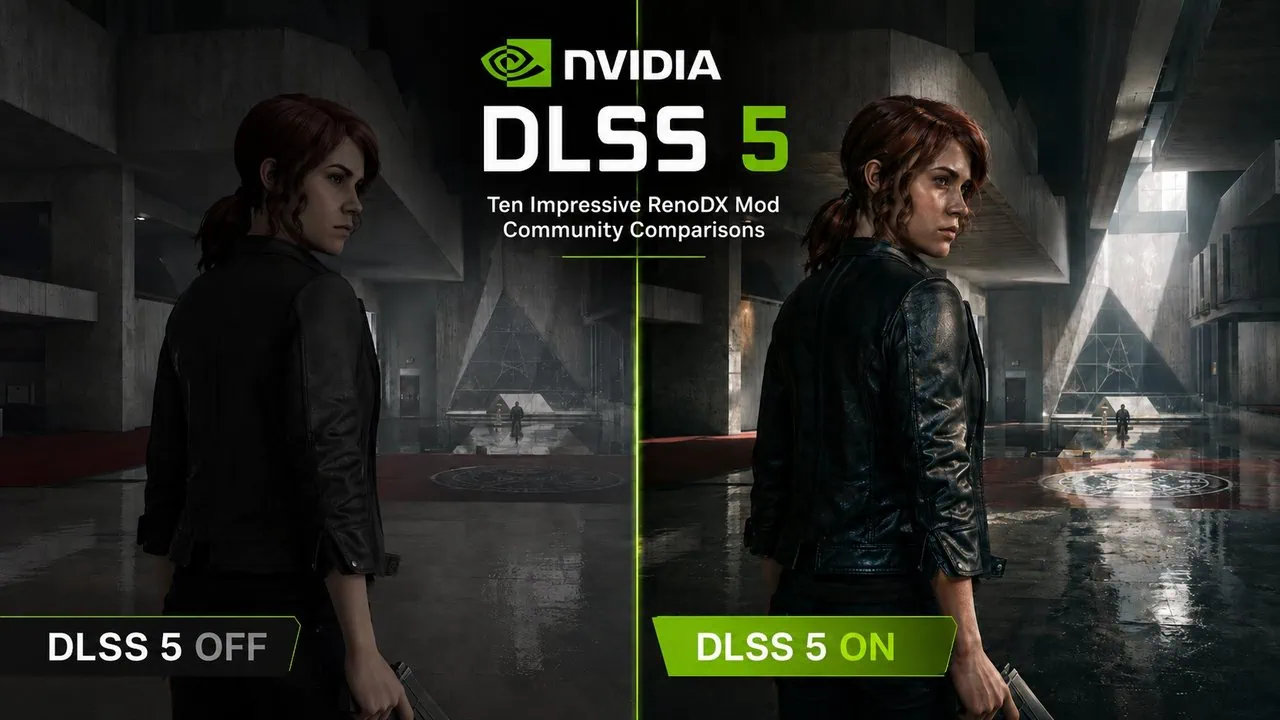
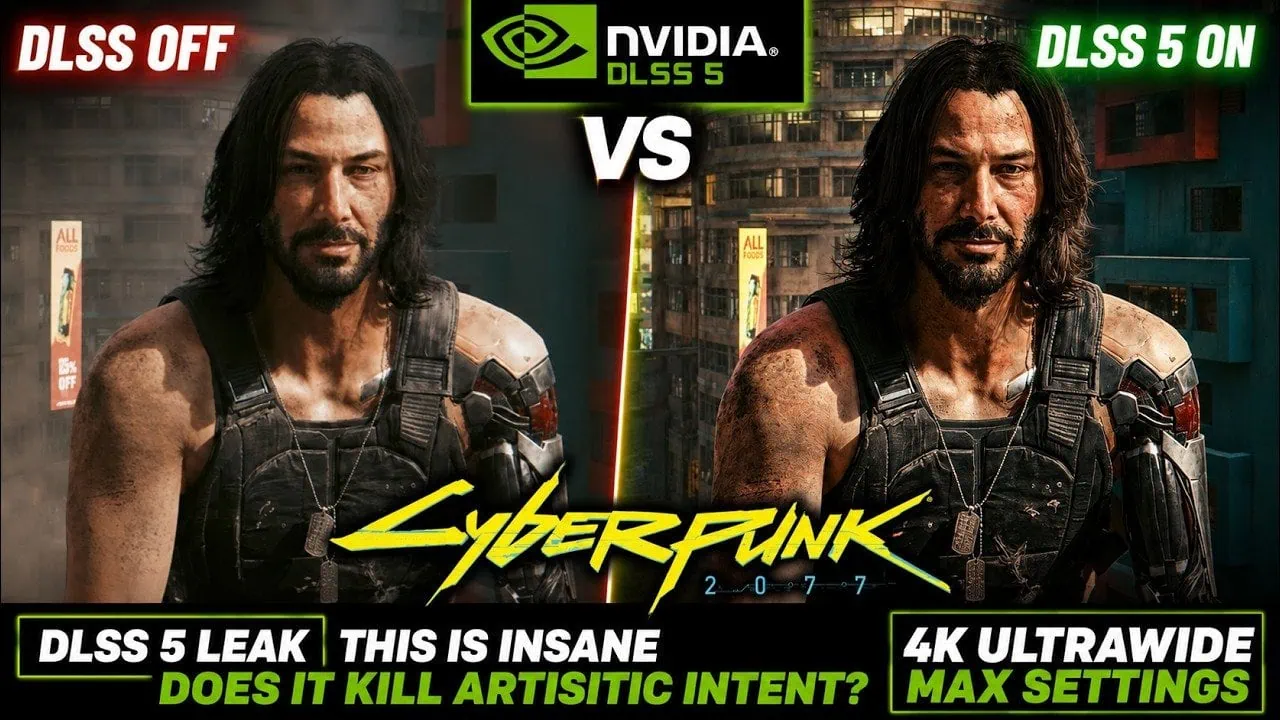
DLSS 5 Gameplay Screenshots
Supported Games List
The community has already confirmed DLSS 5 Neural Rendering working in ten modern titles and that list is still growing. Every game below supports native DLSS 2 and 3, so DLSS-Unlocked applies to all of them and gives you a real reason to unlock DLSS 5 today. Here is what the community on-versus-off tests found:
| Game | What DLSS 5 Neural Rendering Adds | Watch Out For |
|---|---|---|
| Control | Faces, skin, hair, and clothing detail; characters look almost prerendered | Heavy FPS loss even on an RTX 5090 |
| S.T.A.L.K.E.R. 2: Heart of Chornobyl | More pronounced material response and facial detail | Local contrast can feel excessive |
| Cyberpunk 2077 | Photographic faces and materials on top of path tracing | Frame rate drops by more than half on an RTX 5080 |
| The Witcher 3: Wild Hunt | Extra surface detail on faces and materials | Can clash with the game’s stylized art direction |
| Grand Theft Auto V Enhanced | Detailed skin and shading; outdoor scenes look near-photoreal | Haloing appears around characters when pushed too far |
| Stellar Blade | Clearer detail on faces, hair, clothing, and local lighting | Stylized faces change; memory leak when toggling the effect |
| Final Fantasy VII Rebirth | More material and lighting detail | Default and cinematic presets over-sharpen; Natural looks best |
| Assassin’s Creed Shadows | More defined skin structure and softer shadows | Can look flatter or washed out |
| The Elder Scrolls IV: Oblivion Remastered | Rich material response and detail | Nighttime scenes turn too bright |
| The Last of Us Part II Remastered | Striking extra structure in skin and lighting | Aggressive settings reshape faces and hit the uncanny valley |
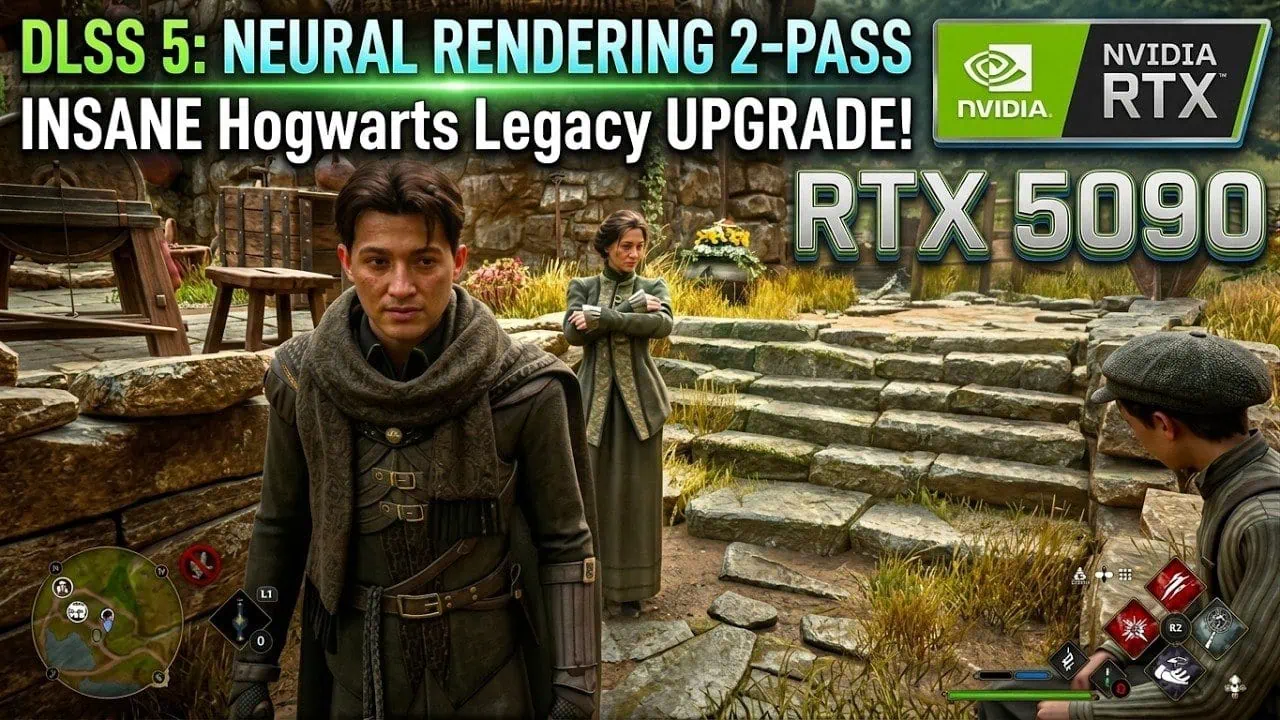
| Hogwarts Legacy | Community tests show a clear Neural Rendering uplift | Best results on an RTX 5090 in the early tests |
| Avatar: Frontiers of Pandora | ON versus OFF comparisons from the community; also tested with R.E.A.L. VR | Expect the usual heavy performance cost |
| Elden Ring | Early community playtests look strong per the megathread | Untuned defaults can change the art style |
| NBA 2K27 | Official first showcase: detailed skin, contact shadows, richer tonemapping | Mid-range GPUs should stay at 1440p; laptop GPUs bottleneck |
| Street Fighter 6 | Community test reported working | — |
Requirements
First check if your PC can handle this extra load. The tool itself uses almost no disk space and works on any GeForce RTX card of series 20, 30 or 40 running on Windows 10 or 11 (64 bit). For 2X multiframe generation you need 4 GB VRAM and more for 3X and Neural Rendering pass 8 GB or more is recommended. Make sure you have an up to date NVIDIA driver. The included runtime Streamline 2.14.1 relies on current driver tables.
- OS: Windows 10 or 11 64-bit (Linux with Proton also works via the standalone archive).
- GPU: GeForce RTX 2060 / 2070 / 2080 (Turing), RTX 3060 to 3090 (Ampere), or RTX 4060 to 4090 (Ada Lovelace).
- VRAM: 4 GB minimum for MFG 2X; 8 GB or more recommended for 3X, 4X, and Neural Rendering.
- Driver: a recent NVIDIA Game Ready or Studio driver; the bundled Streamline 2.14.1 runtime depends on current driver tables.
- Game: a DirectX 12 title with native DLSS 2 upscaling and DLSS 3 frame generation support.
- MFG: the 2X / 3X / 4X modes only appear in the in-game menu when the game natively supports Multi-Frame Generation.
- Conflicts: turn off the NVIDIA App DLSS override for the game, and let the installer rename the proxy to version.dll when you use ReShade.
Here’s an important detail for the game: it needs to support native DLSS 2 upscaling and DLSS 3 frame generation. For modes 2X, 3X and 4X to appear in the graphics menu, the game also requires its own native support for MFG. Please be sure not to use the NVIDIA App for DLSS override for this game because the global override will clash with the proxy DLL. If using ReShade the installer will rename the proxy automatically to version.dll.
How to Unlock DLSS 5 on Any PC Games
Before you start the DLSS 5 Unlock process, check all system Requirements and then download DLSS-Unlocked.
Download DLSS-Unlocked v0.9.80 Stable – dlss-unlocked-setup-NR-v0.9.80.exe | dlss-unlocked-standalone-NR-v0.9.80.zip
Windows PC Setup Guide (Step by Step)
To unlock DLSS 5, you have to Set up Windows PC, which takes about two minutes. Just download and run the setup file; the tool is unsigned so if SmartScreen warns you only run it if you trust the publisher. Point the wizard to the folder with your game executable and install; after that enable DLSS and frame generation in game graphics settings just as you usually do.
- Download the DLSS-Unlocked setup file from the official releases page and run it.
- If SmartScreen pops up, click More info and then Run anyway. The installer is unsigned by design.
- In the wizard, browse to your game’s executable directory, for example C:\Games\YourGame\bin\x64, and install.
- Launch the game and open its graphics settings. Turn on DLSS and Frame Generation normally.
- Press the Insert key to open the OptiScaler overlay and confirm the proxy DLL is hooked in.
- Switch the MFG unlocker between dlssg_sm86 and Ada as needed, tick the Neural Rendering boxes, and tune the strength.
When the game is running, open the OptiScaler overlay with the Insert key. From there you can switch the MFG unlocker between the native dlssg_sm86 module and the Ada variant, tick the DLSS 5 Neural Rendering boxes, adjust the effect strength and Unlock DLSS 5. The overlay also shows the current upscaler state, which makes it easy to confirm the tool is hooked into the game before you start playing.
Verification: the game should show DLSS 2 upscaling active with the proxy runtime, and the extra Multi-Frame Generation modes appear in the graphics menu. If nothing changes in-game, check that the proxy DLL sits next to the game executable and that the NVIDIA App DLSS override is disabled for that title.
Linux / Proton Manual Setup
- Download the standalone archive and extract it directly into the game folder, next to the main .exe.
- Keep dxgi.dll at the root and rename it to version.dll if you also use ReShade.
- Make sure the OptiScaler folder, the streamline runtime folder, and the patched nvngx_dlssnr.dll sit next to it.
- Add these launch options on Steam / Heroic for native MFG to work under Proton:
WINEDLLOVERRIDES="dxgi=n,b" PROTON_ENABLE_NVAPI=1 PROTON_NVIDIA_NVCUDA=1 %command%Once the launch options are in place, Steam and Heroic can unlock DLSS 5 under Proton just like a native Windows install.
Troubleshooting
Most issues come down to file placement or conflicting overrides, and each fix below has helped users unlock DLSS 5 when a game refused to cooperate.
- Capcom RE Engine games (like Resident Evil titles) crash on boot: install REFramework into the game root next to dxgi.dll to bypass the engine’s integrity checks.
- RE Engine frame generation stutters on RTX 20 / 30: set FGInput=dlssg under [FrameGen] in OptiScaler.ini for rock-solid 2X, and avoid 3X / 4X modes.
- Overlay crash on Linux / Proton: set OverlayMenu=false under [Menu] in OptiScaler.ini.
- Nothing changes in the game after install: confirm the proxy DLL is next to the game executable, disable the NVIDIA App DLSS override, and verify the game’s renderer is DirectX 12.
Important Warning
This tool is for single-player games only. Never use it in multiplayer titles or games protected by anti-cheat systems, or you risk a permanent ban. The experimental Neural Rendering pass is also extremely demanding, with the RTX 5090 often losing half of its performance in community tests. This is an independent community project, not an official NVIDIA release, and the runtime is bundled purely for interoperability. Back up any DLLs you replace, and expect rough edges while the ecosystem matures.