Today we share Gcam for Red Magic 3. Nubia released the gaming Red Magic 3 as a gaming-centric smartphone. Nubia Red Magic 3 has no doubt gaming-level specifications and features. It also has a 48 megapixels camera. But the pictures are not much up to expectations as supposed to be on 48 megapixels camera. Are you looking for a Google Camera For Nubia Red Magic 3? After testing some, we found Google Camera for Red Magic 3 with Night Sight.
The stock camera brings many new features with Nightscape in the last monthly update. There is not one stable version of the Red Magic 3. This version also has some bugs and things that don’t work. The Google Camera is the best camera app that offers to shoot Night Sights and the best portrait with HDR+. Here we share the best working Google Camera for Red Magic 3.
Google Camera For Nubia Red Magic 3
Gcam is a very much popular camera app for Android smartphones. Also, it has features like night sight mode, PhotoSphere, Slow Motion, Playground (AR Stickers), RAW support, HDR+ mode, Panorama, Lens Blur, Portrait mode (with Focus Slider), Google Lens mode & few more. But all of these features do not work on Gcam for Red Magic 3. Google camera picture quality is better than the stock camera in some places. It provides better low-light image quality and a more detailed picture. Just follow the guide and install Gcam for Red Magic 3.
Gcam For Red Magic 3
The camera is not the highlight feature of this device. As far as the cameras are concerned, the Red Magic 3 on the rear packs a 48-megapixel primary camera with an f/1.7 aperture single camera. The rear camera setup has autofocus. It sports a 16-megapixel camera on the front for selfies, with an f/2.0 aperture. We’ve tested many GCams on the smartphone and found this compatible companion for the Red Magic 3.
More Stuff
- Google Camera For OnePlus 8 and 8 Pro
- Google Camera For MI 10 Pro
- Gcam For Black Shark 2
- Gcam For Moto One Power
Issues
HDR+ for the front camera does not work
Screenshots
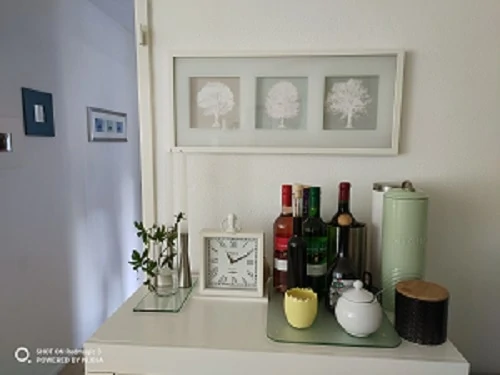
More screenshots in high-resolution format. Thanks to Xronaldx for this picture.
Download Google Camera
Gcam For Red Magic 3 – Google Camera APK MOD for All Android
Install Red Magic 3 Google Camera
- Download The GCamera.apk file.
- Then Copy the downloaded file to your mobile or tablet in internal or external storage.
- Now enable Unknown Sources options from Settings > Security or Settings > Additional settings > Privacy.
- Install GCamera.apk Open the camera app on your device and Give all the permission.
- Now enjoy.
Some settings you can adjust
About=> Enable advanced mode
HDR+ settings=>
RAW format => RAW 10
Image format => YUV_420_888
Fix portrait mode: on
To get normal colors
Back camera: Pixel 3 XL
Front Camera: Pixel 3 XL
Pixel AWB Mod: Pixel 3
HDR+ settings
AWBGains Mod: on
Custom lib Repo: Version by cstark
HDR+ Quality: Super High
Saturation adjustments: all to max (3.0)
Recompute AWB: on
Sabre: off
Fix Device
RAW Format: RAW10
Image Format: YUV_420_888
Color Capture Support: P3
Fix hue on front camera: off
Disable sabre on front camera: on
Buffer fix: on
Raw10 in front camera: on
fix tap of focus: on
Fix portrait mode: on
night mode: off
Other Recommendations:
- Google Camera For Poco X2 [GCam 7.2]
- Google Camera GO APK For All Android Devices
- Latest Google Camera For Realme X2 (7.2 Version)
- Google Camera For Asus Zenfone Max Pro M2
- ZTE Nubia Red Magic 3 Confirmed Features
Done!! Now you can enjoy Google Camera on your Red Magic 3 device. Share the most beautiful pictures taken by you in the comment section below. If you like those wallpapers, please share them with other communities and forums. Don’t forget to join our telegram group for more wallpapers, Themes, and Ringtones updates – https://getdev.me/telegramdev.