gizdevlogo
  • NEWS
  • DEALS
  • TECH
    • HOW TO
  • DOWNLOADS
    • Stock Wallpapers
    • Stock Ringtones
    • THEMES
    • Firmwares
  • ANDROID
    • Rooting
    • TWRP Recovery
    • Unlock Bootloader
    • Custom Roms
    • Google Camera
No Result
View All Result
gizdevlogo
No Result
View All Result

Oxygen OS 3.0 Beta Camera App For CyanogenMod And AOSP ROMS

by Ayan
November 15, 2017
in Apps, Camera App, How To

Install Oxygen OS 3.0 Beta Camera App For CM And AOSP ROMSOxygen OS 3.0 Beta Camera App For CM

Here is the Oxygen OS 3.0 Beta Camera app for Oneplus Users who are using custom rom on OnePlus One and OnePlus x.

Content List
  • Install Oxygen OS 3.0 Beta Camera App For CM And AOSP ROMS
      • Features:-
      • Supported Rom's:- 
      • Preparation:-  
    • ⇓⇓Download The Zip Form Here⇓⇓
      • Guide To Install Camera App:- 

The new construction OxygenOS 3.0 presents a cleaner interface, easy access to different modes and configurations, according to the camera department. In addition to a new wallpaper picker, the update also brings improvements in UX shelf, digital printing performance, and overall system performance.

There were some changes made in the Settings section as well. The old application permissions have been replaced with new permissions native Android applications, Slider Alert is more customizable, and the readability Settings menu has been improved. Android security patches for March also come as a part of OxygenOS 3.0.

Features:-

  • Android 6.0.1 Marshmallow Update
  • New user interface of Camera OnePlus
  • improvement fingerprint performance
  • General performance improvement of the system
  • sliding up / down now toggles between photo/video while HD / HDR and live flash settings in the upper right corner
  • And many more

Supported Rom’s:- 

CyanogenMod 12.1 , 13, AOSP ROMS
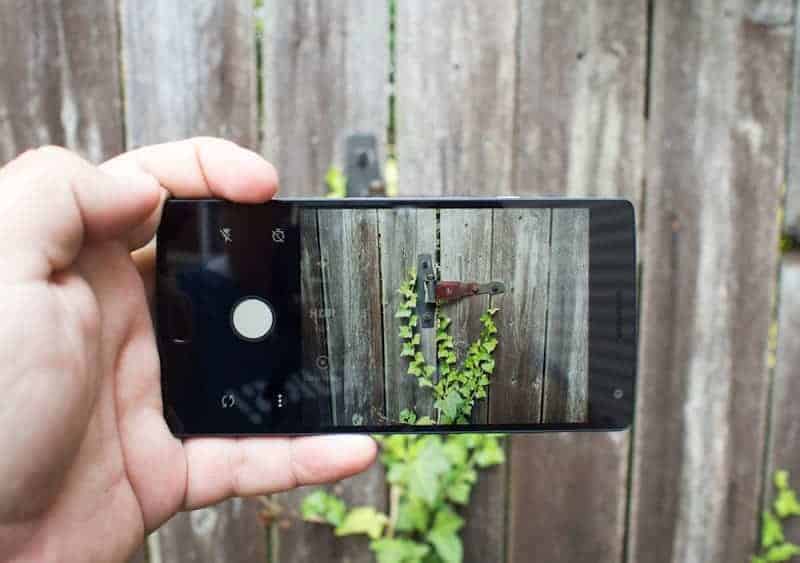
 

oneplus2-camera-app

Preparation:-  

  • Backup Your Camera App First.
  • Phone Must Be Rooted With Twrp Recovery Here Rooting Twrp Install Guide -> Link.
  • Download The Camera Mod Flashable Zip File.
  • Now Follow The Instructions.


⇓⇓Download The Zip Form Here⇓⇓

cameraappcm.zip

Guide To Install Camera App:- 

  1. First Backup Stock Camera App.To Backup Stock Camera Use Root Explorer go to system/prev-app/Camera.apk copy the apk to your sd card.
  2. Download “OO3Camera.zip” copy to your phone.
  3. Switch Off Your Device.
  4. Turn It On Recovery Mode By.
  5. Go To Install Navigate To The “OO3Camera.zip” Swipe To Install.
  6. Back & Reboot .

Note:- You Can Back Any Time To Your Default Camera By Just Replacing The Stock Camera.

More Mods:-

  • Guide To Install HTC Camera App 7.15.563434 On Any Android Device
  • Install Modded OnePlus 5 Camera App On Any Android Device
  • Trick To Enable 3D Panorama Camera Mode For EMUI 5
  • Install Galaxy S7 Edge Camera App On Other Android Phone
Summarize With AI:
chatgptChatGPTgoogleaiGoogle AIgrokGrokperplexityPerplexity
Ayan

Ayan

He is a pro gamer, always busy with gaming and he loves to play DotA on pc. He is also a BCA student now trying some online stuff so he is writing Android technology stuff on our blog

Related Posts

Universal Moded Blackmagic Camera APK for All Android

Download Universal Blackmagic Camera APK for All Android

Download Latest AGC GCAM APK FOR Android (AGC 9.6)

Leave a Reply Cancel reply

Your email address will not be published. Required fields are marked *

This site uses Akismet to reduce spam. Learn how your comment data is processed.

LATEST ON GIZDEV

Official Redmi K90 Ultra Stock Wallpapers from Xiaomi

How To Install SUSFS Module – Root Hiding Service for KernelSU

How to Efficiently Recover Deleted Photos on an Android Mobile Phone?

Official Lenovo Legion Y70 Stock Wallpapers in FHD

Download Latest ReSukiSU v4.1.0 Kernel-based Root Solution

Leaked Samsung Galaxy Z Fold 8 Stock Wallpapers in FHD

Official Vivo X300 FE Stock Wallpapers Download in FHD

Download Latest SukiSU-Ultra v4.1.3 Kernel-based Root Solution

  • About Us
  • Contact Us
  • Privacy Policy
  • Editorial Policy
© 2026 GizDev. Made with ❤️ in India
chatgptChatGPTgoogleaiGoogle AIgrokGrokperplexityPerplexity
No Result
View All Result
  • NEWS
  • DEALS
  • APPS
  • THEMES
  • WALLPAPERS
  • STOCK RINGTONES
  • GOOGLE CAMERA

© 2026 GizDev. Made with ❤️ in India