Unofficial TWRP 2.8.7 Recovery And Root Micromax Canvas 5 E481
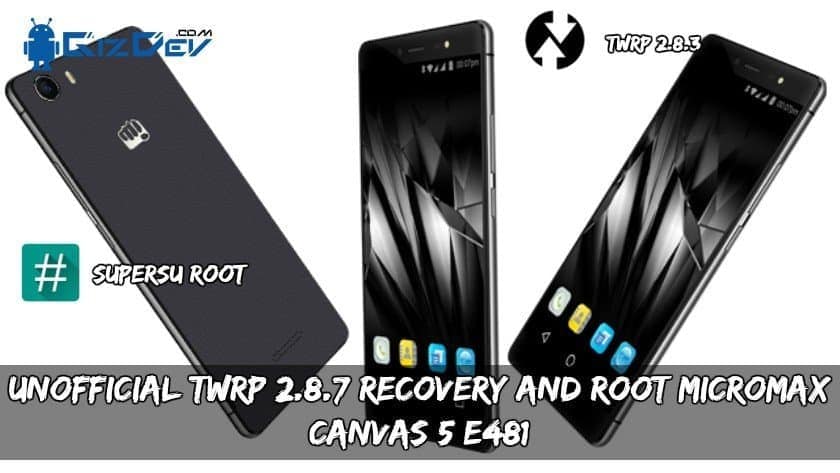
A Glimpse About Micromax Canvas 5 E481:
The Canvas 5 smartphone which was launched in November 2015. The phone comes with the 5.2-inch touchscreen display with a resolution of 1080*1920 pixels. The display has PPI of 423pixels per inch. The Micromax Canvas 5 E481 is powered by 1.3GHz MediaTek 6735 processor comes with 3GB of RAM. Canvas 5 has 16GB of internal storage can be expanded up to 64GB via a microSD card. Cameras are to be considered the Micromax Canvas 5 E481 comes with the 13 megapixels at the rear at 5 megapixels at front.
TWRP stands for Team-Win Recovery Project. We all know that, TWRP 3.1. 0 recovery and rooting your smartphone is useful for in many scenarios, Still for those who are new let’s check it out some cool things TWRP and rooting features can do.
Benefits of TWRP And Rooting:
- By rooting you can easily delete bloatware that is built-in in the smartphones. Free up some space by removing some unnecessary bloatware.
- Get some real backups by using apps like Titanium backup etc. You can also modify some system settings like build.prop files. Rooting has much more advantages; you will get to know.
- TWRP enables us for easy rooting and unrooting device. Just by flashing SuperSu, we can root the smartphone.
- The most important and loved feature that CUSTOM ROMs. This is a very important feature, or we can say it as a big advantage of TWRP recovery.
- You can turn your phone to its full speed by overclocking and also you can do some underclocking.
- Xposed features are also an advantage of TWRP. Let’s you customise your phone’s stock ROM easy and simple. There are much more features but let’s go to our topic.
Supported Device:-
- Micromax Canvas 5 E481
Preparation:-
- Charge your device, minimum 50%.
- Backup your important data, in case remove all data.
- Enable developer options.
Go to settings ⇒ About phone ⇒ Tap on “build number” 7 times to enable developer options.
- Enable USB Debugging.
Go to your settings ⇒ Developer options ⇒ tick the “ usb debugging ” checkbox.
- Enable OEM Unlock.
Go to your settings ⇒ Developer options ⇒ tick the“ OEM Unlock ” checkbox
- Install Micromax Driver From here => Download ALL Android Phone Adb And Flashing Usb Drivers
- Download ” adb-fastboot-tool-2016.zip “, ” TWRP.img ” , ” SuperSU “
- Read Guide.
Recommended For You:
- CM 11 V0.19[Unofficial] Rom For Micromax Canvas Turbo A250
- Install CyanogenMod 12.1 Lollipop On Micromax Canvas Nitro A310
- Guide To Install TWRP Recovery And Root Lenovo Vibe B (Al732ROW)
- How To Root Nubia Z11 Mini S Install TWRP Recovery, Unlock Bootloader
⇓⇓ Downloads ⇓⇓
Guide To Install (unlock bootloader):-
1.) Download “adb-fastboot-tool-2016.zip” and unzip it.
2.) Open Command Promot in adb-fastboot-tool-2016 folder by Shift + Mouse Right Button => Open Cmd Here.
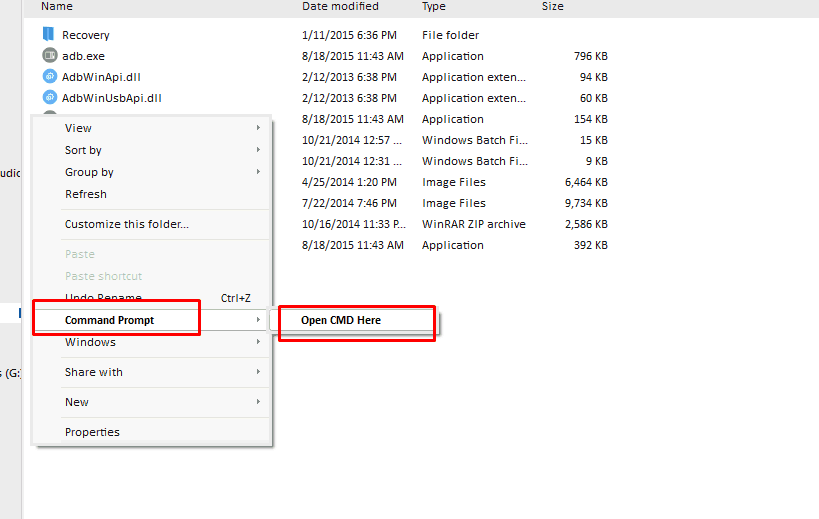
3.) Connect your phone to pc now copy paste this commands to cmd window and hit enter.
adb reboot-bootloader
- This command will turn your phone into bootloader mode.
fastboot oem unlock
This command will unlock your phone bootloader confirm the unlock in your phone by Volume Up.
Guide To Install TWRP Recovery on Micromax Canvas 5:-
- First, read Preparation, Unlock Bootloader, Download required files of your device.
- Extract “adb-fastboot-tool-2016.zip“.
- Download TWRP recovery IMG file rename ” TWRP_E481_L.img ” to ” recovery.img ” and copy to adb-fastboot-tool-2016 Folder.
- Open Command Prompt (CMD) windows in adb-fastboot-tool-2016 folder by Shift + Mouse Right click
- Connect your phone to PC.
- Now paste this command on command window and hit enter to reboot your phone into bootloader (FASTBOOT) mode.
adb reboot-bootloader
- Flash custom TWRP recovery by this command.
fastboot flash recovery recovery.img
- For reboot your device type below command and hit enter.
fastboot reboot
- TWRP installing successfully done, Now go to the root step.
Guide To Root Micromax Canvas 5:-
- Download SuperSu_2.79.Zip from above link and copy it to the external memory.
- Boot your phone into Recovery mode by pressing VOL UP + POWER Buttons.
- On the TWRP home go to Install and navigate to the SuperSu_2.79.Zip.
- Swipe to install.
- Wipe Dalvik Cache.
- Reboot your phone.
Download any root checker app to check root. Done!! You installed TWRP recovery and Rooted LYF Water 8.
If you want any help comment below, Stay tuned for more cool posts. 🙂 Also Like our Facebook page to stay up to date !!