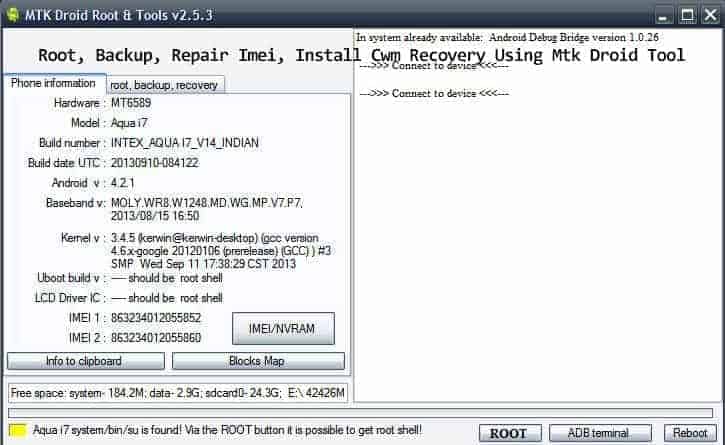
Mtk Droid Tool is an incredible tool for those who want to unlock the full potential of their Mediatek devices. With this tool, users can easily flash stock firmware, backup and restore device data, unlock bootloader and root their device. It also allows users to take screenshots and record videos of their device’s screen. The tool is available for both Windows and Mac computers, making it easy to use on any platform. Not only that but it also supports a wide range of Mediatek devices from different manufacturers. Mtk Droid Tool has become an essential tool for anyone looking to get the best out of their Mediatek device.
With this tool you can Root, backup apps, repair IMEI using mtk droid tool also install cwm recovery working on MediaTek chipsets devices like Micromax, Karbonn, Lenovo, Xolo, and honor holly also work to root install cwm, also you can backup stock recovery.
Preparation
- Download the tool
- Install Adv Drivers For Your Phone
- Connect Your Phone With Computer
- Turn On USB Debugging
- Read Instructions
Download Mtk Droid Tool From The Link
Mtk_Droid_Tool_v2.5.3 –
Instructions
- Extract Zip File
- Open Mtk Droid Tools.Exe From The Extracted Folder (Run As Administrator). Wait For The Tool To Detect Your Device.
- Click ROOT button To Root Your Device
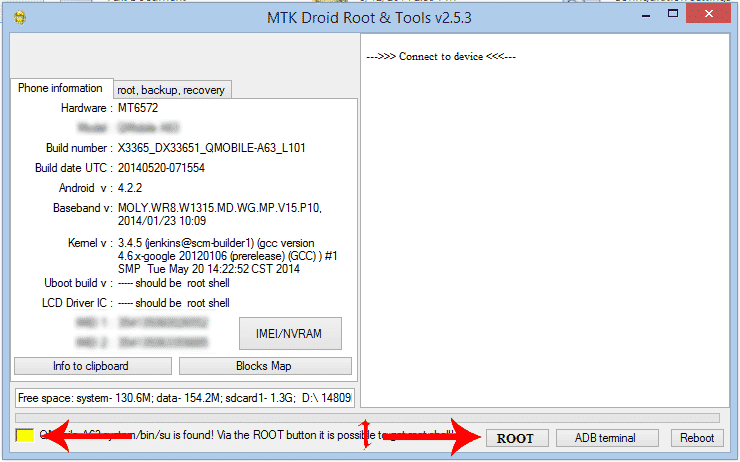
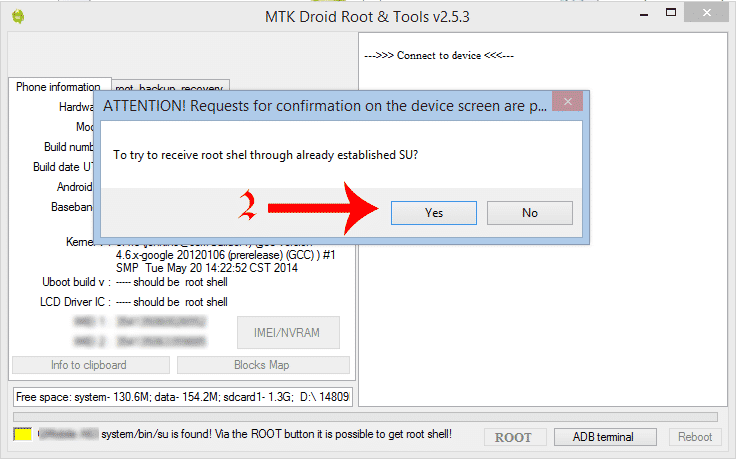
- Install Cwm
- Go To Root, Backup, Recovery Tab
- Click On Backup
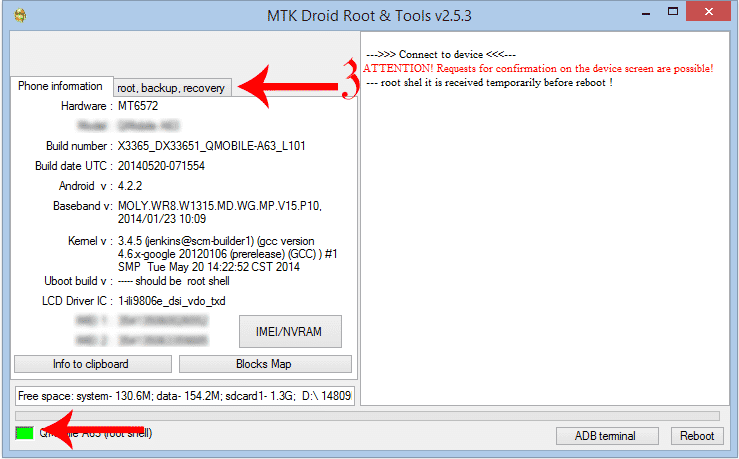
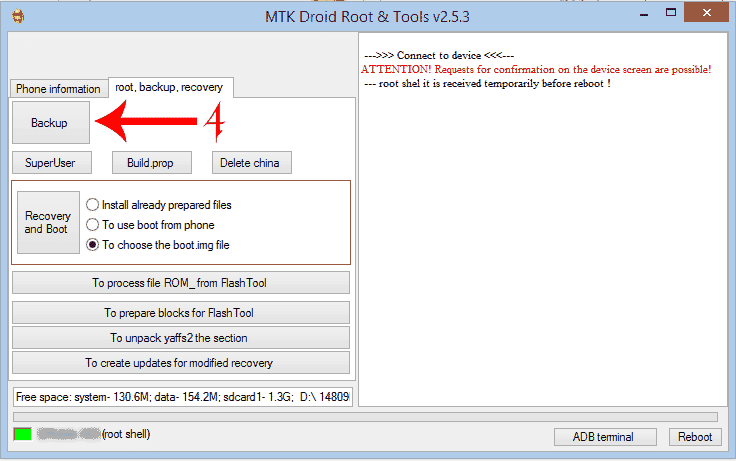
- Wait Until Back Up To Complete
- After Backup is Completed Click On ” To Choose The Boot. Img File ” And Click On Recovery And Boot Button
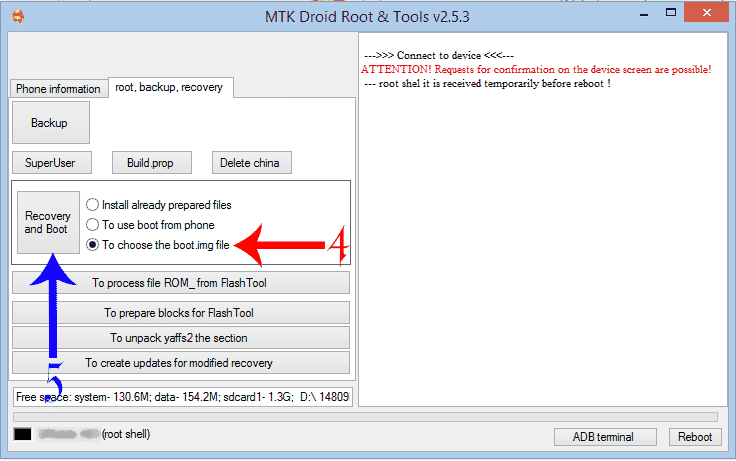
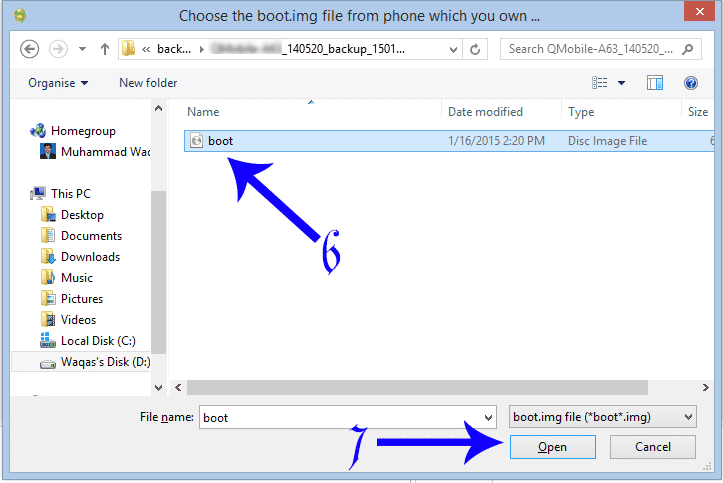
- Go To The Backup Folder.
- Browse The boot.img File
- A Window Will Appear Saying:To Make Cwm Recovery Automatically ” Press Yes Button.
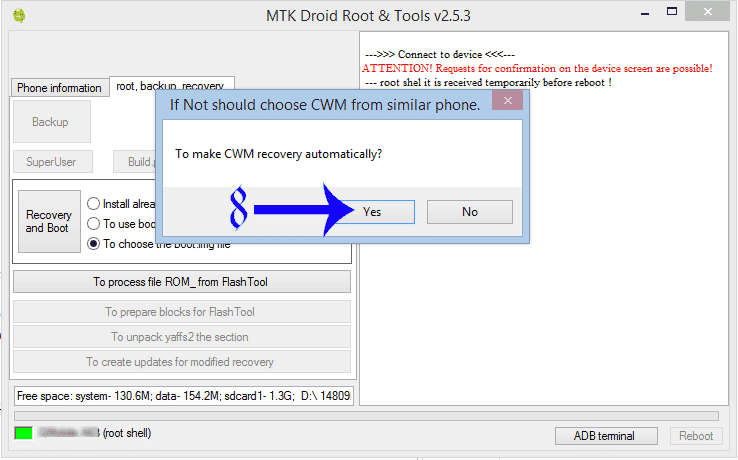
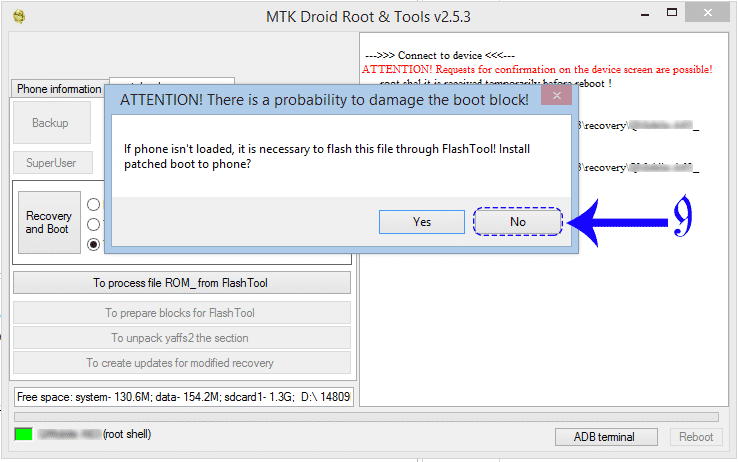
- Click No Button On the Second Windows
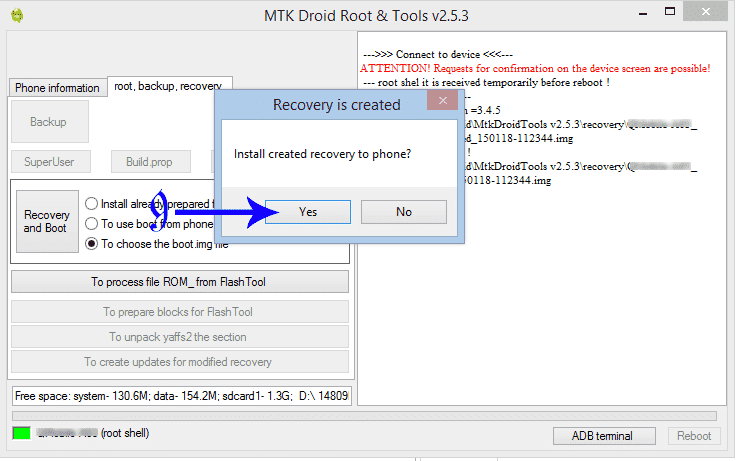
- ” Install Created Recovery To Phone ” Press Yes Button
- To Reload Phone In Recover ” Press the Yes Button in Mtk Droid Tool
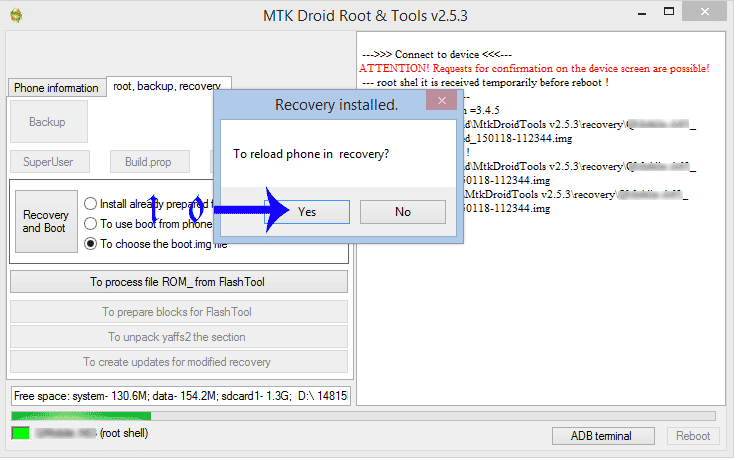
Yup You Have Installed Cwm Recovery On Your DEVICE 😀
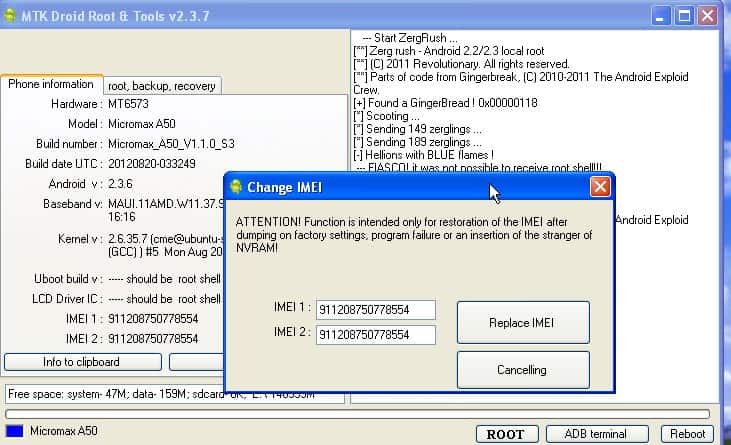
- You Can Also Repair it If Imei Invalid
- Click On Imei/NVRAM In the Phone Info Tab
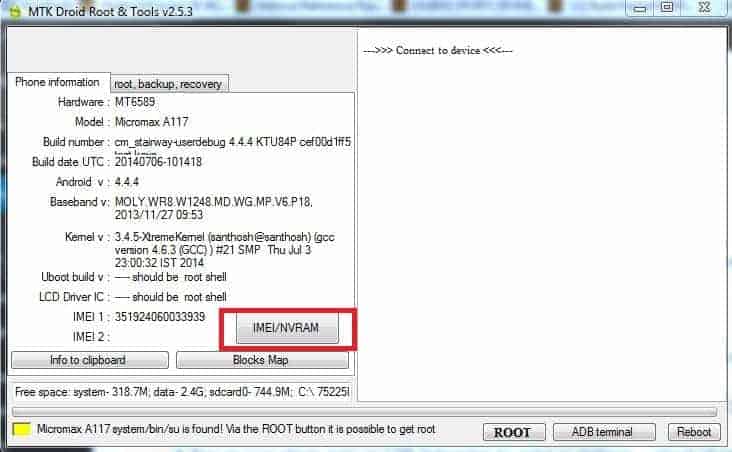
- Type The IMEI In Notepad From The Back Of The Phone
- Paste The IMEI 1, 2 Then Press Replace Imei
- Click Reboot
More MTK Tool –
Latest SN Write Tool and Guide on How to Repair MediaTek IMEI